
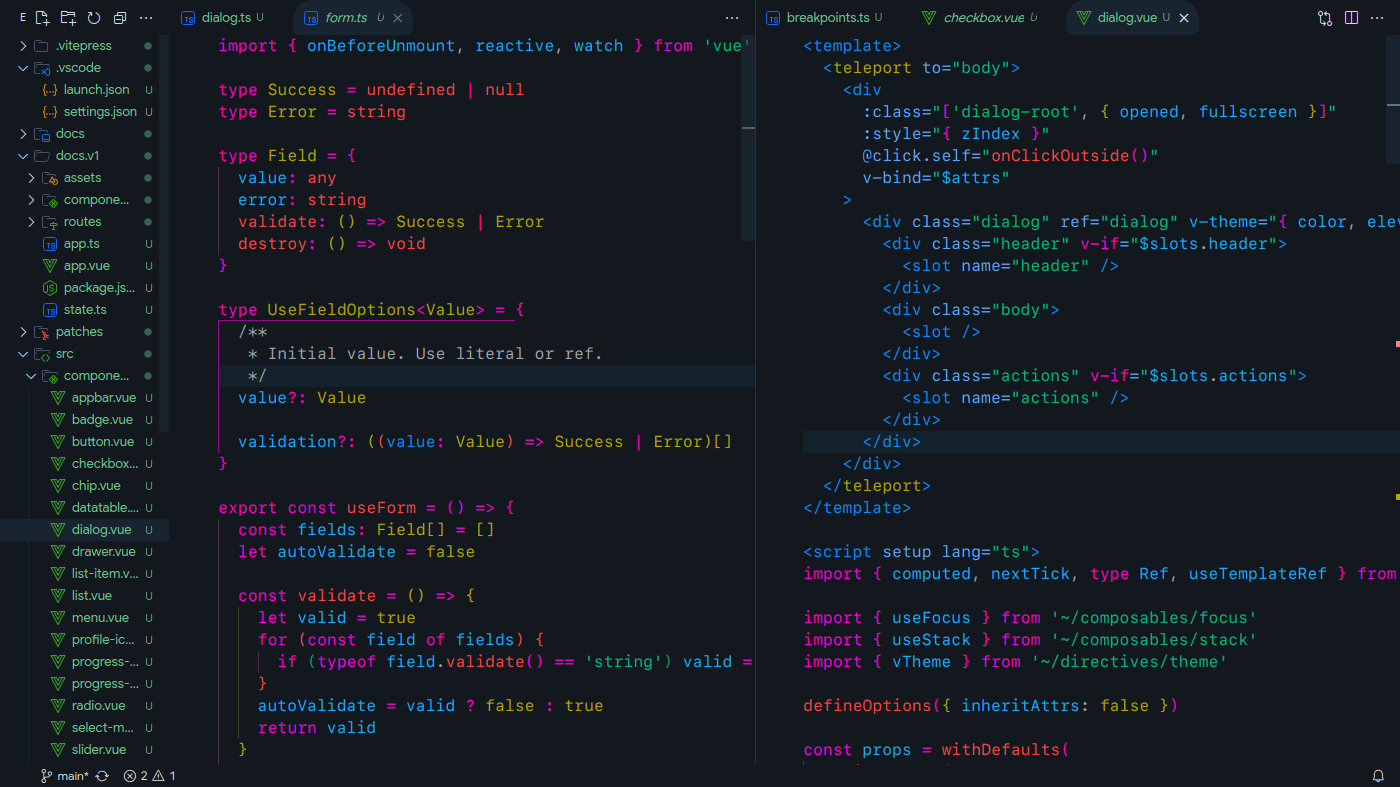
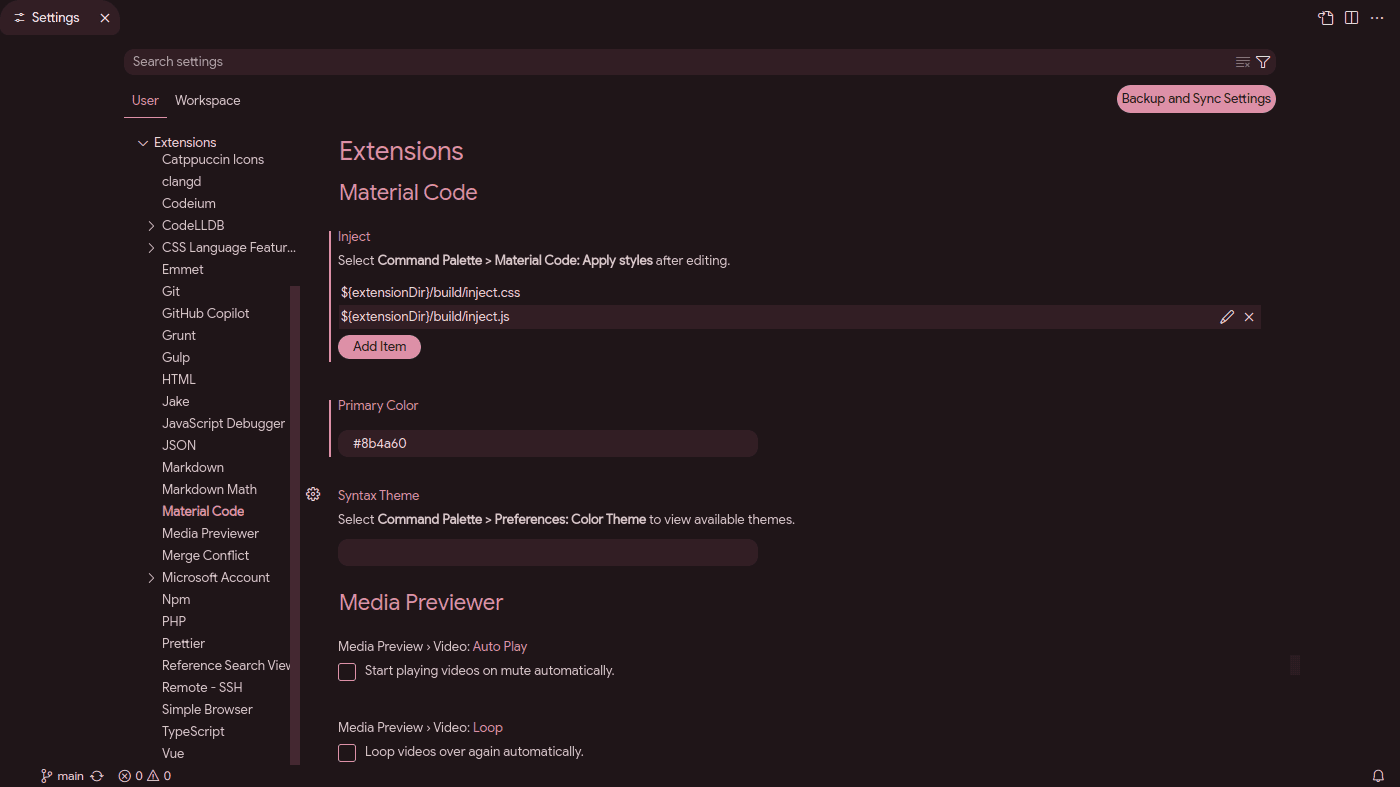
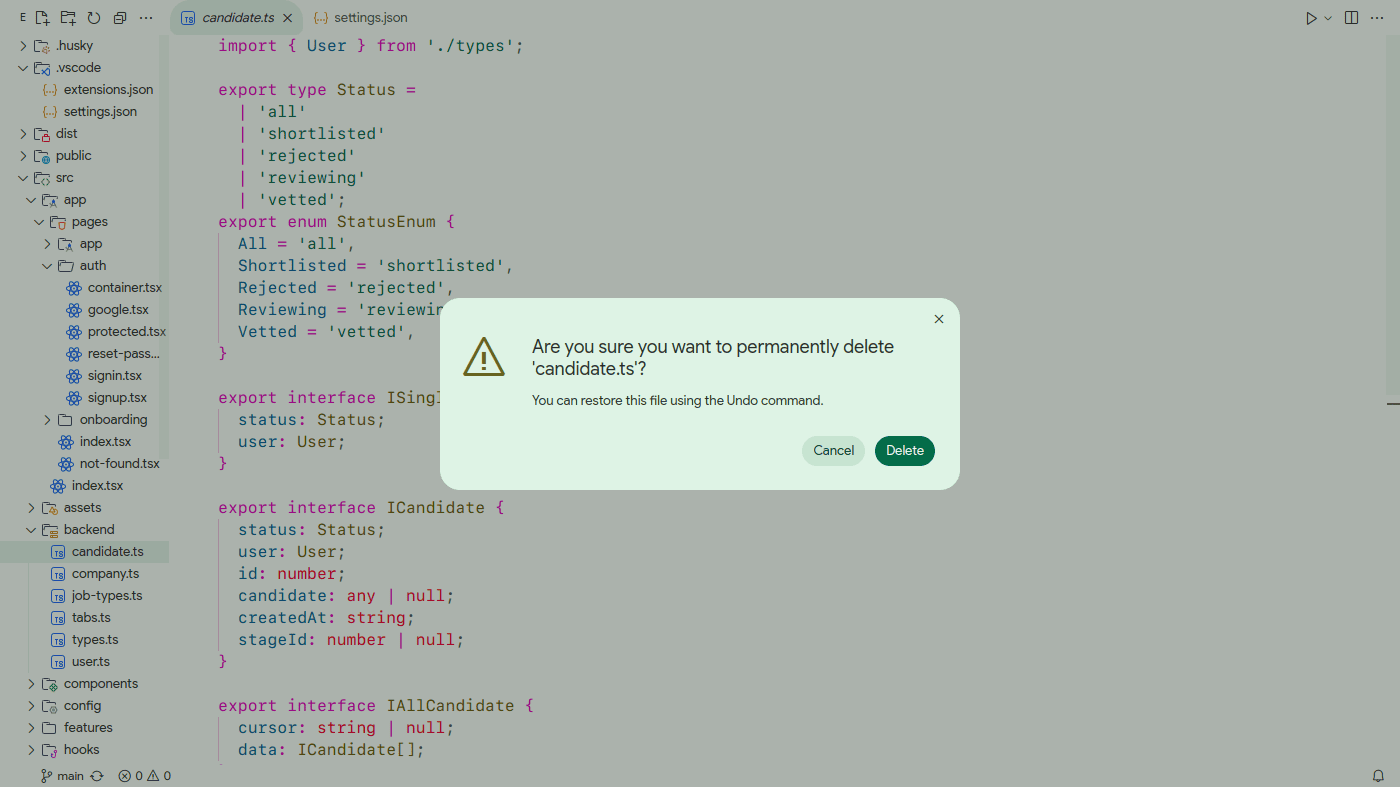
- Material You (Dark & Light).
- Rounded corners.
- Click ripple effect.
- Seperate syntax theming.
- Inject custom code (CSS, JavaScript, HTML) via inline text, local file path, or URL.
- Follow system theme e.g. Matugen, Pywal.
Let me know your suggestions, issues on Github
Material You theming works straight away.
Other features requires running Material Code: Apply styles from command palette, which injects code into vscode installation file workbench.html. Therefore extension may ask for administrative privileges if needed.
After applying vscode will warn "Installation corrupted". This can be safely ignored. Click notification gear icon > Don't show again.
And to revert run Material Code: Remove styles.
Use material-code.colors setting to override any color. Matugen can write to settings.json and vscode will update instantly.
Matugen
Create a template ~/.config/matugen/templates/vscode.json:
Add to ~/.config/matugen/config.toml:
[templates.vscode]
input_path = '~/.config/matugen/templates/vscode.json'
output_path = '~/.config/Code/User/settings.json'In rare cases like this where "Material Code: Remove styles" not working. Generally updating vscode version will revert itself including the styles but if you need fix urgent:
- Open workbench.html file located in vscode installation folder.
In my case (Linux) it's
/opt/visual-studio-code-insiders/resources/app/out/vs/code/electron-sandbox/workbench/workbench.html - Remove all code inside
<--material-code-->block and save. - To fix "Installation corrupted" warning, use Fix VSCode Checksums extension.
Change VS Code font
.mac,
.windows,
.linux {
font-family: Google Sans !important;
}Change rounded corner radius
body {
--radius: 8px;
}"editor.semanticHighlighting.enabled": true,
"window.dialogStyle": "custom",
"window.menuBarVisibility": "hidden" // Use command palette instead.
{
  ...
  "material-code.colors": {
    // All fields are optional. Unset colors are derived from primary
    "primary": "{{colors.primary.default.hex}}",

    "foreground": "{{colors.on_surface.default.hex}}",
    "mutedForeground": "{{colors.on_surface_variant.default.hex}}",
    "background": "{{colors.surface.default.hex}}",
    // Elevated panel
    "card": "{{colors.surface_container.default.hex}}",
    // Dialog, dropdown
    "popover": "{{colors.surface_container_high.default.hex}}",
    // Hover, selected
    "hover": "{{colors.surface_container_highest.default.hex}}",
    // Input border, divider
    "border": "{{colors.outline_variant.default.hex}}",
    "primaryForeground": "{{colors.on_primary.default.hex}}",
    // Tonal button, tooltip
    "secondary": "{{colors.secondary_container.default.hex}}",
    "secondaryForeground": "{{colors.on_secondary_container.default.hex}}",
    "error": "",
    "errorForeground": "",
    // Success indicators, green terminal colors
    "success": "",
    // Warning indicators, yellow terminal colors
    "warning": "",
    "syntax.comment": "",
    "syntax.string": "",
    // Keywords, operators, control flow
    "syntax.keyword": "",
    // Variables, tags, HTML elements
    "syntax.variable": "",
    // HTML attributes, CSS selectors
    "syntax.attribute": "",
    // Object properties, CSS properties
    "syntax.property": "",
    // Functions, methods, CSS values
    "syntax.function": "",
    // Numbers, constants, types
    "syntax.constant": "",
    // Bracket pair colors
    "syntax.bracket1": "",
    "syntax.bracket2": "",
    "syntax.bracket3": "",
    "syntax.bracket4": ""
  }
}