dict is a CLI app to look up words in a dict.cc dictionary. It works fully offline by accessing local dict.cc dictionary databases. dict supports all languages that are supported by dict.cc.
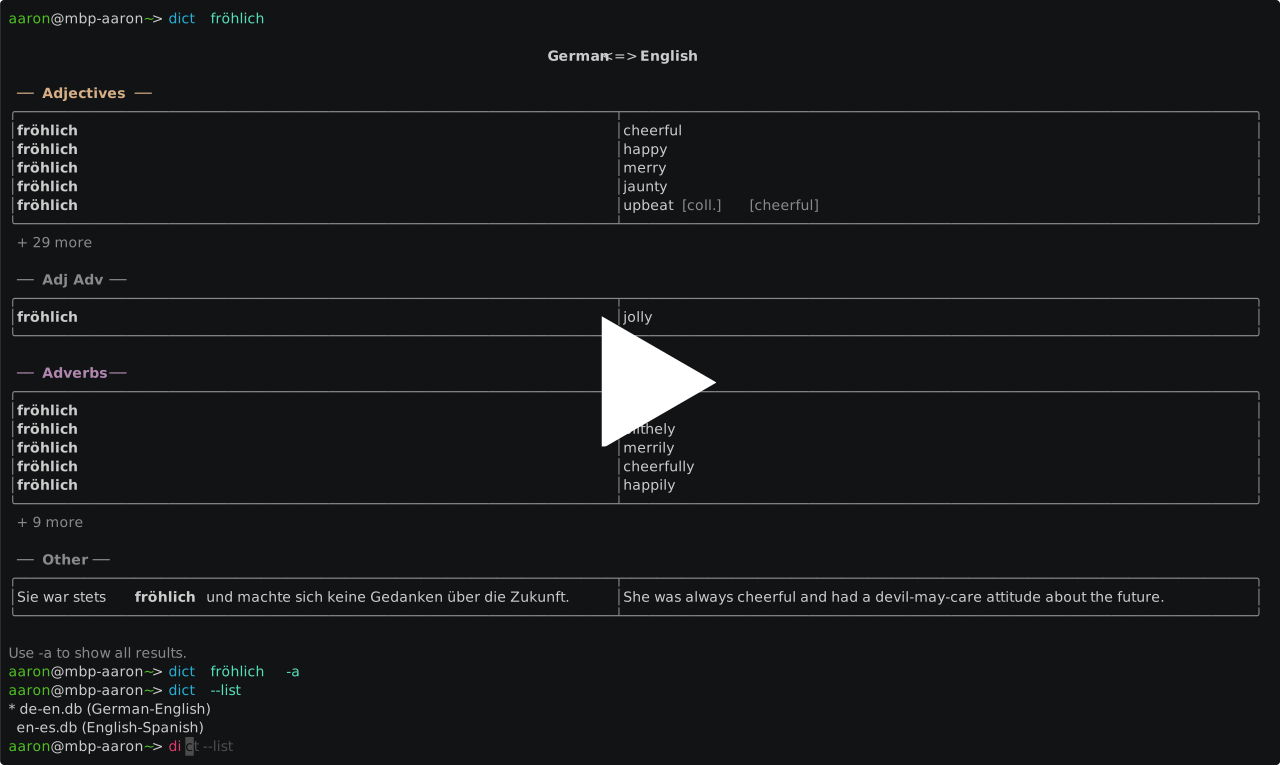
After you've installed dict you need to register a dictionary file that dict will use to look up words. For legal reasons you have to manually download the dictionary file. I'm not sure if I'm allowed to describe how get ahold of a dictionary file, but it's not very difficult. If you savvy enough to want to use a dictionary from you terminal you can probably find out how to do it.
Once you have a dictionary file you can it register with dict:
dict --register path/to/you/dictionary-file.dbThen you can set it as the default dictionary:
dict --default dictionary-file.dbYou can check all registered dictionaries like that:
dict --list
  de-en.db (German-English)
  de-it.db (German-Italian)
* en-es.db (English-Spanish)
  en-fr.db (English-French)
The asterisk in the output indicates what dictionary is currently set as the default.
Now you're ready to look up words:
dict <word>You can use the -a or --all flag to show all results instead only the most relevant ones.
You can use the -d or --dict flag to temporarily use a dictionary other than the default.
There are different ways to install dict on macOS, Linux, and Windows.
Homebrew is the preferred installation method on macOS:
brew install --cask Aaronmacaron/homebrew-tap/dict
xattr -d com.apple.quarantine $(which dict)
The second command is required because I didn't officially sign the binaries by going through the Apple signing process. If you use homebrew on Linux you can skip this step.
The installation script installs dict at /usr/local/bin.
curl https://raw.githubusercontent.com/Aaronmacaron/dict/master/install.sh | shThe installation script installs dict at %LOCALAPPDATA%\Programs\dict and adds it to your user PATH.
Run it from PowerShell:
irm https://raw.githubusercontent.com/Aaronmacaron/dict/master/install.ps1 | iexYou can manually download the latest release from the GitHub release page and then run the binary or move it to a dir where's it in the $PATH.
You can install dict by compiling it locally:
go install github.com/Aaronmacaron/dict/cmd/dict@latest