Free code Camp, Best for Beginners
Install Ts Globally on your machine
npm i -g typescriptcheck version
tsc -vcreate the tsconfig.json file
tsc --initset the root(to compile TS files from) and output(for the complied Js files) directories in tsconfig.jsx
"rootDir" : "./src",
"outDir" : "./public",Compile a specified Ts file into a Js file of the same name, into the same directory(i.e. index.ts to index.js).
tsc index.tsTell tsc to complie specified file whenever a change is saved by adding the watch flag(-w)
tsc index.js -wCompile specified file into specified output file
tsc index.ts --outfile out/script.jsif no file is specified , tsc will compile all TS files in the "rootDir" and output in the "outDir". Add -w to watch for changes.
tsc -wIn tsconfig.json, it is recommended to set strict to true. One helpful feature of strict mode is No Implicit Any:
// * ! Error : Parameter 'a' implicit has an 'any' type
function logName(a){
    console.log(a.name)
}There are 7 primitive types in JS:
string, number, bigInt, boolean,undefined,null,symbolExplicit type annotation
let firstname : string = 'Danny'if we assign a value (as above), we don't need to state the type - TS will infer it("implicit type annotation")
let firstname = 'Danny'A variable that can be assigned more that one type
let age : number | string
age = 26;
age = '25';The any type basically reverts TS back to JS.
let age : any = 100;
age = true;We can refer to specific string & numbers in type positions
let direction : 'UP' | 'DOWN';
direction = 'up';
Objects in Ts must have all the correct properties & value types
let person : {
    name : string;
    isProgrammer : boolean;
};


person = {
    name : 'Danny',
    isProgrammer : true
};


person.age = 26; // Error - no age prop on person object

person.isProgrammer = 'yes'; // Error - should be booleanWe can define what kind of data an array can contain
let ids : number[] = [];
ids.push(1);
ids.push("2"); // Error
Use a union type for arrays with multiple types
let options : (string | number)[];
options = [10,'up'];
if a value is assigned, TS will infer types in the array.
let person = ['Delia', 48];
person[0] = true; //Error - only string or numbers allowedA tuple is a special type of array with fixed size & known data types at each index. They're stricter than regular arrays.
let options : [string, number];
options = ['UP', 10];We can define the types of the arguments, and the return type. Below : string could be omitted because TS would infer the return type.
function circle(diam : number): string {
    return 'Circumf = ' + Math.PI * diam;
}
The same function as an ES6 arrow
const circle = (diam : number) : string => {
    'Circumf = ' + Math.PI * diam;
}
If we want to declare a function but not define it use a function signature
let sayHi : (name : string) => void;

sayHi = (name : string) =>
console.log('Hi" + name);

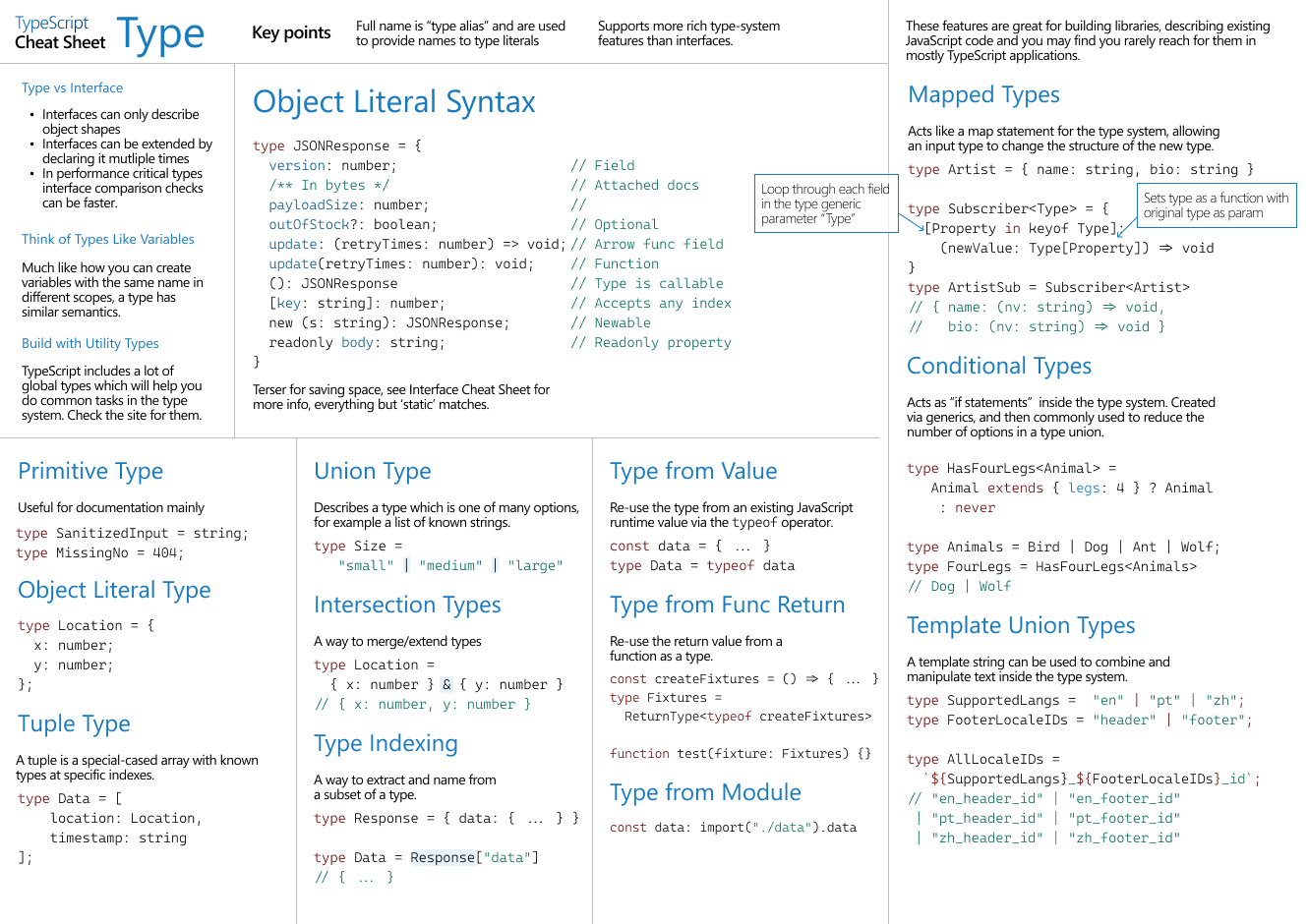
sayHi('Danny'); //Hi DannyAllow you to create a new name for an existing type. Type can help to reduce code duplication. They're similar to interfaces, but can also describe primitive types.
type StringOrNum = string | number;
let id : StringOrNum = 24;
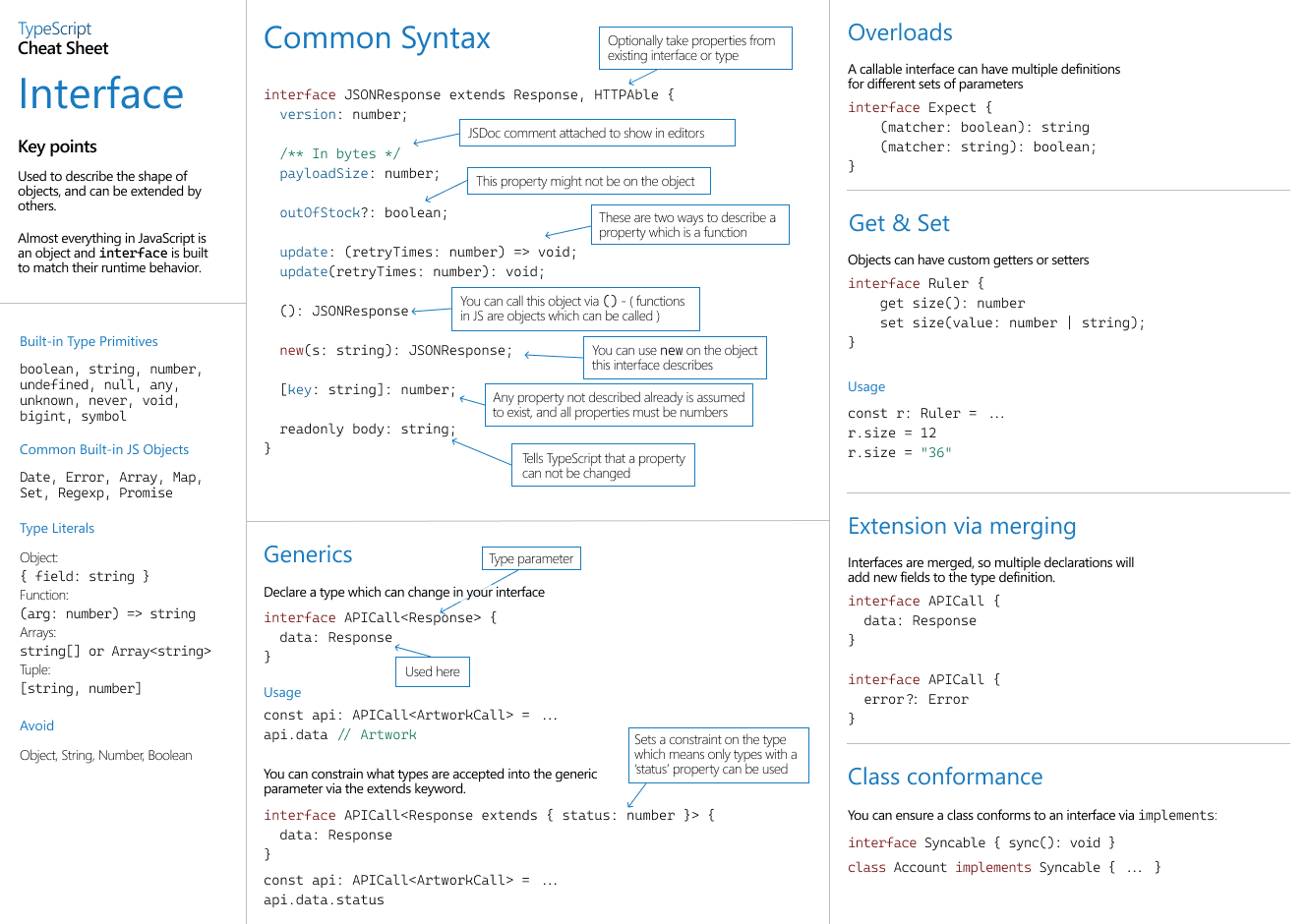
Interfaces are used to describe objects. Interfaces can always be reopened & extended, unlike Type Aliases. Notice that name is readonly
interface Person {
    name : string;
    isProgrammer : boolean:
}

let p1 : Person = {
    name 'Delia',
    isProgrammer : false,
};

p1.name = 'Del'; // Error - read only
Two ways to describe a function in an inrerface
interface Speech {
    sayHi(name : string) : string;
    sayBye : (name : string) => string;
}

let speech : Speech = {
    sayHi : function (name : string){
        return 'Hi' + name;
    },
    sayBye : (name: string) => 'Bye ' + name,
}
Extending an interface
interface Animal {
    name : string;
}

interface Dog extends Animal {
    breed : string;
}Ts doesn't have access to the Dom, so use the non-null operator, !, to tell Ts the expression isn't null or undefined
const link = document.querySelector('a)!;If ab element is selected by id or class, we need to tell TS what type of element it is via Type Casting
const form = document.getElementById('singup-form') as HTMLFormElement;Generics allow for type safety in components where the arguments & return types are unknown ahead of time.
interface HasLength {
    length : number;
}

// logLength accepts all types with a length property
const logLength = <T extends HasLength>(a : T) => {
    console.lgo(a.length)
};

// Ts "captures" the type implict
loglength('Hello'); //5

// Can also explicitly pass the type to T
logLength<number[]>([1,2,3]); //3
Declare a type, T, which can change in your interface.
interface Dog<T> {
    breed : string;
    treats : T;
}

// We have to pass in a type argument
let labrador : Dog<string[]> = {
    breeed : 'scottish terrier',
    treats : ['turkey', 'haggis'],
};A set of related values, as a set of descriptive constanst
enum ResourceType {
    BOOK,
    FILE,
    FILM
}

ResourceType.BOOK; // 0
ResourceType.FILE; // 1Occurs when a variable moves from a less precise type to a more precise type
let age = gerUserAge();
age // string | number

if(typeof age === 'string') {
    age; // string
}