Conversation


Fixes #445

Previously, the `get_post_status_friendly_name` function was retreiving the WordPress built-in Post Statuses and the Custom Statuses set within the plugin interface.  If you happen to register a post status another way, it would not appear in the Status Column of your Post Type.

This fix simplifies the logic to just get all the post stati, built-in, registered through the plugin interface, and registered on their own.  It returns the label that was set for each status.
Stop using `get_post_status_friendly_name`
Get custom post statuses in the Calendar view and in the ICS file
Instead of changing this function entirely, let’s just stop using it. This commit puts it back to what it used to be so that Email Notifications can still use it.
 mikeyarce
changed the title
mikeyarce
changed the title
Get the post status label directly instead of using a helper function
Function is no longer needed
Get all statuses for posts, filter all statuses, and make sure “Unpublished” accounts for custom statuses.
Get and filter all statuses for Story Budget. Update the “Unpublished” status to account for these custom statuses.
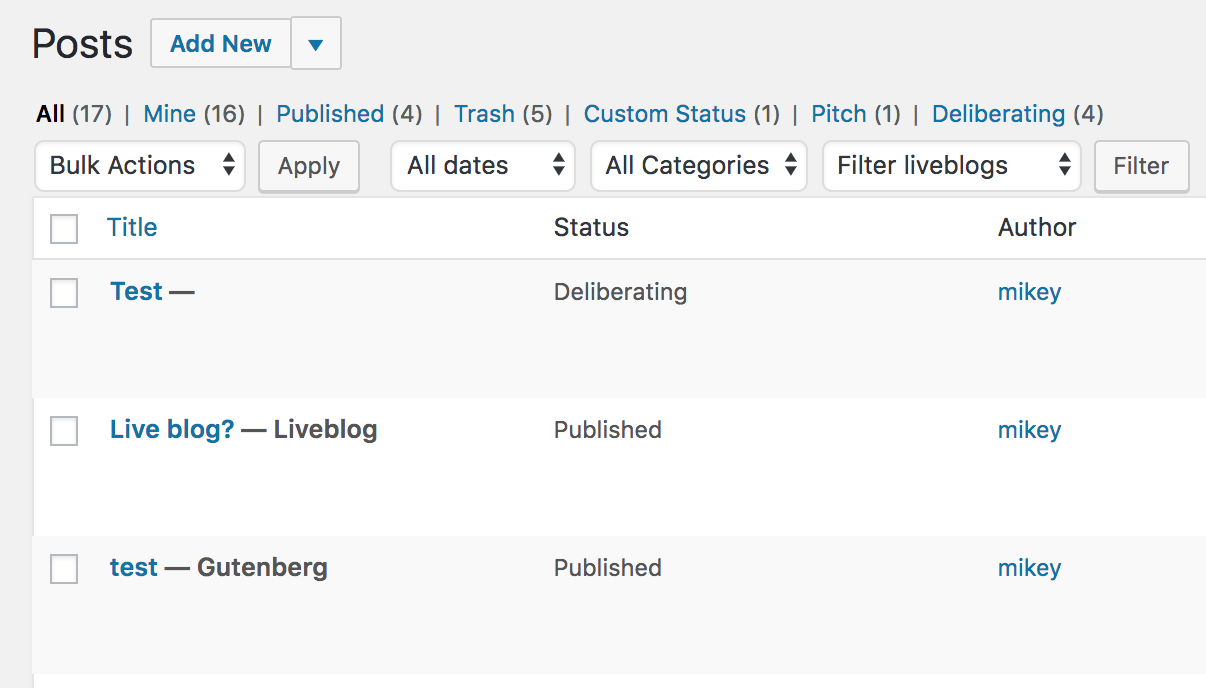
In some instances, there will be a Post that has a Post State that is not it’s post status.  Example: Gutenberg, Liveblog.

We are filtering all post states with `check_if_post_state_is_status` and if a post’s post state does not match it’s post status, we will show it as a post state next to the title of the post.  The Post Status will remain in the Status column.
mikeyarce
changed the title
Need to check if it’s a new post and return if it is.

|
@mikeyarce thanks for the quick fix! this seems to work fine. |

anigeluk
reviewed
Mar 28, 2018
|
|
||
|
|
||
| if ( $old_status == 'new' ) { | ||
| return; |

There was a problem hiding this comment.
Instead of returning here if the old status is 'new' we should still allow a notification to be sent. We have already created a subject to handle this situation in line 514.
If we were to supply an $old_status_friendly_name for this particular case instead of returning, it would prevent the call to get_post_status_object in line 557 failing and causing an error for new posts.
This prevents duplicate conditional statements and sets a value for $old_status_friendly_name so that New or Auto-Draft that had no previous value will have something valid.

Contributor
|
@anigeluk @mikeyarce LGTM after the change, merging |


This file contains hidden or bidirectional Unicode text that may be interpreted or compiled differently than what appears below. To review, open the file in an editor that reveals hidden Unicode characters.
Learn more about bidirectional Unicode characters
Sign up for free
to join this conversation on GitHub.
Already have an account?
Sign in to comment
5 participants


Add this suggestion to a batch that can be applied as a single commit.This suggestion is invalid because no changes were made to the code.Suggestions cannot be applied while the pull request is closed.Suggestions cannot be applied while viewing a subset of changes.Only one suggestion per line can be applied in a batch.Add this suggestion to a batch that can be applied as a single commit.Applying suggestions on deleted lines is not supported.You must change the existing code in this line in order to create a valid suggestion.Outdated suggestions cannot be applied.This suggestion has been applied or marked resolved.Suggestions cannot be applied from pending reviews.Suggestions cannot be applied on multi-line comments.Suggestions cannot be applied while the pull request is queued to merge.Suggestion cannot be applied right now. Please check back later.
Fixes #445
Previously, the
get_post_status_friendly_namefunction was retrieving the WordPress built-in Post Statuses and the Custom Statuses set within the plugin interface. If you happen to register a post status another way, it would not appear in the Status Column of your Post Type.This PR removes the need for
get_post_status_friendly_namein the Post List, Calendar, and Story Budget sections and instead just calls the post status label directly.This also adds a check to see if a Post State does not match the Post Status, and if it does not match, it will show the Post State. Example: