For modules that support (resource group scope) in the 'Microsoft.Authorization' namespace. Attempting to deploy the pipelines when 'publishing is set to true', will break for the parameter files that target 'resource group' scope deployments.
Description
Scenario
When having parameter files in the 'Microsoft.Authorization' namespace modules, which perform deployments at resource group scope:
- policyAssignments
- policyExemptions
- roleDefinitions
- roleAssignments
If I set modify the parameter file to target resource group like this:
{
    "$schema": "https://schema.management.azure.com/schemas/2019-04-01/deploymentParameters.json#",
    "contentVersion": "1.0.0.0",
    "parameters": {
        "roleName": {
            "value": "<<namePrefix>>-az-testRole-rg-min"
        },
        "actions": {
            "value": [
                "Microsoft.Compute/galleries/read",
                "Microsoft.Compute/galleries/images/read"
            ]
        },
        "subscriptionId": {
            "value": "<<subscriptionId>>"
        },
        "resourceGroupName": {
            "value": "<<resourceGroupName>>"
        }
    }
}
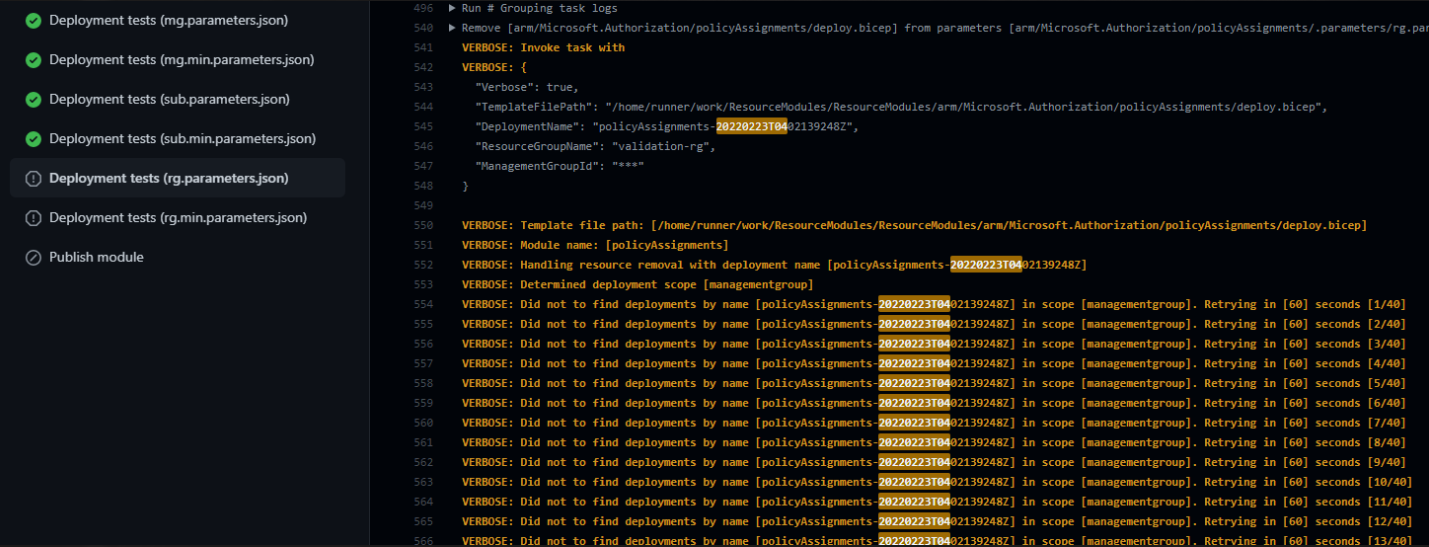
The root deploy.bicep, will call the nested module that performs deployment at the 'resource group scope'. The template deployment is successful. However the 'removal step' does not function for this type of deployment. Note that management group and subscription scopes are ok.
This is what happens inside the log for the deployment validation:
VERBOSE: Did not to find deployments by name [policyAssignments-20220223T0402139248Z] in scope [managementgroup]. Retrying in [60] seconds [6/40]
Steps to reproduce
- Create a parameter file that scopes to the resource group, similar to the one above.
- Update the workflow for that module to include the parameter file
- Run the workflow on the branch by keeping 'remove deployed module' to
true
Workaround
Change the 'remove deployed module' to have default set to false for these modules so that when a merge to main happens, the deployment action is successful and publishing works


For modules that support (resource group scope) in the 'Microsoft.Authorization' namespace. Attempting to deploy the pipelines when 'publishing is set to true', will break for the parameter files that target 'resource group' scope deployments.
Description
Scenario
When having parameter files in the 'Microsoft.Authorization' namespace modules, which perform deployments at resource group scope:
If I set modify the parameter file to target resource group like this:
{ "$schema": "https://schema.management.azure.com/schemas/2019-04-01/deploymentParameters.json#", "contentVersion": "1.0.0.0", "parameters": { "roleName": { "value": "<<namePrefix>>-az-testRole-rg-min" }, "actions": { "value": [ "Microsoft.Compute/galleries/read", "Microsoft.Compute/galleries/images/read" ] }, "subscriptionId": { "value": "<<subscriptionId>>" }, "resourceGroupName": { "value": "<<resourceGroupName>>" } } }The root deploy.bicep, will call the nested module that performs deployment at the 'resource group scope'. The template deployment is successful. However the 'removal step' does not function for this type of deployment. Note that management group and subscription scopes are ok.
This is what happens inside the log for the deployment validation:
Steps to reproduce
trueWorkaround
Change the 'remove deployed module' to have default set to
falsefor these modules so that when a merge to main happens, the deployment action is successful and publishing works