authorisation with admin consent prompt generates wrong URL. #581


Description

Current Behaviour
I am using the msal4j for admin_consent flow and I used the below snippet for generating the authorisationCode URL.
PublicClientApplication pca = PublicClientApplication.builder(clientId).authority(authority).build();

        AuthorizationRequestUrlParameters parameters =
                AuthorizationRequestUrlParameters
                        .builder(registeredRedirectURL,
                                Collections.singleton(updatedScopes))
                        .prompt(Prompt.ADMIN_CONSENT)
                        .state(state)
                        .nonce(nonce)
                        .claimsChallenge(claims)
                        .build();
However the URL generated is as
https://login.microsoftonline.com/<tenant_id>/oauth2/v2.0/authorize?client_id=<client_id>&scope=openid+profile+offline_access+&response_type=code&redirect_uri=https%3A%2F%2Flocalhost%3A8080%2Fconnector%2Fsecure%2Faad&state=123517c1-c5fe-46fc-94a8-20d9ac199527&nonce=768ac153-a14d-4336-bc04-64d8607ad5fd&prompt=admin_consent&response_mode=form_post
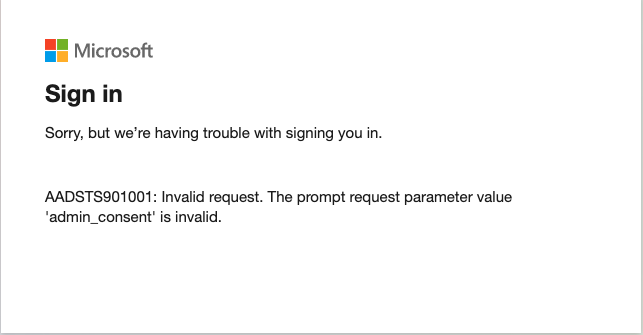
which inturn gives the prompt as invalid as shown below
Expected Behavior.
I went through the documentation of the admin consent flow, the url is completely different and as https://login.microsoftonline.com/{tenant-id}/adminconsent?client_id={client-id}
The error also seems valid.
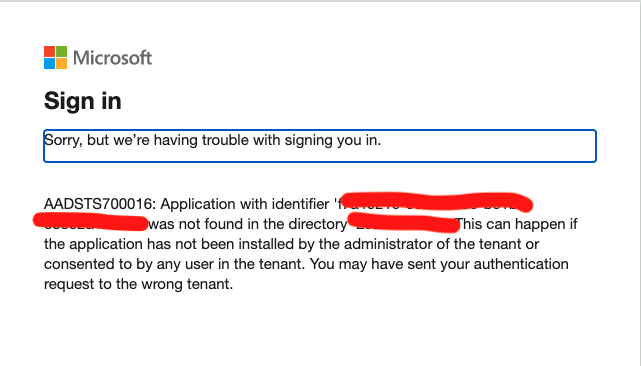
Is something wrong with the usage of PublicClientApplication or is the URL generation is obsolete.?