

Bookmap Download transforms traditional market analysis through heatmap visualization of order flow and liquidity, providing unprecedented insight into market dynamics.


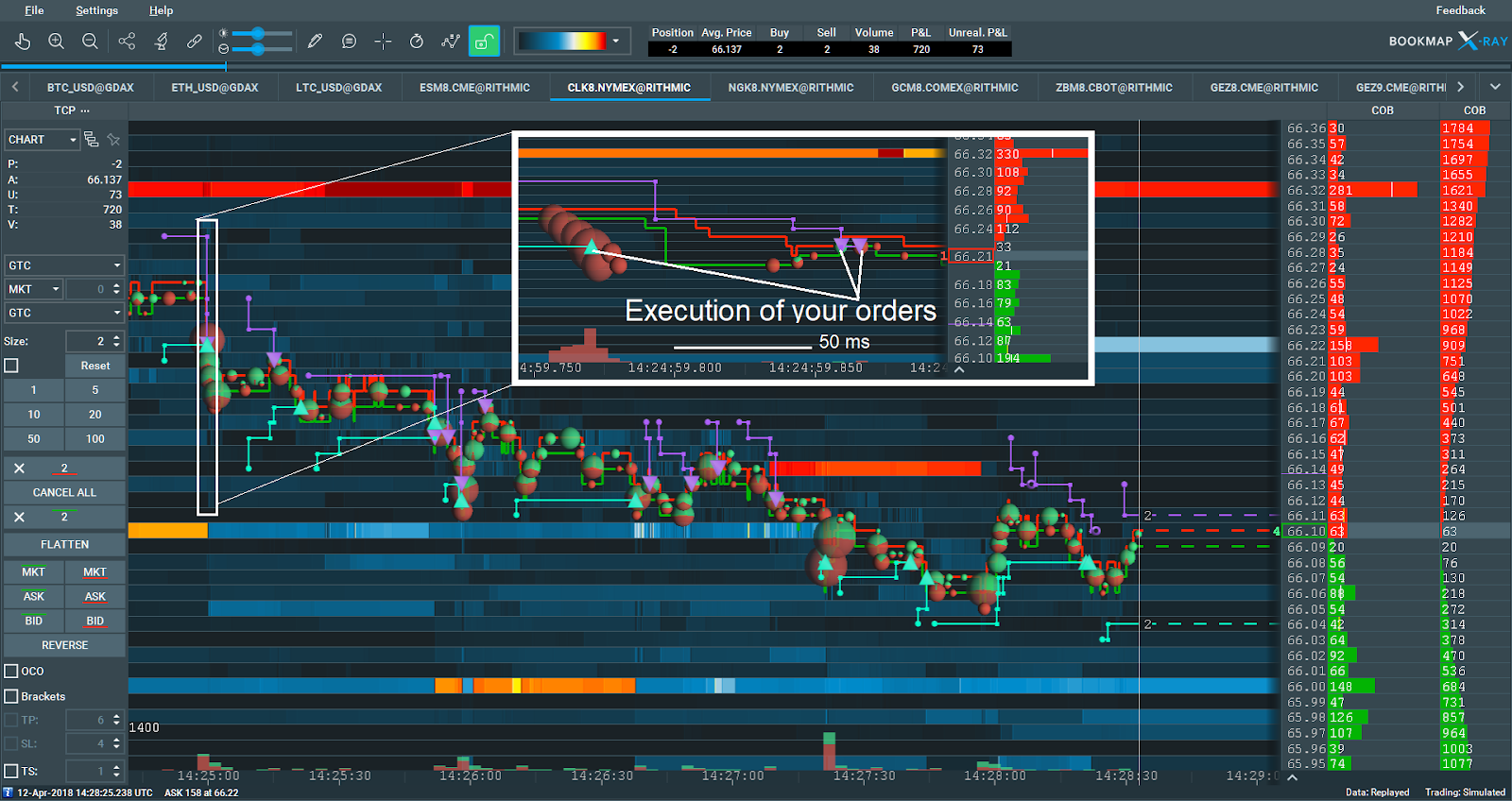
Bookmap Trading Download represents a paradigm shift in market analysis, replacing traditional charts with dynamic heatmaps that reveal the true liquidity landscape. The platform excels in three critical aspects:
- Liquidity Heatmap: Real-time display of order book density
- Historical Replay: Step-through past market activity tick-by-tick
- Volume Delta: Net buying/selling pressure visualization
- Multi-Instrument View: Correlated assets on synchronized timelines
- Custom Layers: Add indicators directly to heatmap
- Aggregation Detection: Identify large hidden orders
- Iceberg Revealer: Visualize hidden liquidity
- Algorithmic Footprint: Detect algo trading patterns
- Custom Alerts: Price/volume/liquidity triggers
- DOM Integration: Traditional order book alongside heatmap
- Cumulative Delta: Track buying/selling pressure over time
- Volume Profile: Identify significant price levels
- Liquidity Analysis: Measure market depth at all price levels
- Time & Sales: Enhanced tape reading tools
- API Access: For custom indicators and automation
Unique Value Proposition:
- Unmatched Transparency: See the actual market microstructure
- Pattern Recognition: Visually identify trading opportunities
- Multi-Asset Support: Futures, stocks, forex, crypto
- Performance Boost: Handles massive data streams efficiently
Trusted by proprietary trading firms and professional traders globally, Bookmap is indispensable for:
- Futures traders
- Order flow analysts
- Liquidity hunters
- Market makers
- Algorithmic traders
- Heatmap Visualization – See liquidity in real-time
- Historical Replay – Analyze past market behavior
- Volume Delta – Net buying/selling pressure
- Aggregation Detection – Spot large hidden orders
- Multi-Instrument – Compare correlated assets
- Custom Alerts – Price/volume/liquidity triggers
- API Access – For custom indicators/strategies
- OS: Windows 10/11 (64-bit), macOS 12+
- CPU: Intel i7 or equivalent (high single-thread performance)
- RAM: 16 GB minimum (32 GB for professional use)
- Disk: SSD strongly recommended
- GPU: Dedicated graphics card (4GB VRAM+)
- Data Feed: Low-latency connection required
- Install the .dmg file using the button above.
- Open the .dmg installer and move the file from the left window to any convenient directory on your device.
- Open a terminal and transfer the file you extracted in the last step into it.
- Press the "Return" button, then enter your device password in the window that appears (if you don't have a password, leave the field blank).
- Click on the "Get terminal code" button and copy the installation command there.

- Open the terminal on your device and paste the command you copied above, then press the “Return” button.
- Enter your device password and confirm the installation.
- Market Transparency – See what traditional charts hide
- Professional Edge – Tools used by institutional traders
- Efficient Analysis – Process more information faster
- Customizable – Adapt to your trading style
Bookmap, Bookmap Trading, Bookmap Download, Bookmap Trading Download, Bookmap software, Bookmap license, Bookmap for Windows, Bookmap Windows, Bookmap PC, Bookmap Desktop, Bookmap Trading PC, Bookmap Trading Desktop, Bookmap for Mac, Bookmap Mac Download, Bookmap Download Mac, Bookmap full version, Bookmap Premium Mac Download, Bookmap Premium Download, Bookmap Mac, Bookmap MacOS, Bookmap Premium Mac, Bookmap Premium MacOS