run pip install thefuck in terminal.
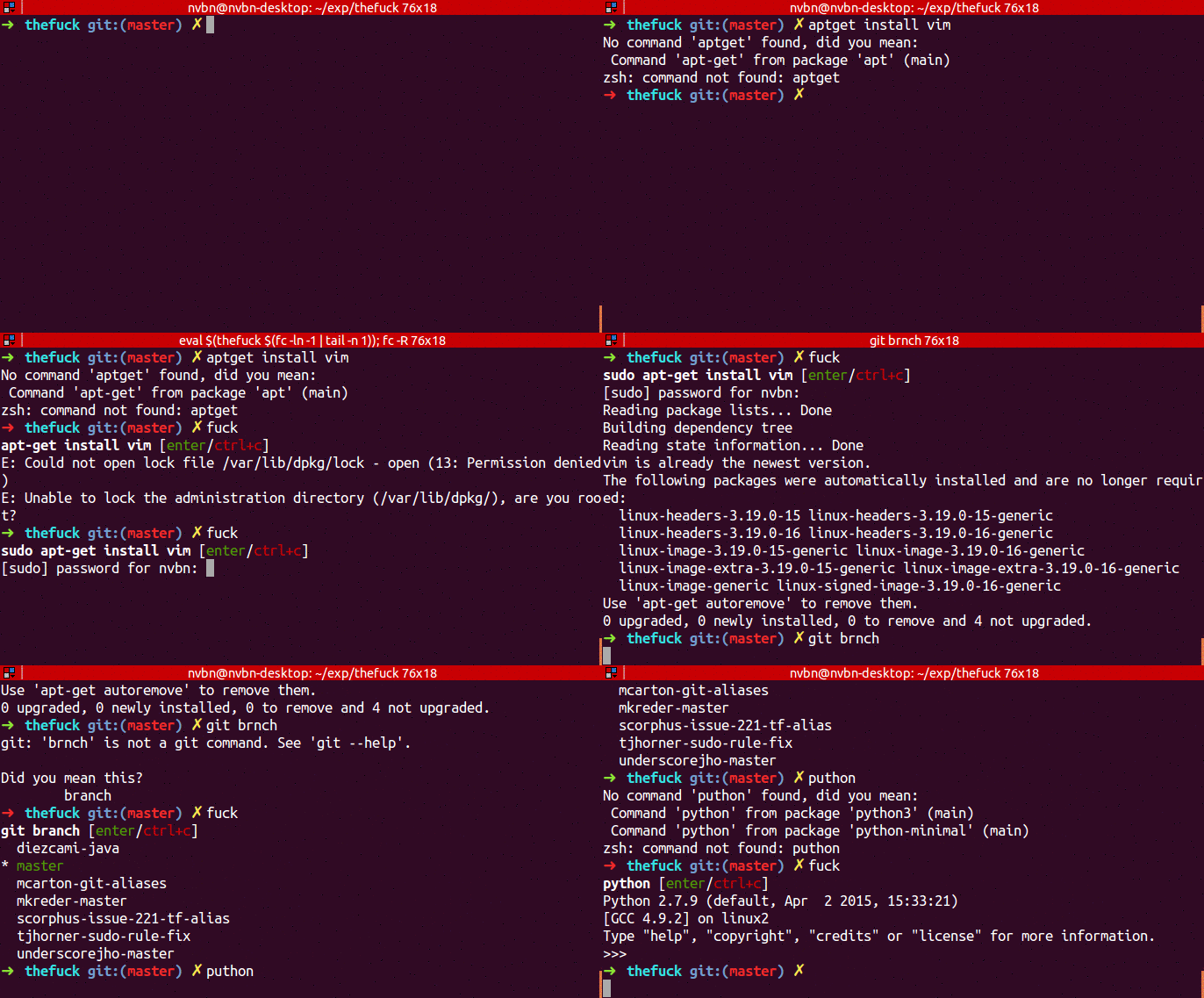
run sudo apt-get install aria2 in terminal.
- open Terminal in the directory where you want to download the file.
- type
aria2c -x16 "paste the link here"in the terminal. - the file will be downloaded.
- Go to
https://github.com/rupa/zand download the repo and extract it somewhere. - Copy the
z.shfile to home directory. echo ". ~/z.sh" >> ~/.bashrcadd this line in .bashrc file located in the home directory.
- cd around for a while to build up the db.
- use
z "keywords of the directory"to move to any directory. - Note: What z does is make a database of where you go using cd command. so only the directories which you have gone using cd can be used in z.
sudo apt-get install elinks
- type
elinksand browse!!
sudo apt-get install cowsaysudo apt-get install xcowsay
cowsay helloxcowsay hello
sudo apt-get install sl
sl
sudo apt-get install fortune
fortune
figlet hello
sudo apt-get install pi
pi some integer
xeyes
sudo apt-get install espeak
espeak "Hello We Are From GeekHaven"
url -u YourUsername:YourPassword -d status="Your status message" http://twitter.com/statuses/update.xml
sudo apt-get install aview
asciiview some_image.png -driver curses
- Debian based distribution:
sudo apt-get install screenfetch - Fedora or CentOS:
yum install screenfetch
screenfetch
pip install --user youtube-dl
youtube-dl https:"youtube video link"
telnet towel.blinkenlights.nl
- Streams the content which is broadcasted via the blinkenlights.nl domain.
        rig
        Bettye Dunlap
        799 Second St
        Denver, CO  80202
        (303) xxx-xxxx
- 'toilet Welcome'
pip freeze --local | grep -v '^\-e' | cut -d = -f 1 | xargs -n1 pip install -U
sudo apt-get install lynx
- type
lynxand browse!!
run sudo apt-get install axel in terminal
- open Terminal in the directory where you want to download the file.
- type
axel "paste the link here"in the terminal. - the file will be downloaded.
sudo apt-get install sl
- type
sland watch the train!
sudo visudo- Add
Defaults insultsat the end of the file and save it - Whenever you type wrong password while using sudo you will get to know the magic!!


sudo apt-get install cmatrix
- type
cmatrixand watch the coolest screen ever!
sudo apt-get install cowsay
cowsay hello
yes <word which you want to loop>- Example Usage :
yes HelloWorld
- type
rev - type the word you want to reverse
sudo apt-get install gemgem install lolcat
- echo "Hello world" | lolcat
- fortune | cowsay | lolcat