Update New-TableConditionalFormatting.ps1#100
Update New-TableConditionalFormatting.ps1#100PrzemyslawKlys merged 9 commits intoEvotecIT:masterfrom opustecnica:master
Conversation


|
Works great. One question - would it be possible to make this case insensitive for both Chrome/IE? Right now both old and new versions were case sensitive for stuff and I'm not sure this is best. Maybe another switch -CaseInsenstive or something if needed? |


|
Przemyslaw, A couple of comments just to make sure we are playing from the same music sheet. Could you please say more about the case sensitive/insensitive issue? In PowerShell, regex are implemented as case Insensitive by default. That is, the switch statement in question will select the appropriate action regardless of how the users spells "CoNtAins" or "LikE". THX |
Import-Module .\PSWriteHTML.psd1 -Force

$Process = Get-Process | Select-Object -First 10

New-HTML -TitleText 'My title' -UseCssLinks:$true -UseJavaScriptLinks:$true -FilePath $PSScriptRoot\Example21.html -Show {
    New-HTMLContent -HeaderText 'Test' -BackgroundColor Azure {
        New-HTMLTable -DataTable $Process -PagingOptions @(50, 100, 150, 200) -Find '' {
            New-HTMLTableButtonPDF
            New-HTMLTableCondition -Name 'HandleCount' -Type number -Operator gt -Value 300 -BackgroundColor Yellow
            New-HTMLTableCondition -Name 'ID' -Type number -Operator gt -Value 16000 -BackgroundColor Green
            New-HTMLTableCondition -Name 'Name' -Type string -Operator like -Value 'Cod' -BackgroundColor Red -Row
        } -PreContent {
            New-HTMLText -Text 'This will be before. You can put other html here.' -Alignment center -Color Red -FontSize 20
        } -PostContent {
            New-HTMLText -Text 'This will be after table. You can put other html here.' -Alignment center -Color Blue -FontSize 20
        } -ResponsivePriorityOrder NonpagedSystemMemorySize, PeakWorkingSet64, Company -ResponsivePriorityOrderIndex 20
        New-HTMLTable -DataTable $Process -PagingOptions @(50, 100, 150, 200) -DefaultSortColumn 'PriorityClass' {
            New-HTMLText -Text 'This also works... ' -Alignment center -Color Red -FontSize 20
            New-HTMLText -Text 'But it doesnt have the same control' -Alignment center -Color Red -FontSize 20
            New-HTMLTableCondition -Name 'HandleCount' -Type number -Operator gt -Value 300 -BackgroundColor Yellow
            New-HTMLTableCondition -Name 'ID' -Type number -Operator gt -Value 16000 -BackgroundColor Green
            New-HTMLTableCondition -Name 'Name' -Type string -Operator eq -Value 'browser_broker' -BackgroundColor Gold -Row
        }
    }
    New-HTMLContent -HeaderText 'Test' {
        New-HTMLContainer {
            New-HTMLText -Text 'You can also use Container for that' -Alignment center -Color Red -FontSize 20
            New-HTMLTable -DataTable $Process -PagingOptions @(50, 100, 150, 200) -DefaultSortColumn 'PriorityClass' {
                New-HTMLTableCondition -Name 'HandleCount' -Type number -Operator gt -Value 300 -BackgroundColor Yellow
                New-HTMLTableCondition -Name 'ID' -Type number -Operator gt -Value 16000 -BackgroundColor Green
                New-HTMLTableCondition -Name 'Name' -Type string -Operator eq -Value 'browser_broker' -BackgroundColor Gold -Row
            }
            New-HTMLText -Text 'See?' -Alignment center -Color Red -FontSize 20
            New-HTMLTable -DataTable $Process -PagingOptions @(50, 100, 150, 200) -DefaultSortColumn 'PriorityClass' {
                New-HTMLTableCondition -Name 'HandleCount' -Type number -Operator gt -Value 300 -BackgroundColor Yellow
                New-HTMLTableCondition -Name 'ID' -Type number -Operator gt -Value 16000 -BackgroundColor Green
                New-HTMLTableCondition -Name 'Name' -Type string -Operator eq -Value 'browser_broker' -BackgroundColor Gold -Row
            }
        }
        New-HTMLContainer {
            New-HTMLText -Text 'Test test1' -Alignment center -Color Red -FontSize 20
            New-HTMLTable -DataTable $Process -PagingOptions @(50, 100, 150, 200) -DefaultSortColumn 'PriorityClass' {
                New-HTMLTableCondition -Name 'HandleCount' -Type number -Operator gt -Value 300 -BackgroundColor Yellow
                New-HTMLTableCondition -Name 'ID' -Type number -Operator gt -Value 16000 -BackgroundColor Green
                New-HTMLTableCondition -Name 'Name' -Type string -Operator eq -Value 'browser_broker' -BackgroundColor Gold -Row
            }
            New-HTMLText -Text 'Test test2' -Alignment center -Color Red -FontSize 20
        }
    }
    New-HTMLTable -DataTable $Process -DefaultSortIndex 10 -OrderMulti {
        New-HTMLTableCondition -Name 'HandleCount' -Type number -Operator gt -Value 300 -BackgroundColor Yellow
        New-HTMLTableCondition -Name 'ID' -Type number -Operator gt -Value 16000 -BackgroundColor Green
        New-HTMLTableCondition -Name 'Name' -Type string -Operator eq -Value 'browser_broker' -BackgroundColor Gold -Row
    }
}
I'm using this to test. If I use: It will find Code.exe process but it won't find it if use 'cod'. PowerShell is not a problem. JS is what I mean. Also, I wonder if the implementation shouldn't be adjusted to support PowerShell style. For example in PowerShell -like requires wildcard to work. Some people may use a wildcard to do that and it will not work. I was thinking that maybe we could detect wildcard is used and replace it with empty string? Also not sure if you noticed the inline switch ... This switch basically forces conditions during PowerShell runtime rather than using JS code. This is why I would like to fix discrepancies between those two. |
|
Gotcha! Let me play with it a bit. |
|
Przemyslaw, I changed the JS code to use REGEX in a Case Insensitive mode. I have tested it on my end with positive output. Could you please verify? THX # [BEGIN] Proposed change to handle IE11 JS shortcomings
switch -Regex ($Condition.Operator) {
"contains|like" {
# "if (data[$($ConditionHeaderNr)].indexOf('$($Condition.Value)') >= 0 ) {"
# [Case Insensitive] Allow for case insensitive lookups when using "contains|like"
"if (/$($Condition.Value)/i.test(data[$($ConditionHeaderNr)])) {"
}
default {
"if (data[$ConditionHeaderNr] $($Condition.Operator) '$($Condition.Value)') {"
}
}
# [END] Proposed change to handle IE11 JS shortcomingsPS As we did not close the previous PR,, I appended the change to the same one. |
|
Will do. Btw. it's expected that any more changes are appended to not-closed PR ;-) Thanks for your work Edit. Sorry wrong button. |
|
It seems to work. Do we do anything with added '*' just in case someone uses it the way they use in PowerShell? |
|
And btw you should always replace the old code with new code when doing PR. When something will go wrong we can just revert the change. There's no need to separately have code commented out. Not a big deal but at least we know what was replaced. |
|
Understood. Just treading lightly as we have never worked together and different people approach coding in different ways/styles. To that end, if it were my decision I would trim any pre/post asterisks and "align" the syntax with PowerShell standards. My thought here is that users of the module are PowerShell coders and might not either look at the source code or even understand JS. # "if (/$($Condition.Value)/i.test(data[$($ConditionHeaderNr)])) {"
"if (/$($Condition.Value.Replace('*',''))/i.test(data[$($ConditionHeaderNr)])) {What are your thoughts on the matter? |
|
PS One more thought: What if the user were to employ a $ConditionValue with an asterisk in the middle of the string (e.g. "Co*.exe")? We could fairly easily replace any string instance of "*" with a REGEX ".*" that JS would interpret properly. I believe this to be a more encompassing approach. |
|
I assume zero knowledge html/js/css is required for this module. So anything that works in PS should translate automatically. Therefore if you know how to fix it for "PowerShell like experience" be my guest! I appreciate your help. I'm a noob when it comes to HTML/CSS/JS and regex I only do if I have to ;) |
|
Should I assume this is ready? Can you always mark your PR's as draft or ready so that I know? :) Thanks |
|
Przemyslaw, Sorry for the delay. I usually have time for these activities in the evenings and/or weekends. Depending on the update/publishing schedule you have in mind, we could close this one or wait for other changes to accumulate. A few other considerations: I use the module under uncommon conditions and in complete absence of an internet connection. This implies the HTML product must contain all needed CSSs and JSs. I am currently attempting to resolve an issues that paralyzes the browser for up to 60 seconds when using UseCSSLinks:$false and UseJavaScriptLinks:$false in conjunction with TABs ... The issue is evident when changing tab. I can see the issue is related to JavaScript but have yet to find a definitive culprit. Beside that, I have half baked tests working for:
|
|
That's a weird issue. Without UseJS and UseCss it should work. I believe only Awesome Fonts are not included in a package as I am not sure how portable that is. You can review Configuration ps1 file that has all the headers/footers for a missing section where Links are provided but not files. Keep in mind switching tabs has perf issues because of DataTables refresh (I have an open issue for that). Make sure it's not related to that. |
|
Here's the config I meant: PSWriteHTML/Private/Parameters.Configuration.ps1 Lines 1 to 488 in c451d3b |
|
Btw.
PSWriteHTML/Public/New-TableButtonPDF.ps1 Lines 1 to 121 in c451d3b |
|
My bad! Stupid question. Do you know at what point charts stopped working in IE? The module version I currently use to generate some 50 reports is 0.0.45. Quite old I know. The deterrent to the upgrades was the tailoring performed to the code to make it work for my purposes. This was with the assumption that mines were personal needs not worthy of merging to the mainstream release. I am now trying to work on those modifications for merging to the official release in the hope that this might be useful to somebody else AND make upgrades easier for me ;-). Time and prioritization is always an issue. Hence I have decided to work first on all of the changes required to make sure the current reports can be created with the current module version. One of my unfortunate requirements is for the IE11 compatibility. I have noticed that the Apex charts no longer work on IE11. I am planning to go through each version between 0.0.45 and 0.0.71 to understand at what point the charts stopped working and analyze the diffs. We might have to add one more .js source (babeljs.io) to compensate for polyfill functions not supported natively by IE11. |
|
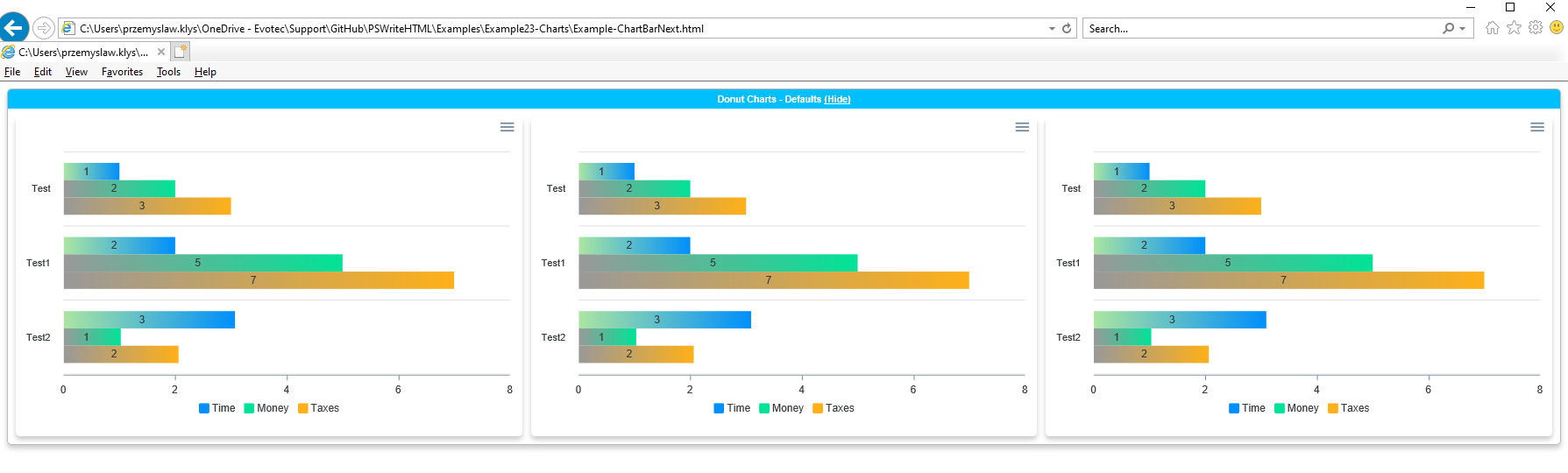
Well, not sure which charts you mean but current version works for me:
|
|
In an attempt to save time ... I wasted some. Note to self. |
|
There was a time where IE 11 was broken because I thought it can't work for most of the functions we use. I was wrong and at some point, I started fixing issues mostly related to tabs/tables but impacting other code. As that was fixed everything should work - although I guess I should (or someone should) create a compatibility table for features. Best would be to actually have pester tests with selenium that verify things... but that's hard to create. Maybe someone will, some day. |
|
Przemyslaw, I have added a [switch]$RegularExpression to the New-HTMLTable function to enable, if desired, RegEx on by field/column searches (-Filtering). The parameter is then passed to the Add-TableFiltering for injection into the JavaScript DataTable snippet. Let me know if you want to modify the variables names. Among the many useful searches, I often use the "All-Except": '^((?!EXCLUDED_PATTERN).)*$' and '^((?!EXCLUDE_THIS|EXCLUDE_THAT).)*$' for multiple omissions. |
|
Can you please create examples showing some usage? So that it can be part of this commit? |
|
I think the name should be SearchRegularExpression with alias RegularExpression |
|
RegularExpression is now an alias of SearchRegularExpression. |
|
Thank you :-) |
2 participants


Rather than removing the original code, I have commented it out and noted the begin and end of the proposed change for ease of reading. Comments and commented code could be removed later if others can test mods successfully.
THX.