[$1000] Date picker is not centered and has too small clickable area #12957


Description

If you haven’t already, check out our contributing guidelines for onboarding and email contributors@expensify.com to request to join our Slack channel!
Action Performed:
- Go to any view with a date picker
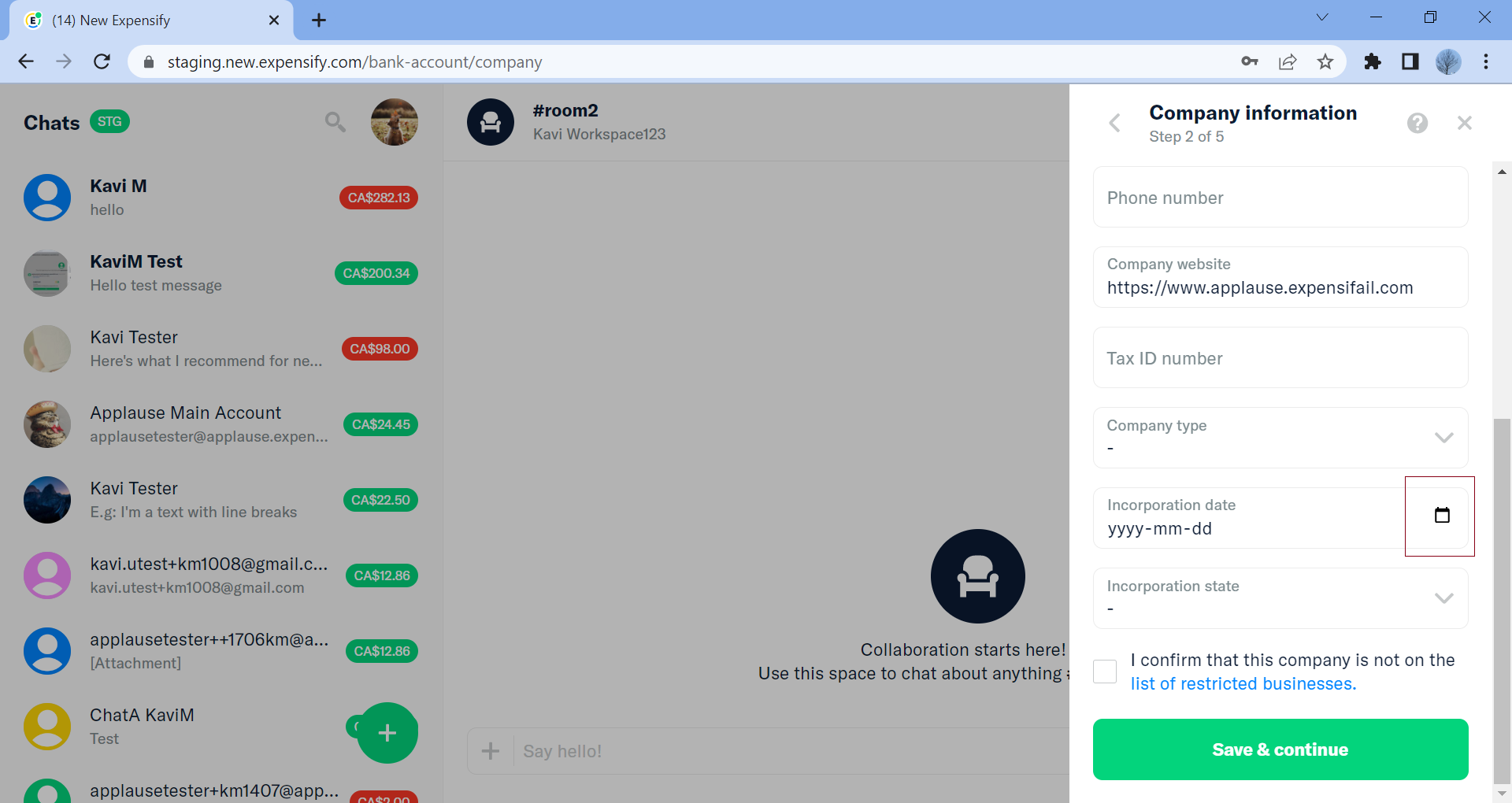
- Ex: Workspace -> Connect Bank Account -> Connect Manual -> Company Step -> Check Incorporation date
Expected Result:
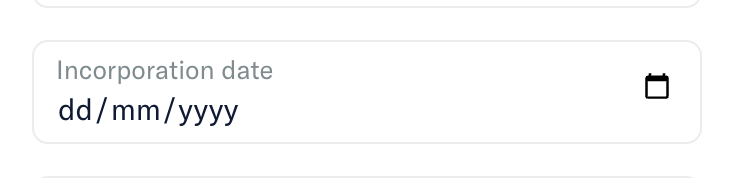
The calendar icon should be centered vertically and clickable anywhere as we do for password hide show.
Actual Result:
Icon is not centered and has very small clickable area
Workaround:
unknown
Platform:
Where is this issue occurring?
- Web
- Desktop App
- mobile web - Pop up not aligned
Version Number: 1.2.30-0
Reproducible in staging?: y
Reproducible in production?: No credentials to check
Email or phone of affected tester (no customers):
Logs: https://stackoverflow.com/c/expensify/questions/4856
Notes/Photos/Videos:
https://user-images.githubusercontent.com/43996225/203600161-5654b7fd-6682-40a9-8530-b75fe04c37e6.mov
https://user-images.githubusercontent.com/43996225/203600179-d2758ed5-df72-43c7-ac8d-acef91305879.mov
https://user-images.githubusercontent.com/43996225/203600448-461332bf-edff-4ed7-b2c6-02190895941a.mp4
Expensify/Expensify Issue URL:
Issue reported by: @Santhosh-Sellavel
Slack conversation: https://expensify.slack.com/archives/C049HHMV9SM/p1669169036468899
Upwork Automation - Do Not Edit
- Upwork Job URL: https://www.upwork.com/jobs/~01a1478c10c7c22d0c
- Upwork Job ID: 1597292879110447104