Memory usage with ReadSample #14


-
|
Hi all, I've read your discussion on the topic: I'm using critical section and releasing the sample (=nil), but still the memory usage seems to keep going up.. Even after the source reader is flushed and closed the memory usage does not seem to free up completely. Is this still a known memory issue with media foundation? Or perhaps I'm still missing something. Admittedly i'm using version: 2.6.1, so upgrading to 3.0.1 will be my next step, in case some calls have been updated to fix this. |
Beta Was this translation helpful? Give feedback.
Replies: 3 comments 34 replies

-
|
Hi, See: Example MfAudioClipEx (function TAudioClipClass.OnReadSample) Although I think you need to implement a callback function from IMFMediaEvent, that reports when a sample is processed, before processing the next one, as usual in a-synchronous mode. I think function IMFMediaEvent.GetStatus(out phrStatus: HRESULT) could do the job. Right now I'm working on a WASAPI component that should render RAW/WAV formats. (See: Examples\MFComponents\WasApiRenderFile.pas. That is not working yet. Greeting, Tony. |
Beta Was this translation helpful? Give feedback.
-
|
Hi Tony, Thanks for your reply. Unfortunately, I haven't had any luck with that solution either. This example below is the memory in use, when reading a single video frame sample.
As you can see, the memory is nearly freed up after destroying the source reader, but not before.. Edit - I can put together a sample project demonstrating this, if that would be of use. |
Beta Was this translation helpful? Give feedback.

-
|
I agree it's a weird issue. I asked MS about the cpu usage, but that is another thing. However, a debugger like MadExcept does not report any issues about memory leaks, nor does mstrace. Did you close com and MF ?
|
Beta Was this translation helpful? Give feedback.

-
|
Yeah I guess its not exactly a leak, as the memory is freed eventually, just not when I want (flushing the source) 😞 |
Beta Was this translation helpful? Give feedback.
-
|
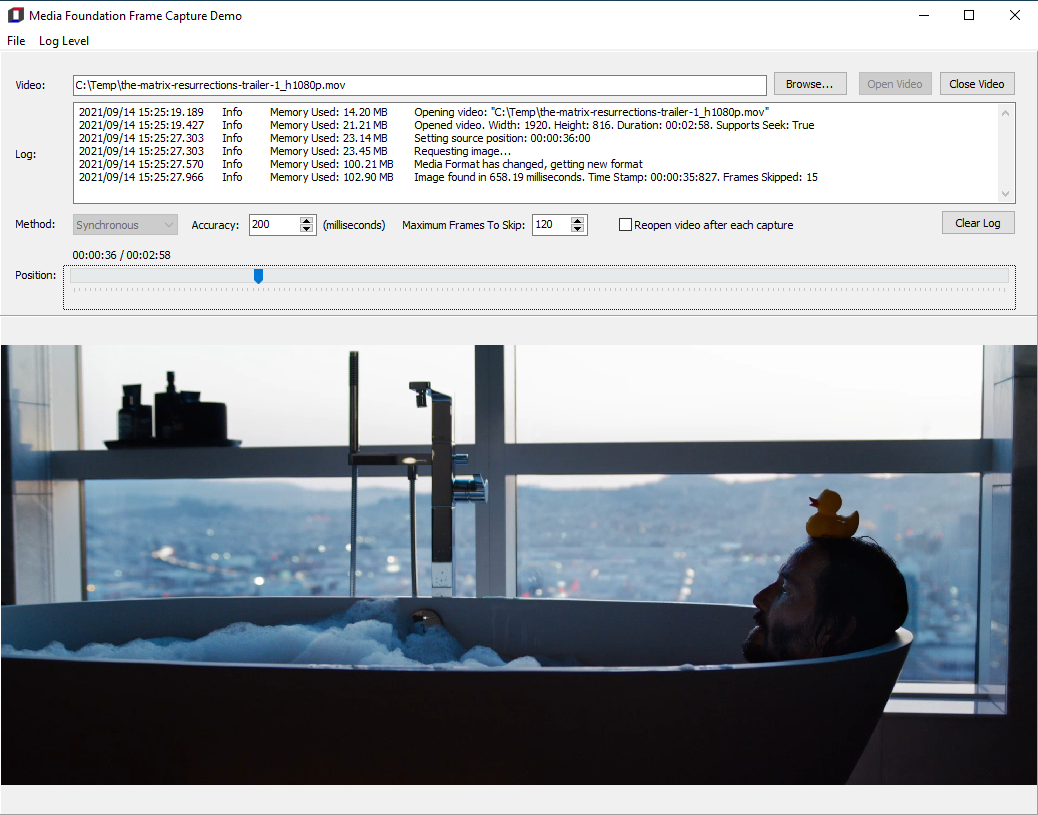
Hi Tony, I've added a sample frame capture project here: Let me know if you see any ways to improve it. Ideally, I'll update it to have an asynchronous capture example as the memory issue does not seem as bad with this synchronous code. If you think this sample project is of use for MfPack, I can open a pull request 👍
|
Beta Was this translation helpful? Give feedback.
-
|
Ah no - its not the D2D1 units (although that does cause confusion). |
Beta Was this translation helpful? Give feedback.
-
|
That is good news 👍 |
Beta Was this translation helpful? Give feedback.
-
|
Ah no - its not the D2D1 units (although that does cause confusion) The MfPack D2D1 API has a different unit scope (WinApi.DirectX.D2D1) to prevent name mangling with the APi included with Delphi (WinApi.D2D1) . Since 2020 D2D1 had major updates that Embarcadero did not implement. There is no way those versions can be mixed unless both are declared, which is not a good idea. Also, older Delphi versions (<2019) don't have this API available. Remember when writing code, it must be possible to compile from Delphi XE2 and up. |
Beta Was this translation helpful? Give feedback.
-
ah yes, that does make it tricky. Do you have multiple Delphi versions to check compatibility? Or you just know by now the areas to check? In my own copy I'm just using the WinApi.D2D1 in the SampleConverter unit - but I guess that might cause issues elsewhere if it is missing major updates. |
Beta Was this translation helpful? Give feedback.
-
Yes I do. But usual I check with XE7, that version, in my opinion, is also safe to check for older versions.
All API's included with MfPack are up to date with the latest SDK. When Microsoft is releasing a new sample, it almost always need the latest SDK So there's a risk Delphi is missing parts or a whole API. In the meanwhile I added png and jpg functionality for saving to file. These API's where introduced in Delphi 2009. I checked the MFSample interface, but according to the vtables in MFPlat.dll, there is nothing wrong in sequence or declaration. So, the RemoveBuffers issue only affects VFW right? Because I did test with AVI and MP4, and there it will not raise any pointer exception. |
Beta Was this translation helpful? Give feedback.


Hi,
To fix this issue, I implemented MsgWaitForMultipleObjects to give the
ReadSample method more time to organize it's sample pool with in the OnReadSample function, alternatively you can use the Sleep() method.
See: Example MfAudioClipEx (function TAudioClipClass.OnReadSample)
Although I think you need to implement a callback function from IMFMediaEvent, that reports when a sample is processed, before processing the next one, as usual in a-synchronous mode. I think function IMFMediaEvent.GetStatus(out phrStatus: HRESULT) could do the job.
Right now I'm working on a WASAPI component that should render RAW/WAV formats. (See: Examples\MFComponents\WasApiRenderFile.pas. That is not working …