"Submitted for Review" message appearing on published versions of datasets can confuse dataset contributors and curators/admins #4403


Description

After this workflow...
- The depositor creates a dataset and submits it for review
- the dataset is published by a curator
- the depositor edits the dataset and submits a second version of the dataset for review
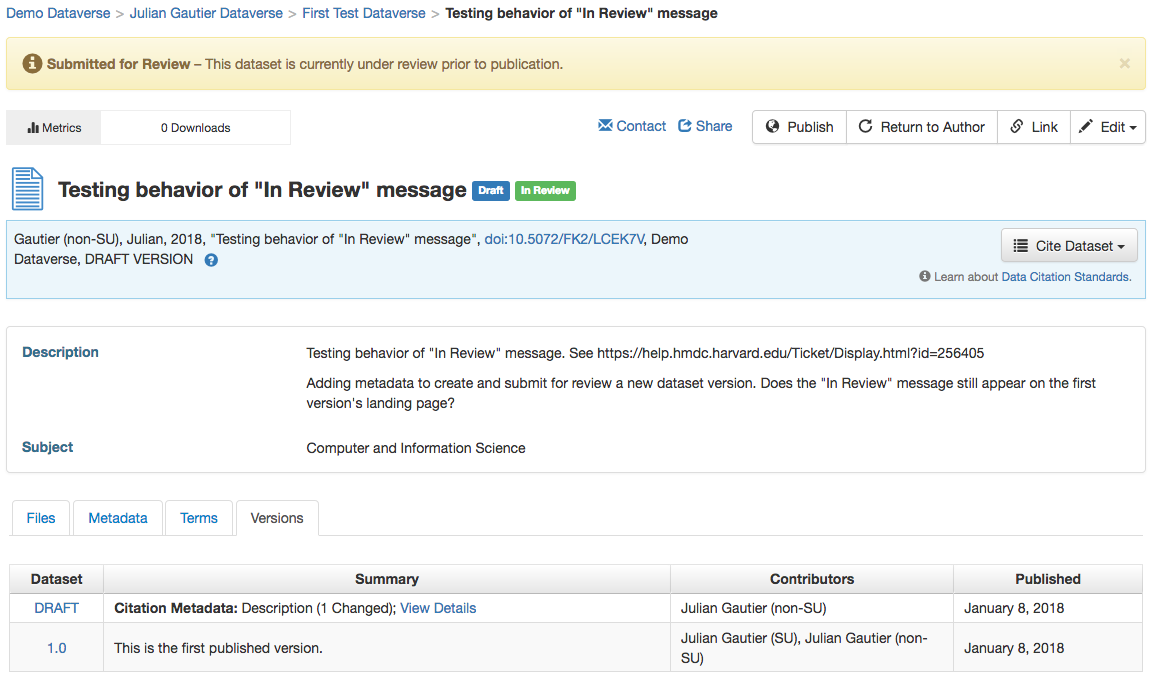
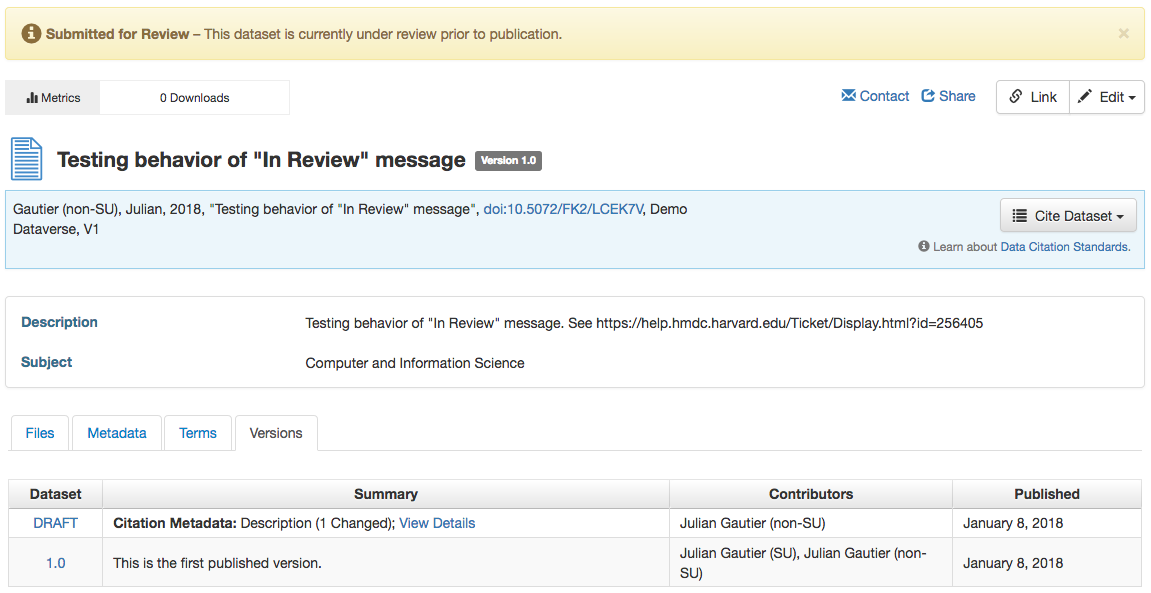
... the yellow "Submitted for Review" message exists on all versions of the dataset, although only the draft version is actually submitted for review. The first version is already published/publicly accessible.
The message appearing on pages of published dataset versions can be confusing to the researcher who's deposited the dataset because it looks like the dataset has never been published.
It can also be confusing to the curator who lands on an already published version of the dataset, but sees the "Submitted for Review" message, and doesn't know how to publish or return the dataset. (Doesn't know to click on the draft version link in the versions tab.)
This message is also displayed to users who have no access to the dataset, including guest users not logged in.
Message on draft version page of dataset:
Message on first published version of dataset:
This is seen on Harvard Dataverse and demo.dataverse running 4.8.4.