CRITICAL: Pressing Enter in Group Members assignment windows deletes the whole group #8820


Description

What steps does it take to reproduce the issue?
- As an admin/curator in a TEST environment, click Edit > Groups > Create Group, and create a new user group for testing this issue.
- Look up and add a user to the newly created test group, so that the user name displays in the Group Members field:
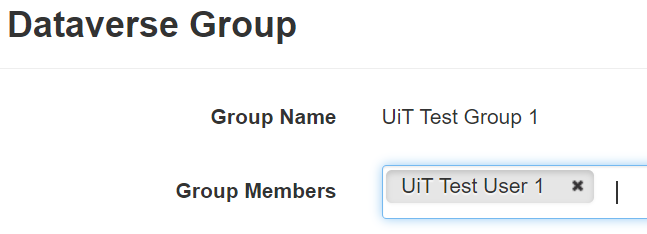
- With the cursor placed to the right to the added user name, press Enter.
-
When does this issue occur?
See above. -
Which page(s) does it occurs on?
On the Group edit page, e.g.
https://demo.dataverse.org/manage-groups.xhtml?dataverseId=XX -
What happens?
The group is deleted, and the following confirmation message appears on screen:
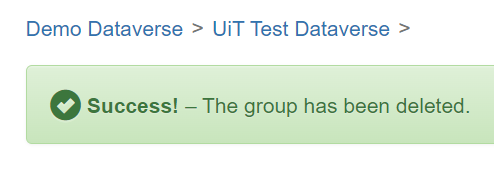
-
To whom does it occur (all users, curators, superusers)?
To everyone have the rights to add users to an existing user group. -
What did you expect to happen?
Not sure. I guess many curators would expect the added user to be saved, thus they want to use Enter as a shortcut for scrolling to the bottom of the page and click Save Changes.
Which version of Dataverse are you using?
The behavior was tested on version v.5.6 (test.dataverse.no) and version v.5.11 (demo.dataverse.org).
Any related open or closed issues to this bug report?
None to my knowledge.
Screenshots:
See above.