This module extends the Link Manager to add a capability to set a Sitecore General Link Field(External Link) to trigger the Page Event, Goal, Campaign and Google Tag Manager simultaneously.
Below are the steps to get up and running with the module.
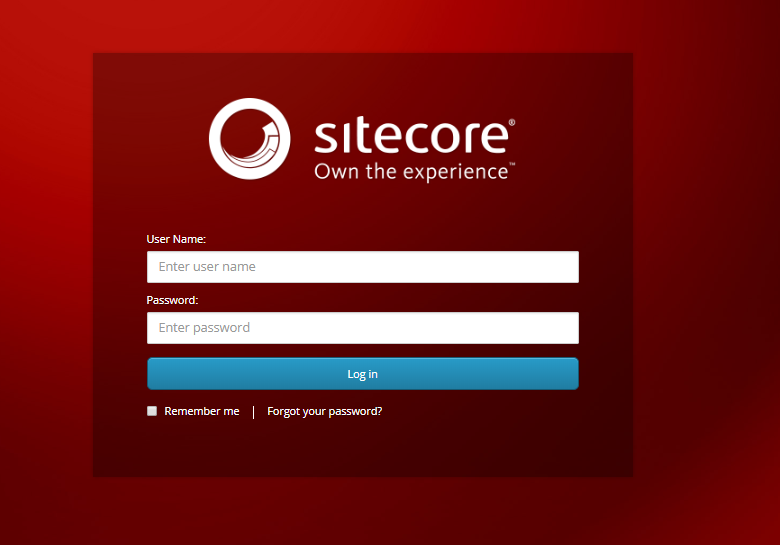
- First Login to your Sitecore Instance.
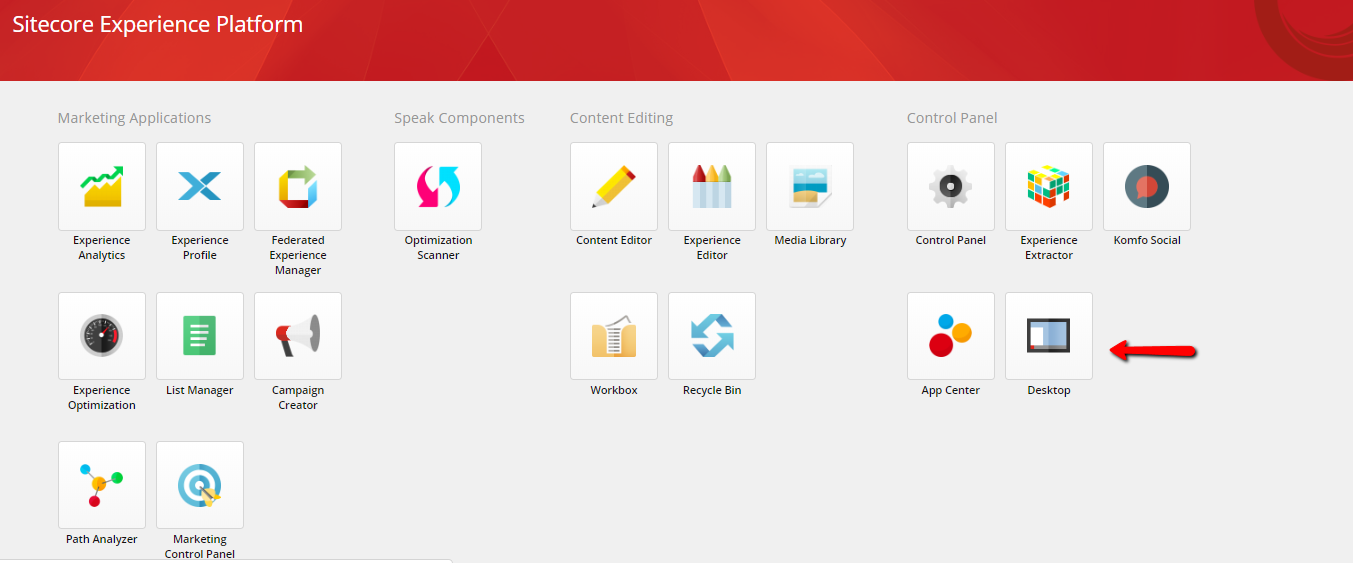
- Click Desktop.
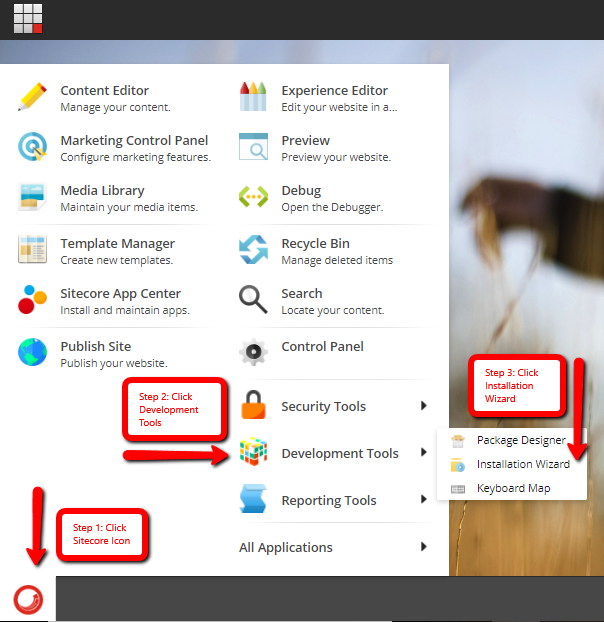
- Open sitecore Icon and go to Development Tools and Click Installation Wizard.
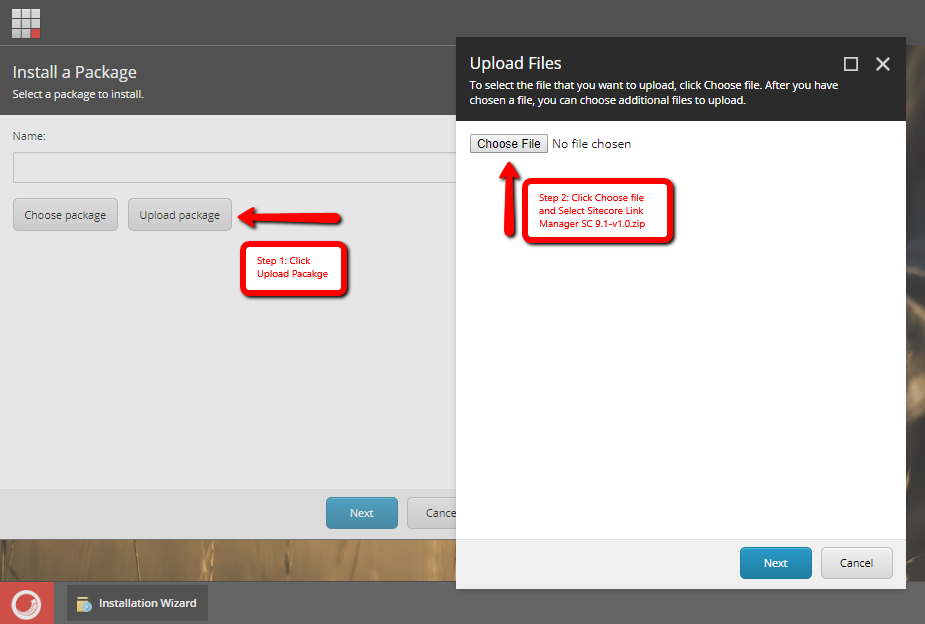
- Click Upload Package and then Choose File and select Sitecore Link Manager SC 9.1-v2.0.zip and click next and lastly click Upload.
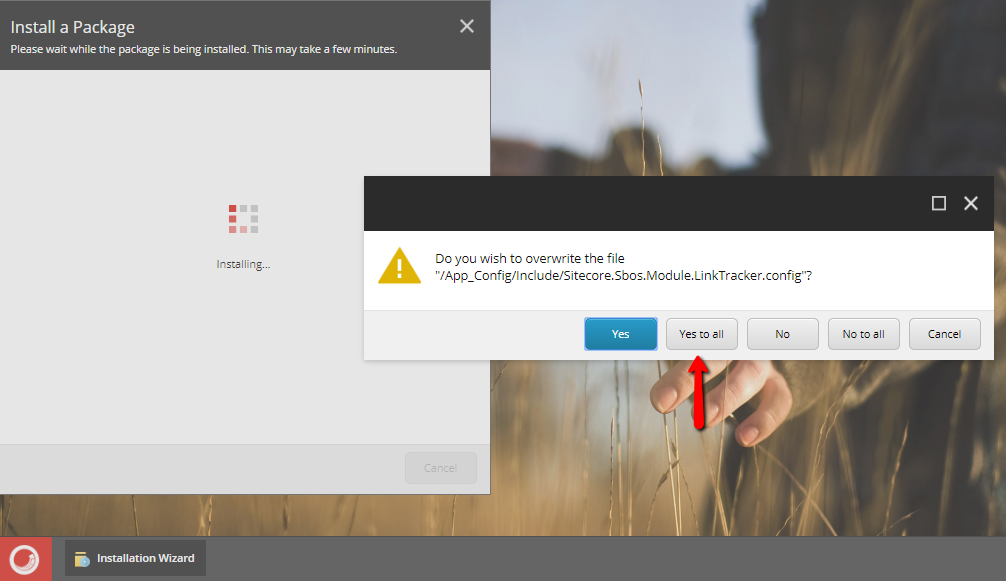
- After completely uploaded the package install it, Click Next then Install and click Yes to All.
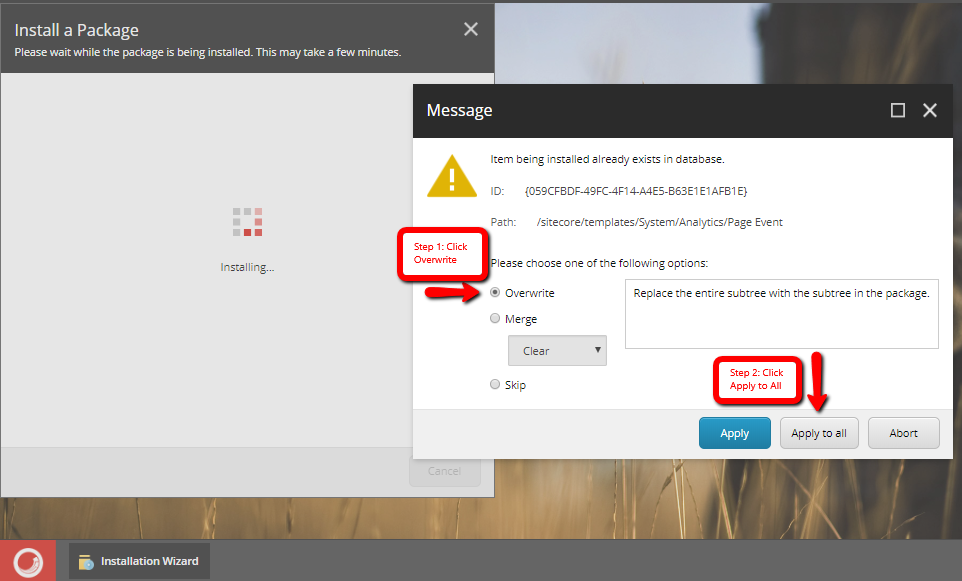
- Select Overwrite Option and click Apply to All.
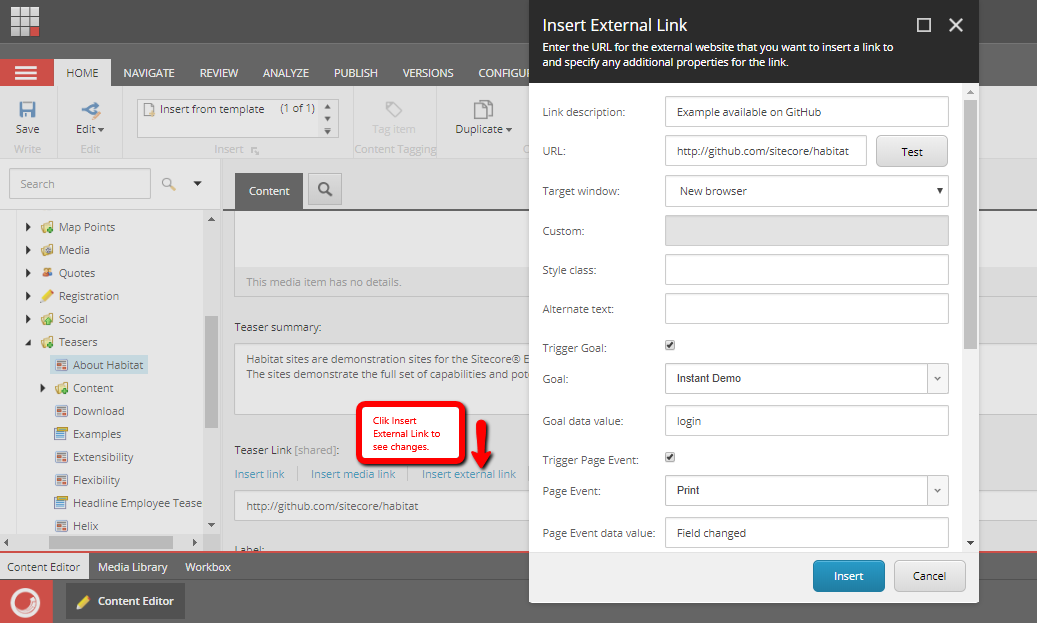
- You can go and check your Content Editor and click a Sitecore Item that have General Link Field and click Insert external link to see changes.
- End
-
If you want to follow a step-by-step demo please see Demo page.
-
This is assume that you have Sitecore Instance 9.1.0 (rev. 001564) and Habitat Demo Site(Habitat 1.7 Release) running on your local machine.
-
For support please email the author or create an issue.
-
Tested on Sitecore Instance 9.1.0 (rev. 001564) with Habitat Demo Site(Habitat 1.7 Release. A Sitecore project implemented on the Sitecore Experience Platform using Helix Framework).
THIS MODULE IS PROVIDED ON AN AS IS BASIS, WITHOUT SUPPORT, WARRANTIES OR CONDITIONS OF ANY KIND.