This module extends the Optimization Scanner to test your Customer Experience Maturity Model Level in Sitecore.
Below are the steps on how to install this module.
- Login in Sitecore Client.

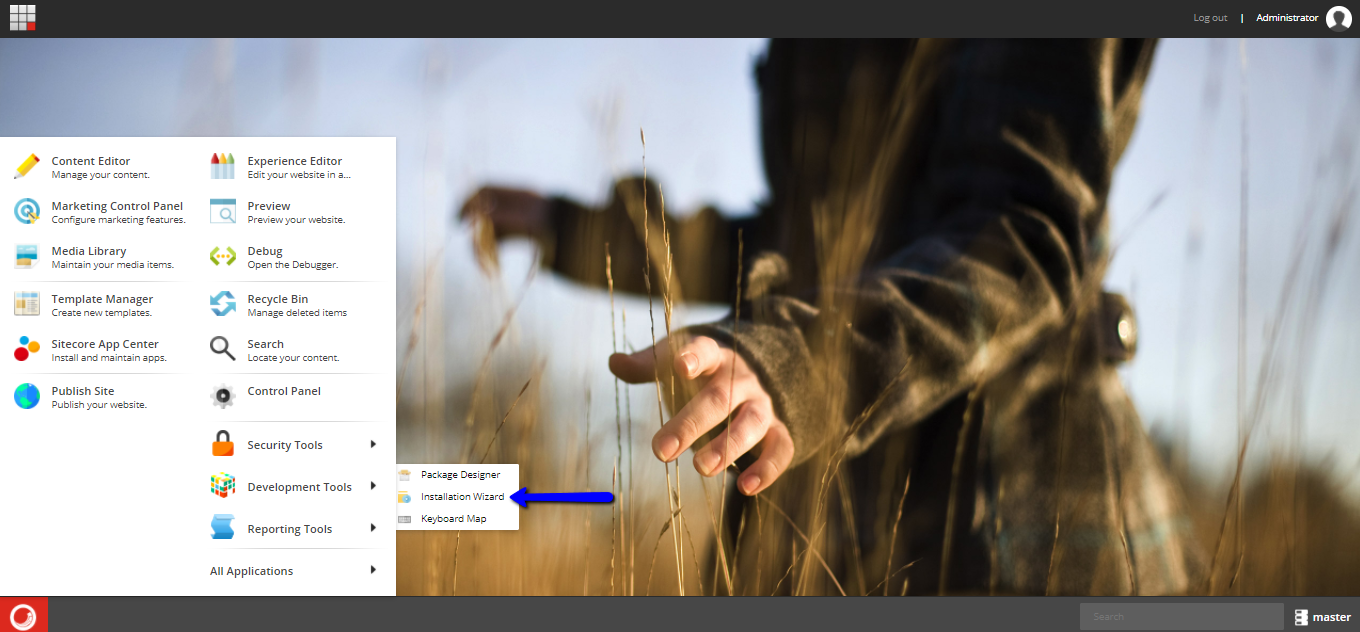
- On Sitecore Experience Platform click Desktop.

- On desktop click Sitecore logo.

-
On sitecore logo click developer tools.
-
Click installation wizard.
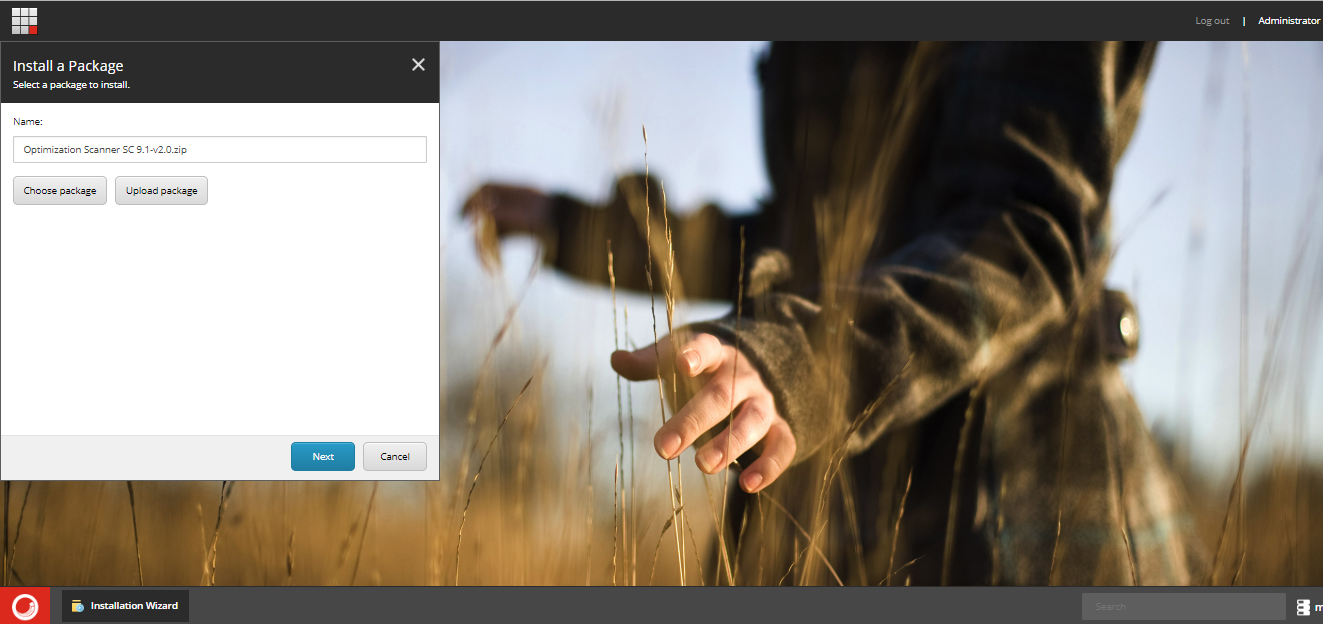
- To Upload File: Click upload and select the package you want to upload. Then Choose a package and select a newly added Optimization Scanner SC 9.1-v2.0.zip and Click Next.
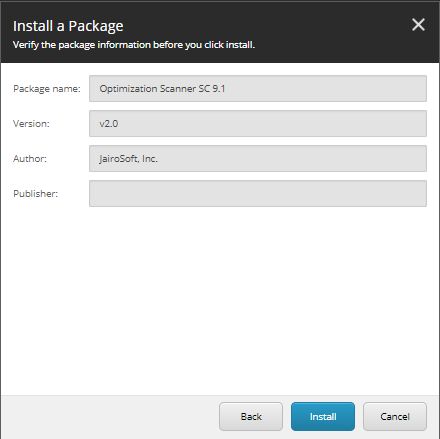
- Now we can install the package.
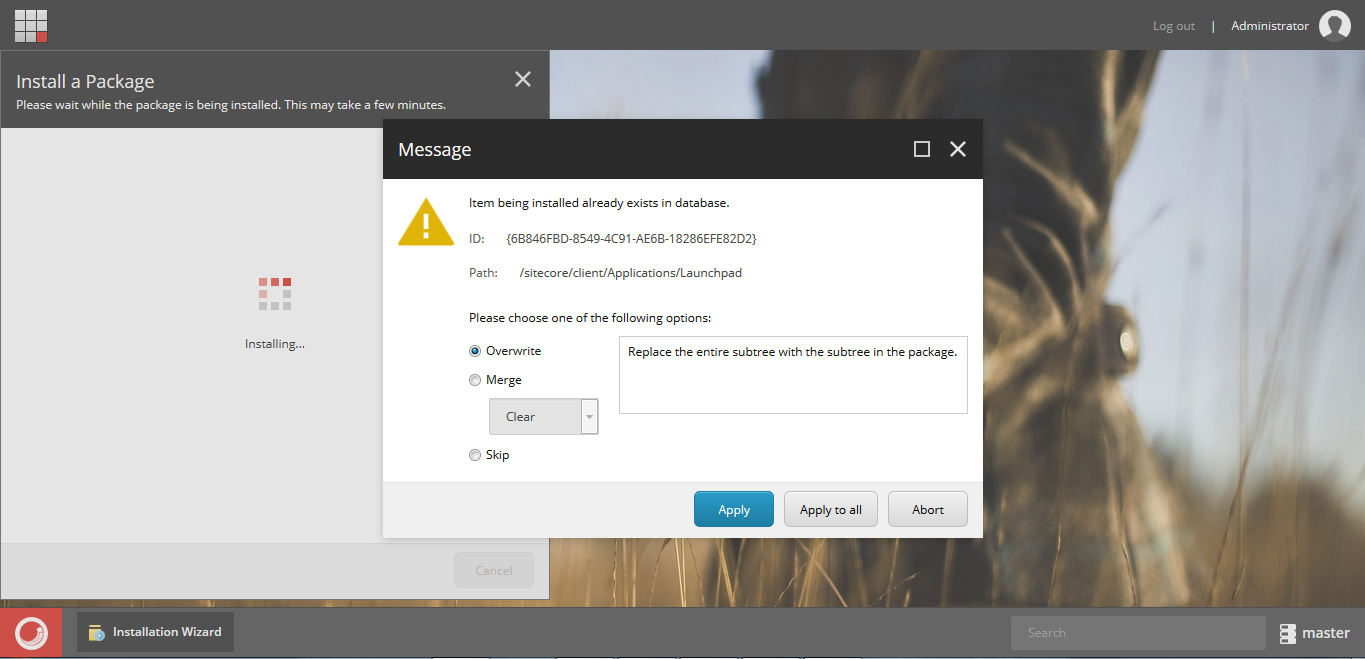
- Overwrite the files click Apply to All.
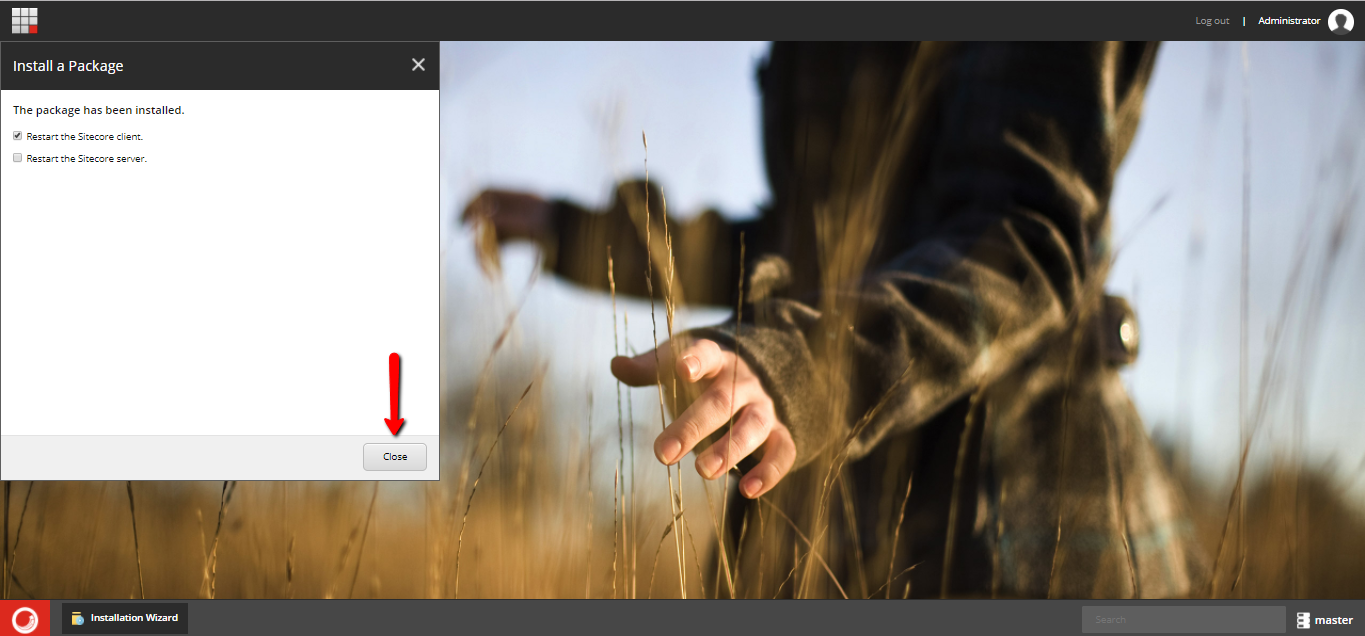
- You can now check Restart the Sitecore Client and click Close.
- End
- For support please email the author or create an issue.
- Tested on Sitecore CMS 9.1 (rev. 001564) .
THIS MODULE IS PROVIDED ON AN "AS IS" BASIS, WITHOUT SUPPORT, WARRANTIES OR CONDITIONS OF ANY KIND.