Google Colab allows anyone to write and execute Python code through a browser meaning no setup is required and you can get coding straight away 😊. The notebooks have been designed to introduce some programming and statistical concepts and allow you to practice within the notebook.
Folders containing the workbooks will be added for the following topics:
- Python essentials: [✅Available]
- Stats 101: [✅Available]
- Stats 102: [✅Available]
- Stats 103: [✅Available]
- Python Visualizations: [✅Available]
- Advanced Python coding: [✅Available]
Getting Started Python Essentials
- We recommend you read the few pages from the Google Colab Start-up Guide first if you are new to Google Colab or have it along side you as you work through the notebook.
- Click on Stats_101_Essential_Python.ipynb
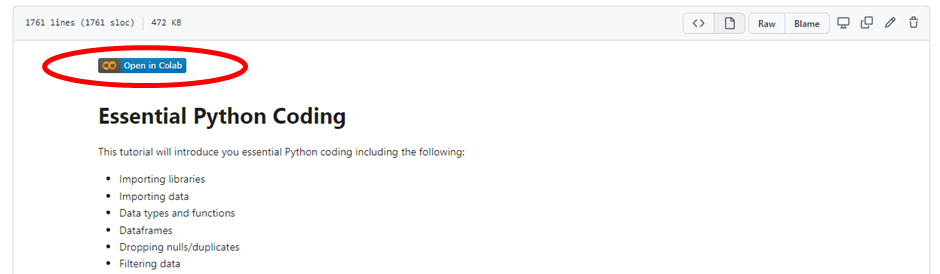
- Click on the 'Open in Colab' icon
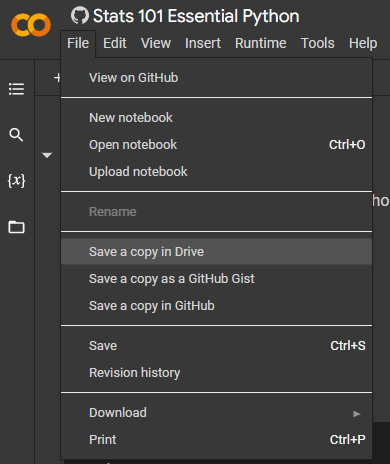
- You can run and complete the workbook in one session or if you would rather save your progress then you can save a copy of the notebook to your Google Drive.
- Part of the workbook will require you upload data which is stored in the Python Essentials folder or you can follow the link in the Google Colab notebook to download a local copy.