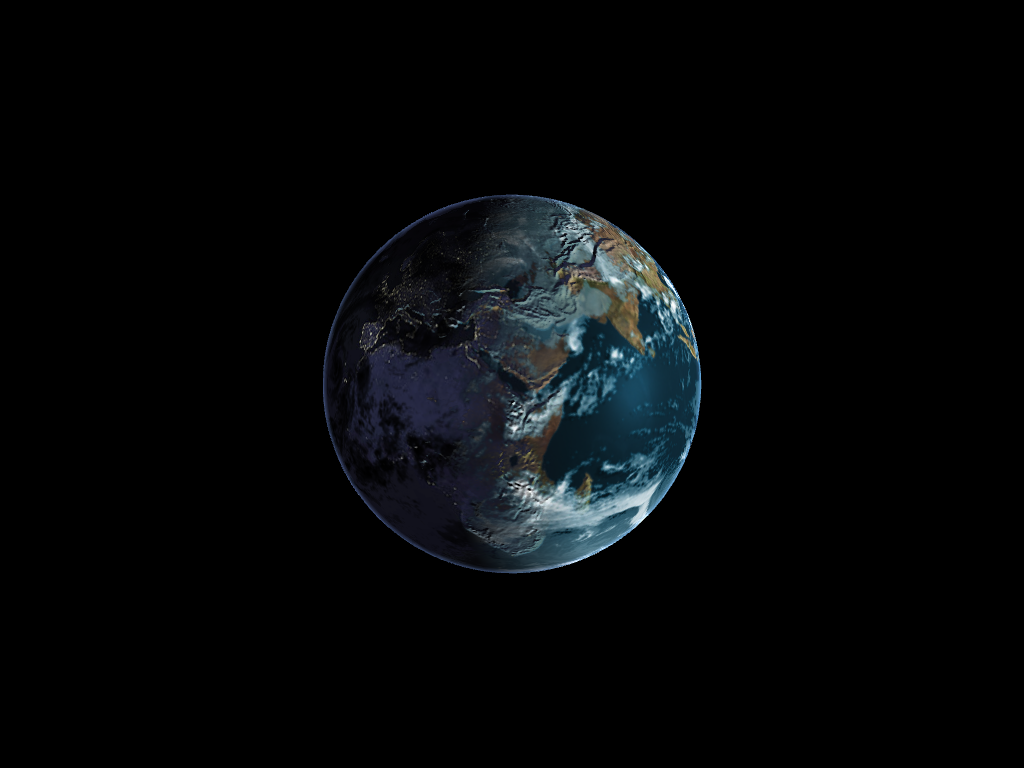
###Implemented Features
####Sin wave
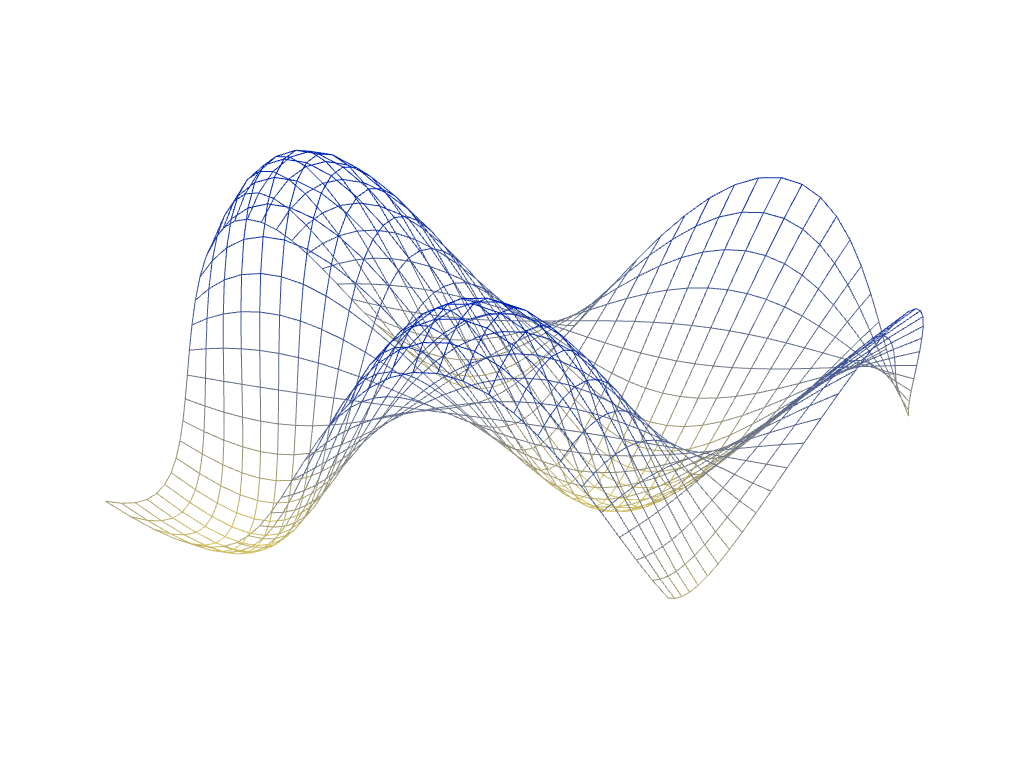 Implemented custom color selection using dat.GUI, and basic color interpolation for between the high and low points on the grid.
####Circular ripple wave
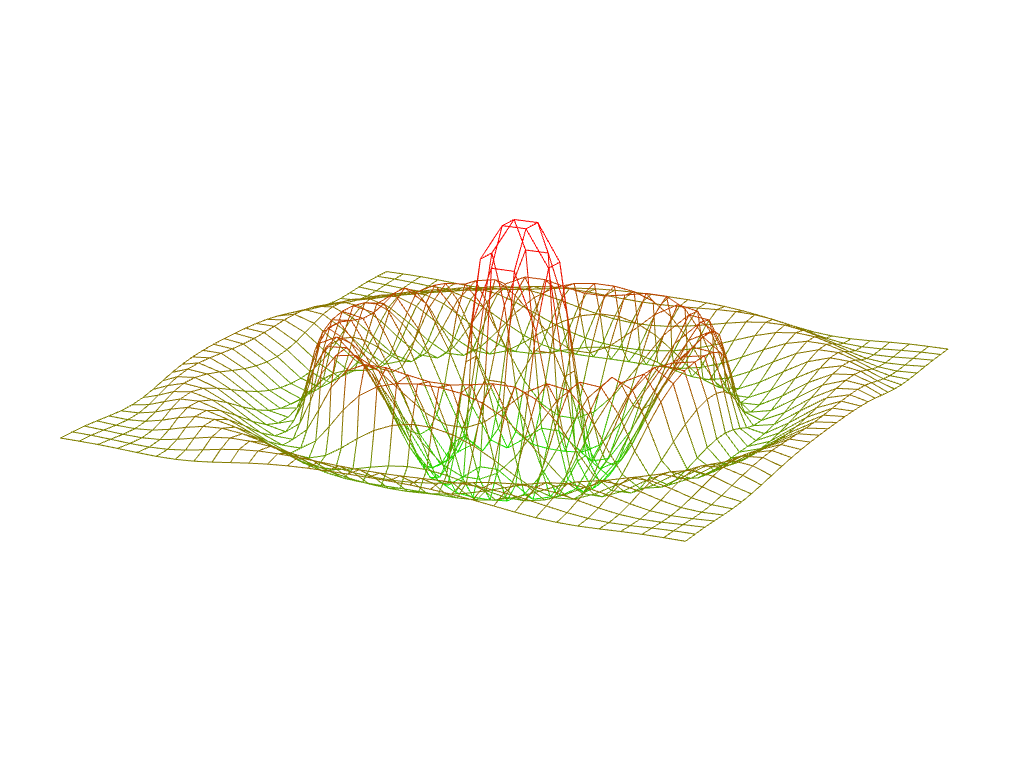 This wave spreads out from the center and has an exponential falloff in height as it moves away from the center.
The sin function is based on distance from the center of the grid.
This wave spreads out from the center and has an exponential falloff in height as it moves away from the center.
The sin function is based on distance from the center of the grid.
###Implemented Features
####Night-time lights on the dark side of the globe
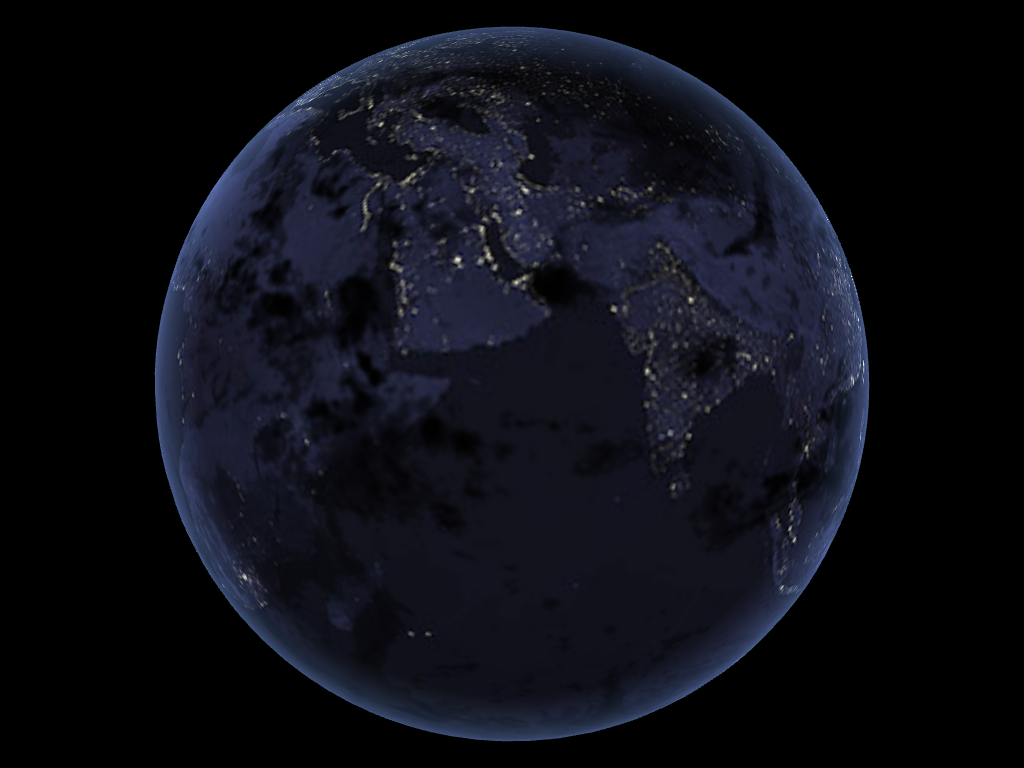 The sphere began with just daylight texture implemented, so I added the code for nighttime texture and added a mix to blend daylight and nighttime. The mix I used keeps full dayColor until the diffuse term < 0.5, and full nightColor on the back of the sphere.
####Specular mapping
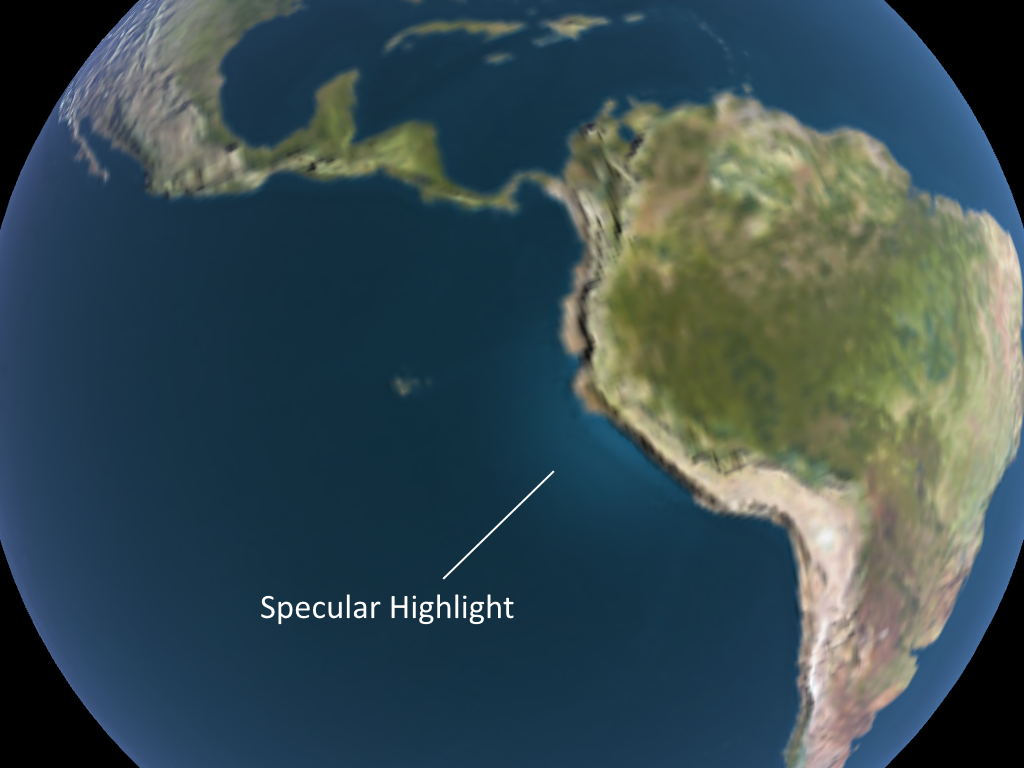 The sphere originally had specular lighting on all areas. I changed that so that only the water has specular highlights by reading from the specular map.
####Moving clouds
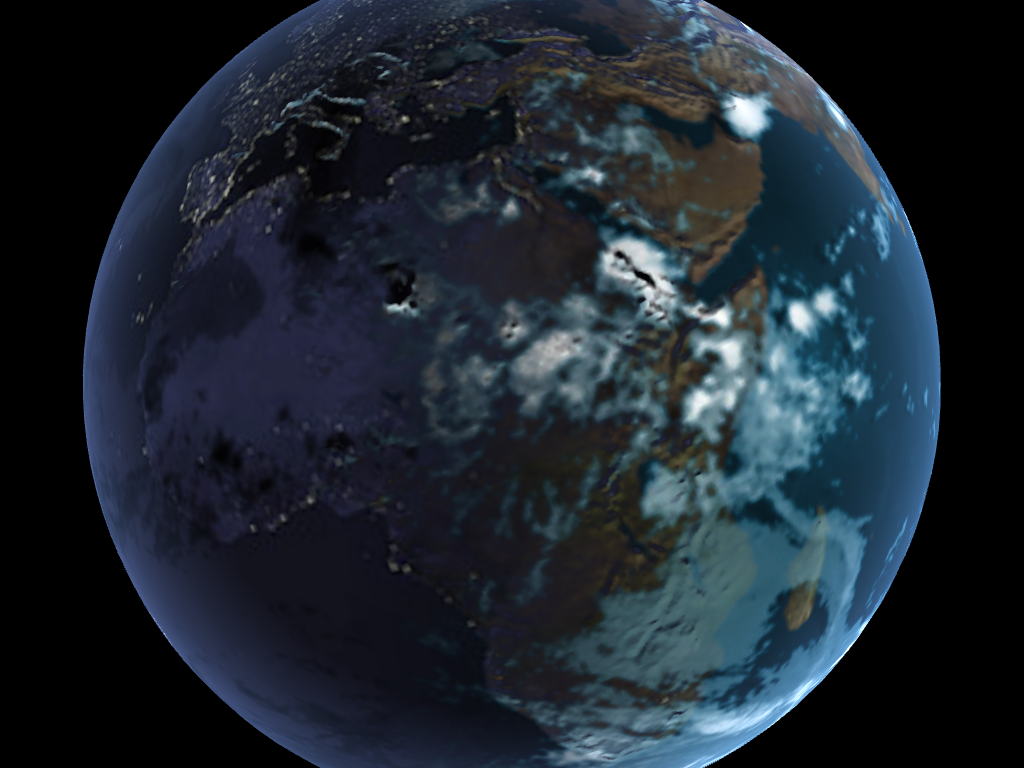 Implemented moving clouds by reading in from the cloud map and offsetting texture coordinates by a time value.
####Bump mapped terrain
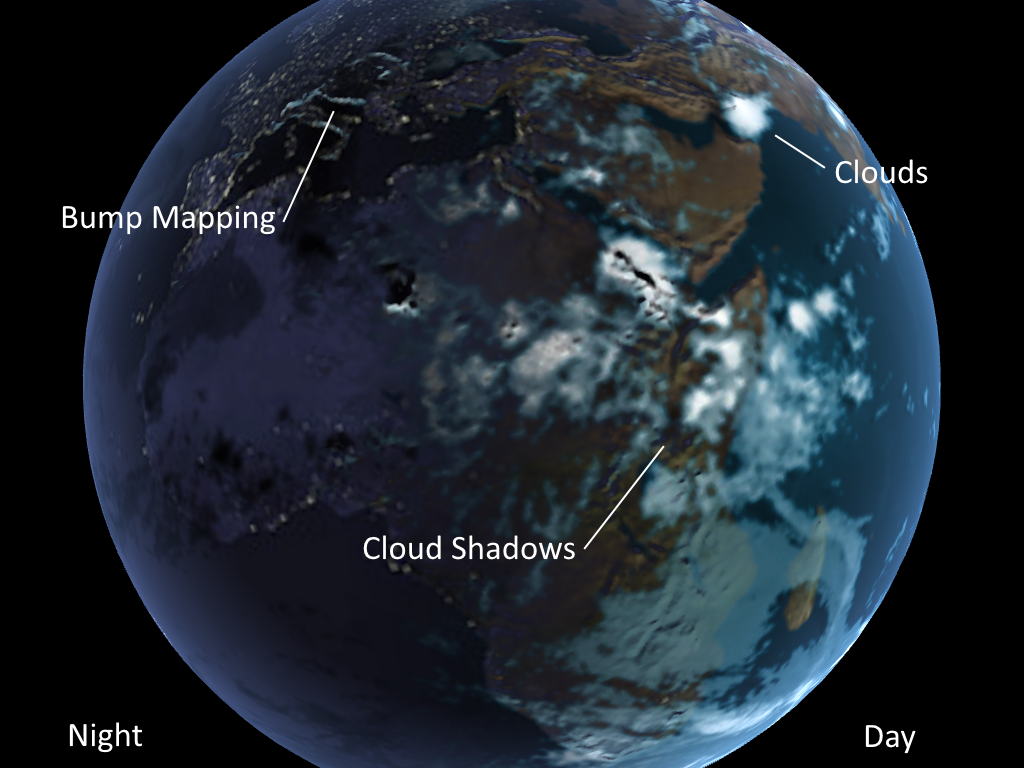 Implemented bump mapping by reading in the current position, one unit up, and one unit right, and calculating a new normal using those values.
####Rim lighting to simulate atmosphere
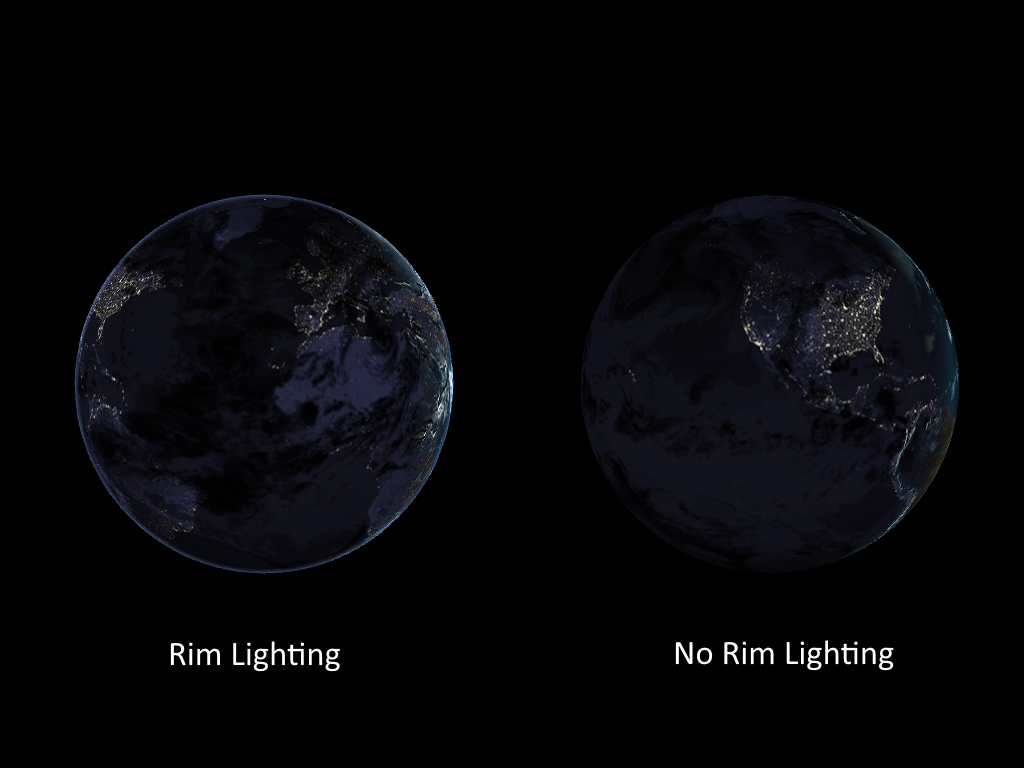 Simple rim lighting using a dot product between the normal and position.
###Extra Feature: Cloud Shadows
I implemented a rather basic cloud shadow technique for the globe. The logic behind these shadows is that the light (the lit part of the globe) should cast long visible shadows near the day-night borders, and nearly no visible shadows where the globe is closest to the light. You can see this in the image below.
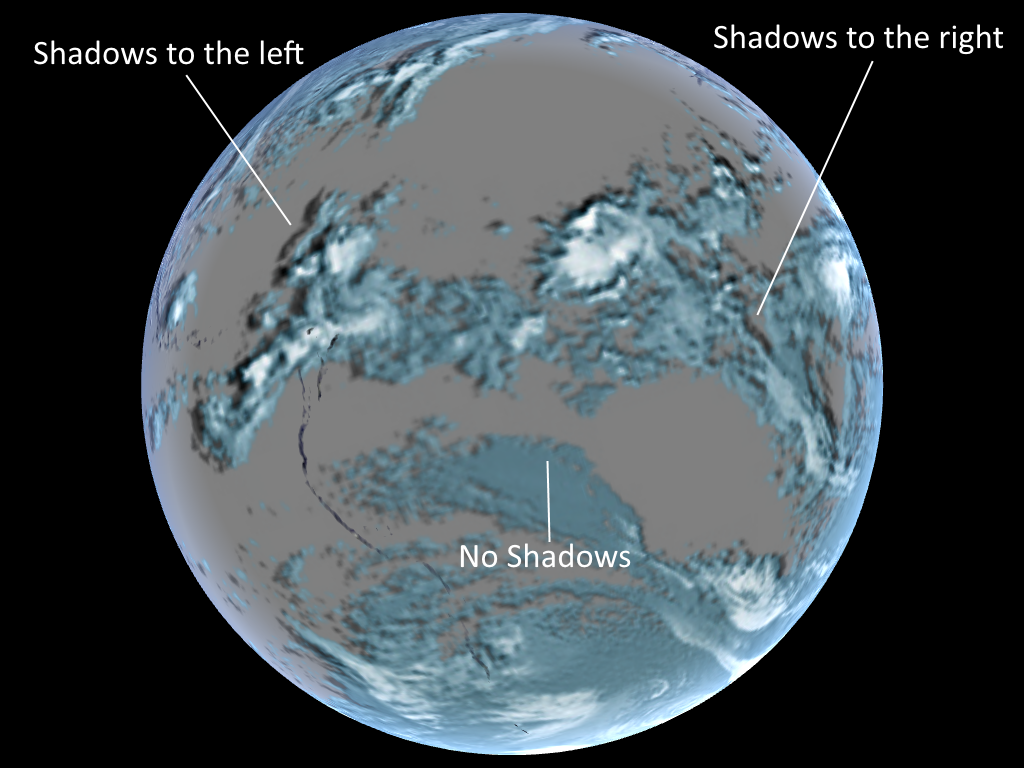 Clouds cast shadows to the left on the left (with respect to the light) of the globe, right on the right, and none in the center.
All I did to implement this was to sample the cloud density some distance along the direction of light - position, and shifted the density to range from [0.5, 1]. Then I used it as a multiplier on the base daylight texture color. The [0.5, 1] range was chosen because I didn't want the shadows to be too dark.
Since this assignment is in WebGL you will make your project easily viewable by taking advantage of GitHub's project pages feature.
Once you are done you will need to create a new branch named gh-pages:
git branch gh-pages
Switch to your new branch:
git checkout gh-pages
Create an index.html file that is either your renamed frag_globe.html or contains a link to it, commit, and then push as usual. Now you can go to
<user_name>.github.io/<project_name>
to see your beautiful globe from anywhere.
To determine where to best start with the performance evaluation, I began by comparing the ms/frame of the globe with all shaders on, and with only a color=white fragment shader. However, both values were so low (10-20 ms, 50-60 fps) that I couldn't determine if the calculations actually made a significant impact on the code.
This being the case, I don't think that I will be able to actually measure any improvements on the code. However, looking at frag_globe.js, I have identified some areas in animate() that could be improved.
####Calculating the model matrix The model matrix begins as an identity matrix, and is then taken through 3 separate rotation calculations. Two of these rotations are constant:
mat4.rotate(model, 23.4/180*Math.PI, [0.0, 0.0, 1.0]); mat4.rotate(model, Math.PI, [1.0, 0.0, 0.0]);
And don't need to be calculated every single animate() call.
####Calculating the light vectors Similarly, the light vectors do not change over time, and are constants. As such, they do not need to be created every single animate() call.
####Mipmapping I don't think that this will change the performance significantly, and it's fairly limited because the user specifies the distance from the camera to the globe, but we can use lower-resolution textures for zoomed out shots. However, there isn't a large range of possible levels of detail, so the benefits of mipmapping are marginal at best.