
Kaffeine is a media player with support for digital television (DVB-C/S/S2/T, ATSC, CI/CAM).

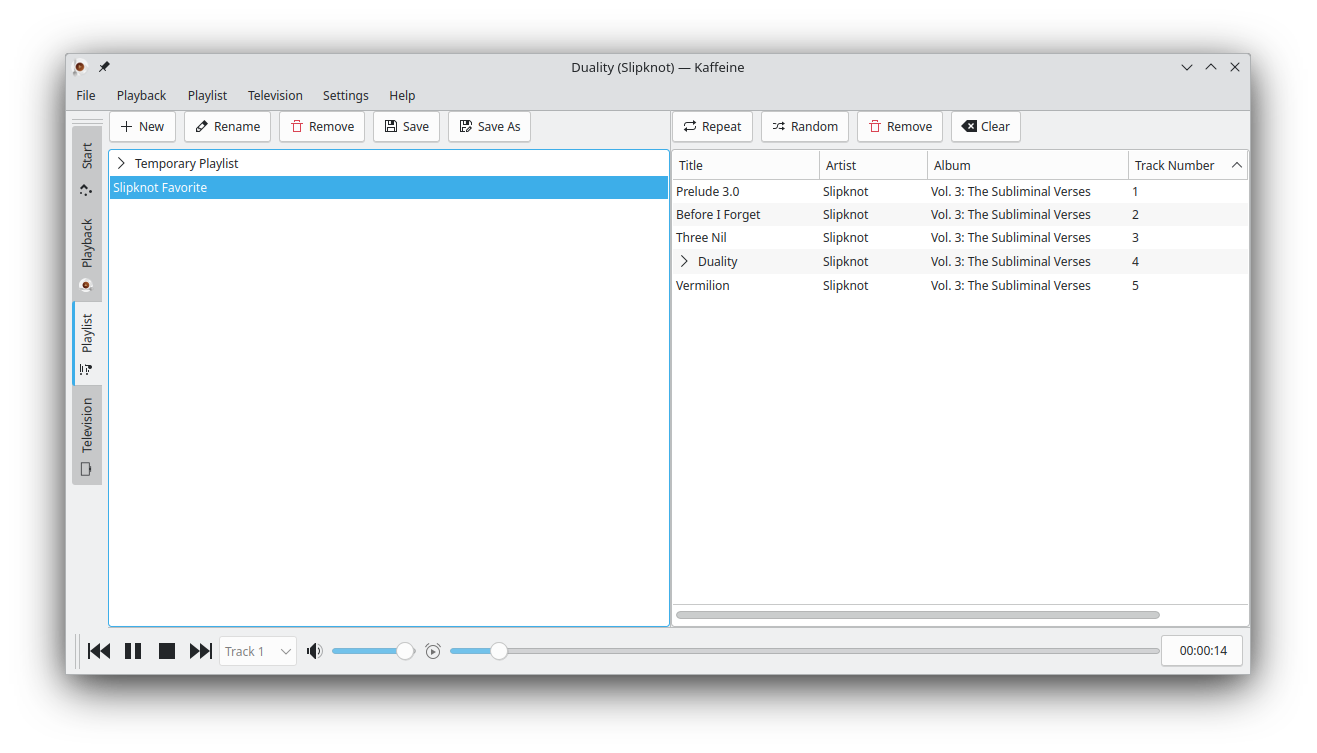

- Support for various digital television protocols: DVB-C/S/S2/T, ATSC, CI/CAM
- Support for DVD (including DVD menus, titles, chapters, etc.)
The easiest way to make changes and test Tokodon during development is to build it with kdesrc-build.
If you want to create a Debian or Ubuntu package from Kaffeine's sources, you need to install the needed tools with:
apt-get install fakeroot dpkg-dev pkg-kde-tools debhelper
And run the following commands:
rm -rf deb-build  # Just in case it were created before

git clone https://salsa.debian.org/qt-kde-team/extras/kaffeine.git deb-build && \
cd deb-build && \
rsync -ua --exclude '.git*' --exclude deb-build .. . && \
rm CMakeCache.txt && \
cat Changelog |grep Version|head -1|perl -ne 'if (m/Version\s*(\S+)/) { print "kaffeine ($1-1) unstable; urgency=medium\n\n  * New upstream release.\n" }' >debian/changelog && \
echo " -- root <root@localhost>  $(date -R)" >>debian/changelog && \
fakeroot debian/rules binary && \
cd ..
This will produce both binary and debug packages, like:
kaffeine_*_amd64.deb kaffeine-dbgsym_*_amd64.ddeb
Installing it is as simple as:
sudo dpkg -i kaffeine_*_amd64.deb
There are a few known issues related to video output that may require some special setup for Kaffeine to work on certain environments.
Accessing Kaffeine remotely via X11/ssh/vnc can be a problem, as Qt5 will try, by default, to use hardware acceleration and DRI3.
There is a known bug, present on Fedora 23 to 25, and likely on other distros, at mesa-libGL/dri-drivers that cause it to wait forever when it is started from a X11 section. Such bug causes Kaffeine windows to not open:
A workaround is to start Kaffeine with:
LIBGL_DRI3_DISABLE=1 kaffeine
Another solution is to use a vnc server.
By default, libVLC will try to use hardware acceleration on the machine with Kaffeine, with obviously with won't work via remote access. It may also not detect properly the best video output plugin for some hardware settings.
For such scenarios, you may try to change the arguments passed to libVLC via
the Settings --> Configure Kaffeine --> libVLC, changing the libVLC
arguments to:
--no-video-title-show -V xcb_glx
or:
--no-video-title-show -V xcb_xv
and re-start Kaffeine.
By default, libVlc will try to use vdpau hardware acceleration in order to decode the video stream at GPU. However, sometimes it may not get the right acceleration module, trying to always use NVidia module, even when the hardware is AMD or Intel. That happens, for example on Fedora 25 and 26, as reported at:
For Radeon GPU, the vdpau driver can be forced with:
export VDPAU_DRIVER=r600
The VA-GL driver can be used for Intel GPUs. It can be forced with:
export VDPAU_DRIVER=va_gl
Note: you may need to install mesa-vdpau-drivers and/or libvdpau-va-gl packages for vdpau to work.
Please notice that, depending on your hardware, for example, if your GPU vdpau driver can't decode the compression standard used by the broadcasters, it could be better to disable VDPAU backend. That can be done by passing an invalid driver name, like:
export VDPAU_DRIVER=none
As described at Kaffeine's documentation, xmltv files are now supported.
In order to use it, you need to have a xmltv grabber. For example, you may use the tv_grab_eu_dotmedia grabber, from xmltv project.
Kaffeine's internal logic will map the channels obtained by the grabber into the channel names it has stored internally. The Kaffeine names can be obtained with the following command:
$ echo 'select name from Channels;' | sqlite3 ~/.local/share/kaffeine/sqlite.db
At the xmltv file format, the channel names can be obtained with:
$ grep display-name some_file.xmltv
If the names don't match, you'll need to use an external script to do the map. There's an example about how to do it at:
tools/map_xmltv_channels.sh
Please notice that you need to have xmlstarlet installed for it to work.
Assuming that you modified the script for your needs and copied to your
~/bin directory, a typical usage of obtaining the xmltv tables would be to
have a script like this running on a shell console:
$ while :; do tv_grab_eu_dotmedia > eu_dotmedia.xmltv; \
~/bin/map_xmltv_channels.sh eu_dotmedia.xmltv eu_dotmedia-new.xmltv; \
sleep 3600; done
And configure Kaffeine to use the eu_dotmedia-new.xmltv file produced by
the script (or whatever other name you use), disabling EPG MPEG-TS table
reads.
Please also notice that as soon as Kaffeine detects a change on a file, it will re-read. So, even if you don't need to do any map, you should first generate the xmltv file and then move it to the right place, e. g:
$ while :; do tv_grab_eu_dotmedia > eu_dotmedia.xmltv; \
mv eu_dotmedia.xmltv eu_dotmedia-new.xmltv; \
sleep 3600; done
For more details, please read Kaffeine's manual.
Maintainer since KF5/Qt5 port (version 2.x):
- Mauro Carvalho Chehab mchehab+samsung@kernel.org
Former maintainers:
- Lasse Lindqvist lasse.k.lindqvist@gmail.com
- Christoph Pfister
- Christophe Thommeret
- Jürgen Kofler
Thanks to various contributors, translators, testers ...