Rephrase MarkBind Vue components and Bootstrap #2205
Conversation


|
What about the interactive elements such as alerts, as mentioned in the original issue? Do they work? If not we should mention these cases. |

|
Might want to document our extent of support for Bootstrap features besides components - e.g. Responsive font styles, flexbox, etc. We shouldn't document all of it (especially since it's just an overview page) but would be good to give an overall idea of how much of Bootstrap's features we support :) |
Hi @tlylt! I tried the dismissible alerts but it turned out weird as below. It is also not dismissible. This is unexpected because it seems to have been resolved in the issue. My guess is that the 'Bootstrap's Javascript utilities for interactive components' has been removed since then. Should I investigate this further or mention it in the docs? |
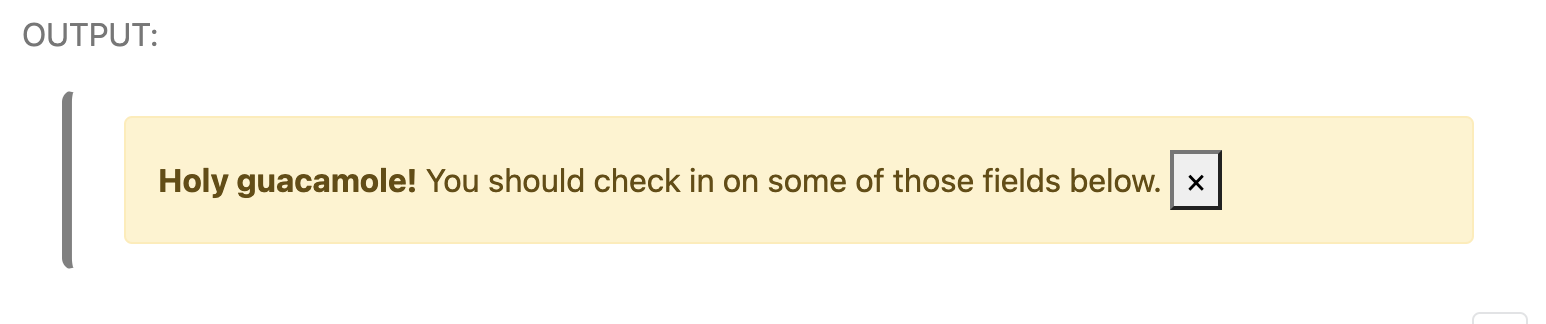
Hi @jovyntls! I focused more on the components as the section is 'MarkBind Vue components and Bootstrap'. I was thinking if we should separate this into two different segments, 'MarkBind Vue components' and 'Bootstrap' so that we can elaborate more on both without making this section too lengthy? |
Sure, find out if it's indeed supported. If not, we can document this and potentially other cases for interactive elements, so that users know up-front that some Bootstrap components won't work. |
I think that's a good idea! Many of our Markbind components aren't built on Bootstrap anyway so grouping "Markbind Vue components" and "Bootstrap" is a bit arbitrary 🤔 Would be nice to separate into two (brief) sections that can give a clearer & concise overview of each. Wdyt? |

|
General note: Also keep in mind that Bootstarp and Vue are two things we use in the MarkBind implementation. The less users need to know about them the better. It's fine to point to Bootstrap/Vue documentation when we don't want to repeat the same info in our documentation (or when we want to point out our compatibility with Boostrap/Vue components) but when something can be presented without referring to Bootstrap or Vue at all, we should do so instead. If the user don't need to care where the component came from, then we should not force them to care about it either. |
I agree! I think two brief sections should suffice. I think instead of examples I would just link to the docs for Vue and Bootstrap and explain how our Vue components are built on Bootstrap to keep it concise and not include unnecessary information. |
Hi @jovyntls! Actually in view of the comment by @damithc, I was wondering if it would be more appropriate to just have "Support for Bootstrap" instead, as I feel that the section on Vue may not be very applicable in the user guide as there might not be much value for users to know what MarkBind's components are built with. What are your thoughts? |
|
@itsyme Yup I agree! Suggested separating it into 2 sections earlier because I didn't realise we already have a "Markbind components" section above this. It would be good to abstract away our implementation from the user and document our support for Bootstrap instead. |
 itsyme
changed the title
itsyme
changed the title


4 participants


What is the purpose of this pull request?
Overview of changes:
Resolves #511. Rephrased User Guide -> MarkBind Syntax Overview -> MarkBind Vue components and Bootstrap
Anything you'd like to highlight/discuss:
Testing instructions:
Proposed commit message: (wrap lines at 72 characters)
Rephrase Vue components and Bootstrap
Checklist: ☑️