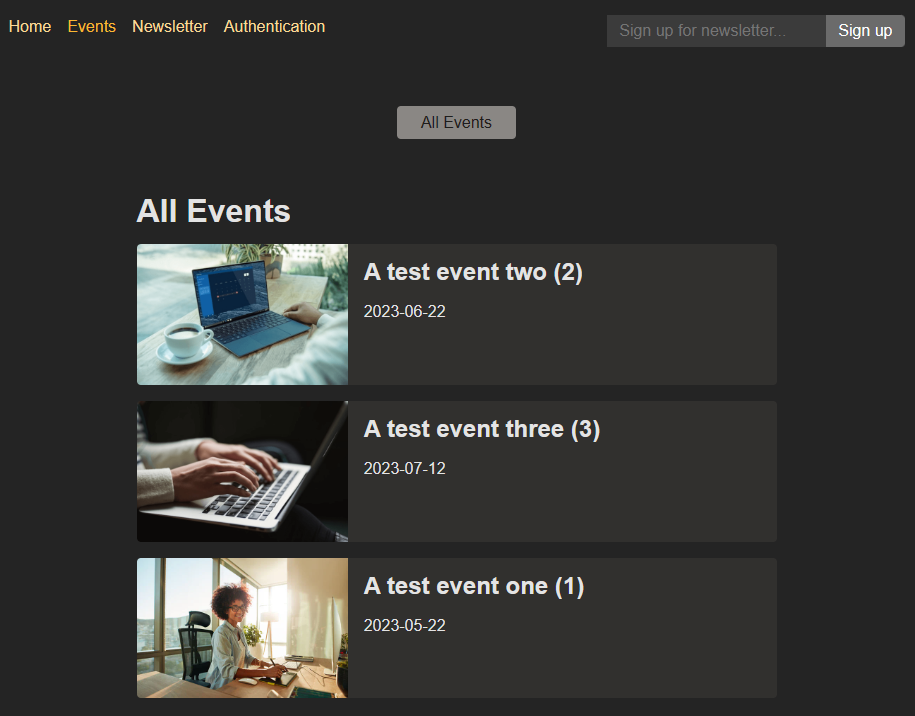
EventApp is a REACT.js application designed to allows user to organize events. User can sign up for a newletter by submitting their email User Authentification allows for additonal features.
- User Authentification via JSONwebtokens paired with bcrypt allows individuals ability to edit, delete & update events only if logged in.
- 'react-router-dom' is used to provide streamless transitioning across the web application.
- CSS.modules in combination with bootstraps provide a clean design aesthetic across the entire application.
Front-End: HTML5, CSS, REACT.js
APIs: TicketMaster, Google Maps in-progress
Back-End: Express.js, bcrypt.js, JSONwebtoken, Node.js
- confirm that config is up to date:
> node -v
> npm -v
> git --version
> npm list react-router-dom
- Initial package.json & install dependencies (localhost: 3000):
> npx create-react-app <project name>
> cd <project name>
> npm install --save react-router-dom
- Test front-end once pages are generated (ctrl-c to exit):
> npm run start
- confirm that config is up to date:
> node -v
> npm -v
> git --version
> npm express -v
- Initial package.json & install dependencies (localhost:8080):
> cd <backend name>
> npm init -y
> npm install express
- In a separate terminal run
> npm start
- Auth verification (see resources):
> npm install jsonwebtoken
> npm install bcryptjs
- Add Auth functionality:
Required for Auth.js
export function getAuthToken(){
    const token = localStorage.getItem('token');
    return token;
};
Required for Logout.js
import { redirect } from "react-router-dom";

export function action(){
localStorage.removeItem('token');
return redirect("/");
}
- Hosting run with Firebase
> npm run build
- Firebase verification (see resources):
> npm install -g firebase-tools
> firebase login
> firebase init
-
Select project associated with this build (RSA)
-
Once the deployed URL will be used for deployment
-
End Hosting:
> firebase hosting:disable
- Thereafter, you can start the dummy backend API server via "npm start" (inside the "backend" folder).
- The React app dev server is then also started via "npm start" (though inside the "frontend" folder).
- The dummy backend API does not use any external database - instead the dummy data is saved to an "events.json" file inside the project folder.
- React single page (RSA) is a static site hosted on Firebase.
- CSS modules to allow styles to be treated like objects.
- TicketMaster API for searching events
- GoogleMaps API allows users to see exactly where they are going.
- React-router-dom Await Components and other useful information.
- jsonwebtoken npm part of user Authentification & info
- bcrypt.js part of password hasing for user Authentification.
- Deployment instructions for React.js Apps.
- Firebase Hosting for static site hosting service. Firebase npm