
简体中文: README.zh-CN.md
Your prompts. Your model. Your laptop.
Turn prompts into polished artifacts — locally, openly, and with whichever model you already pay for.
Website · Quickstart · Docs · Contributing · Security
Open-source alternative to: Claude Design · v0 by Vercel · Lovable · Bolt.new · Figma AI



claude-code · claude-design-alternative · ai-design · design-to-code · figma-alternative · byok · local-first · multi-model · electron
Turn a prompt into a polished prototype, slide deck, or marketing asset, locally, with the model you already use.
Open CoDesign is the open-source Claude Design alternative — built for people who want the speed of AI-native design tools without subscription lock-in, cloud-only workflows, or being forced onto a single provider. An MIT-licensed desktop app, local-first from day one, with BYOK for any model (Claude, GPT, Gemini, DeepSeek, Kimi, GLM, Ollama, or any OpenAI-compatible endpoint). One-click import of your existing Claude Code or Codex API key gets you running in under 90 seconds.
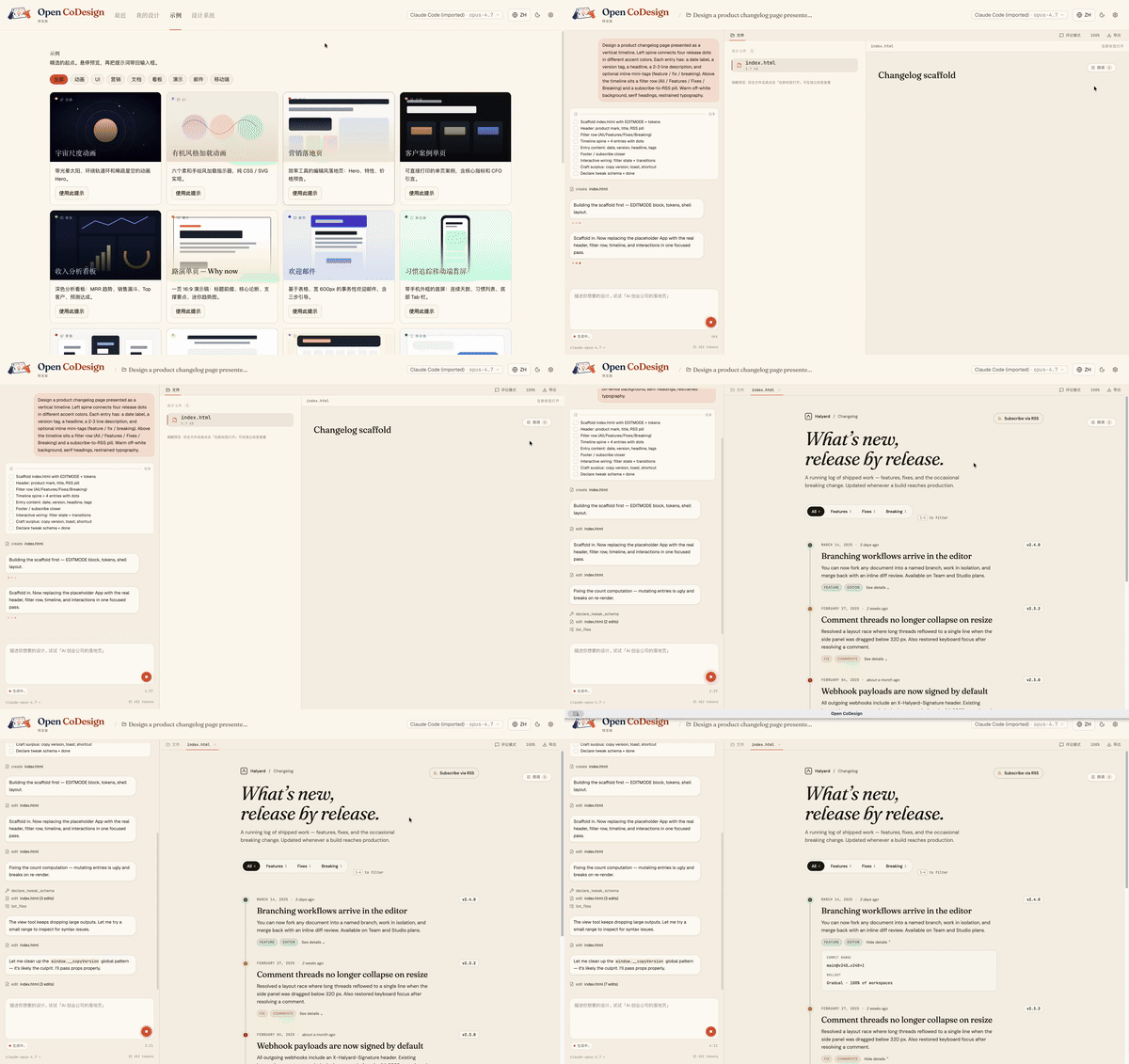
From a blank prompt to a finished artifact, the agent plans, writes, self-checks, and ships something with hover states, tabs, and empty states already wired up:
- Runs on your laptop — no mandatory cloud workspace
- Works with your model — Claude, GPT, Gemini, Ollama, OpenRouter, and more
- Exports real files — HTML, PDF, PPTX, ZIP, Markdown
- Shows its work — live agent activity, visible tool calls, interruptible generation
Open source, desktop-native, and built for people who do not want their design workflow locked to one model or one cloud.
| Open CoDesign | Claude Design | v0 by Vercel | Lovable | |
|---|---|---|---|---|
| Open source | ✅ MIT | ❌ Closed | ❌ Closed | ❌ Closed |
| Desktop native | ✅ Electron | ❌ Web only | ❌ Web only | ❌ Web only |
| Bring your own key | ✅ Any provider | ❌ Anthropic only | ❌ Vercel only | |
| Local / offline | ✅ Fully local app | ❌ Cloud | ❌ Cloud | ❌ Cloud |
| Models | ✅ 20+ (Claude, GPT, Gemini, Ollama…) | Claude only | GPT-4o | Multi-LLM |
| Version history | ✅ Local SQLite snapshots | ❌ | ❌ | ❌ |
| Data privacy | ✅ On-device app state | ❌ Cloud-processed | ❌ Cloud | ❌ Cloud |
| Editable export | ✅ HTML, PDF, PPTX, ZIP, Markdown | |||
| Price | ✅ Free app, token cost only | 💳 Subscription | 💳 Subscription | 💳 Subscription |
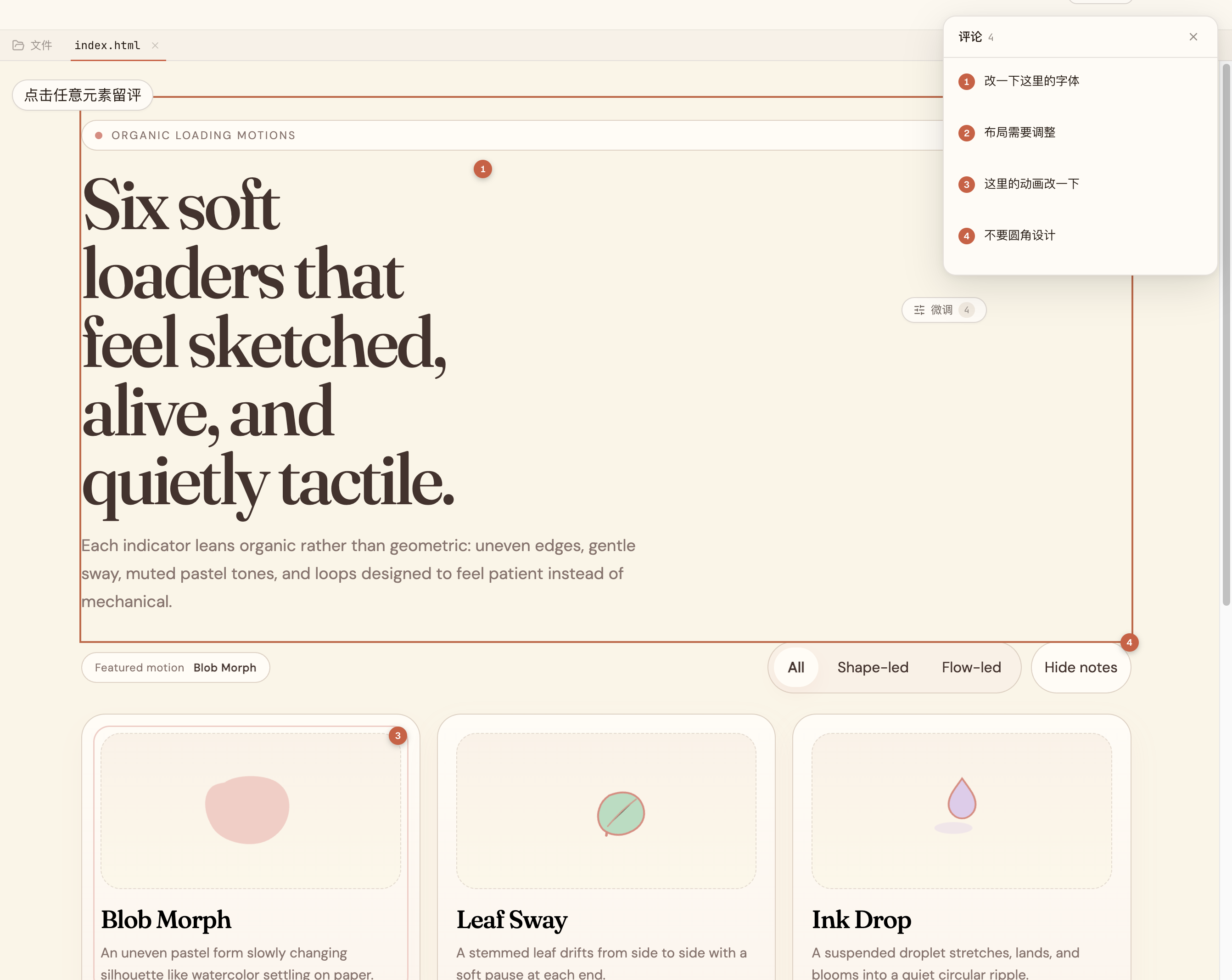
Comment, don’t retype. |
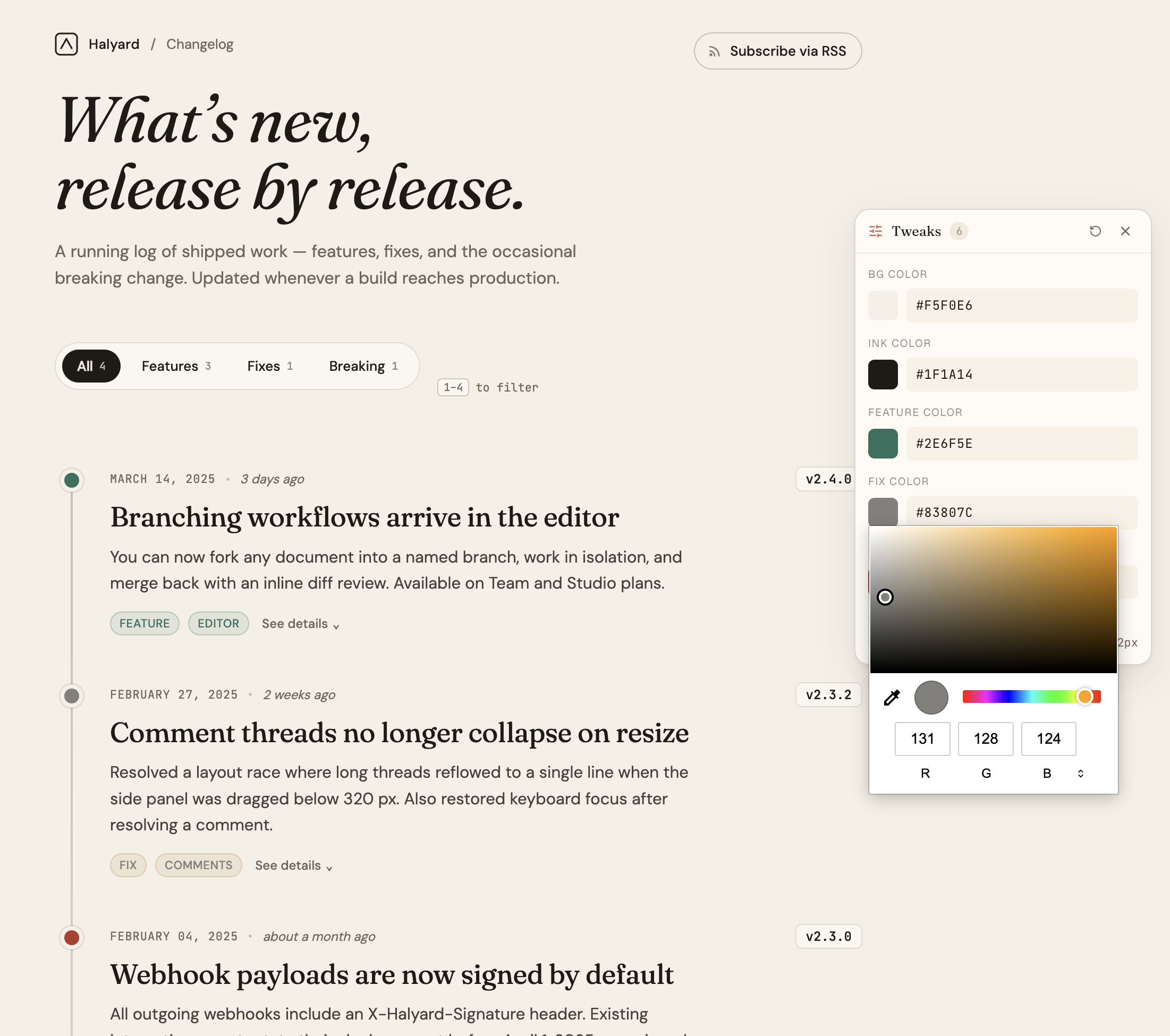
AI-tuned sliders. |
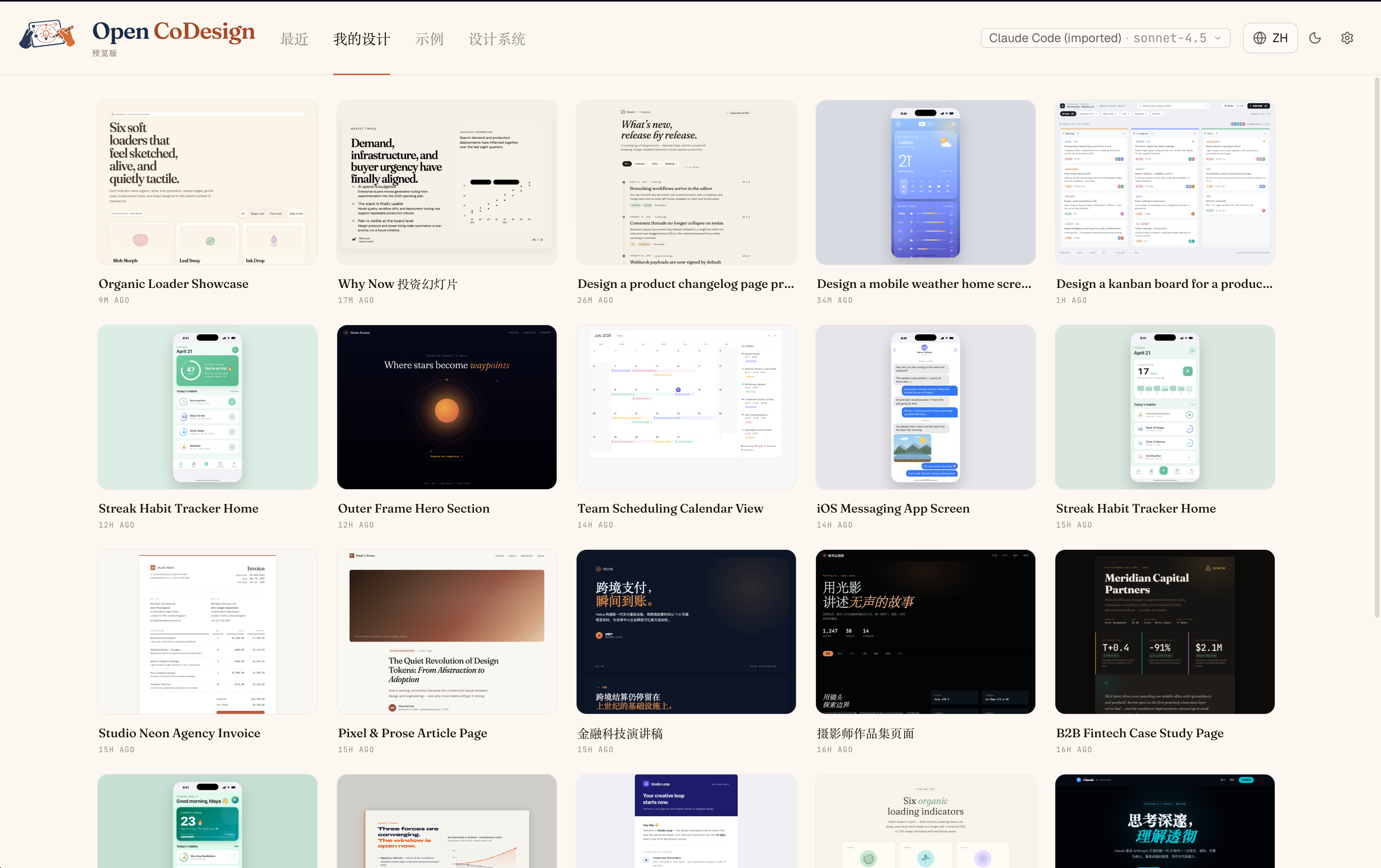
Every iteration, kept. |
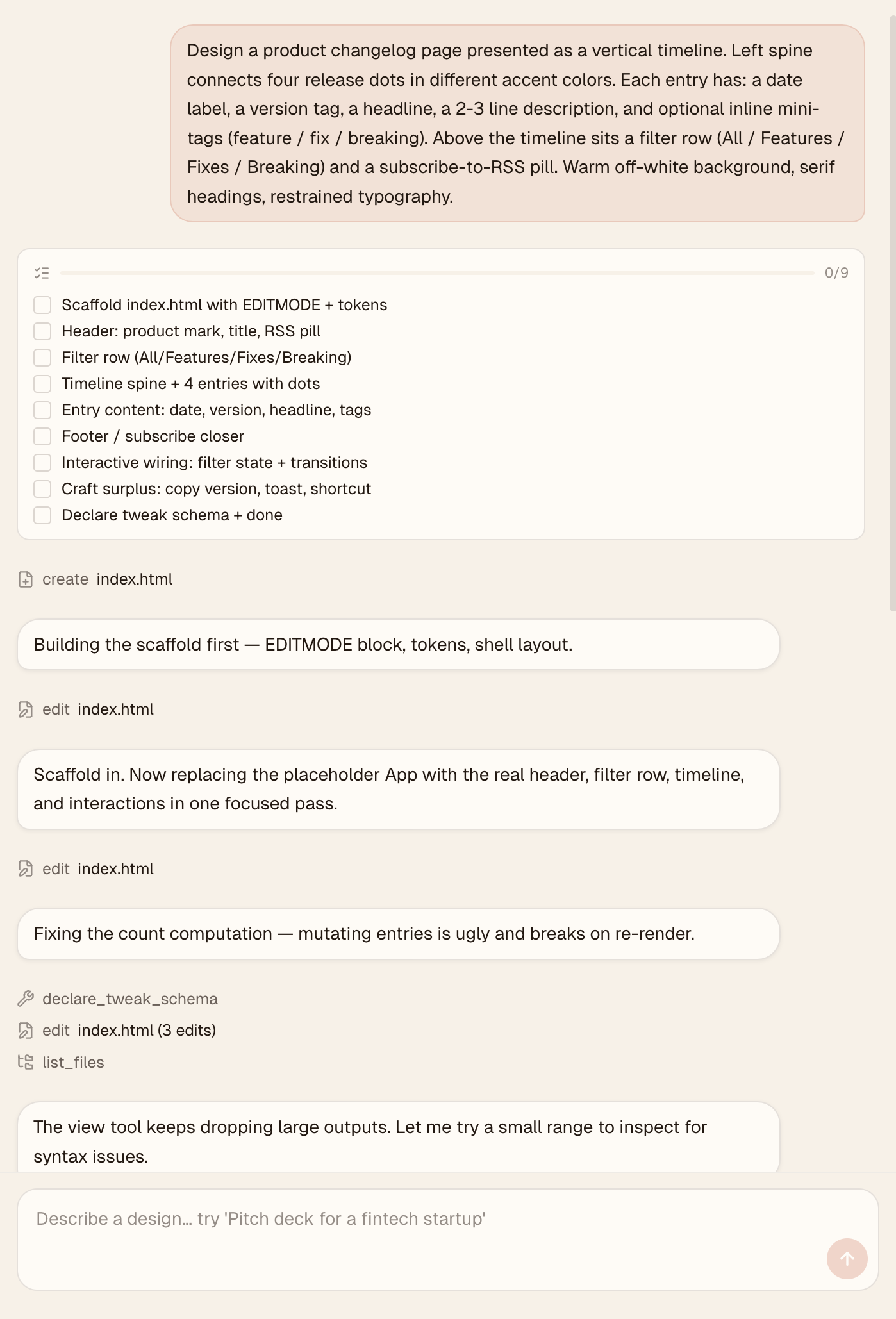
Watch the agent work. |
Time to first artifact: about 3 minutes
Requires: one API key or local Ollama
Runs on: macOS 12+ (Monterey or later), Windows 10+, Linux (glibc ≥ 2.31)
Direct download (v0.1.x) from GitHub Releases:
| Platform | File |
|---|---|
| macOS (Apple Silicon) | open-codesign-*-arm64.dmg |
| macOS (Intel) | open-codesign-*-x64.dmg |
| Windows (x64) | open-codesign-*-x64-setup.exe |
| Windows (ARM64) | open-codesign-*-arm64-setup.exe |
| Linux (x64, AppImage) | open-codesign-*-x64.AppImage |
| Linux (x64, Debian/Ubuntu) | open-codesign-*-x64.deb |
| Linux (x64, Fedora/RHEL) | open-codesign-*-x64.rpm |
Each release ships with SHA256SUMS.txt and a CycloneDX SBOM (*-sbom.cdx.json) so you can verify what you downloaded.
Package managers — status for v0.1.x
| Manager | Command | Status |
|---|---|---|
| Homebrew Cask (macOS) | brew install --cask opencoworkai/tap/open-codesign |
🟢 Live |
| Scoop (Windows) | scoop bucket add opencoworkai https://github.com/OpenCoworkAI/scoop-bucket && scoop install open-codesign |
🟢 Live |
| winget (Windows) | winget install OpenCoworkAI.OpenCoDesign |
🟠 PR #363055 under Microsoft review |
| Flathub (Linux) | flatpak install flathub ai.opencowork.codesign |
⏸ Deferred to v0.2 (needs signed build + AppStream metadata) |
| Snap (Linux) | snap install --dangerous open-codesign-*.snap |
🟡 Attached to releases best-effort; Snap Store publish not yet wired |
After each tag push, CI auto-syncs SHAs back into packaging/ and (once the winget PR merges) auto-opens downstream bumps. Every packaging/*/README.md documents its own mirror flow.
v0.1 note: installers are unsigned. On macOS Sequoia 15+ right-click → Open no longer bypasses Gatekeeper, and "Open Anyway" in System Settings often fails. Reliable one-liner:
xattr -cr "/Applications/Open CoDesign.app"Then double-click normally. (Older 0.1.x builds are installed as
/Applications/open-codesign.app.) On Windows: SmartScreen → More info → Run anyway.Want a verified build? Compile from source — see CONTRIBUTING.md.
On first launch, Open CoDesign opens the Settings page. Paste any supported provider key:
- Anthropic (
sk-ant-…) - OpenAI (
sk-…) - Google Gemini
- Any OpenAI-compatible relay (OpenRouter, SiliconFlow, local Ollama)
Credentials stay in ~/.config/open-codesign/config.toml (file mode 0600, same convention as Claude Code, Codex, and gh CLI). Nothing leaves your machine unless your chosen model provider requires it.
Pick one of fifteen built-in demos — landing page, dashboard, pitch slide, pricing, mobile app, chat UI, event calendar, blog article, receipt/invoice, portfolio, settings panel, and more — or describe your own. A sandboxed prototype appears in seconds.
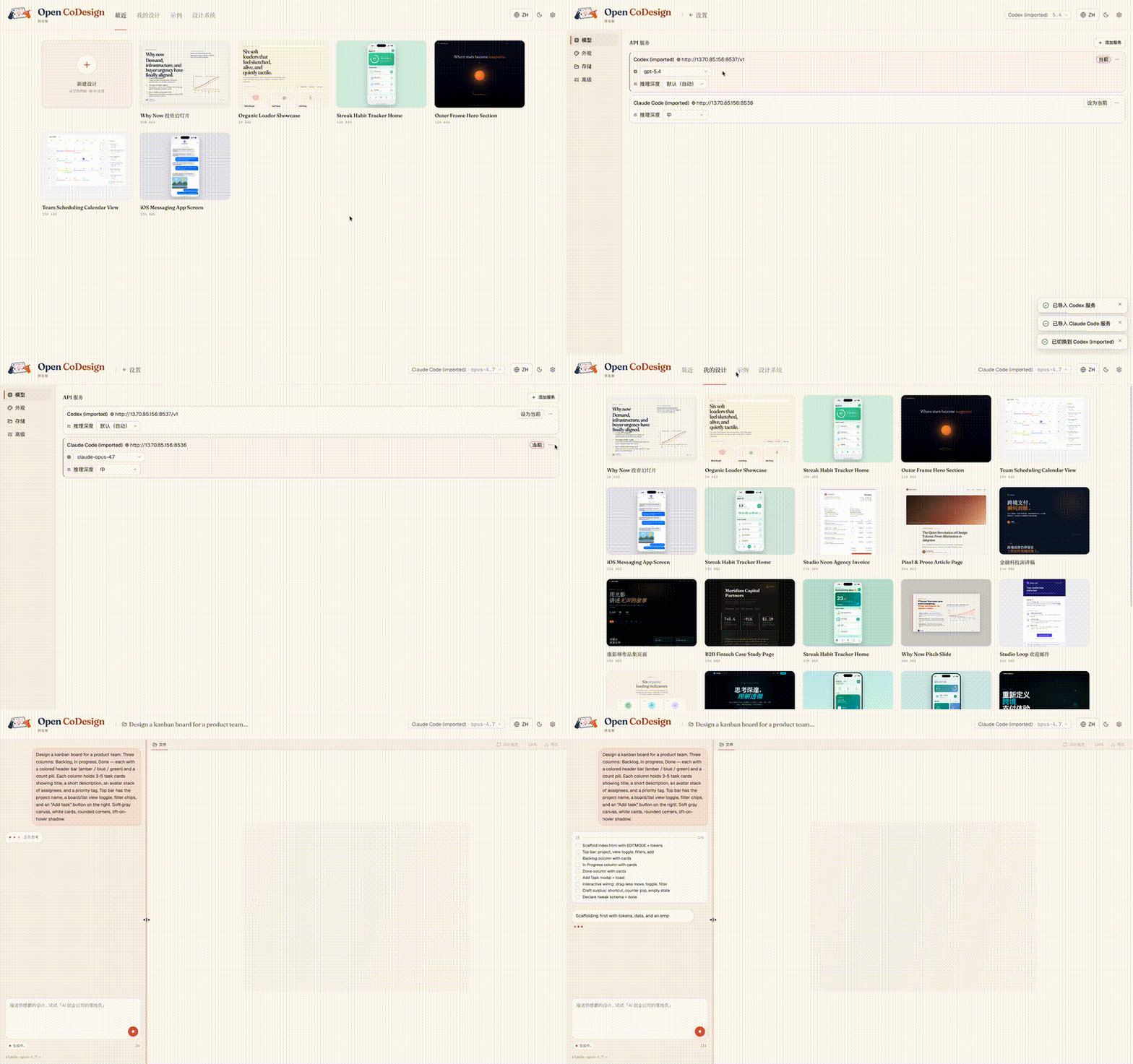
Already using Claude Code or Codex? Your providers, models, and API keys import in one click, with no copy-paste and no need to re-enter settings:
Generic AI tools tend to produce generic output. Open CoDesign ships with twelve built-in design skill modules — slide decks, dashboards, landing pages, SVG charts, glassmorphism, editorial typography, heroes, pricing, footers, chat UIs, data tables, and calendars — plus a built-in taste layer that steers the model toward considered typography, purposeful whitespace, and meaningful color.
Every skill is available in every generation. Before the model writes a line of CSS, it selects the skills that fit the brief and reasons through layout intent, design-system coherence, and contrast, bringing higher-quality design behavior to whichever model you choose.
Add a SKILL.md to any project to teach the model your own taste.
- Unified provider model — Anthropic, OpenAI, Gemini, DeepSeek, OpenRouter, SiliconFlow, local Ollama, or any OpenAI-compatible relay; keyless (IP-allowlisted) proxies supported
- One-click import from Claude Code and Codex configs — bring your existing providers, models, and keys in a single click
- Dynamic model picker — every provider exposes its real model catalogue, not a hardcoded shortlist
- Prompt → HTML or JSX/React component prototype, rendered in a sandboxed iframe (vendored React 18 + Babel on-device)
- Fifteen built-in demos + twelve design skill modules — ready-to-edit starting points for common design briefs
- Live agent panel — watch tool calls stream in real time as the model edits files
- AI-generated sliders — the model emits the parameters worth tweaking (color, spacing, font)
- Comment mode — click any element in the preview to drop a pin, leave a note, and let the model rewrite only that region
- Generation cancellation — stop mid-stream without losing prior turns
- Phone / tablet / desktop preview — true responsive frames, switch with one click
- Files panel — inspect multi-file artifacts (HTML, CSS, JS) before export
- Instant design switching — the last five designs keep their preview iframes alive, so Hub ↔ Workspace and sidebar navigation stay zero-delay
- Connection diagnostic panel — one-click test for any provider, with actionable errors
- Per-generation token counter — see exactly how many tokens each run cost in the sidebar
- Settings with four tabs — Models, Appearance, Storage, and Advanced
- Light + dark themes, EN + 简体中文 UI with live toggle
- Five export formats — HTML (inlined CSS), PDF (local Chrome), PPTX, ZIP, Markdown
- GitHub Release pipeline — unsigned DMG (macOS), EXE (Windows), AppImage (Linux). Code-signing lands in v0.5 along with opt-in auto-update
We're on v0.1.3 — shipping fast, priorities can shift. This is what's on the bench right now.
- Provider & API config polish — smoother one-click import, model picker reaching the last gaps (custom providers, timeouts), clearer connection diagnostics
- Structured logging + issue-report bundle — better logs in the main/renderer processes and a one-click diagnostics export that makes bug reports actionable
- Filesystem support — read/write real project directories, not just in-app scratch space
- Broader import paths — bring existing assets, prompts, and project context into a design session
- Cost transparency — pre-generation estimate + weekly budget (per-generation token count already shipped)
- Version snapshots + side-by-side diff
- Three-style parallel exploration
- Codebase → design system (token extraction)
- Code-signing (Apple ID + Authenticode) + opt-in auto-update — v0.5
- Figma layer export — post-1.0
Have a different priority in mind? Open an issue or 👍 an existing one — we do read them.
- Electron + React 19 + Vite 6 + Tailwind v4
@mariozechner/pi-ai(multi-provider model abstraction)better-sqlite3,electron-builder
Found a bug or have a feature request?
- Search existing issues first.
- Generate a diagnostics bundle — Settings → Storage → Export diagnostics (API keys and prompts are redacted automatically).
- Open a new issue using our bug report or feature request template.
- For security vulnerabilities, see SECURITY.md.
If you like Open CoDesign, you may also want to check out our earlier project, Open Cowork, an open-source AI agent desktop app for Windows and macOS with one-click install, multi-model support, sandbox isolation, and built-in skills.
Open CoDesign first launched on the LINUX DO community — thanks to everyone there for the early feedback and discussion.
- LINUX DO — Chinese-speaking discussion, use tips, and feedback (primary community).
- GitHub Issues — bug reports, feature requests, and async discussion.
For Chinese-speaking users, we also keep a WeChat group for product updates, usage questions, and community discussion.
⚠️ The WeChat QR code rotates every 7 days and is currently valid until April 28.
If the code has expired, please leave a message in GitHub Issues and we will refresh the image in-repo.
See also the Chinese README: README.zh-CN.md#社群.
Read CONTRIBUTING.md. Open an issue before writing code, sign commits with DCO, run pnpm lint && pnpm typecheck && pnpm test before a PR.
MIT — fork it, ship it, sell it. Third-party notices remain in NOTICE.
If you reference Open CoDesign in a paper, article, or product comparison, please cite the repository as:
@misc{open_codesign_github,
  author       = {OpenCoworkAI Contributors},
  title        = {Open CoDesign: An Open-Source Desktop AI Design Tool},
  year         = {2026},
  howpublished = {\url{https://github.com/OpenCoworkAI/open-codesign}},
  note         = {GitHub repository}
}
Or the machine-readable CITATION.cff at the repo root.