

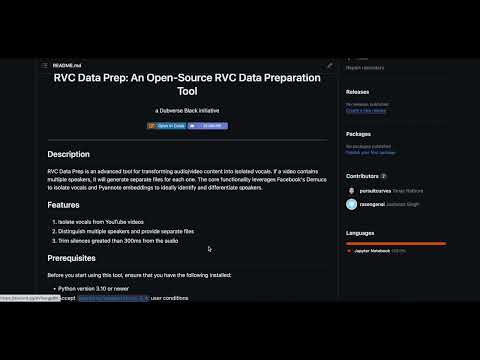
RVC Data Prep is an advanced tool for transforming audio/video content into isolated vocals. If a video contains multiple speakers, it will generate separate files for each one. The core functionality leverages Facebook's Demucs to isolate vocals and Pyannote embeddings to ideally identify and differentiate speakers.
- Isolate vocals from YouTube videos
- Distinguish multiple speakers and provide separate files
- Trim silences greated than 300ms from the audio
- (Beta) Separate multi-singer Acapellas
Before you start using this tool, ensure that you have the following installed:
- Python version 3.10 or newer
- Accept
pyannote/segmentation-3.0user conditions - Accept
pyannote/speaker-diarization-3.0user conditions - Create access token at
hf.co/settings/tokens
Clone the repository
git clone https://github.com/dubverse-ai/rvc-data-prep.gitChange working directory, install dependencies and import the utils.py script
cd rvc-data-prep
pip install -r requirements.txt
The clean function in utils.py provides automatic processing of a given file (wav, mp3 and flac only). You need to specify different parameters depending on your needs.
Parameters:
-
local(bool): Set this toTrueif you intend to give a file locally;Falseif you intend to create a dataset from a YouTube link. -
file_path(str): This should be either a local path or a YouTube URL file depending on what you setlocalto be. -
project_name(str): This will be the name of the project which the processed file will be saved under. -
acapella_output(bool): (BETA) If this isTrue, the function insert blank audio segments while separating and segregrating speakers. The output files will add up in the time domain to create the original file. -
single_speaker_file(bool): IfTrue, this will flag the file as having a single speaker. -
token(str): It is client secret key or token of your Hugging Face account. You would only need this if you're working with files involving multiple speakers. You can leave this blank in that case.
Here is an example to use the clean function:
from utils import clean

clean(local=False,
      file_path="https://www.youtube.com/watch?v=someVideoId",
      project_name="myProject",
      acapella_output=True,
      token="yourToken",
      single_speaker_file=False)
In this example, we are providing a YouTube video url to file_path, setting the project_name as "myProject", and requesting for an acapella output by setting acapella_output to True. We indicate there may be more than one speaker by setting single_speaker_file to False, and pass our account token as token.
- Messes up when there are multiple people speaking at the same time
- When using
acapella = True, this sometimes skips some audio segments which makes it hard to sync manually.
We welcome contributions from anyone and everyone. Details about how to contribute, what we are looking for and how to get started can be found in our contributing guidelines.
For any issues, queries, and suggestions, join our Discord server. Will be glad to help!
- Add multispeaker Acapella support
- Integrate this in the RVC workflow - base data preparation and creating AI covers
- Improve the efficiencies of speaker identification using other models like Titanet
We, at Dubverse.ai, are a dedicated and passionate group of developers who have been working for over three years on generative AI with a specific emphasis on audio. We deeply believe in the potential of AI to revolutionize the fields of video, voiceover, podcasts and other media-related applications.
Our passion and dedication don't stop at development. We believe in sharing knowledge and nurturing a community of like-minded enthusiasts. That's why we maintain a deep tech blog where we talk about our latest research, development, trends in the field, and insights about generative AI and audio technologies.
Check out some of our RVC blog posts:
We are always open to hear from others who share our passion. Whether you're an expert in the field, a hobbyist, or just someone intrigued by AI and audio, feel free to reach out and connect with us.
RVC Data Prep is licensed under the MIT License - see the LICENSE file for details
Disclaimer: This repo is not affiliated with YouTube, Facebook AI Research, or Pyannote. All trademarks referred to are the property of their respective owners.
- FaceBook Demucs, Pyannote Audio, Librosa, FFMPEG, and other audio related libraries.
- The Dubverse Black Discord and the AI Hub Discord for quick and actionable feedback.
We value your feedback and encourage you to provide us with any suggestions or issues that you may encounter. Let's make this tool better together!