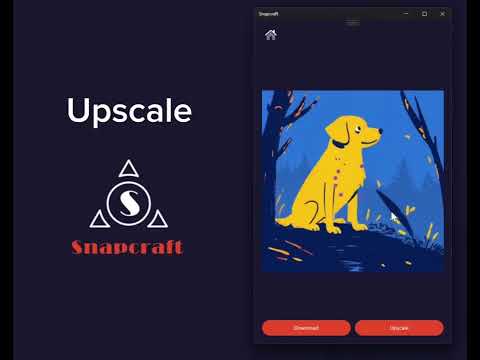
🎉 Snapcraft – AI Image Creation App
A UWP-based AI image generation and processing application built for speed, usability, and flexibility.
Snapcraft is a modern UWP application that enables users to generate images using multiple AI models, process outputs, remove backgrounds, convert images to vectors, and use voice-driven input. The app focuses on delivering a smooth user experience, strong API integration, and modular architecture across all features.
🚀 Features Overview 🎨 1. Multi-Model AI Image Generation
Snapcraft integrates multiple AI models (e.g., Realistic, Animation, Live3D). Each model uses its own API endpoint, allowing:
Dynamic switching between models
Flexible scaling when adding new models
Clean modularity via enum/switch-case management
The UI updates visually when a model is selected, giving users clear confirmation of their active generation mode.
🔗 2. Robust API Integration & Error Handling
API endpoints are called dynamically based on user selection
Missing or invalid API tokens trigger user-friendly error messages
Asynchronous calls ensure the UI remains responsive
Fail-safes maintain stability even with network or model errors
This makes the application reliable and production-ready.
🖼️ 3. Image Processing & Cross-Feature Interactions
Once images are generated, they appear in a grid. Users can:
Tap an image to open PicDetail
Expand it
Remove background
Convert it to vector format
Pass the same image into other modules seamlessly
This unified workflow creates a smooth, cohesive editing experience.
🎤 4. Voice Input with Speech Recognition
Snapcraft includes speech-to-text prompt input, allowing users to generate images using just their voice.
Continuous listening mode
Updates prompt textbox in real time
Full async implementation
Error handling for recognition failures
Voice toggle button with UI feedback
This accessibility feature enables hands-free creativity.
🧭 5. Intuitive Navigation & UI/UX Management
Using UWP’s built-in Frame navigation model, the app supports:
Navigation between pages such as: MainPage → PicDetail → BackgroundRemoval → ImageToVectors
NavigationCacheMode.Required for improved performance
State preservation when returning to previous pages
Show/hide panels for size & style selection
Visual button feedback for improved usability
The result is a modern, responsive UI experience.
⚙️ 6. Size Selection & Output Customization
Users can select output dimensions (e.g., 512×512, 4:3, 16:9). The chosen size is:
Displayed instantly in the UI
Passed into the AI generation endpoint
Used to maintain consistency across different models
🧠 7. Advanced Input Handling for UX
Snapcraft supports both:
Manual input
Voice-driven commands
Error-resistant handlers and immediate UI response ensure:
Stable operations
Clear user feedback
Minimal frustration even in bad input scenarios
🛠 Tech Stack
C# / UWP
XAML (MVVM pattern elements)
AI Image Generation APIs (Stable Diffusion family models)
Windows SpeechRecognizer
Async/Await for responsiveness
Navigation Framework (Frame / Page)
Custom UI Panels & Dynamic Controls