This is a simple Weather App implemented in Python using the Tkinter library. It allows users to search for the weather information of a specific city and displays various weather attributes such as temperature, feels like temperature, wind speed, humidity, description, and sunrise/sunset times.
Retrieve current weather details including temperature, humidity, wind speed, and weather conditions. Display the weather information in a user-friendly graphical interface. Support for searching weather by city name.
- Python 3.x
- Tkinter library
- Requests library
- OpenWeatherMap API key
- Run the script using a Python interpreter.
- The Weather App window will open.
- Enter the name of a city in the search box.
- Click the search icon or press Enter to get the weather information for the entered city.
- If the city is found, the app will display the temperature, feels like temperature, wind speed, humidity, description, and sunrise/sunset times.
- If the city is not found, an error message will be displayed.


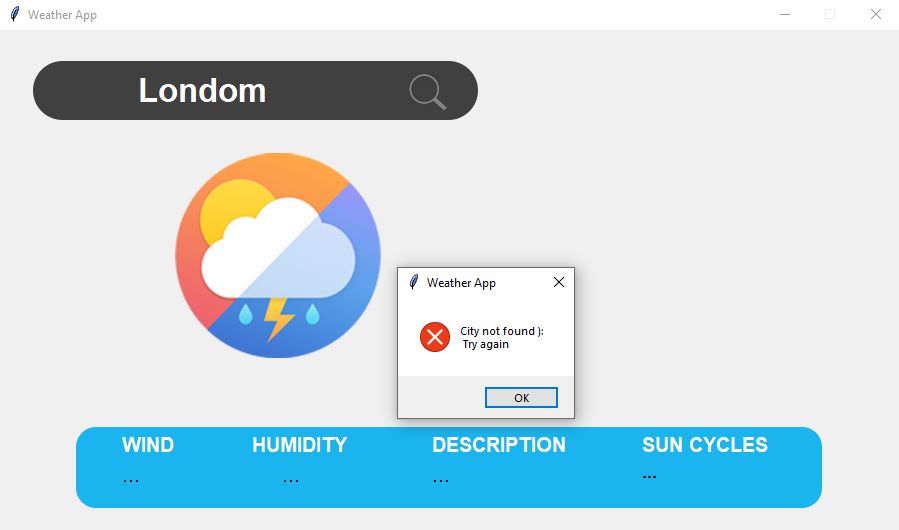
The app is displayed with GUI TKinter library.