Super simple example for text encryption in Android Studio using an RSA Key Pair.
Android studio + Physical/Virtual Android Device with API level 26 (Android 8.0 Oreo) and upper.
- Inlcudes a simple Main Layout and a MainActivity written in Kotlin.
- The Key Pair is generated at every startup.

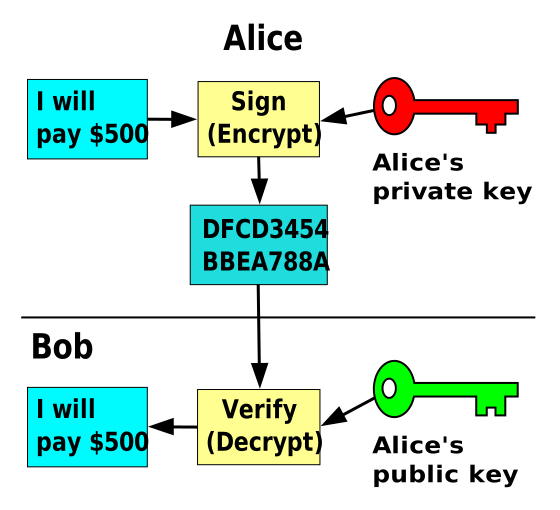
Since
End-to-end encryption is intended to prevent data being read or secretly modified, other than by the true sender and recipient(s). The messages are encrypted by the sender but the third party does not have a means to decrypt them, and stores them encrypted. The recipients retrieve the encrypted data and decrypt it themselves.
Because no third parties can decipher the data being communicated or stored, for example, companies that provide end-to-end encryption are unable to hand over texts of their customers' messages to the authorities.
Source: Wikipedia1
, you could create a messaging system in which the ecnrypted messages are stored on a Data Base.
The clients generate a Key Pair, store the Private Key locally (e.g.: using KeyStore) and upload the Public Key to a remote Data Base (same or different to the messages one).
- When Bob wants to send a message to Alice, he retrieves Alice's Public Key from the DB and uses it to encrypt his message.
- The encrpted message is stored on the server.
- Alice gets her message and uses her Private Key (stored locally) to decrypt it.
- The decrypted message can also be stored locally like some already-existing E2EE messaging services do.
This software is distributed under the MIT license.