More arts types #20
More arts types #20
Conversation


|
@AmineI this is looking awesome! If you find the time to come back to this and resolve the remaining questions I'd be excited to accept another fantastic contribution from you 🎉 |

|
That addon has been a nice addition to Kodi's "Games" menu, especially with the "-bigpicture" Steam argument, so I'm glad to be able to help improve it :) . Thank you for your work on it ! I still have quite a few tabs open about this around, but I've been in quite a rush with the current situation and couldn't look into this since then. I should have a bit more free time soonish ! |
|
Mighty wall of text - it helps me remember and have a broader view on that. Plus, more knowledgeable persons could point out some issues or options I didn't think about, so here it is ! Skin support aside, the main blocking point I'm still a bit stuck on is Finding a proper way to identify available library assets.Without one, in case of missing art on Steam's CDN, the art URL we provide Kodi does not resolve properly and the art is not displayed. Solutions and issues I thought about :
|
|
Update : I (unsuccessfully) tried an approach for that - setting the artworks url to the plugin itself (for ex plugin://plugin.program.steam.library/image_type/params) and then having a route function to handle that and redirect to an existing image URL on steam CDN. Kodi would call the defined plugin url to get the image. That plugin url is mapped to a function, which would check the steam image url with a HEAD request to see if the asset is available or not, before redirecting to a valid url. (the expected one or a fallback if the head request got a 404). In theory, this approach has a few benefits
In practice, I couldn't achieve this. Kodi seemingly never calls any of these "plugin://.../image/params" URLs, even if I virtually set an extension to the url, such as "plugin://.../art.jpg". I'm probably missing something around how Kodi get artworks, as I didn't find any note stating that Kodi would not properly call "plugin://" URLs. For the redirections, I wanted to try using the promising function As usual, commenting to update the status so that these experiments are available somewhere out of my head, so don't feel pressured to read the lengthy walls of text. |

…for arts

Also bumped version number and added a dependency
By telling them the games are "movies". Today, many skins do not support games content and thus do not make the "poster views" etc available to games add-ons, whereas movies content has a wide skin support and many views for the different art types.
(Now the "blue-ish" auto generated fanart should not appear anymore, in favor of the newly added better art types. It is still kept as a fallback however.)
Also enabled fast_save for the cache database
In resolve_art_url - If no fallback art is defined for the requested art type, we don't check the URL availability anymore since there is no need to.

|
Should be good to go ! I tested this on 2 skins : Estuary and Arctic Zephyr 2, with some big libraries of random steam users, and it looks good so far ! I updated the main post to explain the changes, and included screenshots in there. No need to mind the above "reflexion" comments :) . |


2 participants


A few arts types like games posters and hero graphics came with the last Steam library overhaul. Relevant Steam docs
Developers added these library assets since then, but some old games don't have these available (yet ? ). SteamDB pages have available arts listed
Forcing additional views as available would be an interesting addition, as skins usually control which views are available for which contentBy telling skins that we provide movies content, we have access to all the movies views, such as Poster views, landscape, clearlogos, etc, that are not available for game/program content. This workaround could be removed once skin support for game content is better.
If an art is not available, and a fallback is defined (in arts.py>ARTS_DATA), we tries to fallback to it. To do that, the plugin sends and caches HEAD requests to the Steam CDN URLs of the available art types, and if unavailable, does the same with the fallback art instead.
Due to this, the first launch can be longer, especially for large libraries, but subsequent ones are fast as they use the cached data. Through the addon settings, the cache can be cleaned, and the expiration delay can be user configured (defaults to 2 months since arts are rarely added.). Art fallback can be disabled altogether, too.
Basically, HEAD requests are done when : the art fallback setting is enabled AND the art we are looking for has a fallback specified. As of now, fallbacks are set for library posters and hero graphics, as they are not present on all games. Clearlogo can also be missing, but I did not define a fallback for it. (I could probably fallback to jpg standard logos, but with first load times in mind I decided against it.)
Caching uses the module requests-cache
Screenshots
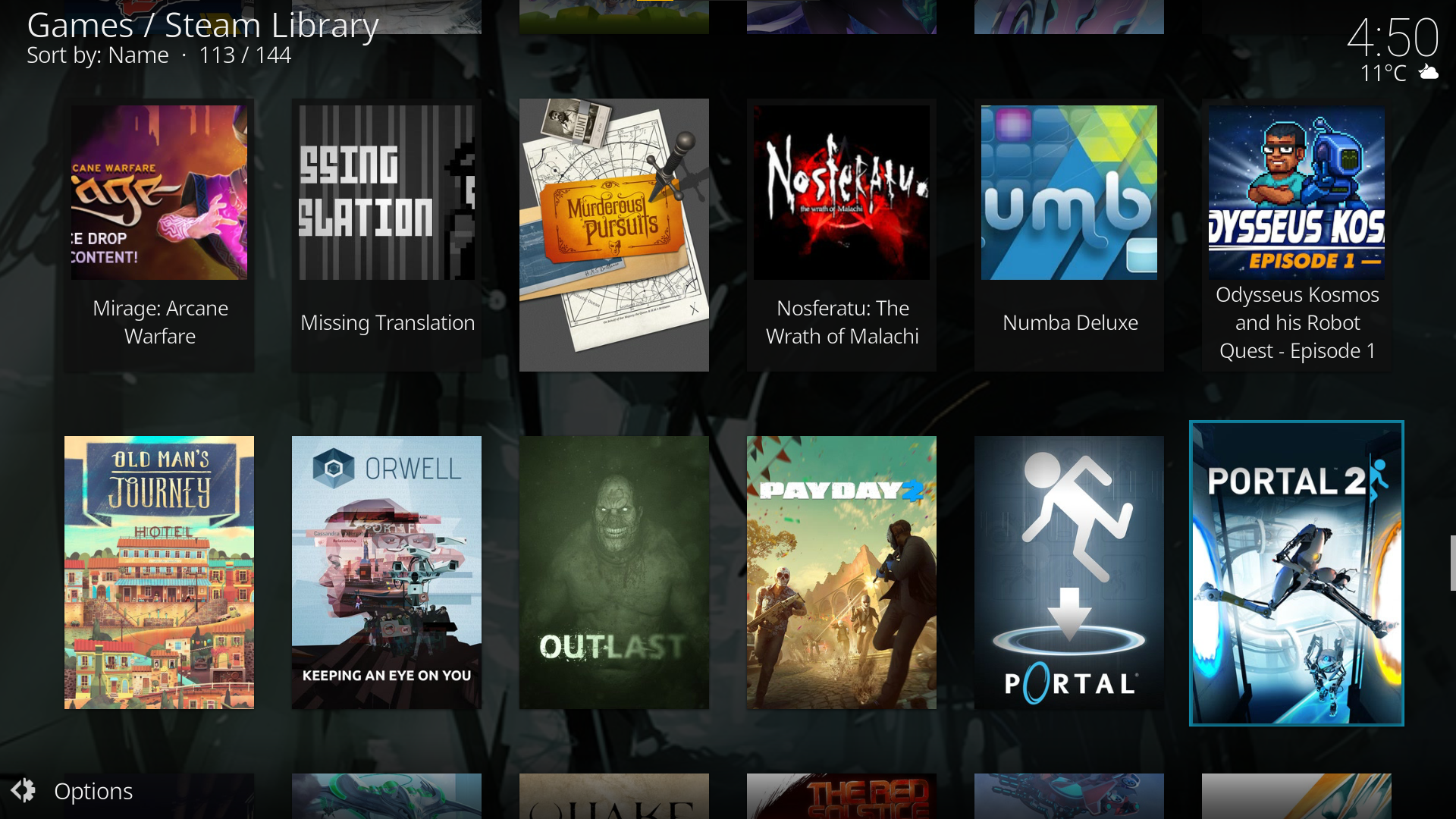
Poster wall using the skin Arctic Zephyr 2 (Note that "Nosferatu[...]" doesn't have a poster and used the header as a fallback - it is not that great considering how it was fit but better than a black rectangle)
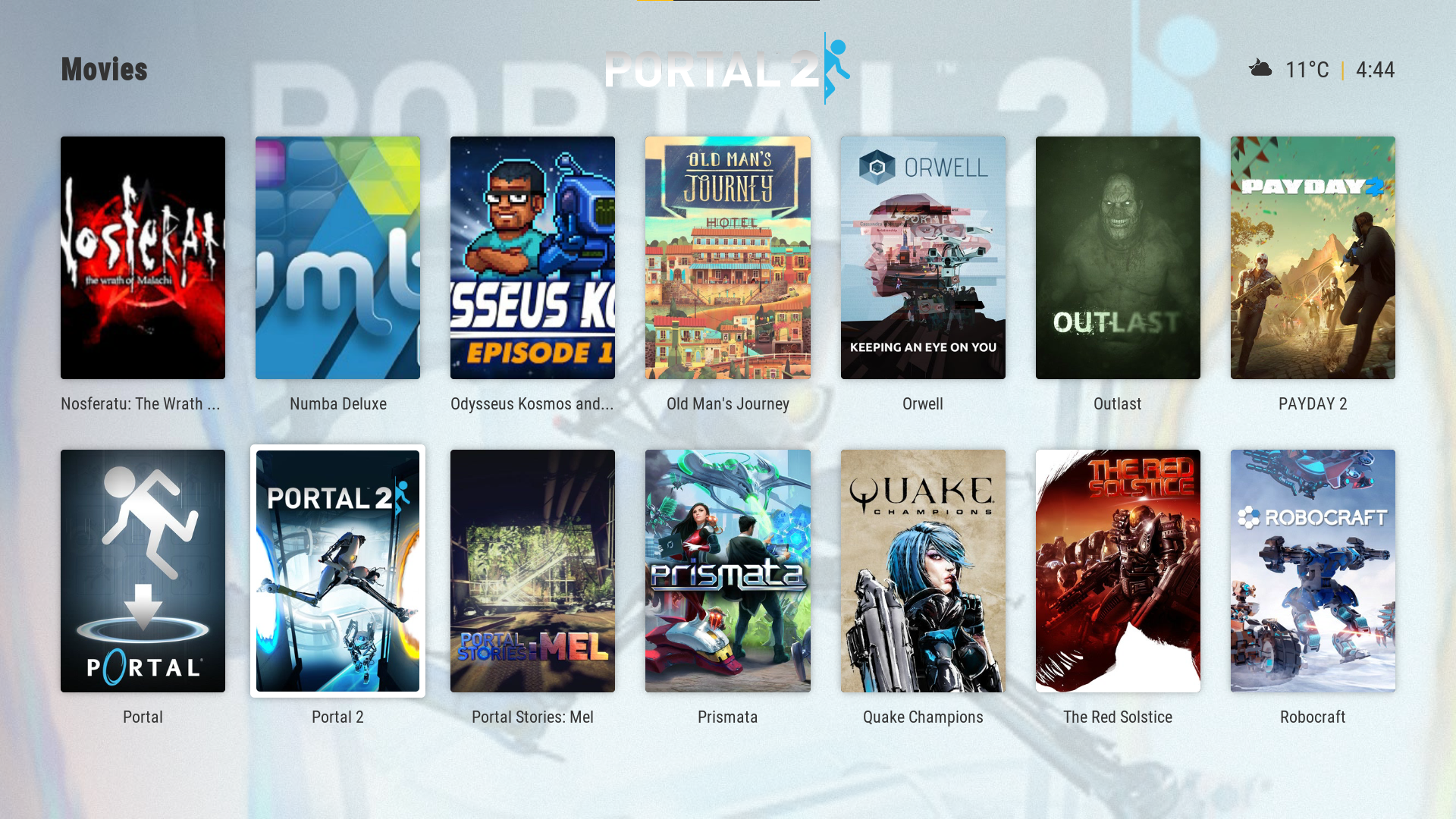
Posters using Estuary (Estuary does a better job at fitting the picture when a poster is unavailable, and adds the game title below it in this case, which is nice too)
Landscape Wall w/ Arctic Zephyr 2
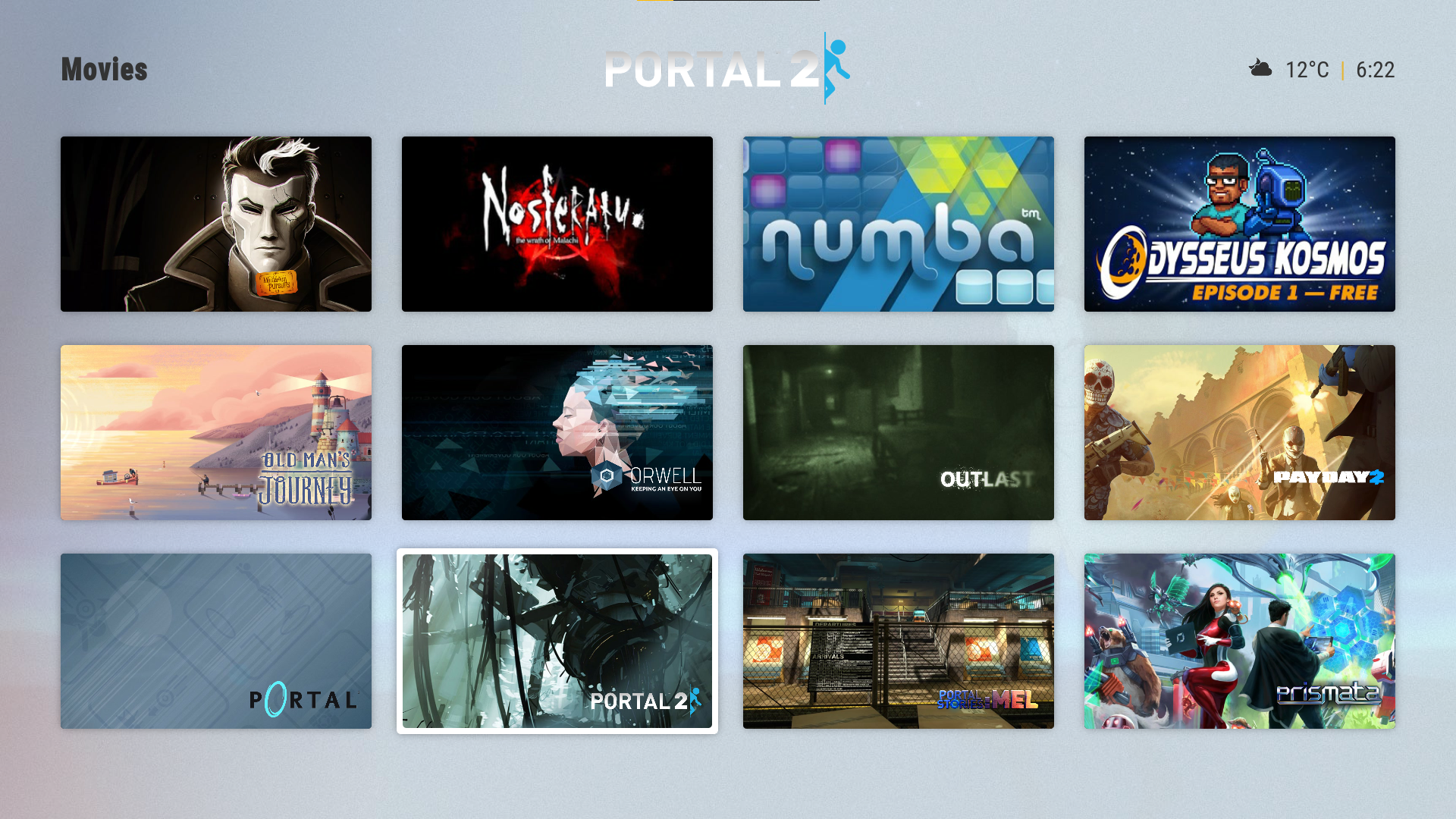
Banner List w/ Arctic Zephyr 2