AbFMX is a 4 operator stereo FM synth designed to create evolving sounds over time with long, loopable modulator envelopes, a ping pong delay and distortion effects.
Here is a little video demo of ABFMX in action
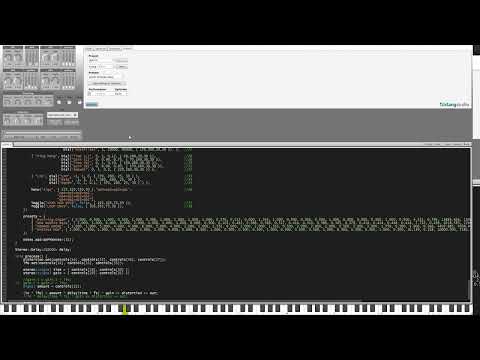
Load and build the synth in Klang Studio. From the default settings a simple sine organ tone is heard.
Set all the parameters for op3Mod and op4Mod to zero, we will only focus on the op2 for now to modulate op1.
Use whole number values on the ratio and depth of OP1. Low values of Ratio give a duller warmer tone. High values give a brighter, harsher tone. Depth works almost like a low pass filter. High values for brighter tones, low values for quieter lower tones.
Play some notes and notice the simple tone.
No turn the A and D op2Mod sliders a little, about ¼ up. Increase the Depth Dial on OP2, notice how this changes the sound. It sounds a bit like the cutoff of a low pass filter moving up then down.
Increase the Ratio dial of the OP2 mod. Notice how values between whole numbers create interesting harmonics. Use whole numbers for “nice” sounding harmonics.
Keep adding more modulation from more operators! And enjoy the endless possibilities with FM synthesis!
Below is a circuit diagram which I based the design of the synth from

3 modulator operators can be configured with various algorithms to modulate a single carrier operator.
Each Modulator operator in ABFMX (see line 75 in abFMX.k) is a customized Sine wave based operator, that includes a filter set at 100hz. This measure was made in an attempt to limit high frequency side bands. This does provide some relief from high frequency side bands however many do still occur as reflections from 0hz.
Each Modulator operator has a corresponding envelope that can be configured in the abFMX’s UI. This allows for sounds that evolve and change over time. With long envelopes the sounds evolve slowly, good for pads and soundscapes. With short mod envelopes percussive sounds and sounds with quick attacks can be created.
I studied the Frequency Modulation chapter in Audio Processes - David Creasy page 567 to come up with the design.
My “north Star” for this project was a patch that I came up with on the Yamaha Reface DX. See fig 1 for the patch settings. This patch is an edited version of the EP patch that comes with the reface DX, where I experimented with longer envelopes and an LFO that modulates the amplitude of each operator. I deviated from this design for my synth in various ways:
- Instead of the LFO modulating each operator, my LFO only modulates the amplitude of the resulting carrier signal.
- My Modulator envelopes can be extended to extreme values with the XTRM MOD ENVS button.
- The reface DX patch has settings for feedback for each of the operators, I decided to not implement this in my synth to keep the design more straight forward and allow one less parameter to think about when doing sound design.
abFMX.k line 5
Soft_clip is a function used by the AbDistortion class, which distorts an incoming signal x to a polynomial curve shape. The shape can be augmented with parameter c. High values of c result in more extreme distortion.
abFMX.k line 13
ModEnv is a struct that contains all of the values for each modulator envelope. If the XTRM MOD ENVS toggle is enabled, then all the values are multiplied, this allows very slow evolution and changes to a sound. This object is used when setting up the modulator envelopes ( see line 168-170, 178, 187, 196)
abFMX.k line 34
AbDistortion is a stereo modifier which filters and applies distortion to an incoming signal. Filters are created and used before and after applying distortion. A DCFilter is set at 30HZ and is applied before postFiltering. The values of the preFilter cutoff and postFilter cutoff can be configured in the UI. Shape controls the shape of the polynomial curve applied as distortion in the soft_clip function, and Gain controls the output of the mix before dcFilter and postFilter are applied.
abFMX.k line 75
myOperator. here I extended the base Operator class to include an aggressive low pass filter set to 100hz. This is an attempt to limit the number of high frequency sidebands caused by the modulation operators.
abFMX.k line 95
Normal is a function that normalises values in the range -1 to 1, the the range of 0 to 1. This is used by the LFO class
abFMX.k line 102
LFO is a stereo generator that accepts a stereo signal and applies sine wave modulation to the amplitude (see line 319). Various parameters from the UI control the rate, amount and depth of the LFO and therefore the amount of amplitude modulation on the carrier signal.
abFMX.k line 119
A variable of N is declared with value 3, this is used by the harmonic operator class on line 124
abFMX.k 120
abFMX stereo synth class declares a:
- AbDistortion distortion (121)
- LFO lfo (122)
- a harmonic oscillator class, (124)
- the abFMXNOTE class, (148)
- the abFMX function which contains controls and presets, (240)
- a stereo Delay (307)
- Process function which sets the parameters of distortion, lfo, delay and configures the audio stream
Overall I’m quite happy with the sound design possibilities of this synth. It is very capable of coming up with a wide array of evolving sounds that range from warm and pleasing to quite horrific. Snappy basses are possible with short mod envelopes, and the sky's the limit really when it comes to designing evolving pads or noise drones.
I would like to improve the audio stream section of the plugin (see void process() {} on line 309). The current iteration works, but I am not satisfied. A simplified version of how I would like to write the audio stream is…
in * lfo >> distortion >> delay >> out; delay.l << out.r; delay.r << out.l;
I tried various things to achieve this but ultimately didn’t get there. The main problem caused by the current implementation is gain control. When the delay times and amount are set high, you have to be very careful of the shape and gain parameters on the distortion as the sound can quickly feedback into oblivion.
I would also like to add bypass buttons to the effects. I think this would help when doing sound design to get a good stable dm tone first, without worrying about the effects. The effects can sort of be bypassed by turning down the gains of the delay and the shape of the distortion. But I think dedicated bypass buttons would be better.
Algorithm config op4>op3>op2>op1

Config for one of the operators, level velocity sensitivity and feedback

How much the LFO affects the amplitude of each operator

LFO configuration, wave shape, speed or rate, delay and pitch modulation

Example of an envelope with full attack, full decay, sustain, and slow release.
