Skip to content

Support split editor#53

Merged
p- merged 1 commit intoalphabotsec:masterfrom
CsCherrYY:cs-splitEditor
May 19, 2022
Merged

Support split editor#53
p- merged 1 commit intoalphabotsec:masterfrom
CsCherrYY:cs-splitEditor

Conversation

@CsCherrYY
Copy link
Copy Markdown
Collaborator

Eclipse:
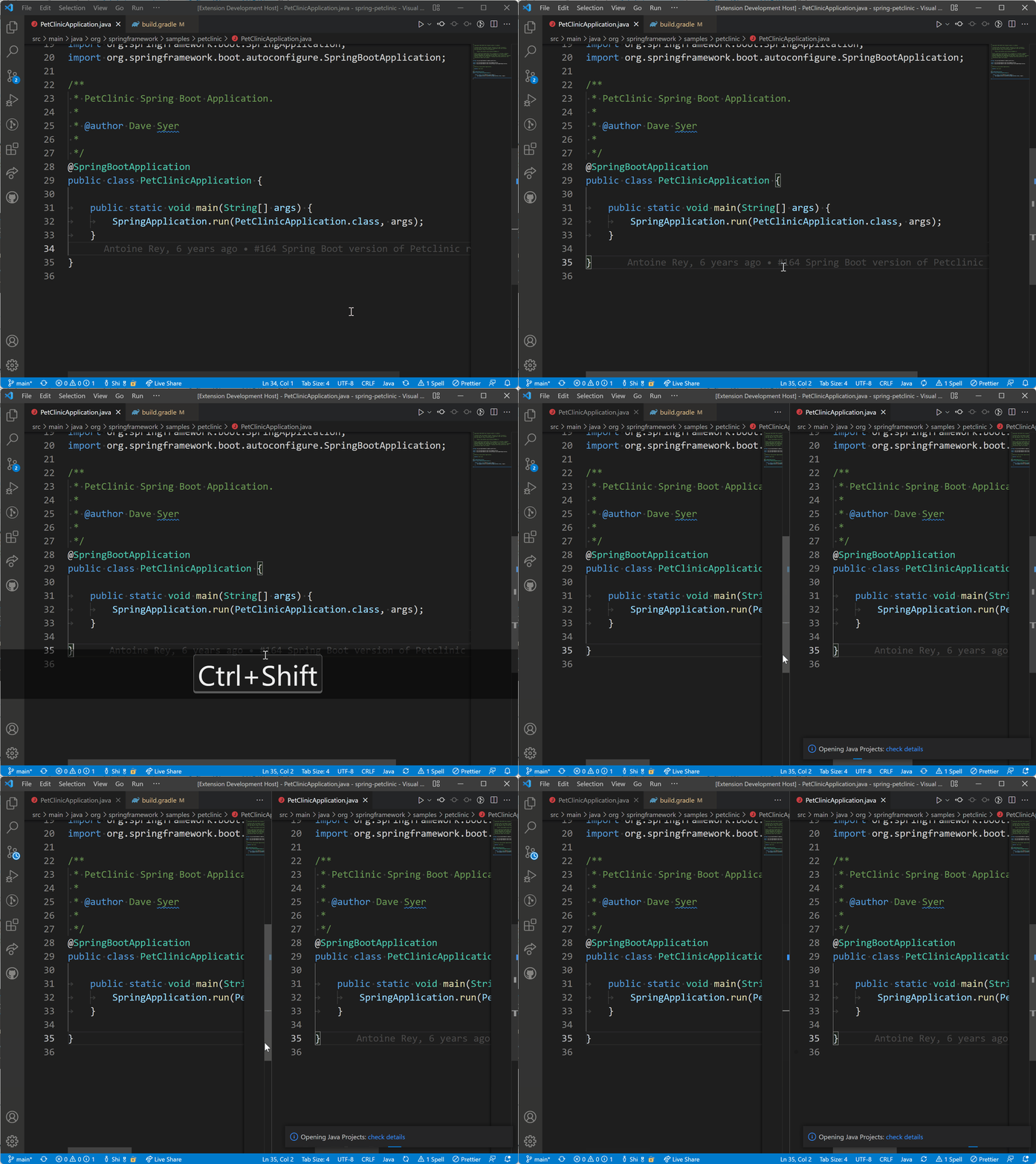
spliteditor

VSCode:
image

@p-
Copy link
Copy Markdown
Member

p- commented Mar 16, 2022

@CsCherrYY Does this key combination work for you?
We removed it here:
#24
since it didn't seem to work...

@CsCherrYY
Copy link
Copy Markdown
Collaborator Author

it works for me.

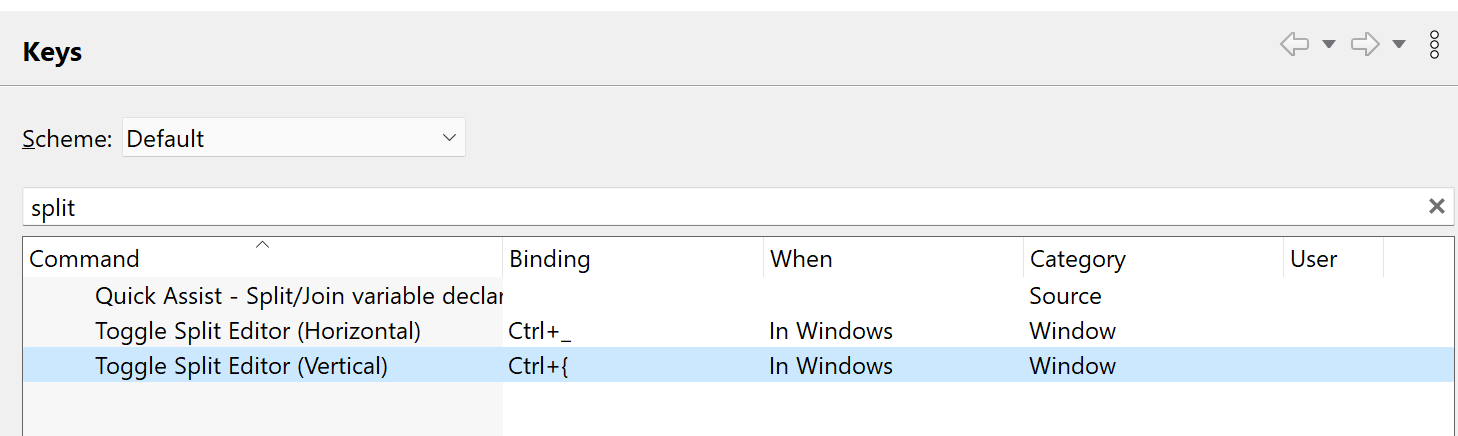
split

The previous solution is using ctrl+{ but in my PR it's ctrl+shift+[, that's might be the gap (VS Code may recognize shift+[ instead of {)

@p-
Copy link
Copy Markdown
Member

p- commented Mar 17, 2022

The previous solution is using ctrl+{ but in my PR it's ctrl+shift+[, that's might be the gap (VS Code may recognize shift+[ instead of {)

I see. Is ctrl+shift+[ an alternative keybinding for split editor in Eclipse? (If not: what is the benefit of providing a keybinding, that is not the same as in Eclipse as part of these eclipse-keybindings?)
I typically just use ctrl+2/cmd+2 these days.

@CsCherrYY
Copy link
Copy Markdown
Collaborator Author

in eclipse default keybindings it's {, but actually we should type shift+[ in the keyboard to get {, that's why I regard they are the same.

@p-
Copy link
Copy Markdown
Member

p- commented Mar 17, 2022

in eclipse default keybindings it's {, but actually we should type shift+[ in the keyboard to get {, that's why I regard they are the same.

I see, but that's only true for english keyboard layouts. It's not true for many other keyboard layouts. So I'll think we'd better wait until VS Code supports the ctrl+{-keybinding directly.

@CsCherrYY
Copy link
Copy Markdown
Collaborator Author

in eclipse default keybindings it's {, but actually we should type shift+[ in the keyboard to get {, that's why I regard they are the same.

I see, but that's only true for english keyboard layouts. It's not true for many other keyboard layouts. So I'll think we'd better wait until VS Code supports the ctrl+{-keybinding directly.

Agree!👍I can rebase this PR then

@CsCherrYY
Copy link
Copy Markdown
Collaborator Author

CsCherrYY commented May 12, 2022

@p- regarding the other keyboard layouts (non-English ones), could you share some contents about these layouts? e.g.,

  • how to trigger { in your keyboard layout?
  • how to trigger "split editor" in eclipse in your keyboard layout?

@p-
Copy link
Copy Markdown
Member

p- commented May 19, 2022

Hi @CsCherrYY
We can merge this change again. There seems to be no good solution for the other keyboard layouts. It's a little bit an unfortunate situation. Pressing ctrl/cmd+2 is probably the best workaround for people that use German/French/Swiss-German/etc keyboard layouts.

@p- p- merged commit 2ab5bba into alphabotsec:master May 19, 2022
Sign up for free to join this conversation on GitHub. Already have an account? Sign in to comment

Labels

None yet

Projects

None yet

Development

Successfully merging this pull request may close these issues.

2 participants