[BEAM-10018] Fix timestamps in two windowing Python katas #11731
Conversation


In this Kata, the timestamp was calculated from time objects, and converted to a
timestamp in the local timezone. Thus, the results of the test depended on the
configuration of the local timezone in the running system.

The tests were hardcoded with a timezone different to mine, and thus I always
failed to pass this Kata. The changes in this commit change the type in Event to
be a datetime, the timestamps are set in UTC, and the output in the tests is
hardcoded in UTC too. This should ensure that the kata works regardless the
timezone configured in the system running the kata.
Parsing the timestamps as strings using fromisoformat was failing, and the Kata
failed silently regardless the code written in the boxes.

This change sets the same timestamps, with UTC timezone, without parsing
strings.


|
R: @henryken |

 henryken
left a comment
henryken
left a comment
henryken
left a comment
There was a problem hiding this comment.
Thanks for submitting the fix, Israel!
I have added some comments.
If you need further help on the answer placeholder fix, please let me know.
learning/katas/python/Windowing/Adding Timestamp/ParDo/task-info.yaml
Outdated
Show resolved
Hide resolved
| visible: true | ||
| placeholders: | ||
| - offset: 2074 | ||
| - offset: 2067 |
There was a problem hiding this comment.
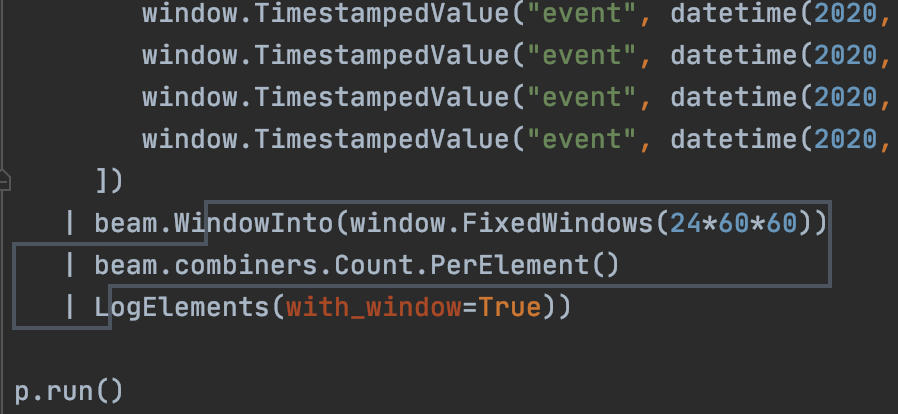
Need to fix the answer placeholder
There was a problem hiding this comment.
I am checking the boundaries of the placeholder in PyCharm, and I see it correctly
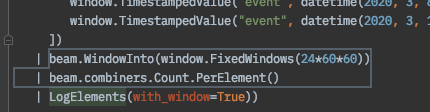
Maybe you were checking the previous placeholder box? I see that the box is starting 7 positions to the right (2074, after the Wi), and the placeholder I am submitting is starting 7 positions to the left (2067).
I have removed all the Placeholders and created them again by selecting the answer in the code, and using right click "Add answer placeholder", and the bounding boxes are the same I have committed (same values in the section placeholders in task-info.yaml). I am not sure if I am doing something wrong though. It is the first time I generate Edu content for PyCharm.


|
retest this please |
|
making sure license tests pass |

|
thanks everyone! |
|
Thank you! |

3 participants


The two Python katas about windowing fail because the timestamps for the elements are calculated based on the local timezone, and my timezone does not match the timezone hardcoded in the tests, and because parsing from strings using
fromisoformatwas failing.In the first Kata, the timestamp was calculated from time objects, and converted to a timestamp in the local timezone. Thus, the results of the test depended on the configuration of the local timezone in the running system.
The tests were hardcoded with a timezone different to mine, and thus I always failed to pass this Kata. The changes in this commit change the type in
Eventto be adatetime, the timestamps are set in UTC, and the output in the tests is hardcoded in UTC too. This should ensure that the kata works regardless the timezone configured in the system running the kata.In the second Kata, the code was failing with the following error:
AttributeError: type object 'datetime.datetime' has no attribute 'fromisoformat'I changed the timestamps to be set using the
datetimeconstructor, rather than parsing from strings usingfromisoformat.Both katas now pass with the examples hardcoded in the corresponding tests.
Post-Commit Tests Status (on master branch)
Pre-Commit Tests Status (on master branch)
See .test-infra/jenkins/README for trigger phrase, status and link of all Jenkins jobs.