
A modern, feature-rich web-based SSH terminal with SFTP file manager
Features • Quick Start • Installation • Configuration • Themes • Security




Web SSH Terminal is a self-hosted web application that provides secure SSH access to your servers directly from your browser. Perfect for homelabs, server management, and teams that need browser-based terminal access.
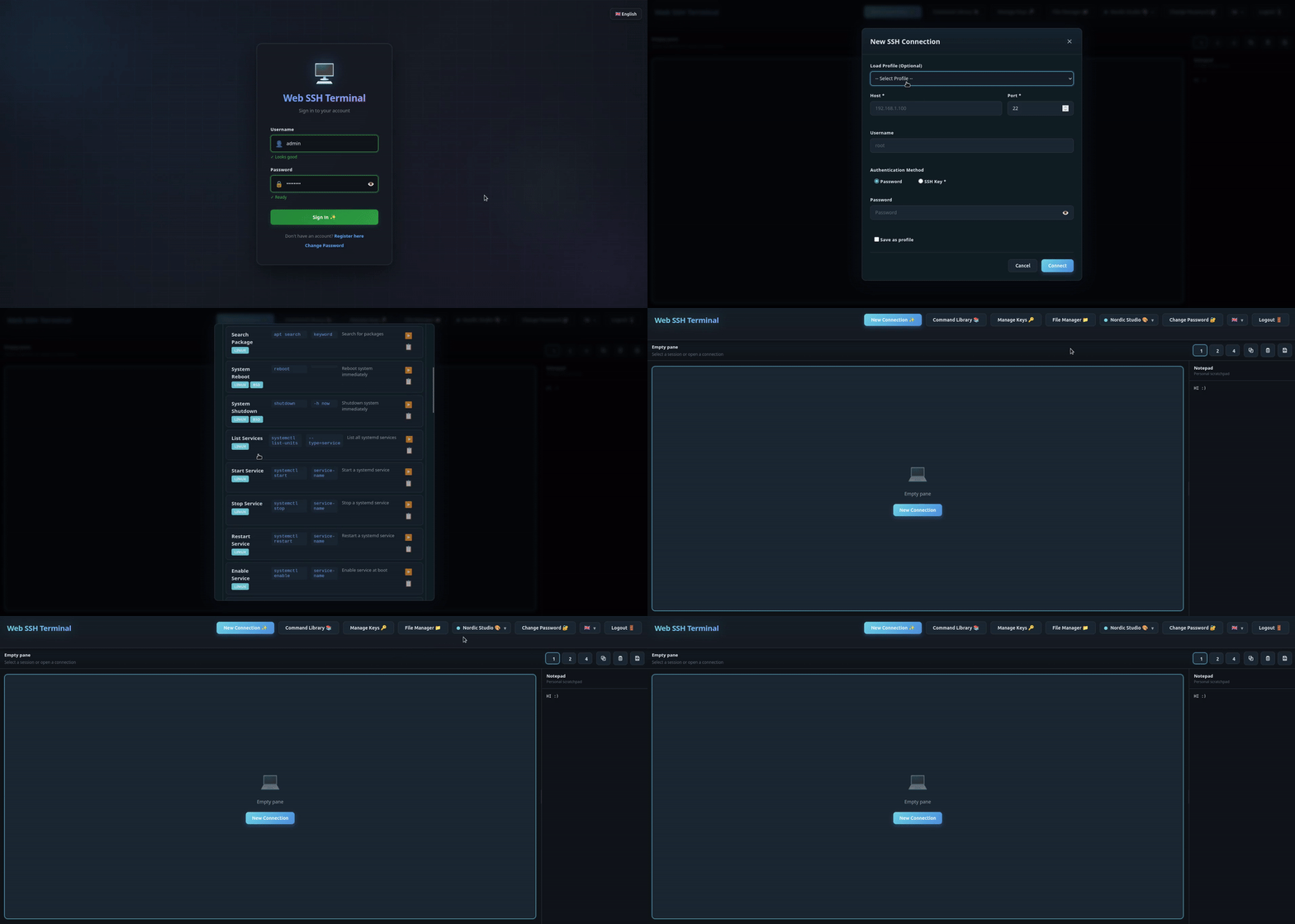
- Multi-Session Support - Up to 10 concurrent SSH sessions with tabs
- Split Panes - 2x2 grid layout for monitoring multiple servers
- Session Persistence - Sessions survive page refreshes
- Copy/Paste - Full clipboard support
- Keyboard Shortcuts - Vim-style navigation supported
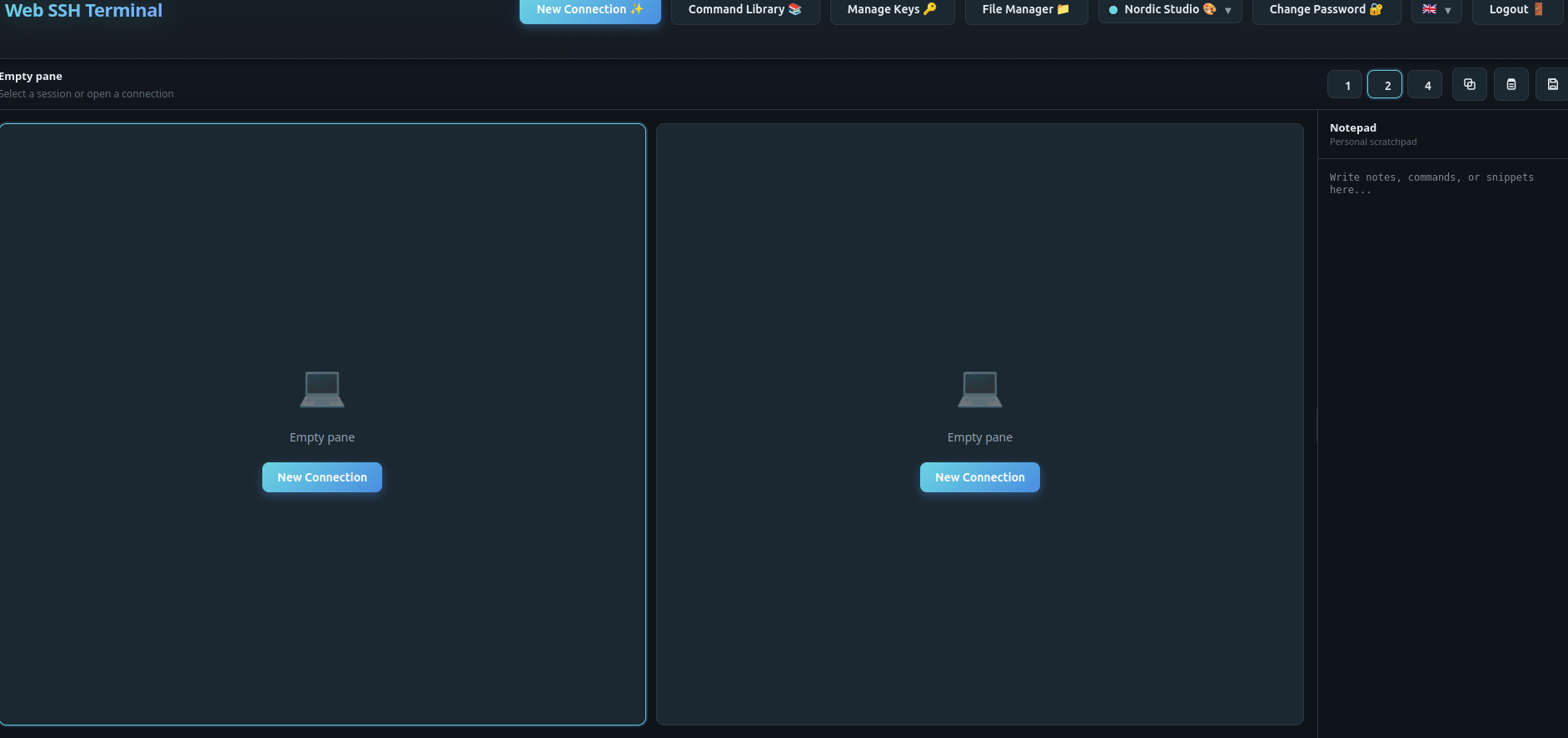
- Dual-Pane Browser - Side-by-side file browsing
- Drag & Drop - Transfer files between local and remote
- Server-to-Server - Direct transfer between SSH hosts
- Batch Operations - Multi-select for bulk actions
- Context Menu - Right-click for quick actions
- Encrypted Key Storage - SSH keys encrypted at rest (AES-256)
- Secure Authentication - bcrypt password hashing
- CSRF Protection - Token-based request validation
- Rate Limiting - Brute-force protection
- Security Headers - HSTS, CSP, X-Frame-Options
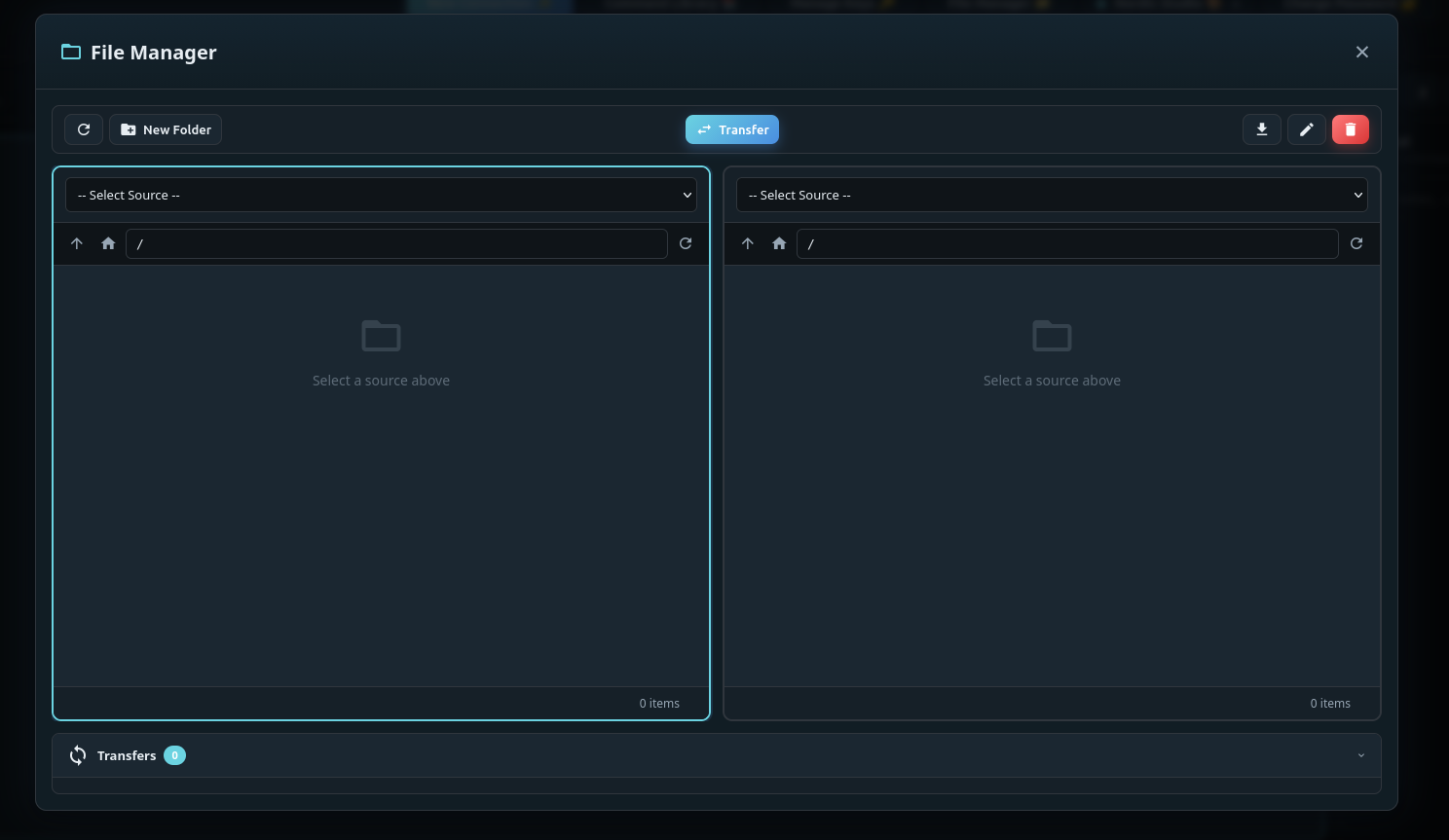
- 10 Themes - Dark, light, and colorful options
- 4 Languages - English, German, French, Spanish
- Connection Profiles - Save server configurations
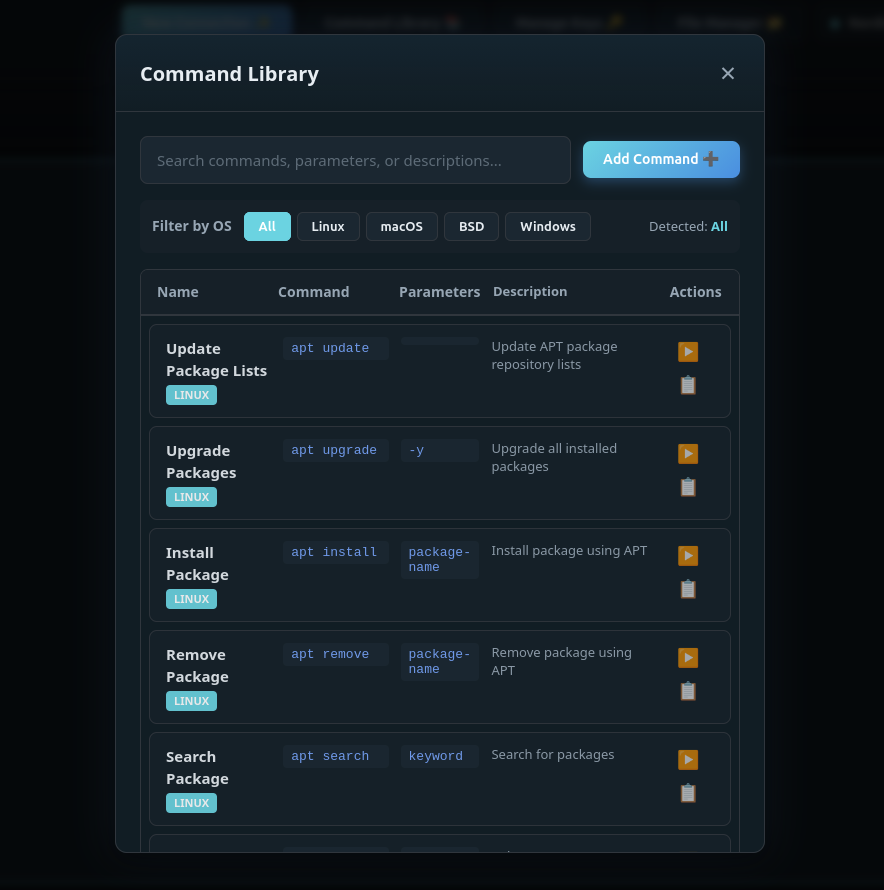
- Command Library - Store frequently used commands
# Generate a secure secret key
export SECRET_KEY=$(openssl rand -hex 32)

# Run with Docker
docker run -d \
  --name webssh \
  -p 5000:5000 \
  -e SECRET_KEY=$SECRET_KEY \
  -e CORS_ORIGINS=http://localhost:5000 \
  -v webssh_data:/app/data \
  --restart unless-stopped \
  ghcr.io/bifrost0x/webssh:latest
Open http://localhost:5000 and create your first account.
# Download docker-compose.yml
curl -O https://raw.githubusercontent.com/bifrost0x/webssh/main/docker-compose.yml

# Generate and insert your secret key
SECRET=$(openssl rand -hex 32)
sed -i "s/<YOUR-SECRET-KEY>/$SECRET/" docker-compose.yml

# Start the service
docker compose up -d
Open http://localhost:5000 and create your first account.
Tip: Edit
docker-compose.ymldirectly to change settings. No.envfile needed!
# Clone the repository
git clone https://github.com/bifrost0x/webssh.git
cd webssh

# Create virtual environment
python -m venv venv
source venv/bin/activate  # Linux/macOS
# or: venv\Scripts\activate  # Windows

# Install dependencies
pip install -r requirements.txt

# Set required environment variable
export SECRET_KEY=$(openssl rand -hex 32)

# Run the application
python start.pydocker build -t webssh:local .| Variable | Required | Default | Description |
|---|---|---|---|
SECRET_KEY |
Yes | - | Session encryption key. Generate with openssl rand -hex 32 |
CORS_ORIGINS |
No | localhost:5000 |
Allowed origins for CORS (comma-separated) |
ALLOW_CORS_WILDCARD |
No | false |
Set true to allow * as CORS origin (homelab use) |
TRUSTED_PROXIES |
No | 0 |
Set 1 when behind a reverse proxy |
DEBUG |
No | False |
Enable debug mode (development only) |
HOST |
No | 127.0.0.1 |
Bind address (0.0.0.0 in Docker) |
PORT |
No | 5000 |
Listen port |
DATA_DIR |
No | /app/data |
Persistent data directory |
labels:
  - "traefik.enable=true"
  - "traefik.http.routers.webssh.rule=Host(`ssh.example.com`)"
  - "traefik.http.routers.webssh.tls.certresolver=letsencrypt"
- "traefik.http.services.webssh.loadbalancer.server.port=5000"location / {
proxy_pass http://webssh:5000;
proxy_http_version 1.1;
proxy_set_header Upgrade $http_upgrade;
proxy_set_header Connection "upgrade";
proxy_set_header Host $host;
proxy_set_header X-Real-IP $remote_addr;
proxy_set_header X-Forwarded-For $proxy_add_x_forwarded_for;
proxy_set_header X-Forwarded-Proto $scheme;
}ssh.example.com {
reverse_proxy webssh:5000
}For homelab use where you access the service from various internal IPs:
CORS_ORIGINS=*
ALLOW_CORS_WILDCARD=true
TRUSTED_PROXIES=1
Note: Only use wildcard CORS in trusted network environments.
Web SSH Terminal includes 10 themes:
| Theme | Style | Theme | Style |
|---|---|---|---|
| Glass Ops | Dark Blue | Paper Ops | Light |
| Retro Future | Amber | Noir Terminal | Purple |
| Solar Drift | Blue/Gold | Arctic Ice | Cyan |
| Rose Gold | Rose | Cyberpunk Neon | Magenta |
| Emerald Matrix | Matrix Green | Obsidian | Pure Black |
- Always use HTTPS in production (terminate TLS at reverse proxy)
- Generate unique SECRET_KEY for each deployment
- Set specific CORS_ORIGINS instead of wildcard
- Enable TRUSTED_PROXIES only when behind a proxy
- Use strong passwords (minimum 8 characters enforced)
- Password Hashing: bcrypt with automatic salt
- Key Encryption: Fernet (AES-128-CBC + HMAC) for SSH keys at rest
- Rate Limiting: 5 login attempts per minute per IP
- CSRF Tokens: All forms protected
- Secure Cookies: HttpOnly, SameSite=Lax, Secure (in production)
- Security Headers: HSTS, CSP, X-Content-Type-Options, X-Frame-Options
Please report security vulnerabilities by opening a GitHub issue or contacting the maintainers directly. Do not disclose security issues publicly until they have been addressed.
Web SSH Terminal uses WebSocket (Socket.IO) for real-time communication. HTTP routes handle authentication, the main UI is served over WebSocket.
| Endpoint | Method | Description |
|---|---|---|
/ |
GET | Main application |
/login |
GET/POST | Authentication |
/register |
GET/POST | User registration |
/logout |
POST | End session |
/change-password |
GET/POST | Password change |
/api/upload |
POST | File upload (multipart) |
/socket.io/ |
WS | Terminal, SFTP, profiles, keys, commands |
pytest tests/# Format code
black .
# Lint
flake8 .webssh/
├── app/ # Flask application (15 modules)
│ ├── __init__.py # App factory, routes, security headers
│ ├── auth.py # Authentication + rate limiting
│ ├── models.py # SQLAlchemy models
│ ├── socket_events.py # WebSocket event handlers
│ ├── ssh_manager.py # SSH connection management
│ ├── sftp_handler.py # SFTP file operations
│ ├── connection_pool.py # SSH connection pooling
│ ├── key_manager.py # SSH key storage
│ ├── key_encryption.py # SSH key encryption at rest
│ ├── profile_manager.py # Connection profiles
│ ├── command_manager.py # Command library
│ ├── binary_transfer.py # Binary file transfer protocol
│ ├── user_settings.py # User preferences
│ ├── audit_logger.py # Security audit logging
│ └── decorators.py # Shared decorators
├── static/
│ ├── css/ # Stylesheets (3 files)
│ └── js/ # Frontend JavaScript (12 modules)
├── templates/ # Jinja2 templates (4 files)
├── config.py # Central configuration
├── start.py # Entry point
├── Dockerfile # Container definition
└── docker-compose.yml # Compose file
Contributions are welcome! Please feel free to submit a Pull Request.
- Fork the repository
- Create your feature branch (
git checkout -b feature/amazing-feature) - Commit your changes (
git commit -m 'Add amazing feature') - Push to the branch (
git push origin feature/amazing-feature) - Open a Pull Request
This project is licensed under the MIT License - see the LICENSE file for details.
- xterm.js - Terminal emulator
- Paramiko - SSH implementation
- Flask-SocketIO - WebSocket support
- SQLAlchemy - Database ORM
Made with ❤️ for the homelab community