Introduce and use Theme singleton#114
Conversation


 shaavan
left a comment
shaavan
left a comment
shaavan
left a comment
There was a problem hiding this comment.
Concept ACK
- The
Theme.qmlfile andqmldirfile are introduced correctly.
I was able to find some corrections that will help improve this PR.
Places where Theme singleton could be used:
- In ContinueButton.qml file.
color: "white" - In OptionSwitch.qml file.
color: "#ffffff"
If I am mistaken, and the above colors should remain unchanged with dark mode toggling, I would suggest adding a non-changing white color variant in Theme.qml file as well and using it.

|
Agree with @shaavan's suggestion. There are just a couple of places where I think we want to have a consistent color across both themes, the inactive toggle state being one of them. I updated the Figma file with a "Static white" color and applied to the toggle. Let me know if you see other places to update this, and other colors to add. |
 jarolrod
force-pushed
the
theme-singleton
branch
3 times, most recently
from
jarolrod
force-pushed
the
theme-singleton
branch
3 times, most recently
from
581961a to
44a7696
Compare

|
Updated from (pr114.01 -> pr114.02, compare) to address review feedback. Then, updated from 7698dca to 581961a (pr114.02 -> pr114.03, compare) to fix trailing whitespace, or so I thought I had fixed it. Finally, updated from 581961a to 44a7696 (pr114.03 -> pr114.04, compare) to finally fix the linter. The main diff to review is between pr114.01 and pr114.02 Changes: incorporate review feedback from @shaavan and @GBKS
Additionally, the demo has been updated in order to display all components that we have which in turn incorporate all of the controls we have. This allows for convenient testing that the color definitions are as they should be. The demo can be found here: theme singleton demo |
shaavan
left a comment
shaavan
left a comment
There was a problem hiding this comment.
Changes since my last review:
- Ordering of
neutral0-neutral9is fixed. - Added a static
whitecolor to the theme file and used it in the qml directory.
The arrangement of neutral0 - neutral9 is toggled and is now in line with the design system file.
I was able to verify that this PR is correctly formatted according to the clang format.
There is, however, one thing that needs to be addressed.

Holds color definitions and updates based on if in dark mode.
shaavan
left a comment
shaavan
left a comment
There was a problem hiding this comment.
ACK 9b9d198
Changes since my last review:
- The color values for the dark and light themes for blue and purple have been fixed.
I successfully ran the theme singleton demo. I am attaching a few screenshots to show the correct working of this PR.
Screenshots:
| 1 | 2 | |
|---|---|---|
| Light Theme | 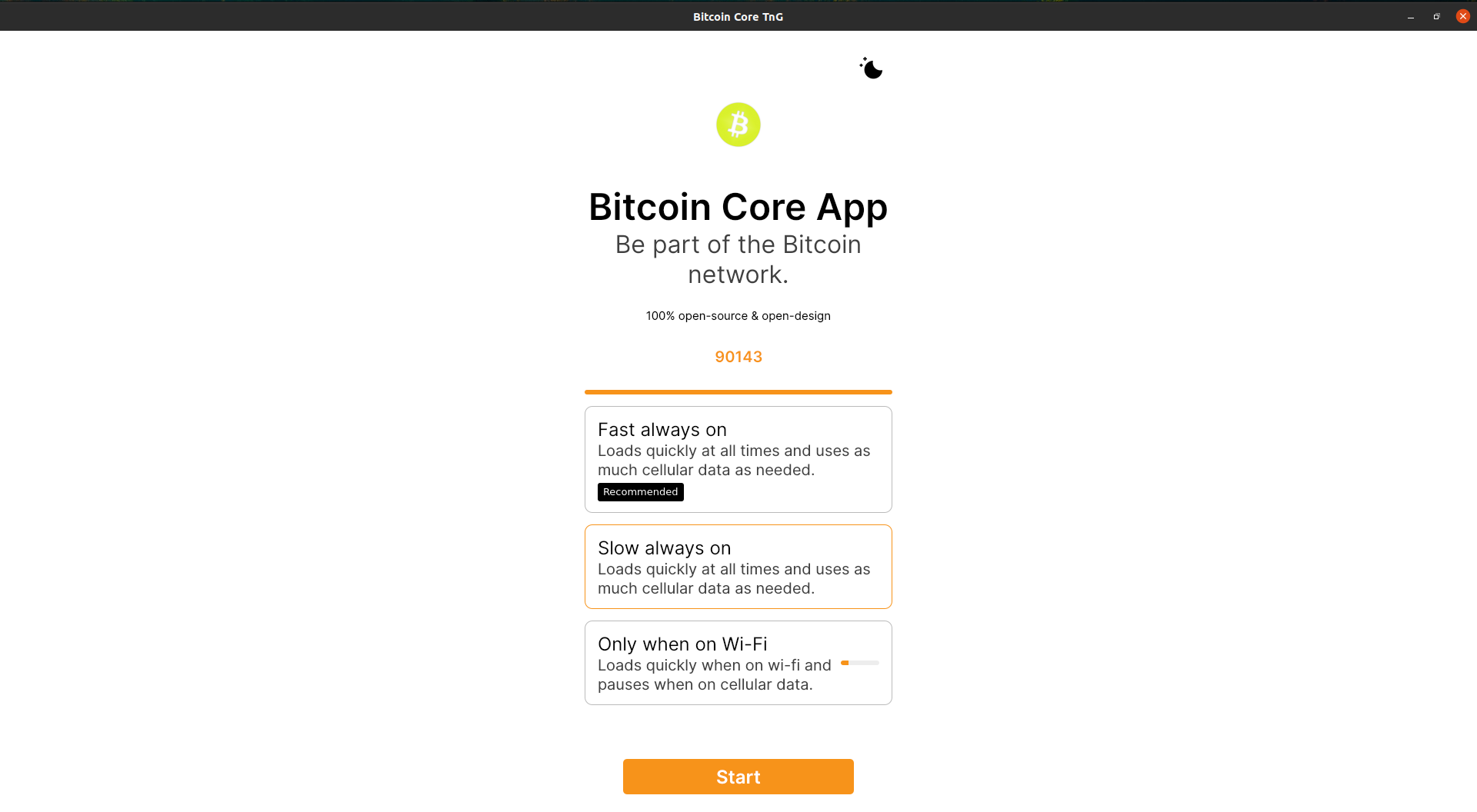 |
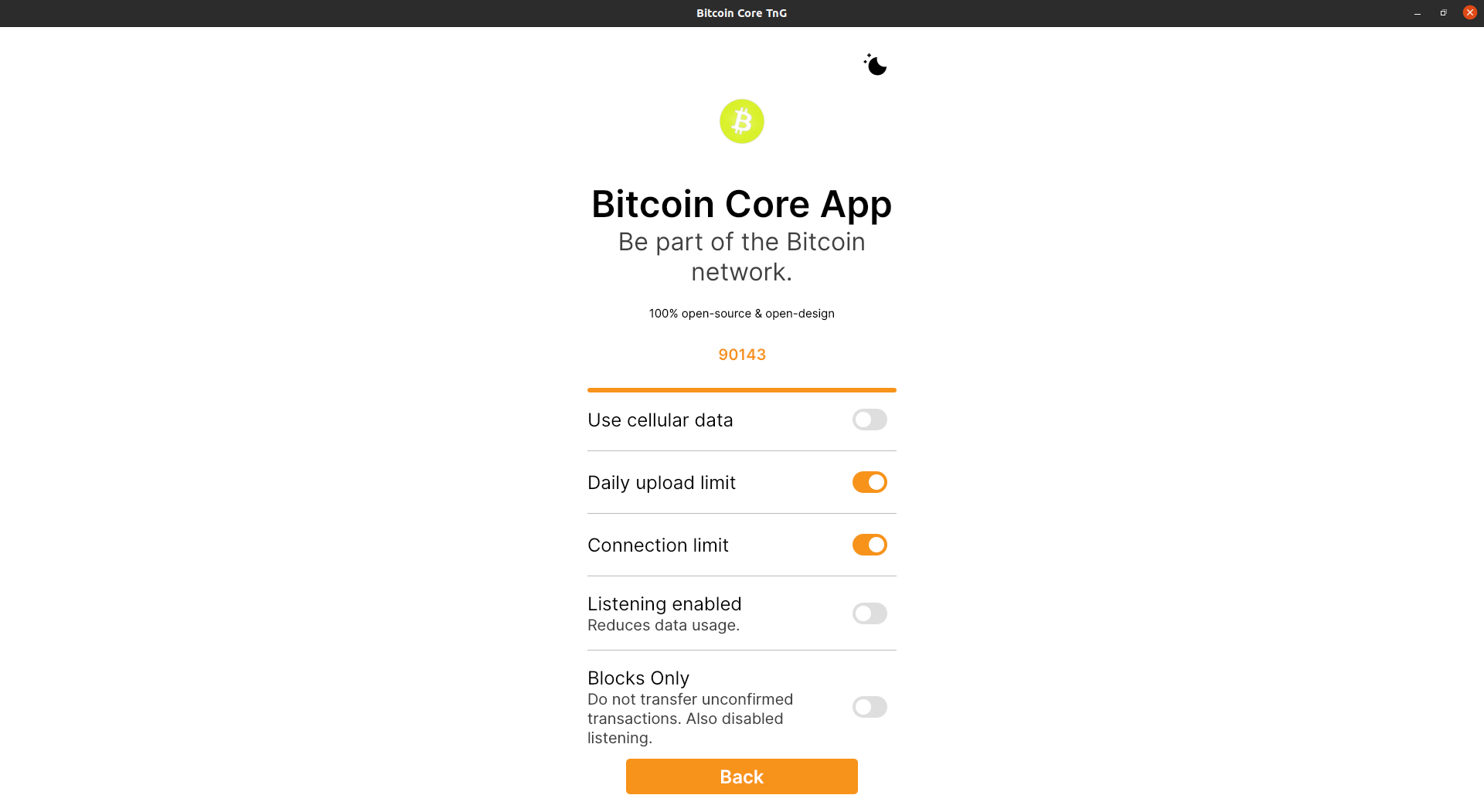 |
| Dark Theme | 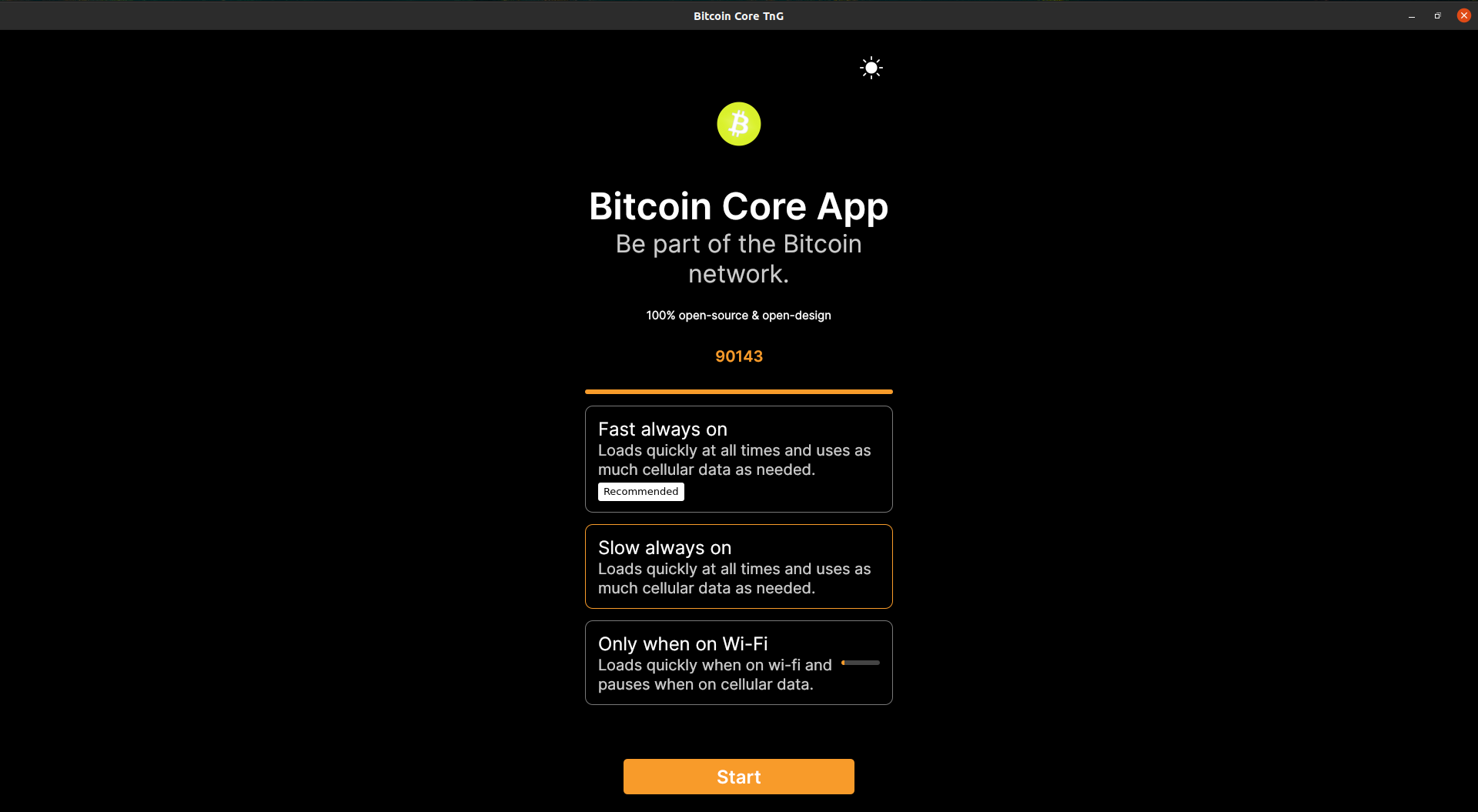 |
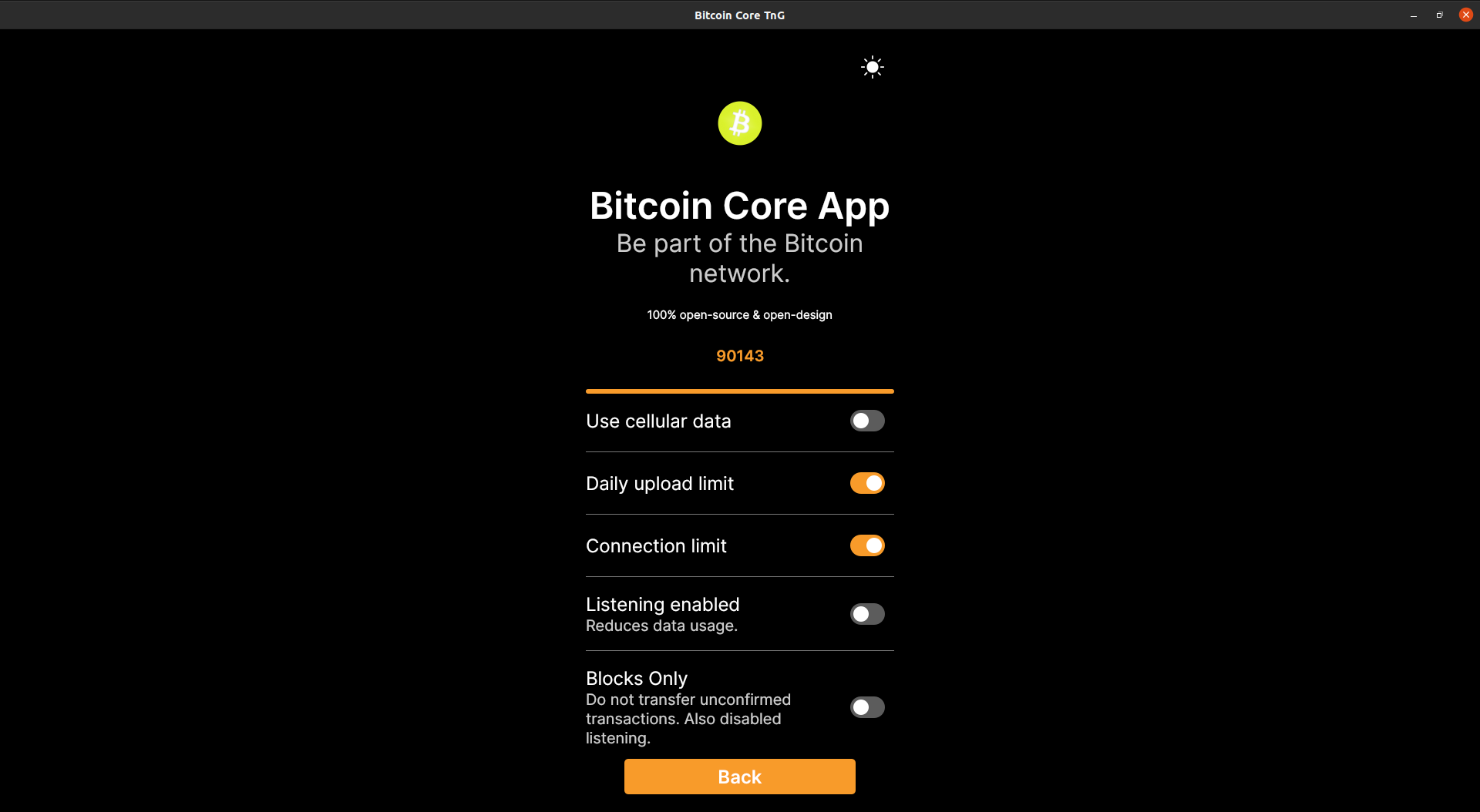 |


Holds color definitions and updates based on if in dark mode.

Github-Pull: bitcoin-core#114
Rebased-From: e0225a0
Github-Pull: bitcoin-core#114
Rebased-From: 9b9d198
Holds color definitions and updates based on if in dark mode.

Github-Pull: bitcoin-core#114
Rebased-From: e0225a0
Github-Pull: bitcoin-core#114
Rebased-From: 9b9d198
Holds color definitions and updates based on if in dark mode.

Github-Pull: bitcoin-core#114
Rebased-From: e0225a0
Github-Pull: bitcoin-core#114
Rebased-From: 9b9d198
Holds color definitions and updates based on if in dark mode.

Github-Pull: bitcoin-core#114
Rebased-From: e0225a0
Github-Pull: bitcoin-core#114
Rebased-From: 9b9d198
Holds color definitions and updates based on if in dark mode.

Github-Pull: bitcoin-core#114
Rebased-From: e0225a0
Github-Pull: bitcoin-core#114
Rebased-From: 9b9d198
07fa49e qml: update UI elements to use Theme color definitions (jarolrod) 57dcd4f qml: introduce Theme singleton (jarolrod) Pull request description: Replaces #109 This introduces a `Theme` singleton which contains color definitions so that colors can be used by name instead of by hex. Additionally, it adjusts color definitions depending on if the gui is in dark or light mode. Color definitions are based on our color palettes as defined in our [design system](https://www.figma.com/file/GaCoOSNHB2yMB9ThiDtred/Bitcoin-Core-App-Main?node-id=2643%3A83514):  A convenient demo of the changes can be found here: [theme singleton demo](https://github.com/jarolrod/gui-qml/tree/theme-singleton-demo) This demo adds a `ThemeToggleButton` so that we can toggle between light and dark. Uses the `moon` and `sun` icon from [BitcoinIcons](https://github.com/BitcoinDesign/Bitcoin-Icons). ACKs for top commit: shaavan: ACK 07fa49e Tree-SHA512: 9d98d887d3254dbb8066e484a17fa3950a728e15ee8d70d372e5f883e3e0080031f04a66f00c65348ce0b90377d08a9db30a98edfdc40cd06b147d74f77cd8cb


07fa49e8d0d80d8c5a50767a6ea258be159d7eef qml: update UI elements to use Theme color definitions (jarolrod) 57dcd4f888a6259d030ca43280165ade4f83eb70 qml: introduce Theme singleton (jarolrod) Pull request description: Replaces #109 This introduces a `Theme` singleton which contains color definitions so that colors can be used by name instead of by hex. Additionally, it adjusts color definitions depending on if the gui is in dark or light mode. Color definitions are based on our color palettes as defined in our [design system](https://www.figma.com/file/GaCoOSNHB2yMB9ThiDtred/Bitcoin-Core-App-Main?node-id=2643%3A83514):  A convenient demo of the changes can be found here: [theme singleton demo](https://github.com/jarolrod/gui-qml/tree/theme-singleton-demo) This demo adds a `ThemeToggleButton` so that we can toggle between light and dark. Uses the `moon` and `sun` icon from [BitcoinIcons](https://github.com/BitcoinDesign/Bitcoin-Icons). ACKs for top commit: shaavan: ACK 07fa49e8d0d80d8c5a50767a6ea258be159d7eef Tree-SHA512: 9d98d887d3254dbb8066e484a17fa3950a728e15ee8d70d372e5f883e3e0080031f04a66f00c65348ce0b90377d08a9db30a98edfdc40cd06b147d74f77cd8cb
4 participants


Replaces #109
This introduces a
Themesingleton which contains color definitions so that colors can be used by name instead of by hex. Additionally, it adjusts color definitions depending on if the gui is in dark or light mode.Color definitions are based on our color palettes as defined in our design system:

A convenient demo of the changes can be found here: theme singleton demo
This demo adds a
ThemeToggleButtonso that we can toggle between light and dark. Uses themoonandsunicon from BitcoinIcons.