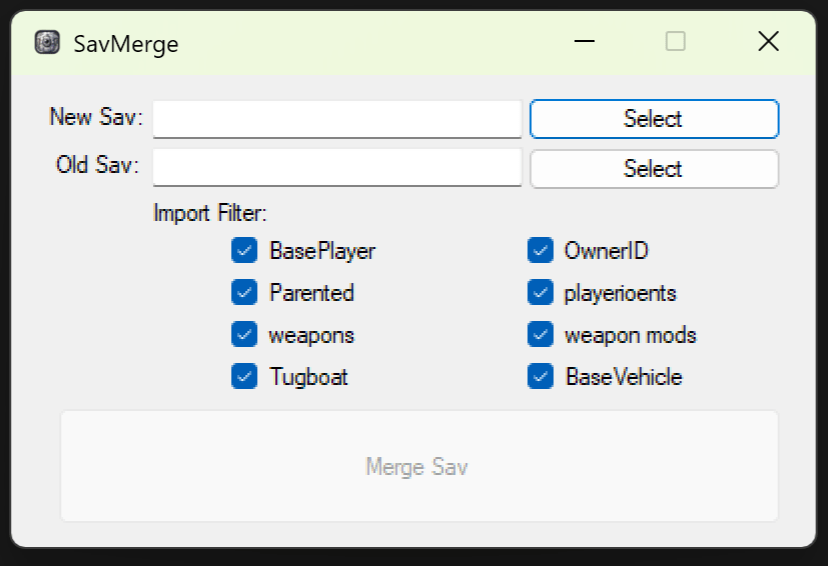
- Extract the ZIP file into "\RustDedicated_Data\Managed"
- It needs to run from a rust server install since it depends on the latest server librarys.
- Run SavMerge.exe
- Select New SavNew .Sav file is save that has been created on new wiped map.
- Select Old Sav Old .Sav file is the one you want to copy data from.
- Select that data you want to include in the Import Filter.
- Click Merge Sav and select where to save the new merged data save file.
-
Dealing with Windows Security warnings (if applicable):
If Windows flags the
.exefile as malicious, follow these steps to add an exception:- Go to Start > Settings > Update & Security > Windows Security > Virus & Threat Protection.
- Under Virus & Threat Protection Settings, select Manage Settings.
- Scroll down to Exclusions and select Add or Remove Exclusions.
- Click Add an exclusion and follow the prompts to exclude the program.