Material Skin and Dark Mode#4
Conversation


Overhauled interface with Material Skin and Dark Theme
The Theme Choice will now be saved and the updater will run in a new Thread to prevent it from holding up the whole form.

|
Wow, this looks great, thanks for making this! I think that the dark theme could use a little color tweaking. |
|
|
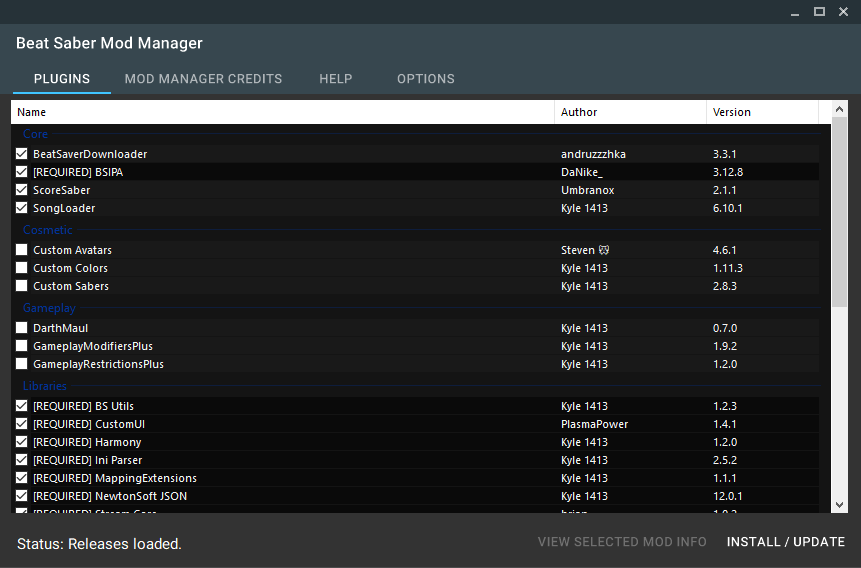

|
Yes, but I'm still trying to figure out how to change the color of the GroupNames. Apparently it's not that easy to change them. I gonna have to change them using an override or something like that :/ |

Dependencies
Fix wrong file being downloaded for scoresaber
Imporved some colors and added the new BeatMods icon
But unfortunately still no group name recolor

Added some new Themes:
Blue/Grey, Green, Orange, Blue, Red
|
It looks like you can't change the color of the text for a ListViewGroup Instead of using ListViewGroups, we could have a single group and simply have each category label as a special I've noticed that there is no minimum window size when using the material skin, so it's possible to make the window disappear down to nearly a single pixel. |
|
Going to go ahead and merge this, then add in the minimum size after, and make a few tweaks to the theme as well. Thanks! |
|
I ended up reverting this merge because your branch has the dependencies code that does not work properly, and I was unable to easily remove it. |
|
Special colors for each category is a good idea! I'm going to start to implement it today. Did you think about custom ForeColors or BackColors? |
3 participants


I've updated the UI using the Material Skin provided by IgnaceMaes and fixed a bug where the installation path was set to NULL when you click abort on the folder browse dialog.
You are also able to select a dark mode in the new options tab.