
v0.7.0
🔐 SuperPassword — Password Manager (Pro)
An encrypted password vault built directly into SuperFlux.
- AES-256-GCM encryption with Argon2id key derivation (64 MB, 3 iterations) — the master password is never stored on disk
- Full entry management: title, URL, username, password, notes, custom fields, and favorites
- Password generator with strength indicator, configurable options (length, uppercase, lowercase, digits, symbols, exclude ambiguous characters)
- Built-in TOTP: add 2FA codes directly on each entry (supports otpauth:// URIs and raw base32 secrets), real-time countdown refresh
- Auto-lock with configurable timeout (default: 5 min) — the master key is zeroized from memory on expiration
- Auto-clear clipboard after copying a password (default: 30 seconds)
- Folder organization with instant search
- Import/Export in CSV and JSON formats
- Optional cloud sync via Supabase — the encrypted vault is automatically uploaded/downloaded on login
- Security audit of stored passwords
📓 SuperMarkdown — Markdown Editor (Pro)
An Obsidian-style Markdown editor, fully integrated.
- CodeMirror 6 editor with Markdown syntax highlighting, keyboard shortcuts, and adaptive theme
- Live preview with faithful Markdown rendering
- Wikilinks [[...]] with auto-completion and cross-file navigation
- File tree with file and folder creation, renaming, and deletion
- Tabs to work on multiple files simultaneously
- Git panel: view status, stage changes, commit, and diff directly from the editor
- Side-by-side diff view to compare modifications
- Global search across the entire vault with result navigation
- Backlinks: see all pages linking to the active file
- Tags: extraction and navigation via #tag syntax
- Command palette (Ctrl+Shift+P) for quick access to all actions
- Status bar: line, column, word count, editing mode
🔔 Notifications
- Native notifications for new articles — toggleable per feed
- Uses the OS native notification system via the Tauri Notification plugin
🛠 Miscellaneous improvements
- AuthModal: redesigned authentication interface
- SourcePanel: added password vault sync panel (toggle cloud sync, last sync date)
- TitleBar: two new mode tabs (Passwords Ctrl+9, Markdown Ctrl+0), graceful handling of getCurrentWindow() outside Tauri context
- SuperClipboard: UI improvements
- UpgradeModal: updated to reflect new Pro features
- GlassIconButton: additional prop support
- Added .playwright-mcp/ to .gitignore
A fast, native desktop RSS reader and productivity suite with a resizable 3-panel layout, built-in Reddit comments, AI summaries, text-to-speech, bookmarks, notes, a document editor, a drawing canvas, and a collapsible bar mode. Built with Tauri 2 and React 19.

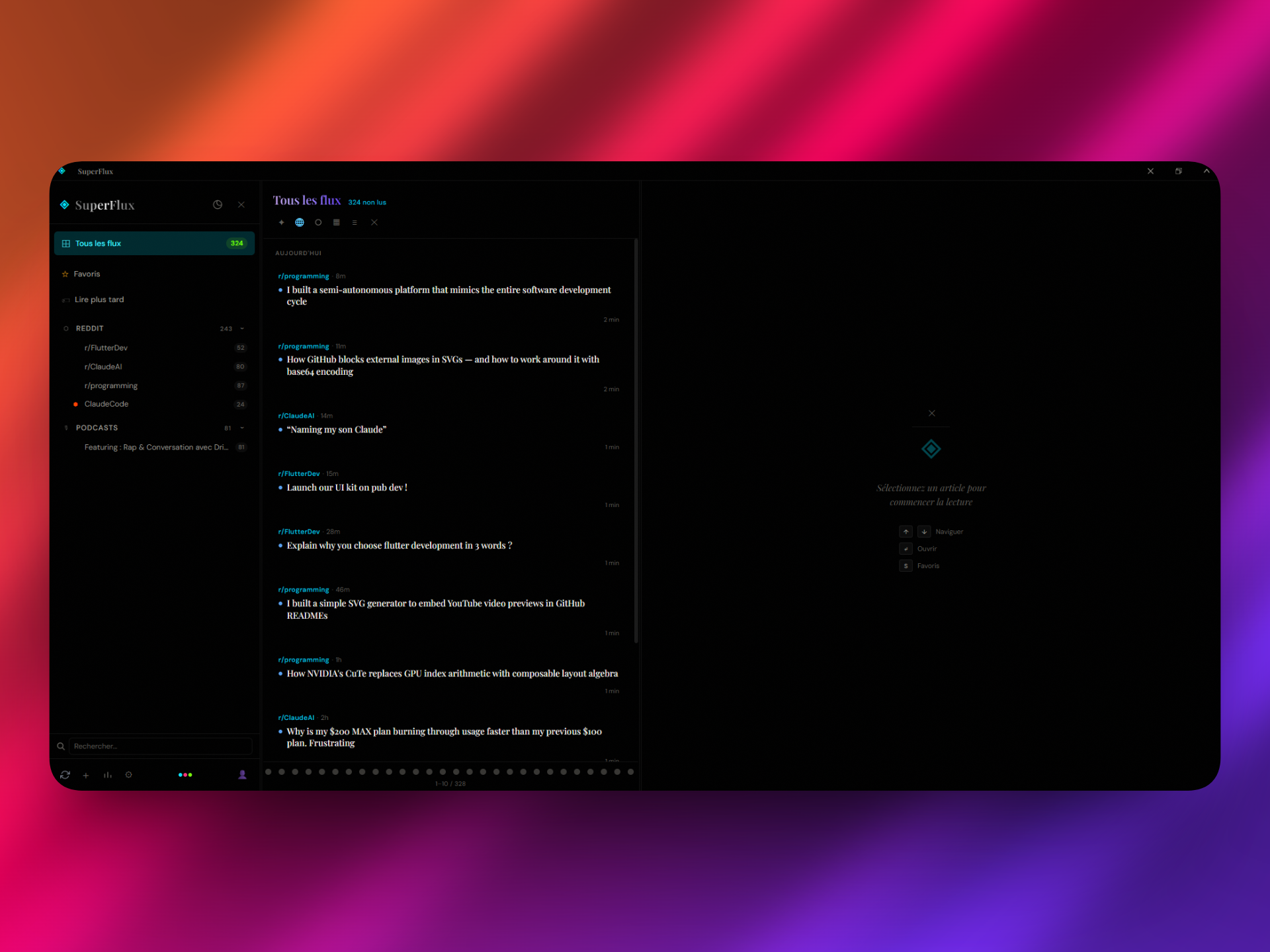
The interface is split into three independently resizable columns with drag handles between them:
| Panel | Default Width | Content |
|---|---|---|
| Sources (left) | 18% | Feed tree, folders, unread counts, favorites, read later, mode tabs |
| Feed (center) | 32% | Article list with pagination, time grouping, 3 view modes (normal, compact, cards) |
| Reader (right) | 50% | Full article reader, AI summary, TTS, highlights, web view, Reddit comments, or contextual module (notes editor, document editor, bookmark reader, drawing canvas) |
Each panel can be closed individually -- it collapses into a thin clickable strip. Toggle panels with keyboard shortcuts 1, 2, 3. Panels resize freely by dragging the handles between them.
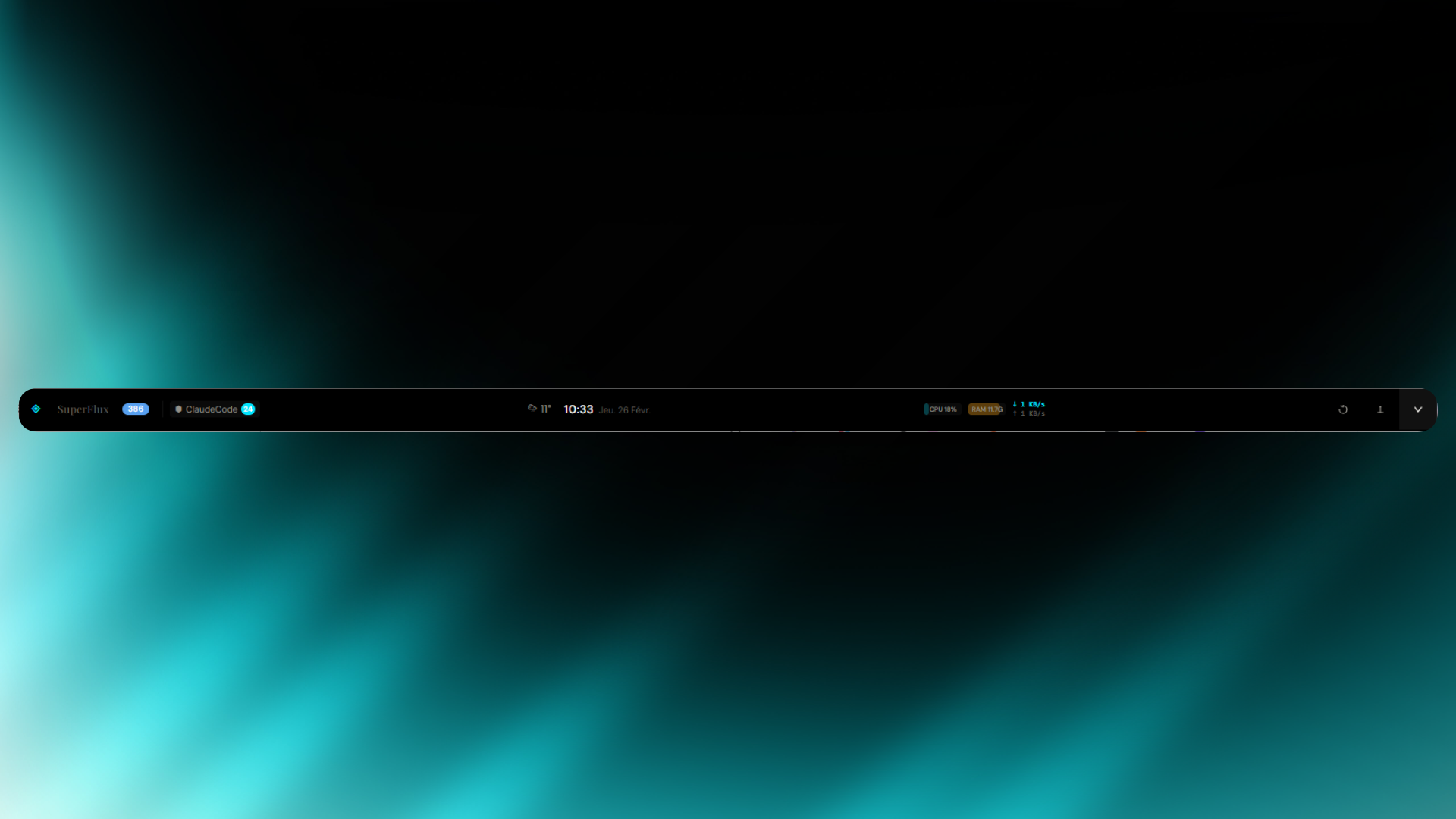
- Unread count, favorites and read-later badges
- Live weather with auto-detected geolocation (temperature + weather icon)
- Live clock with date
- Pin button to keep the bar always on top of other windows
One click expands back to the full 3-panel layout.
Add any subreddit by typing r/subredditname in the add feed dialog. SuperFlux:
- Shows comment count on each post in the feed list
- Fetches live comments from Reddit's API when reading a post (sorted by best, up to 30 comments)
- Displays author, score, and relative timestamp for each comment inline
- Falls back to cached comment data if the API is unavailable
| Source | Icon | Auto-detection |
|---|---|---|
| Articles / Blogs | ◇ |
Any RSS/Atom feed |
⬡ |
r/name shorthand or reddit.com URLs |
|
| YouTube | ▷ |
Channel URLs, @username handles |
| Twitter / X | ✦ |
@username, x.com, nitter instances |
| Mastodon | 🐘 |
Mastodon / Fosstodon / Hachyderm instances |
| Podcasts | 🎙 |
Auto-detected from audio/* enclosures |
Summarize articles or entire feed digests with one click. Two LLM providers:
- Ollama (local) -- runs offline with
llama3.2:3b, models can be pulled directly from Settings - Groq (cloud) -- uses
llama-3.3-70b-versatilefor higher quality
Summary format is configurable: bullet points or paragraph.
Listen to articles with 3 TTS engine options:
- Browser -- Web Speech API, supports pause/resume, adjustable speed (0.5x-2x)
- Native -- OS-level TTS via Tauri, adjustable speed
- ElevenLabs -- cloud API with configurable voice and model
Select text in any article to highlight it with 5 colors (yellow, green, blue, pink, orange). Add notes to highlights. The highlights menu lists all highlights for the current article with click-to-scroll navigation.
Built-in audio player for podcast feeds with:
- Play/pause, skip -15s/+15s
- Speed toggle (0.5x, 1x, 1.25x, 1.5x, 2x)
- Seekable progress bar, volume slider
- Album artwork display
Switch between modes using the icon tab bar in the sources panel or keyboard shortcuts Ctrl+1 through Ctrl+0. A command palette (Ctrl+K) provides quick access to all commands and navigation.
| Mode | Shortcut | Description |
|---|---|---|
| SuperFlux | Ctrl+1 |
RSS reader -- the default 3-panel feed experience |
| SuperBookmark | Ctrl+2 |
Web bookmark manager with full-page reader and metadata extraction |
| SuperNote | Ctrl+3 |
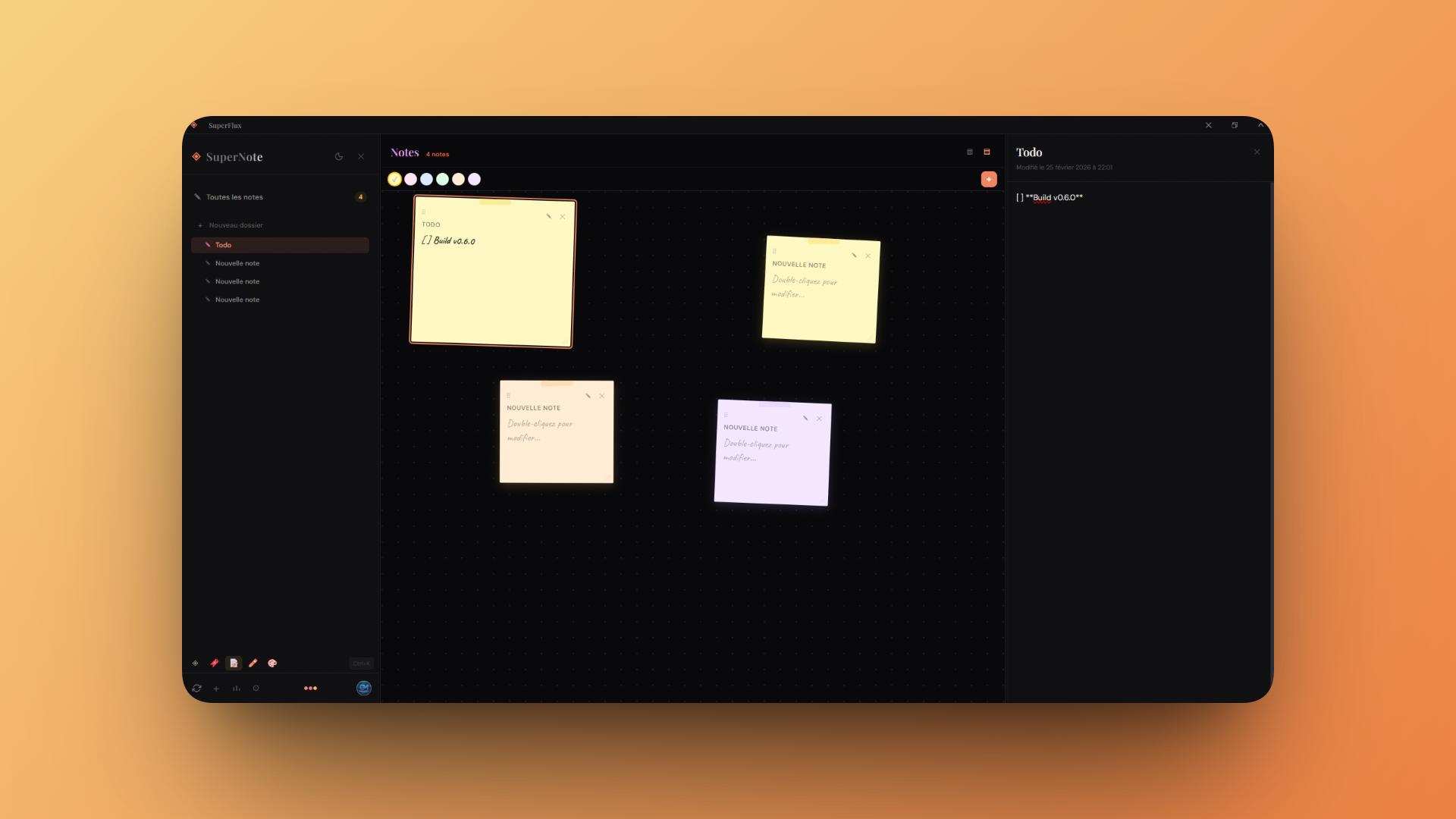
Sticky notes with folders, color-coded cards, and cloud sync |
| SuperEditor (Pro) | Ctrl+4 |
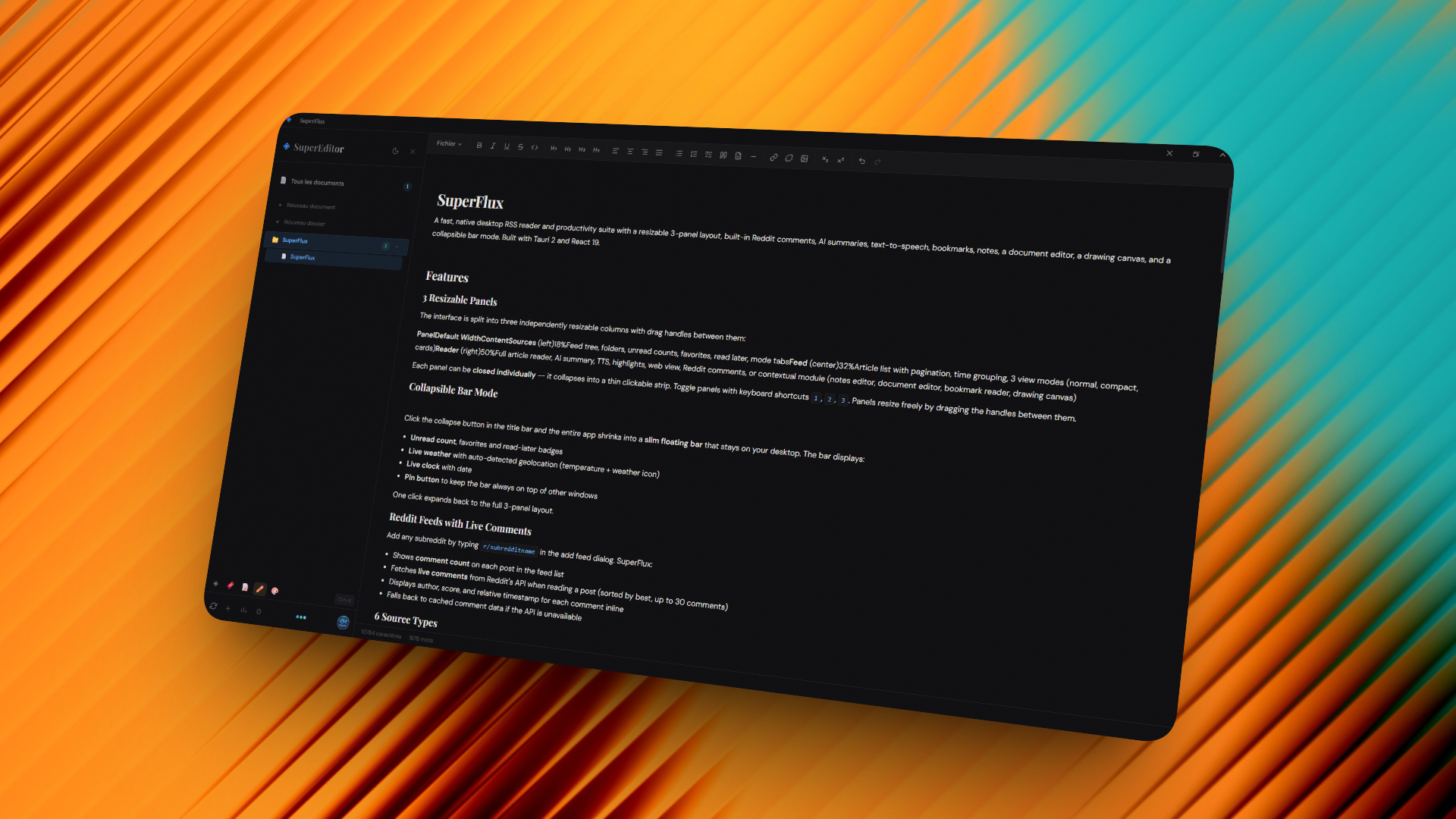
Document editor with Pandoc export (PDF, DOCX, HTML, Markdown) |
| SuperDraw (Pro) | Ctrl+5 |
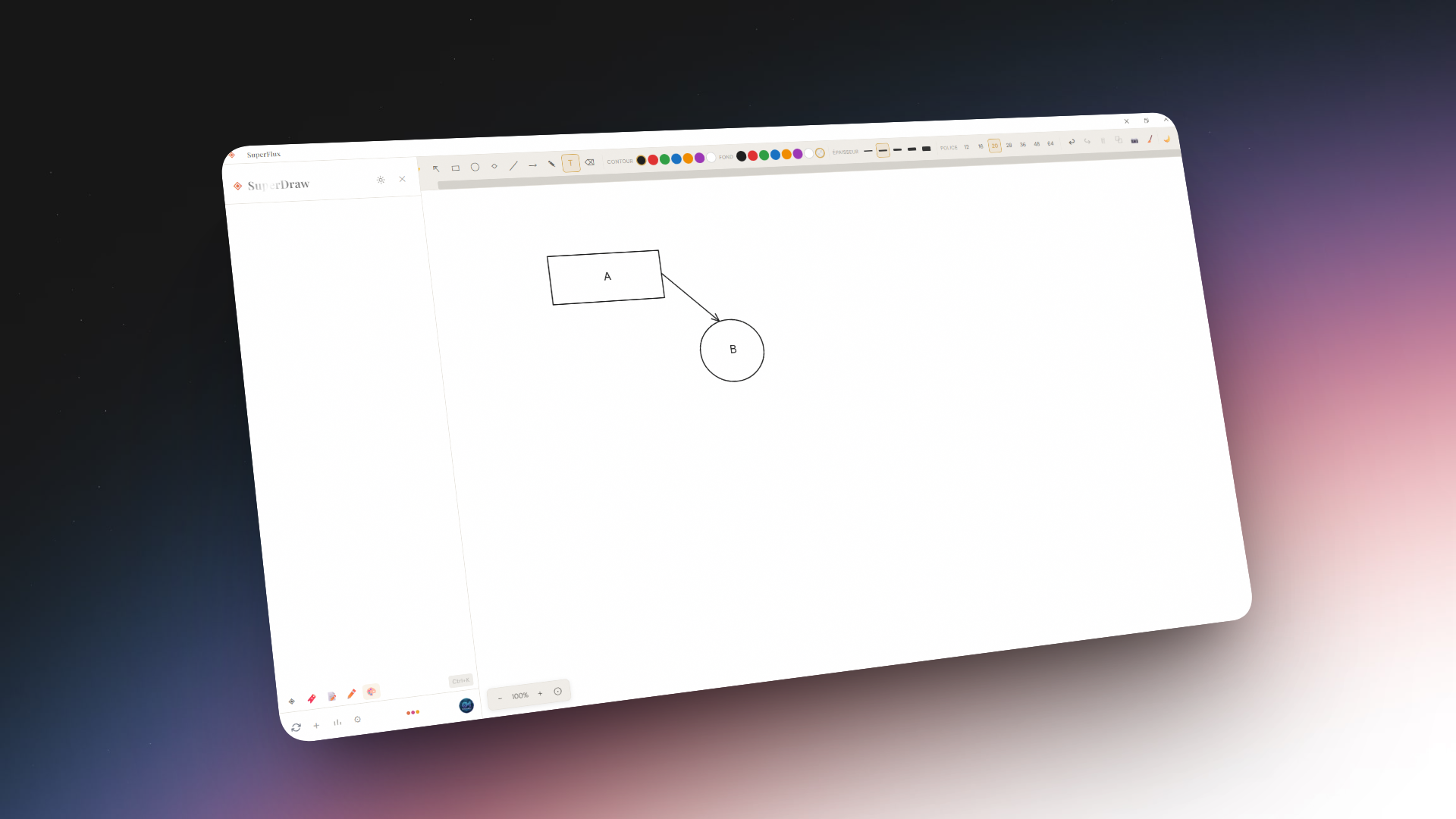
Canvas drawing tool with shapes, freehand, text, arrows, dark/light mode, and PNG export |
| SuperTranslate | Ctrl+6 |
Real-time text translation with auto-detection across 12 languages |
| SuperExpander | Ctrl+7 |
Text snippet expander with keywords, dynamic placeholders, and global shortcuts |
| SuperClipboard | Ctrl+8 |
Clipboard history manager with pinning, search, and keyboard shortcuts |
| SuperPassword (Pro) | Ctrl+9 |
Encrypted password vault with TOTP, audit, generator, and import/export |
| SuperMarkdown (Pro) | Ctrl+0 |
Markdown editor with vault, tabs, Git integration, backlinks, and live preview |
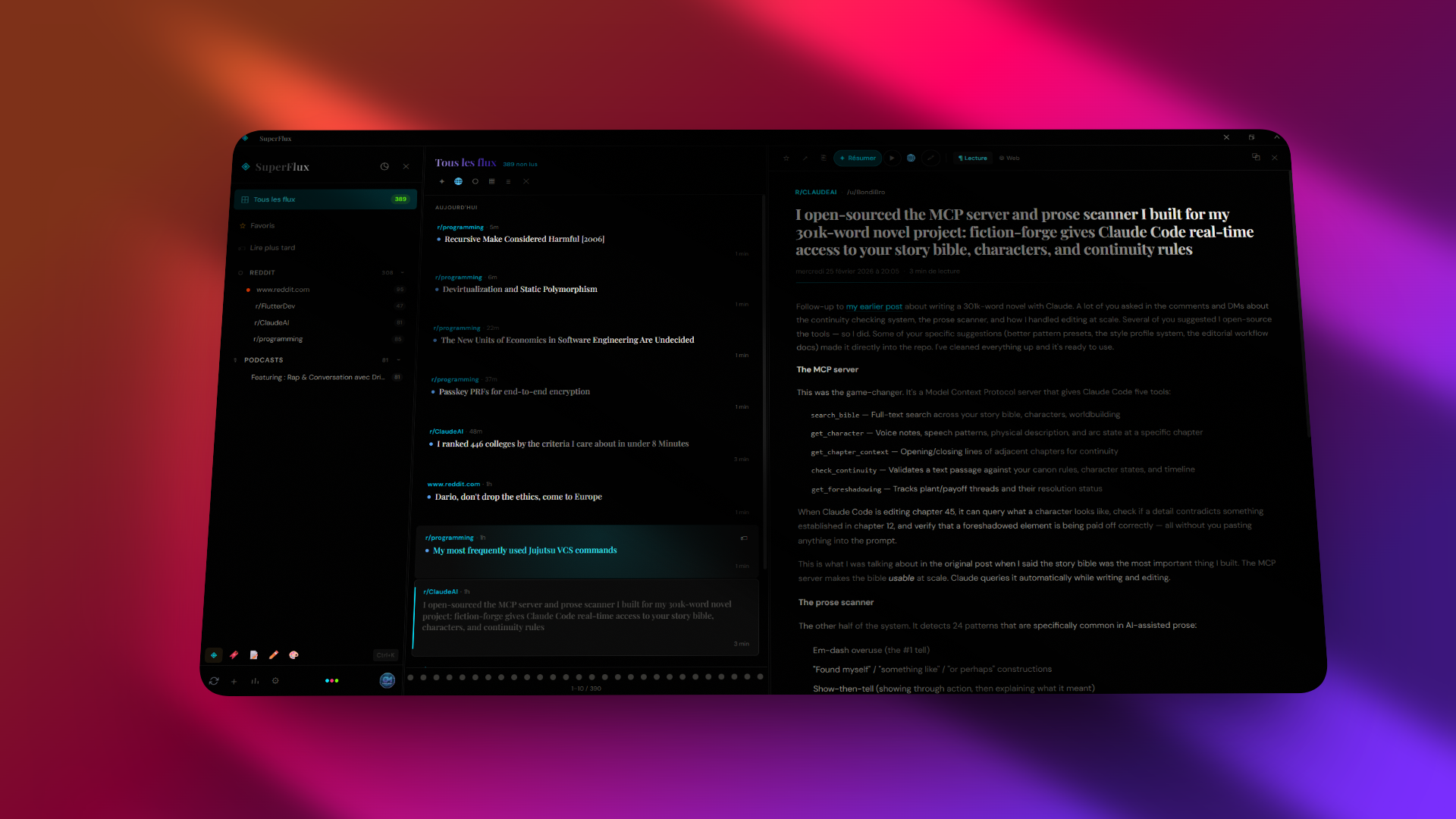
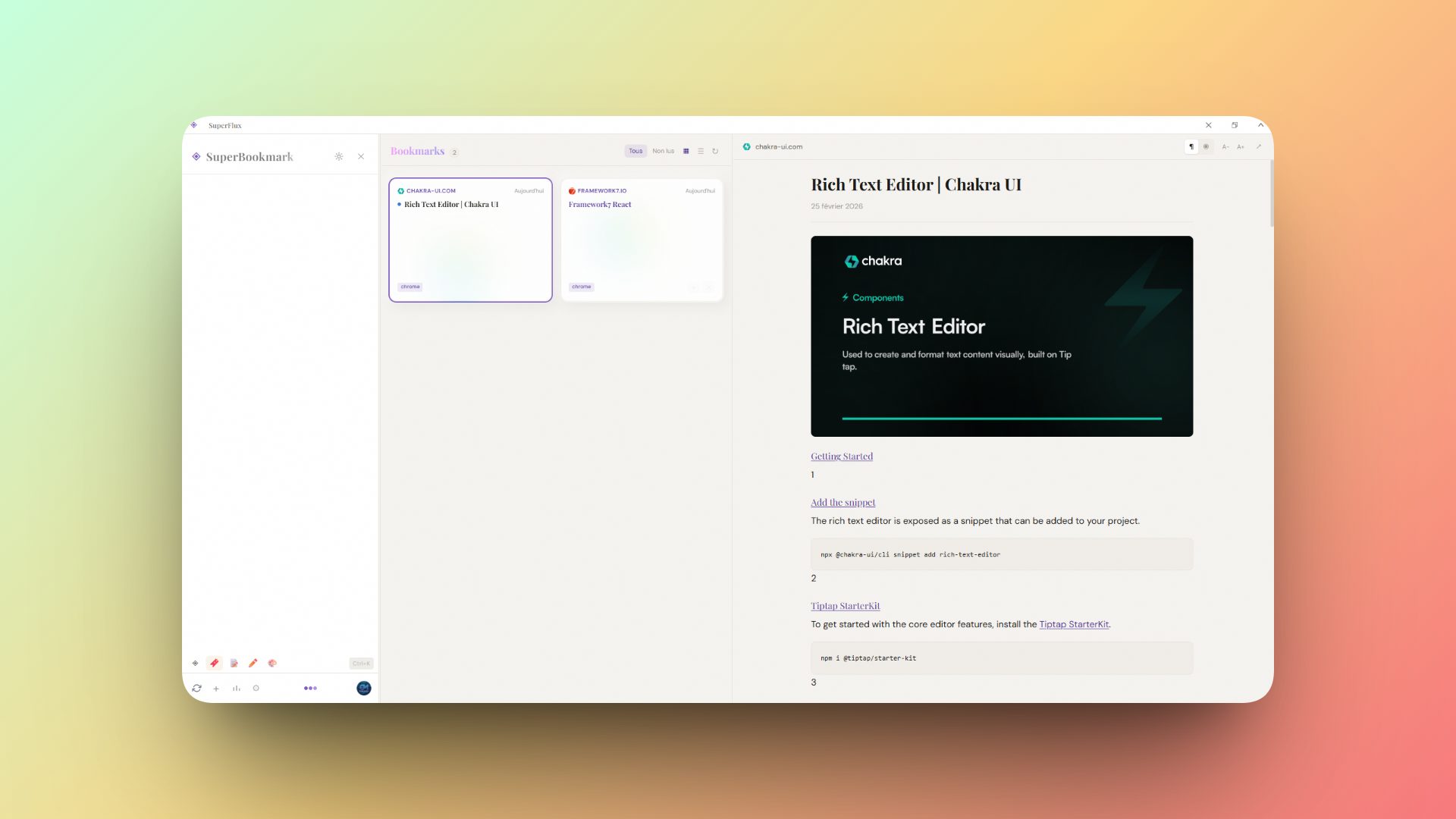
Save and organize web bookmarks with automatic metadata extraction (title, excerpt, favicon, author). Features a built-in reader view for saved pages.
Quick note-taking with folder organization, sticky-note style cards, and Supabase cloud sync. Notes support positioning, colors, and resizing.
A full document editor with:
- Folder organization and document management
- Pandoc integration for exporting to PDF, DOCX, HTML, Markdown, and more
- Cloud sync via Supabase
A custom canvas drawing tool inspired by Excalidraw:
- 10 tools: select, hand (pan), rectangle, ellipse, diamond, line, arrow, freehand, text, eraser
- Color picker for stroke and fill with 7 preset colors + transparent
- Stroke width selector (1--8px)
- Font size selector for text tool (12--64px)
- Dark / light mode toggle (independent of app theme, auto-adapts element colors)
- Zoom & pan with mouse wheel (Ctrl+wheel to zoom, wheel to pan)
- Selection with resize handles, multi-select box, duplicate (
Ctrl+D), delete - Undo / redo history (
Ctrl+Z/Ctrl+Y) - PNG export and persistent local storage
Instant text translation powered by Google Translate:
- 12 languages supported: French, English, Spanish, German, Italian, Portuguese, Dutch, Russian, Japanese, Chinese, Korean, Arabic
- Auto-detection of source language
- Swap languages with one click
- Auto-translate with debounce as you type
A text snippet expander for quickly inserting reusable text blocks:
- Create snippets with trigger keywords that expand on demand
- Dynamic placeholders:
{date},{time},{datetime},{day},{uuid},{clipboard} - Assign global keyboard shortcuts to snippets
- Folder and time-based grouping
A clipboard history manager that tracks everything you copy:
- Automatic history with time-grouped entries (last hour, today, this week, older)
- Pin important entries to keep them at the top
- Global keyboard shortcuts for quick paste of frequent entries
- Search through clipboard history
- Convert clipboard entries to SuperNote notes
An encrypted local password vault:
- AES-encrypted vault with master password, auto-lock, and clipboard auto-clear
- Password generator with configurable length, character sets, and strength audit
- TOTP / 2FA support for time-based one-time passwords
- Folder organization, favorites, tags, and search
- Import / export passwords (CSV, JSON)
- Security audit to detect weak, reused, or compromised passwords
- Cloud sync via Supabase
A full-featured Markdown editor with vault-based file management:
- Vault directory with file tree navigation and folder support
- Multi-tab editing with unsaved change indicators
- 3 view modes: edit, split (side-by-side), and live preview
- Git integration with status, diffs, commit, push, and pull
- Backlinks and tags panels for knowledge-graph navigation
- Search across all vault files
- Command palette and status bar with cursor position and word count
When RSS content is truncated, SuperFlux automatically fetches the full article from the original site using Readability. A manual "Fetch from original site" button is also available.
Drag-and-drop or browse to upload .opml / .xml files exported from any RSS reader. Auto-detects source type from URL patterns.
Connect an external RSS service to import subscriptions and sync read status bidirectionally:
- Miniflux -- API key authentication
- FreshRSS -- Google Reader API
- Feedbin -- email/password
- BazQux -- Google Reader API compatible
Sign in with a Supabase account to sync feeds, read/star/bookmark status across devices. Bidirectional sync with last-write-wins strategy, runs every 5 minutes.
- 3 themes: Light, Sepia, Dark (+ AMOLED) with animated circular transition effect
- Window effects (Windows): Mica, Acrylic, Blur, Tabbed with adjustable opacity
- Custom frameless title bar with minimize, maximize, collapse controls


| Key | Action |
|---|---|
Ctrl+K |
Open command palette |
Ctrl+1--0 |
Switch mode (Flux, Bookmark, Note, Editor, Draw, Translate, Expander, Clipboard, Password, Markdown) |
Alt+1 |
Toggle Sources panel |
Alt+2 |
Toggle Feed panel |
Alt+3 |
Toggle Reader panel |
J / K |
Next / previous article |
O |
Open article in browser |
R |
Toggle read / unread |
S |
Toggle star / favorite |
B |
Toggle read later |
Shift+R |
Mark all as read |
Ctrl+D |
Duplicate selection (Draw mode) |
Ctrl+Z / Ctrl+Y |
Undo / Redo |
? |
Show shortcuts help |
SuperFlux is free with generous limits. The Pro plan (one-time purchase) unlocks:
- Unlimited AI summaries (article + feed digest)
- Text highlighting and notes
- Illimited feeds (vs 10 in free)
- Illimited folders for organization (vs 5 in free)
- TTS Elevenlab
- Early access to new features
| Layer | Technology |
|---|---|
| Runtime | Tauri v2 (Rust) |
| Frontend | React 19, TypeScript, Vite 7 |
| Styling | Tailwind CSS v4, CSS color-mix() |
| UI | Radix UI, Lucide icons, Framer Motion |
| HTTP | reqwest (rustls) via Tauri commands |
| Auth & Sync | Supabase |
| Payments | LemonSqueezy |
| AI | Groq / Ollama |
| TTS | Web Speech API / Native OS / ElevenLabs |
- Node.js >= 18
- Rust >= 1.77
- Tauri v2 prerequisites for your platform
npm installnpm run devStarts Tauri dev mode which launches both Vite (port 5173) and the Rust backend.
npm run buildProduces platform-specific installers in src-tauri/target/release/bundle/.
src/
  App.tsx                    # Root layout with 3-panel orchestration
  main.tsx                   # Entry point, window effect restoration
  types.ts                   # Feed, FeedItem, FeedCategory, TextHighlight types
  index.css                  # Full theme + window effect CSS
  components/
    SourcePanel.tsx           # Panel 1 -- feed tree, folders, sources, mode tabs
    FeedPanel.tsx             # Panel 2 -- article list, view modes, pagination
    ReaderPanel.tsx           # Panel 3 -- reader, web view, comments, TTS
    NotePanel.tsx             # Note list panel (SuperNote mode)
    NoteEditor.tsx            # Note editor (SuperNote mode)
    BookmarkPanel.tsx         # Bookmark list panel (SuperBookmark mode)
    BookmarkReader.tsx        # Bookmark reader view (SuperBookmark mode)
    SuperEditor.tsx           # Document editor with Pandoc export (SuperEditor mode)
    SuperDraw.tsx             # Canvas drawing tool (SuperDraw mode)
    SuperTranslate.tsx        # Real-time translator (SuperTranslate mode)
    SuperExpander.tsx          # Text snippet expander (SuperExpander mode)
    SuperClipboard.tsx        # Clipboard history manager (SuperClipboard mode)
    SuperPassword.tsx         # Encrypted password vault (SuperPassword mode)
    SuperMarkdown.tsx         # Markdown editor with vault (SuperMarkdown mode)
    CommandPalette.tsx        # Ctrl+K command palette
    ShortcutsOverlay.tsx      # Keyboard shortcuts help overlay
    TitleBar.tsx              # Custom title bar with bar/collapse mode
    AudioPlayer.tsx           # Embedded podcast player
    SettingsModal.tsx         # Settings (account, provider, AI, TTS, appearance)
    UpgradeModal.tsx          # Pro upgrade and license activation
    AddFeedModal.tsx          # Add feed dialog with search
    AuthModal.tsx             # Sign in / sign up modal
    UserMenu.tsx              # User account menu
    ResizeHandle.tsx          # Drag handle between panels
    SyncButton.tsx            # Sync indicator
  services/
    rssService.ts             # RSS/Atom/Reddit/YouTube/Twitter fetching & parsing
    articleExtractor.ts       # Full-text extraction via Readability
    llmService.ts             # AI summary abstraction (Ollama / Groq)
    ttsService.ts             # TTS engine abstraction
    licenseService.ts         # Pro license activation via LemonSqueezy
    syncService.ts            # Supabase cloud sync logic
    feedSearchService.ts      # Feed discovery (Feedly, iTunes, Reddit)
    providerSync.ts           # External provider sync orchestration
    bookmarkService.ts        # Bookmark CRUD and metadata extraction
    noteService.ts            # Notes cloud sync with Supabase
    editorDocService.ts       # Editor documents cloud sync
    pandocService.ts          # Pandoc export integration
    providers/
      miniflux.ts             # Miniflux API client
      googleReader.ts         # Google Reader API (FreshRSS, BazQux)
      feedbin.ts              # Feedbin API client
  hooks/
    useFeedStore.ts           # Feed & article state management
    useHighlightStore.ts      # Highlight persistence
    useResizablePanels.ts     # Panel resize logic
    useCommands.ts            # Command palette & keyboard shortcuts
  contexts/
    AuthContext.tsx            # Supabase auth context
    ProContext.tsx             # Pro status management & caching

src-tauri/
  src/lib.rs                  # Tauri commands (fetch, HTTP, window effects, TTS, collapse)
  tauri.conf.json             # Window config (transparent, frameless)
  capabilities/default.json   # Permissions
All settings are accessible from the gear icon in the source panel footer:
- Account -- Supabase sign-in for cloud sync
- Superflux Pro -- License activation or purchase
- Appearance -- Window effect type and opacity
- RSS Provider -- Miniflux / FreshRSS / Feedbin / BazQux connection
- AI / Summaries -- LLM provider, model selection, summary format
- Text-to-Speech -- Engine selection, speed, ElevenLabs API config
- OPML Import -- Drag-and-drop file upload
Settings are persisted in localStorage.
Proprietary. All rights reserved.