
A Simple Python application FTP server for sharing current folder with fast startup and multiconnection boosts for faster transmission.
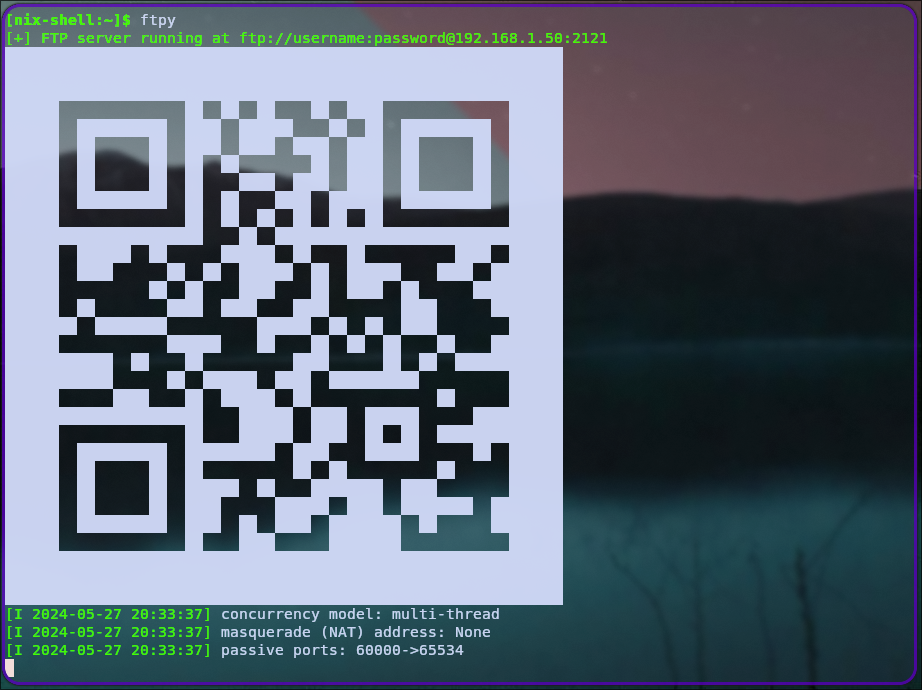 Works on both Windows and Linux Distributions
Install as:
git clone https://github.com/devvratmiglani/InstantFTP_PY.git
cd InstantFTP_PY
pip install -e .
It is now installed in editable mode using the '-e' parameter, using this you can change the the credentials in InstantFTP_PY\ftpy\__init__.py
or
pip install git+https://github.com/devvratmiglani/InstantFTP_PY.gitRun in temrinal as:
ftpyport already in use?
ftpy -p 2122It will share the current folder of the session on your local network.
These commands may not be required for 99% of you but maybe where firewall permissions cannot be set with ease.
We have to allow firewall permissions for this application to work, but in case of some linux distributions like I do in Wayland, I have to do it manually everytime. The following commands do it for port 2121 temporarily.
#!/bin/sh
# adding firewall entry for port 2121 nix
sudo iptables -A INPUT -s 192.168.1.0/24 -p tcp --dport 2121 -j ACCEPT
sudo iptables -A OUTPUT -d 192.168.1.0/24 -p tcp --sport 2121 -j ACCEPT
# for passive ports
sudo iptables -A INPUT -s 192.168.1.0/24 -p tcp --dport 60000:65534 -j ACCEPT
sudo iptables -A OUTPUT -d 192.168.1.0/24 -p tcp --sport 60000:65534 -j ACCEPT

# requires service wrapper
sudo service firewall restart

# may require
# modprobe ip_conntrack_ftp
Use this bash file in InstantFTP_PY/firewall/ftp_firewall.sh