Java/Spring Boot web app that lets users create accounts and submit/view/claim/complete "opportunities." An "opportunity" is defined as a request for volunteers to help with a task. Users can be individuals or existing community/philanthropic groups.
Installation Instructions:
What you'll need: MAMP and IntelliJ IDEA
-
Clone project from our repo to your own machine.
-
Start MAMP and create a user account with username "payitforward" and password "forward".
-
In IntelliJ, open application.properties.
-
Add the following lines to application.properties:
project.base-dir=file:///[Your path goes here!]
spring.resources.static-locations=${project.base-dir}/src/main/resources/static/
spring.resources.cache-period=0
-
In the text you just pasted, replace "[Your path goes here!]"" with the path to your project. If you're unsure of the path, check next to the project name at the top of the navigation pane. If you use Windows, you'll need to change the back slashes to forward slashes.
-
In resources/static, add a directory named "upload-dir".
-
Run the application and view it at localhost:8080.
Test Plan:
-
From landing page, view a list of available opportunities without needing to login.
-
From list of opportunities, view details of a single opportunity without needing to login.
-
Create an account and redirect to myprofile page.
-
While logged in, view your account profile, edit it, and redirect to view profile to see your changes.
-
While logged in, create a new volunteer opportunity and redirect to opportunity list.
-
While logged in, edit a volunteer opportunity and redirect to opportunity list.
-
While logged in, delete one or more volunteer opportunities and redirect to opportunity list.
-
Log out and redirect to logout page.
-
Log in with the same credentials and redirect to landing page.*
- Any errors in input (ie. length requirements weren't met, username is already taken, passwords don't match) will result in the page re-rendering and an error message appearing.
User Stories:
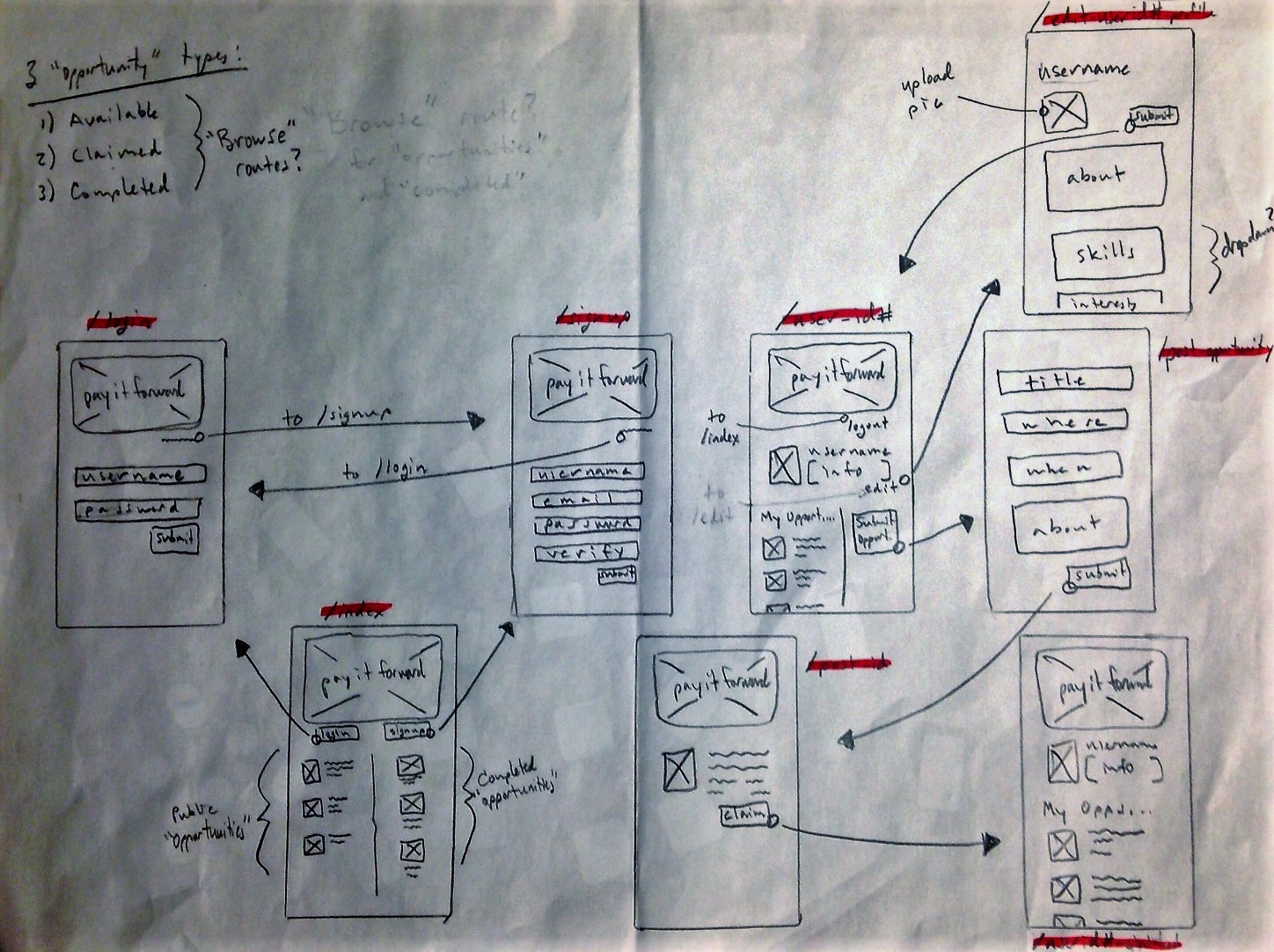
*Browse opportunities: As a new user, I want to browse a list of opportunities without creating an account.
*View an opportunity: As a new user, I want to be able to view the details of an opportunity without creating an account.
*Create account: As a new user, I want to be able to create a new user account.
*Login: As an existing user, I want to be able to login to my account.
*Create opportunity: As an existing user, I want to be able to create a new opportunity.
*Claim opportunity: As an existing user, I want to be able to claim an opportunity.
*View claimed opportunities: As an existing user, I want to be able to view my list of claimed opportunities.
*Mark as done: As an existing user, I want to be able to mark a claimed opportunity as completed.
*View profile: As an existing user, I want to be able to view my profile page.
*Edit profile: As an existing user, I want to be able to edit my profile page.
Wireframes: