Describe the bug
For some reason invoking the StateHasChanged method of a Blazor page resets component state only if the component has child content.
To Reproduce
Complete application: https://github.com/akorchev/blazor-state-lost
- Add the following component to a default Blazor server-side application.
<div style="border: 1px solid #ebebeb; margin: 16px; border-radius: 2px"    @onclick="@Toggle">
 Toggle (Expanded = @Expanded)

 @if (Expanded)
 {
     @ChildContent
 }
 </div>

 @code {
      [Parameter]
      public bool Expanded { get; set; }

      [Parameter]
      public RenderFragment ChildContent {get; set;}

      void Toggle()
      {
          Expanded = !Expanded;
      }
 }
- Add this to Index.razor
@page "/"

 Welcome to your new app.

 <Expander Expanded="true">
       <h1>Hello, world!</h1>
 </Expander>

 <Expander Expanded="true" />
 <button @onclick="@(() => StateHasChanged())">StateHasChanged</button
- Run the application and click on both component instances. They correctly update and show the current value of the Expanded property -
False.
- Click the StateHasChanged button. The first component resets to its initial state (expanded). The second keeps its state.
Here is a GIF showing my experience.
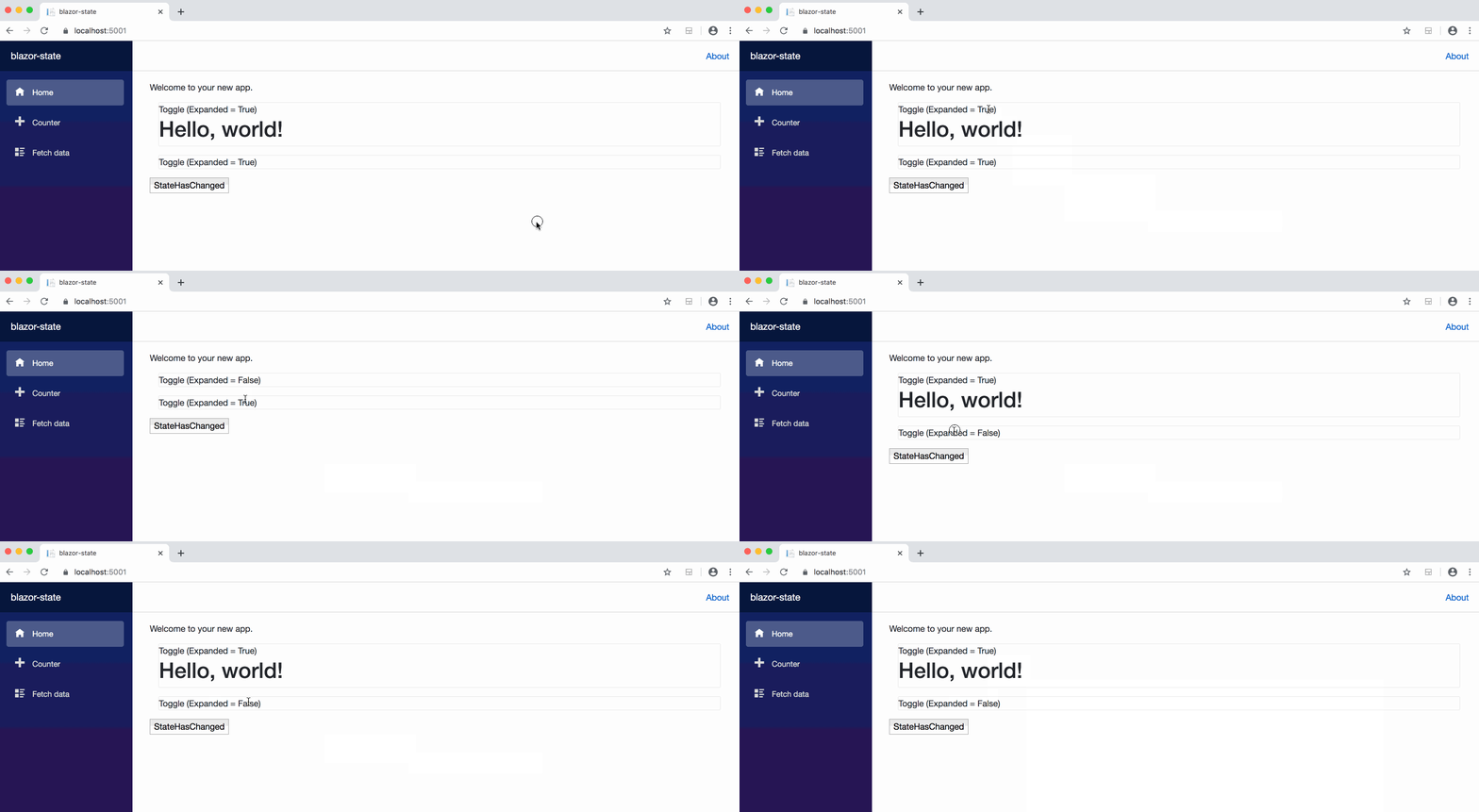
Note that only the component with child content is reset. Not sure if this is a bug or something by design. If it is the latter please suggest a workaround.
Further technical details
- ASP.NET Core version: 3.1.100-preview1-014459


Describe the bug
For some reason invoking the StateHasChanged method of a Blazor page resets component state only if the component has child content.
To Reproduce
Complete application: https://github.com/akorchev/blazor-state-lost
False.Here is a GIF showing my experience.

Note that only the component with child content is reset. Not sure if this is a bug or something by design. If it is the latter please suggest a workaround.
Further technical details