Namespaces are highlighted as symbols when module name is a substring of a namespace #4816

Description

In the screenshot below, we have a module named Test and a namespace Test.Namespace. The open Test.Namespace statement is highlighted incorrectly. It looks as if checkResults.GetSemanticClassification(range) is returning incorrect colorization. Probably related to this PR https://github.com/Microsoft/visualfsharp/pull/3932/files
I haven't tested in VS on Windows yet, but I would assume that it has the same issue.
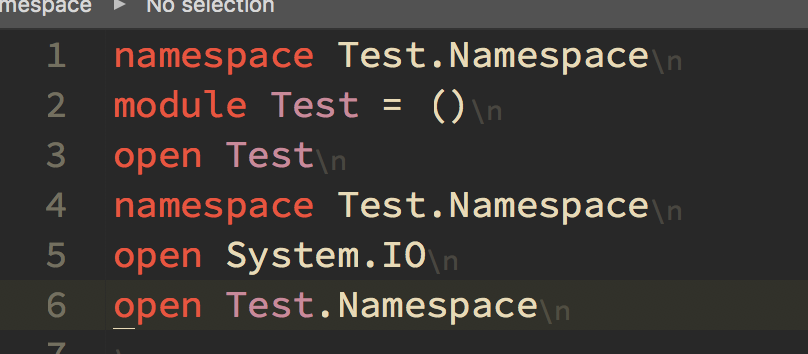
Repro steps
Paste this code into an editor
namespace Test.Namespace
module Test = ()
open Test
namespace Test.Namespace
open Test.Namespace
Expected behavior
open Test.Namespace shouldn't be highlighted any differently to any other namespace.
Actual behavior
Test is highlighted as if it were the Test module