After nearly 8 years and over 1 billion code executions, Try .NET is retiring on December 31st, 2025.
When we launched in 2017, GitHub Codespaces didn't exist yet, C# Dev Kit was years away, and AI-powered coding wasn't on the horizon. Try .NET gave developers something they needed: the ability to experiment with C# directly in their browser, no setup required.
We're incredibly proud of what Try .NET accomplished and grateful to everyone who used it, learned with it, and contributed to it. You helped shape what came next and the world has evolved. Today's developers have powerful local development tools that would have seemed like magic back then. It's time for us to focus our energy there.
Thank you for being part of the journey. Try .NET may be retiring, but the mission to make C# development delightful and accessible continues. Get started with modern C#: C# Dev Kit tutorial

Try .NET provides developers and content authors with tools to create interactive experiences.
There are two different Try .NET interactive experiences:
- The web experience powered by Blazor (as seen on Microsoft Learn)
- Interactive documentation with Markdown for .NET Core with the dotnet try global tool.
Microsoft Learn uses Try .NET to create interactive documentation. Users can run and edit code all in the browser.
Please Note: At the moment, the Try .NET online (trydotnet.js API) is currently only used internally at Microsoft as seen on Learn and .NET page.
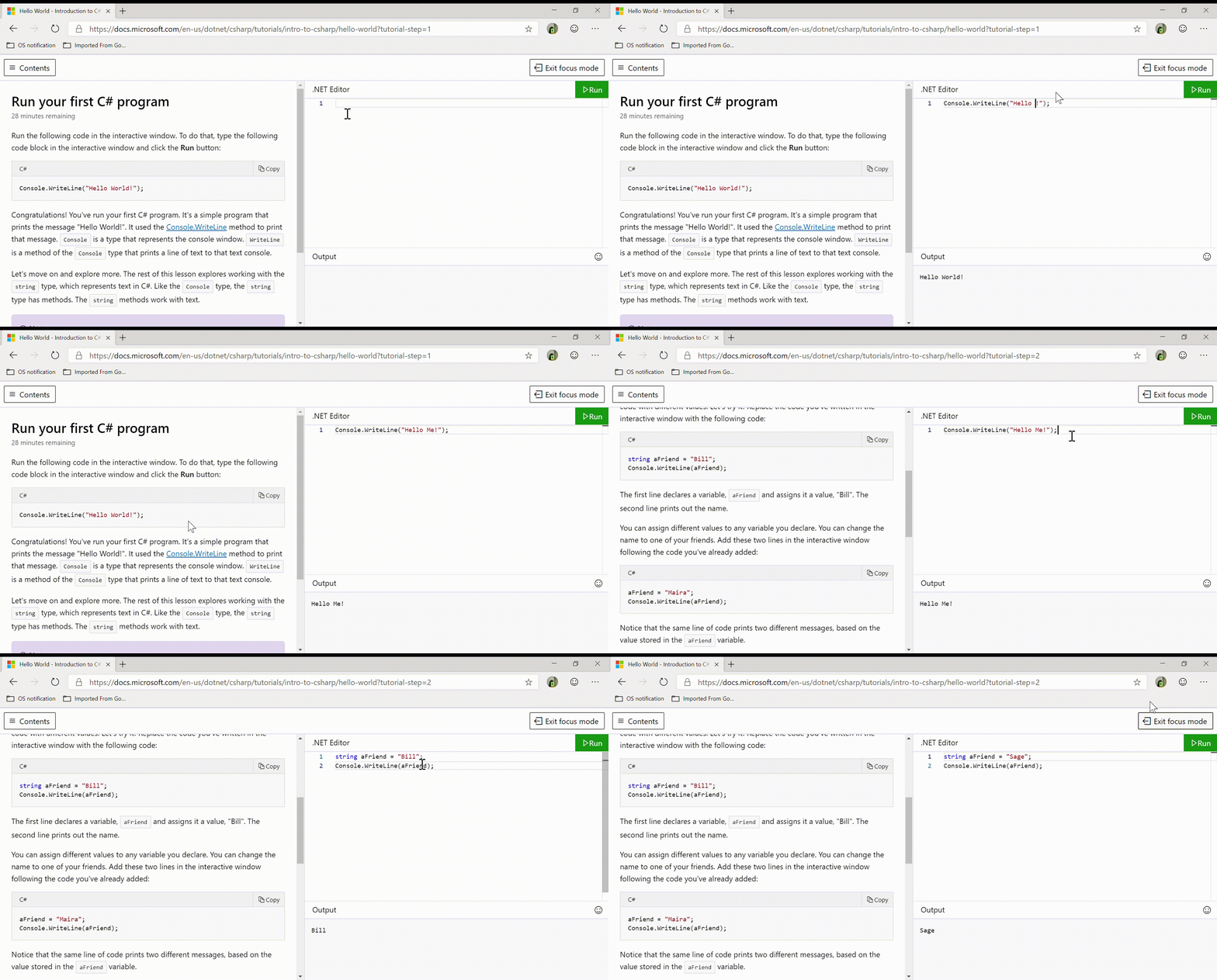
Try .NET enables .NET developers to create interactive markdown files.
To make your markdown files interactive, you will need the .NET Core 3.0 SDK, the dotnet try global tool and Visual Studio / VS Code (or any other editor of your choice).

- Getting Started with Try .NET: Interactive documentation generator for .NET Core.
As we are still in the early stages of our development, we are unable to take any feature PRs at the moment, but we intend to do so in the future. If you find an issue or have a feature suggestion, please open an issue. And if you have any feature suggestions, please submit them using the "community suggestions" label.
Microsoft Learn
Microsoft Learn uses Try .NET to create interactive documentation. Users can run and edit .NET code in the browser.
NCache Live by Alachisoft
NCache Live uses Try .NET to let the user experience NCache APIs with the help of executable and editable .NET code in the browser.


![@dotnet-maestro[bot]](https://avatars.githubusercontent.com/in/16706?s=64&v=4)


![@dependabot[bot]](https://avatars.githubusercontent.com/in/29110?s=64&v=4)