[google_maps_flutter] Custom marker size does not adapt to screen resolution #39691


Description

Hi!
I am using google_maps_flutter with custom marker icons.
Everything used to be ok before version 0.5.19. When version 0.5.19 was launched, with the change "Allow BitmapDescriptor scaling override", the old icon images started to be displayed at a very small size compared to before.
Our marker images start at size 35x46. The example in google_maps_flutter uses an image of size 48x48 which is supposed to be the standard marker size, isn't it?..
Also, if we change our marker images, and make the start size ~400x400, then the markers would be displayed at an OK size on a FHD screen resolution, but an HD resolution setting would display considerably bigger markers. Is it a normal behavior?
Sending the optional size parameter when calling createLocalImageConfiguration makes no difference.
Since no issue was opened on this topic until now, I imagine I am doing something wrong but I really don't know what 🤔
The tests have been made with version 0.5.21
P.S. The other markers are loaded directly from the 3.0x folder and they seem to have the same behavior
This is the code for loading an image:
_createMarkerImageFromAsset(
        context,
        'assets/markers/unselected/troti_selected_full.png'
    ).then((BitmapDescriptor fullMarkerIcon) {
      store.dispatch(SetMarkerIconsAction(fullMarkerIcon: fullMarkerIcon));
    });

 static Future<BitmapDescriptor> _createMarkerImageFromAsset(BuildContext context, String path) {
    final ImageConfiguration imageConfiguration =
    createLocalImageConfiguration(context);
    return BitmapDescriptor.fromAssetImage(imageConfiguration, path);
  }
Loading the image with size param:
 static Future<BitmapDescriptor> _createMarkerImageFromAsset(BuildContext context, String path) {
    final Size size = Size(10, 10);
    final ImageConfiguration imageConfiguration =
    createLocalImageConfiguration(context, size: size);
    return BitmapDescriptor.fromAssetImage(imageConfiguration, path);
  }
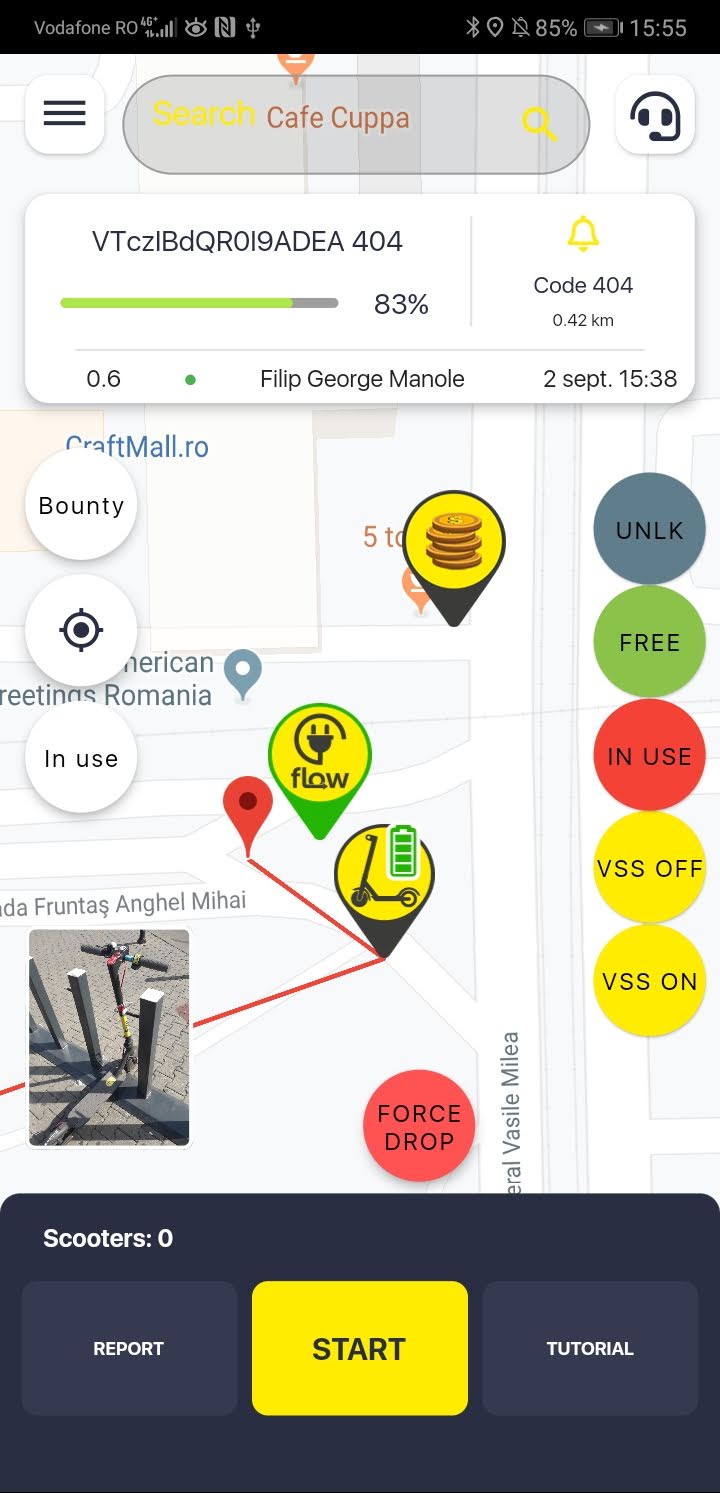
I have attached 4 screenshots - please pay attention to the marker with a green battery and an e-scooter compared to the standard red marker.
this is how the markers started to be displayed once we upgraded to version 0.5.19

this is how the markers started to be displayed once we upgraded to version 0.5.19, using HD screen resolution
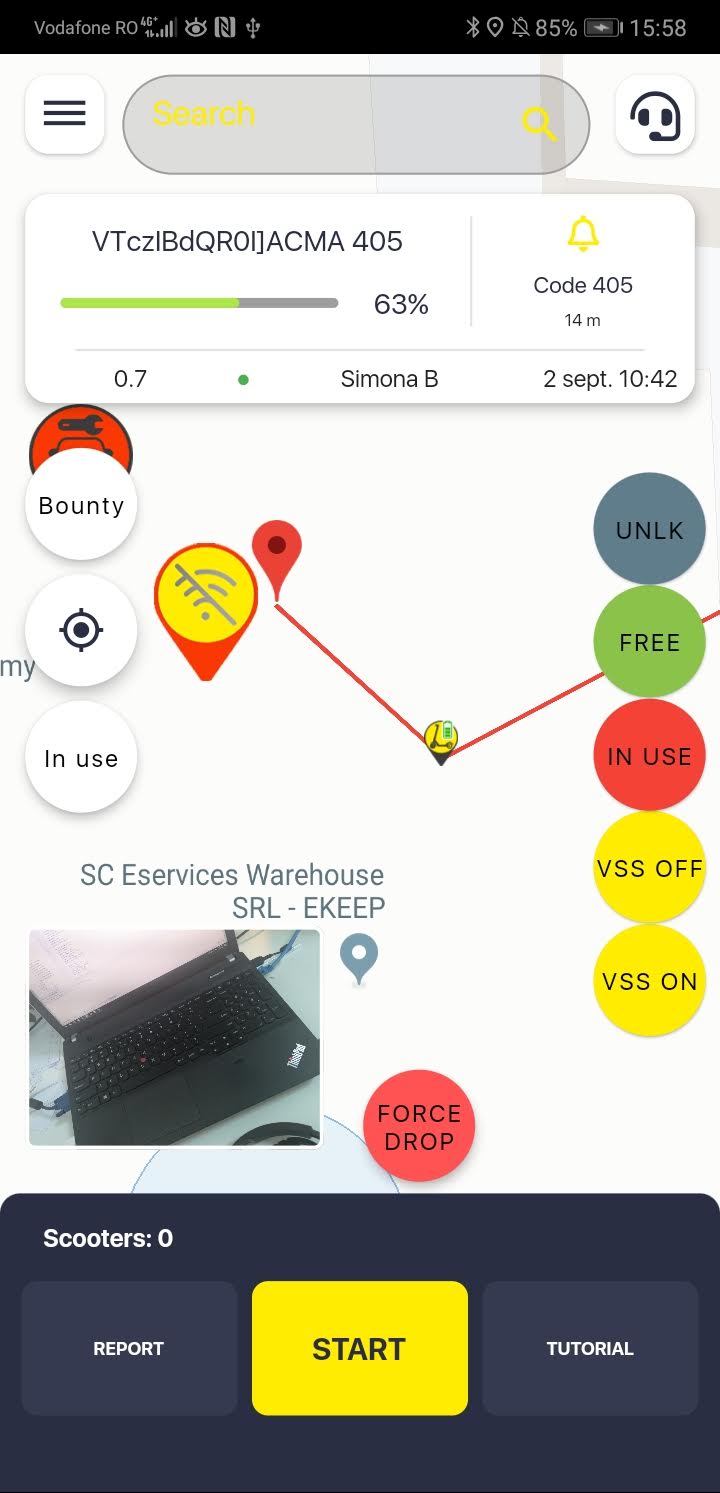
this is the marker after using the ~400x400 image for 1.0x on Full HD
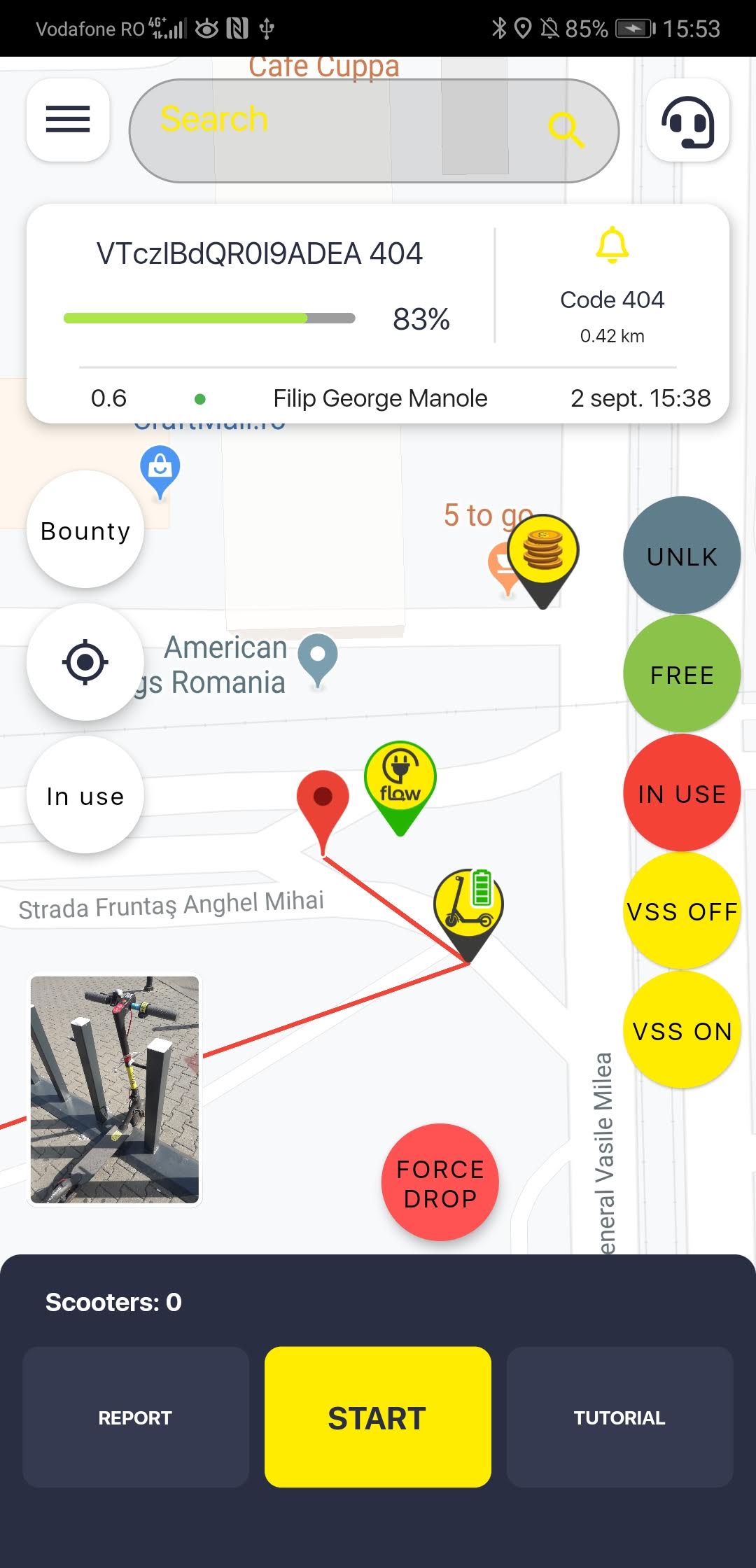
this is the marker after using the ~400x400 image for 1.0x on HD