









Run multiple coding agents in parallel—provider-agnostic, worktree-isolated, and local-first.
Emdash lets you develop and test multiple features with multiple agents in parallel. It’s provider-agnostic (we support 15+ CLIs, such as Claude Code, Qwen Code, Amp, and Codex) and runs each agent in its own Git worktree to keep changes clean; Hand off Linear, GitHub, or Jira tickets to an agent and review diffs side-by-side.
Installation • Integrations • Demo • Contributing • FAQ
Latest Release (macOS • Windows • Linux)
Direct links
- Apple Silicon: https://github.com/generalaction/emdash/releases/latest/download/emdash-arm64.dmg
- Intel x64: https://github.com/generalaction/emdash/releases/latest/download/emdash-x64.dmg

macOS users can also:
brew install --cask emdash

Emdash currently supports fifteen CLI providers and we are adding new providers regularly. If you miss one, let us know or create a PR.
| CLI Provider | Status | Install |
|---|---|---|
| Codex | ✅ Supported | npm install -g @openai/codex |
| Amp | ✅ Supported | npm install -g @sourcegraph/amp@latest |
| Auggie | ✅ Supported | npm install -g @augmentcode/auggie |
| Charm | ✅ Supported | npm install -g @charmland/crush |
| Claude Code | ✅ Supported | npm install -g @anthropic-ai/claude-code |
| Cursor | ✅ Supported | `curl https://cursor.com/install -fsS |
| Droid | ✅ Supported | `curl -fsSL https://app.factory.ai/cli |
| Gemini | ✅ Supported | npm install -g @google/gemini-cli |
| GitHub Copilot | ✅ Supported | npm install -g @github/copilot |
| Goose | ✅ Supported | `curl -fsSL https://github.com/block/goose/releases/download/stable/download_cli.sh |
| OpenCode | ✅ Supported | npm install -g opencode-ai |
| Qwen Code | ✅ Supported | npm install -g @qwen-code/qwen-code |
| Kimi | ✅ Supported | uv tool install --python 3.13 kimi-cli |
| Kiro | ✅ Supported | `curl -fsSL https://cli.kiro.dev/install |
| Rovo Dev | ✅ Supported | acli rovodev auth login |
Emdash allows you to pass tickets straight from Linear, GitHub, or Jira to your coding agent at workspace creation.
| Tool | Status | Authentication |
|---|---|---|
| Linear | ✅ Supported | Connect with a Linear API key. |
| Jira | ✅ Supported | Provide your site URL, email, and Atlassian API token. |
| GitHub Issues | ✅ Supported | Authenticate via GitHub CLI (gh auth login). |
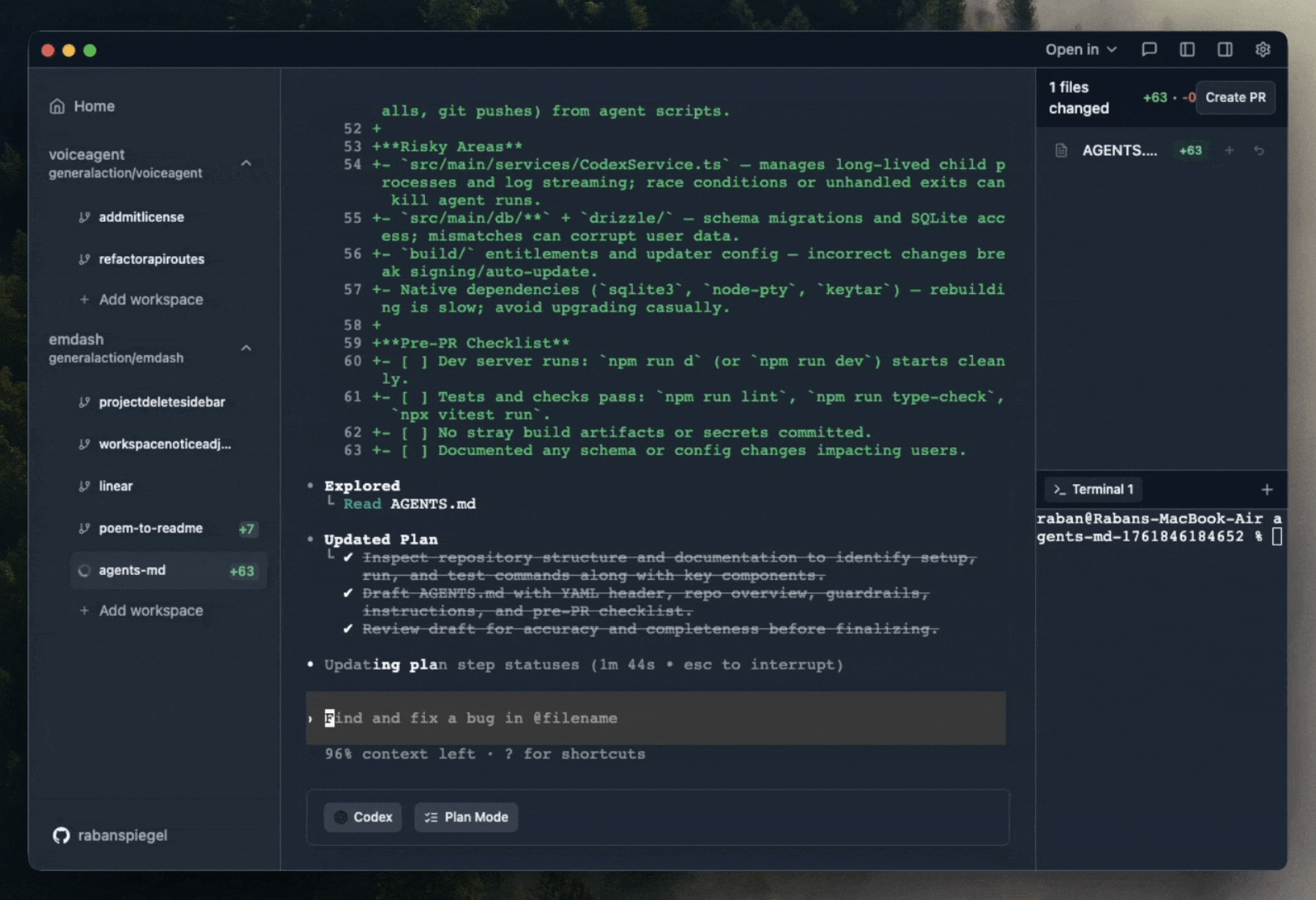
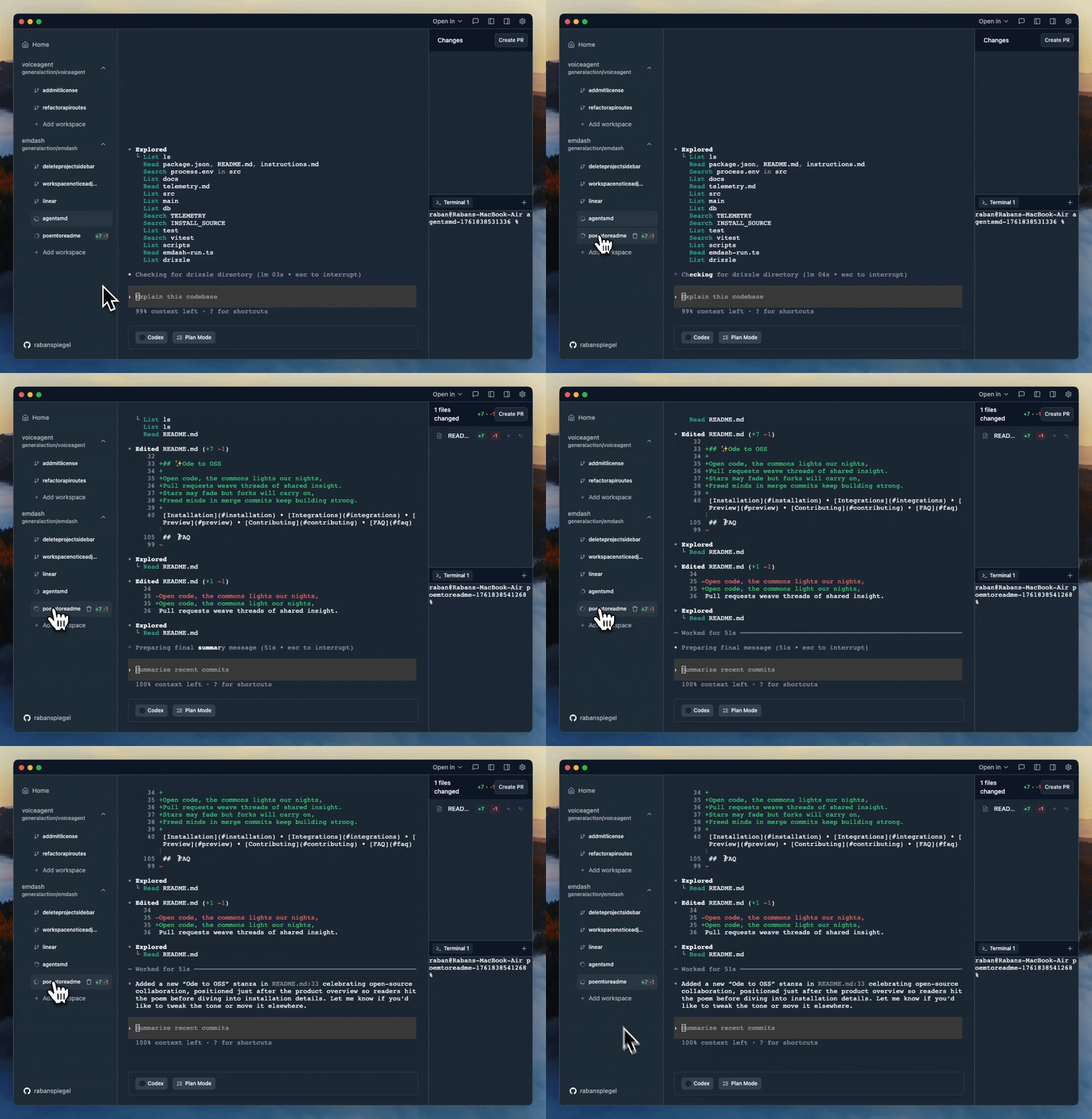
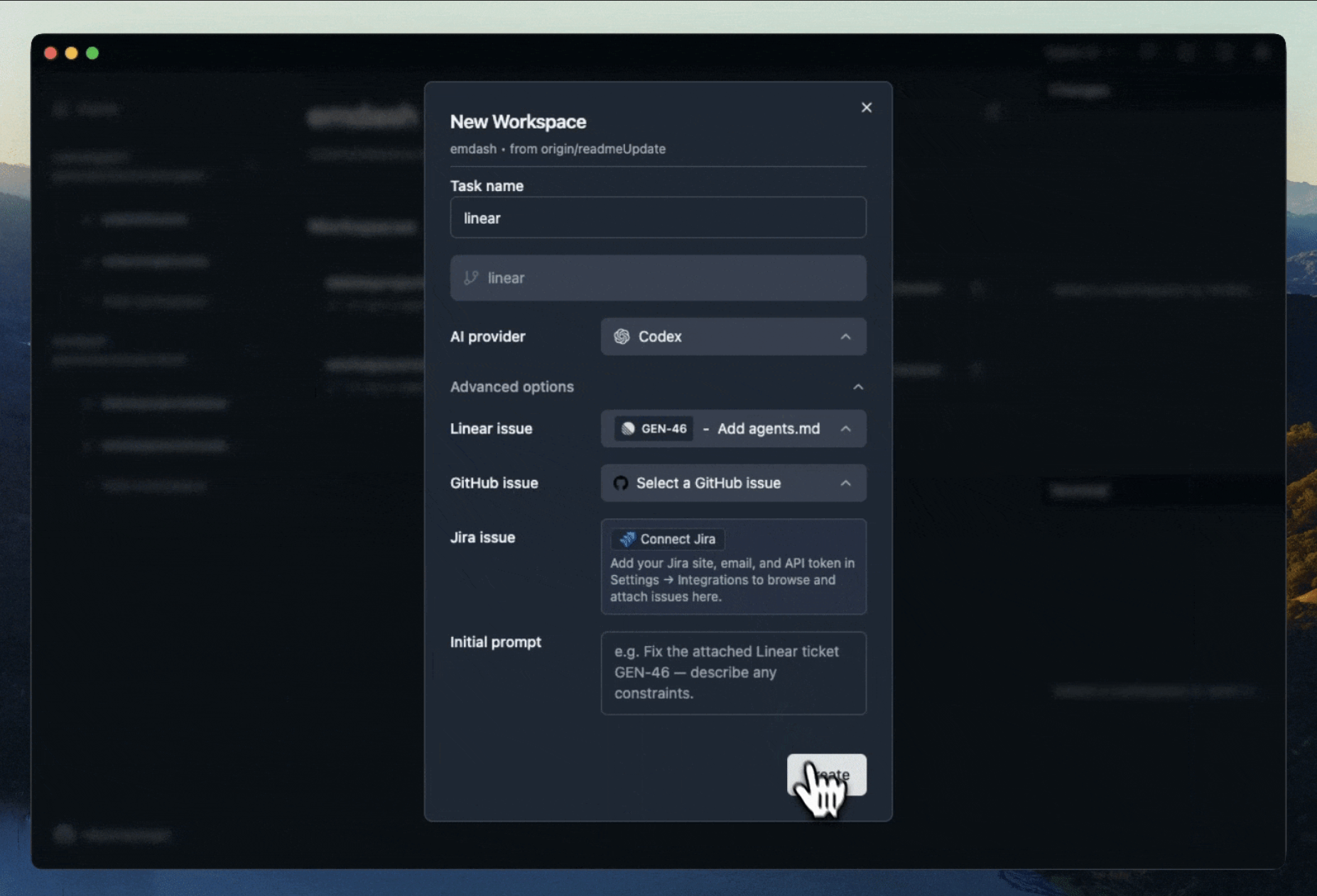
Contributions welcome! See the Contributing Guide to get started, and join our Discord to discuss.
What telemetry do you collect and can I disable it?
We send anonymous, allow‑listed events (app start/close, feature usage names, app/platform versions) to PostHog.
We do not send code, file paths, repo names, prompts, or PII.Disable telemetry:
- In the app: Settings → General → Privacy & Telemetry (toggle off)
- Or via env var before launch:
TELEMETRY_ENABLED=falseFull details: see
docs/telemetry.md.
Where is my data stored?
Everything is local‑first. We store app state in a local SQLite database:
macOS:  ~/Library/Application Support/emdash/emdash.db
Windows: %APPDATA%/emdash/emdash.db
Linux:  ~/.config/emdash/emdash.db
You can reset by deleting the DB (quit the app first). The file is recreated on next launch.
Do I need GitHub CLI?
Only if you want GitHub features (open PRs from Emdash, fetch repo info, GitHub Issues integration).
Install & sign in:gh auth loginIf you don’t use GitHub features, you can skip installing
gh.
How do I add a new provider?
Emdash is provider‑agnostic and built to add CLIs quickly.
- Open a PR following the Contributing Guide (
CONTRIBUTING.md).- Include: provider name, how it’s invoked (CLI command), auth notes, and minimal setup steps.
- We’ll add it to the Integrations matrix and wire up provider selection in the UI.
If you’re unsure where to start, open an issue with the CLI’s link and typical commands.
I hit a native‑module crash (sqlite3 / node‑pty / keytar). What’s the fast fix?
This usually happens after switching Node/Electron versions.
- Rebuild native modules:
npm run rebuild
- If that fails, clean and reinstall:
npm run reset(Resets
node_modules, reinstalls, and re‑builds Electron native deps.)
What permissions does Emdash need?
- Filesystem/Git: to read/write your repo and create Git worktrees for isolation.
- Network: only for provider CLIs you choose to use (e.g., Codex, Claude) and optional GitHub actions.
- Local DB: to store your app state in SQLite on your machine.
Emdash itself does not send your code or chats to our servers. Third‑party CLIs may transmit data per their policies.




