This repository was archived by the owner on Dec 5, 2024. It is now read-only.
This repository was archived by the owner on Dec 5, 2024. It is now read-only.
Unable to manage branches after re-opening GitHub window #343

Description

Description
I'm unable to view/create/delete my branches in a couple different scenarios. The workaround I've found when I get into these scenarios is to restart Unity completely, but that's not ideal.
Steps to Reproduce
Scenario 1
- Create new project, initialize repo, publish
- In GitHub window, go to
Branchestab - See if you can view/create/delete branches
Scenario 2
- Start Unity
- If GitHub window was open before, it will be open again and you can manage branches fine.
- Close GitHub window
- Re-open GitHub window
- See if you can view/create/delete branches
Expected behavior for both scenarios:
Can manage my branches
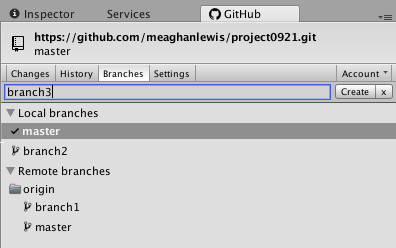
Actual behavior:
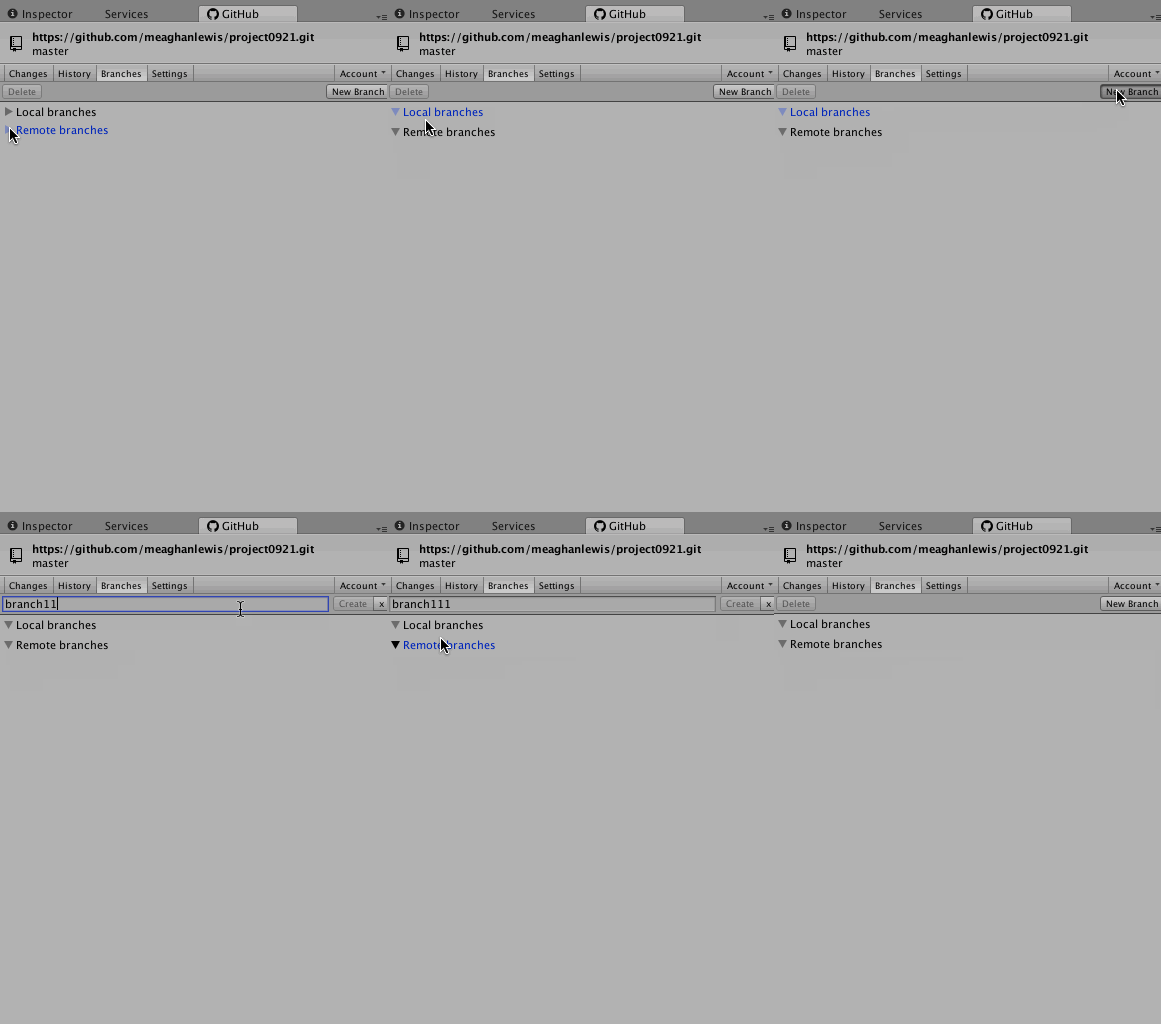
Additional Information
This behaves the same in both Windows and Mac with the latest build 0.21.1. I don't see any helpful information in the logs :(
I only ended up trying to close and open the tab because I'm not able to see my newly created branch without trying to "jiggle the handle" as Stanley would say.