ml-git is a tool which provides a Distributed Version Control system to enable efficient dataset management. Like its name emphasizes, it is inspired in git concepts and workflows, ml-git enables the following operations:
- Manage a repository of different datasets, labels and models.
- Distribute these ML artifacts between members of a team or across organizations.
- Apply the right data governance and security models to their artifacts.
Prerequisites:
With pip:
pip install git+git://github.com/HPInc/ml-git.git
Source code:
Download ml-git from repository and execute commands below:
-
Windows:
cd ml-git/ python3.7 setup.py install -
Linux:
cd ml-git/
sudo python3.7 setup.py install
1 - As ml-git leverages git to manage ML entities metadata, it is necessary to configure user name and email address:
$ git config --global user.name "Your User"
$ git config --global user.email "your_email@example.com"
2 - Storage:
Ml-git needs a configured storage to store data from managed artifacts. Please take a look at the ml-git architecture and internals documentation to better understand how ml-git works internally with data.
- To configure the storage see documentation about supported stores and how to configure each one.
3 - Ml-git project:
- An ml-git project is an initialized directory that will contain a configuration file to be used by ml-git in managing entities. To configure it you can use the basic steps to configure the project described in first project documentation.
$ ml-git --help
Usage: ml-git [OPTIONS] COMMAND [ARGS]...

Options:
   --version  Show the version and exit.

Commands:
  clone       clone a ml-git repository ML_GIT_REPOSITORY_URL
  dataset     management of datasets within this ml-git repository
  labels      management of labels sets within this ml-git repository
  model       management of models within this ml-git repository
  repository  management of this ml-git repository
ml-git clone <repository-url>
$ mkdir my-project
$ cd my-project
$ ml-git clone https://github.com/user/ml_git_configuration_file_example.git
If you prefer not to create the directory:
$ ml-git clone https://github.com/user/ml_git_configuration_file_example.git --folder=my-project
If you prefer keep git tracking files in the project:
$ mkdir my-project
$ cd my-project
$ ml-git clone https://github.com/user/ml_git_configuration_file_example.git --track
ml-git <ml-entity> create
This command will help you to start a new project, it creates your project artifact metadata:
$ ml-git dataset create --category=computer-vision --category=images --bucket-name=your_bucket --import=../import-path --mutability=strict dataset-ex
Demonstration video:

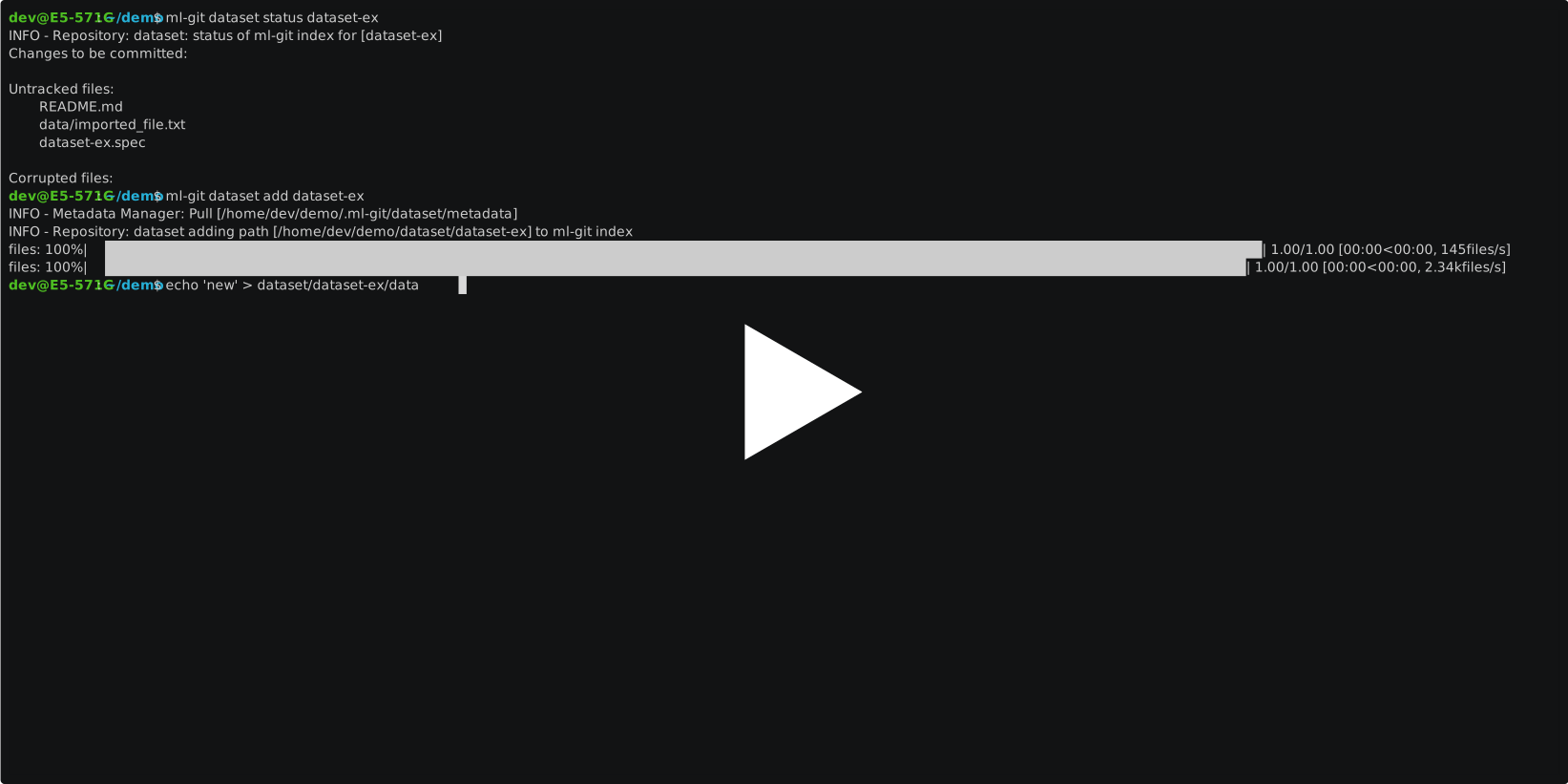
ml-git <ml-entity> status
Show changes in project workspace:
$ ml-git dataset status dataset-ex
Demonstration video:

ml-git <ml-entity> add
Add new files to index:
$ ml-git dataset add dataset-ex
To increment version:
$ ml-git dataset add dataset-ex --bumpversion
Add an specific file:
$ ml-git dataset add dataset-ex data/file_name.ex
Demonstration video:
ml-git <ml-entity> commit
Consolidate added files in the index to repository:
$ ml-git dataset commit dataset-ex
Demonstration video:

ml-git <ml-entity> push
Upload metadata to remote repository and send [chunks](docs/mlgit_internals.md) to store:
$ ml-git dataset push dataset-ex
Demonstration video:

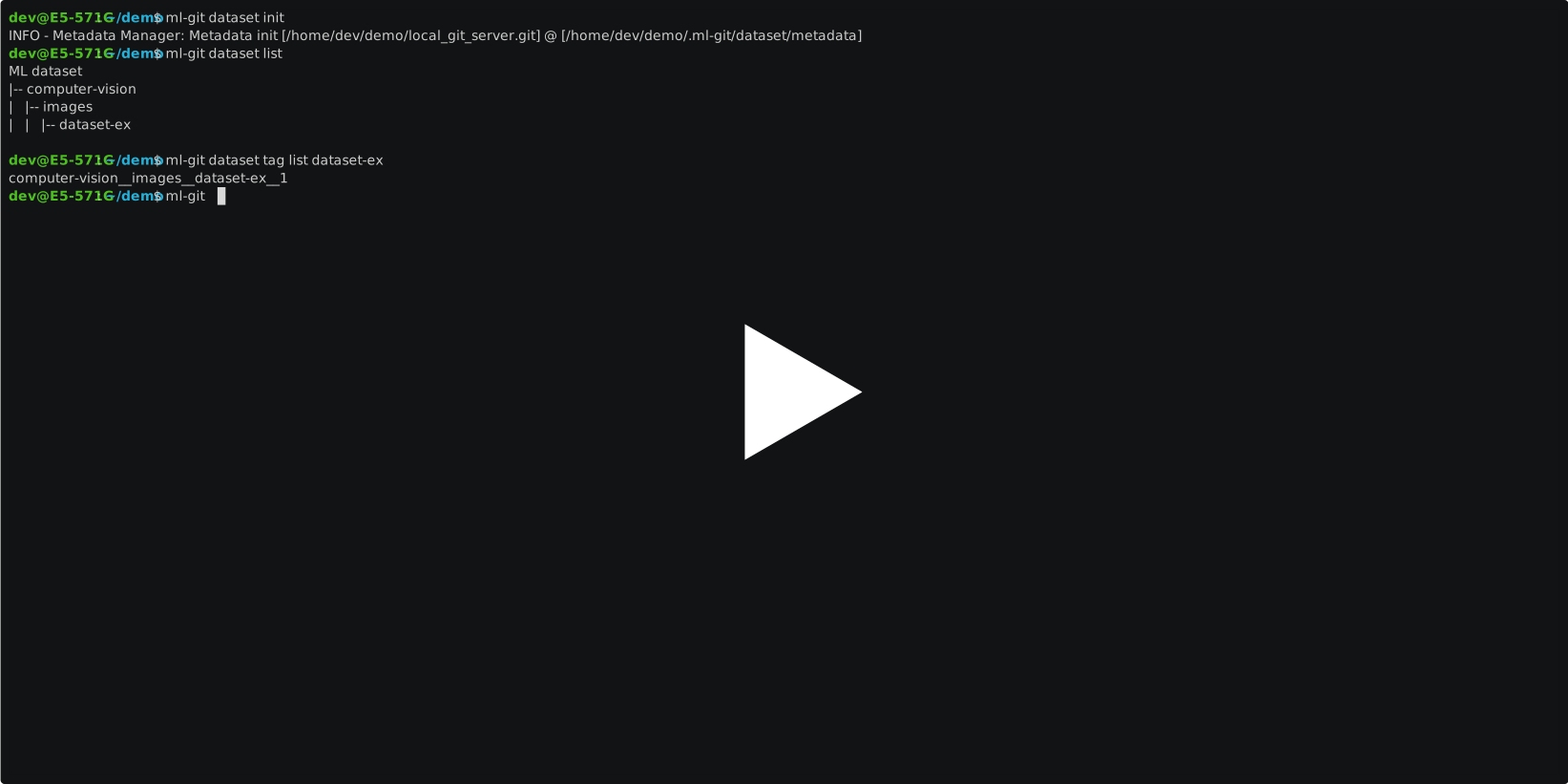
ml-git <ml-entity> checkout
Change workspace and metadata to versioned ml-entity tag:
$ ml-git dataset checkout computer-vision__images__dataset-ex__1
Demonstration video:
More about commands in documentation
Your contributions are always welcome!
- Clone repository and create a new branch
- Make changes and test
- Submit Pull Request with comprehensive description of changes
Another way to contribute with the community is creating an issue to track your ideas, doubts, enhancements, tasks, or bugs found. If an issue with the same topic already exists, discuss on the issue.
- ML-Git API documentation - Find the commands that are available in our api, usage examples and more.
- Working with tabular data - Find suggestions on how to use ml-git with tabular data.
- ml-git data specialization plugins - Dynamically link third-party packages to add specialized behaviors for the data type.