A powerful Python framework for building AI agents and multi-agent systems with built-in orchestration.
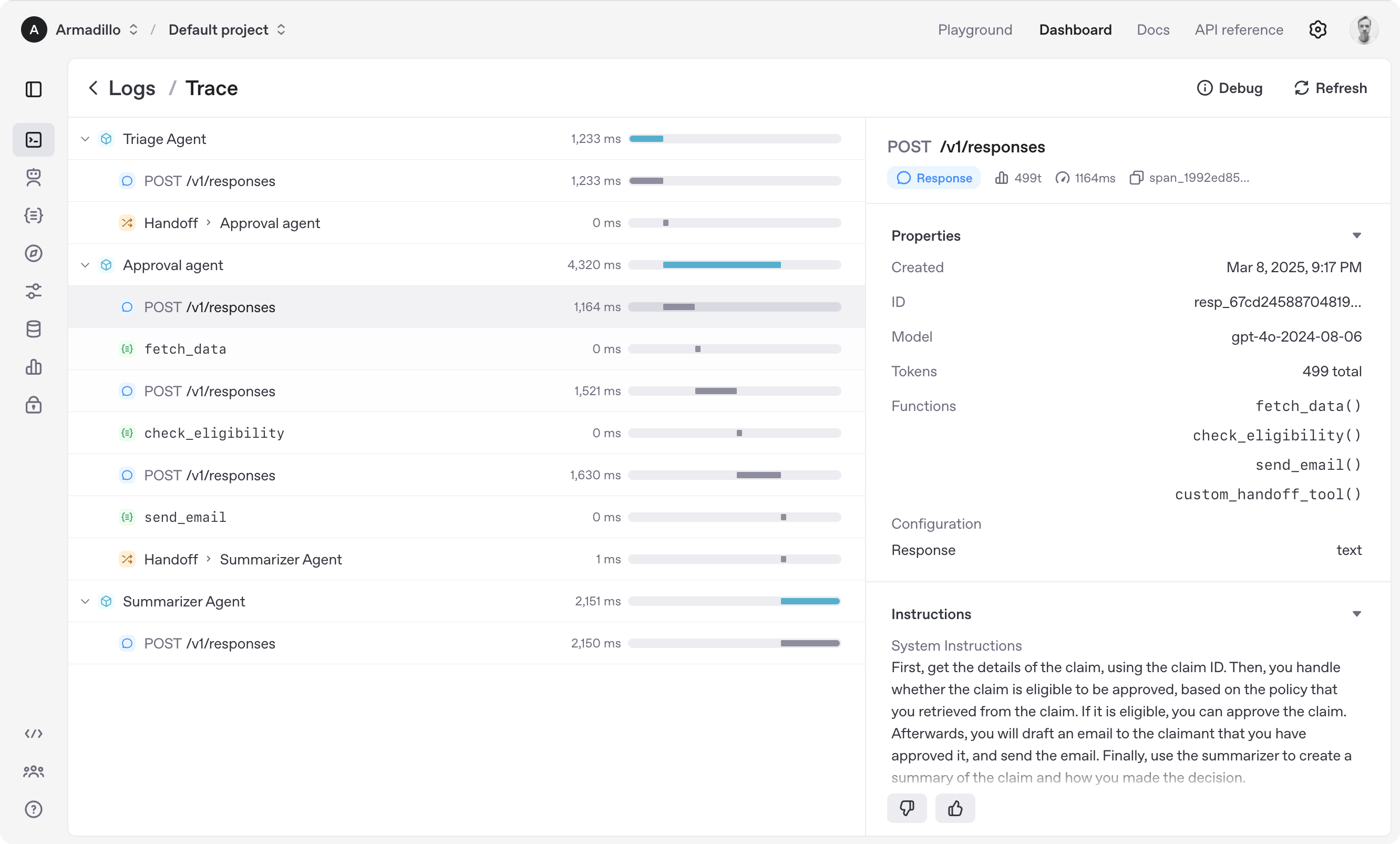
- 🤖 Multi-Agent Networks: Build systems where multiple specialized agents collaborate
- 🧠 Intelligent Routing: Semantic, rule-based, and load-balanced routing strategies
- 🛠️ Powerful Tools: Enhanced tool system with MCP (Model Context Protocol) support
- 📊 Shared State: Agents can share information through network state
- 🔄 Orchestration: Define complex workflows with parallel, conditional, and loop steps
- 💾 Memory System: Long-term memory with vector search and reflection capabilities
- ⚡ UI Streaming: Real-time updates for building responsive interfaces
- 🔍 Observability: Built-in tracing and monitoring via Hanzo Cloud dashboard
- 🌐 Backend Flexibility: Use with Hanzo Router for 100+ LLM providers
- 💎 Web3 Integration (
[web3]): Wallet management, transactions, on-chain identity - 🔒 TEE Support (
[tee]): Intel SGX, AMD SEV, NVIDIA H100 attestation and confidential computing - 🛒 Marketplace (
[marketplace]): Decentralized agent service discovery and economics - 💻 CLI (
[cli]): Command-line interface integration
- Agents: LLMs configured with instructions, tools, and memory
- Networks: Multi-agent systems with intelligent routing
- Workflows: Orchestrate complex multi-step processes
- State & Memory: Shared state and long-term memory
- Tools: Enhanced tool system with MCP support
- Tracing: Built-in tracking and observability
Explore the examples directory to see the SDK in action, and read our documentation for more details.
Notably, our SDK is compatible with any model providers that support the Open AI Chat Completions API format.
- Set up your Python environment
python -m venv env
source env/bin/activate
- Install Hanzo AI SDK
# Basic installation
pip install hanzoai

# With Web3 support
pip install "hanzoai[web3]"

# With TEE support
pip install "hanzoai[tee]"

# With Marketplace support
pip install "hanzoai[marketplace]"

# With CLI support
pip install "hanzoai[cli]"

# Full installation (all extensions)
pip install "hanzoai[full]"from hanzoai import Agent, Runner
agent = Agent(name="Assistant", instructions="You are a helpful assistant")
result = Runner.run_sync(agent, "Write a haiku about recursion in programming.")
print(result.final_output)
# Code within the code,
# Functions calling themselves,
# Infinite loop's dance.from agents import Agent, create_network
from agents.routers import SemanticRouter
# Create specialized agents
researcher = Agent(
name="Researcher",
instructions="You find and analyze information.",
tools=[search_tool, analyze_tool]
)
writer = Agent(
name="Writer",
instructions="You create content based on research.",
tools=[format_tool]
)
# Create a network
network = create_network(
agents=[researcher, writer],
router=SemanticRouter(),
default_model="gpt-4"
)
# Run the network
result = await network.run("Research and write about quantum computing")from agents import create_workflow, Step
workflow = create_workflow(
name="Content Pipeline",
steps=[
Step.agent("researcher", "Research {topic}"),
Step.parallel([
Step.agent("writer", "Write introduction"),
Step.agent("writer", "Write main content")
]),
Step.agent("reviewer", "Review and edit"),
Step.conditional(
condition=lambda state: state.get("quality_score") < 8,
true_step=Step.agent("writer", "Revise based on feedback"),
false_step=Step.transform(lambda x: {"status": "published"})
)
]
)
result = await workflow.run({"topic": "AI Safety"})(Configure backend with HANZO_ROUTER_URL and HANZO_API_KEY environment variables)
from hanzoai import Agent, Runner
import asyncio

spanish_agent = Agent(
    name="Spanish agent",
    instructions="You only speak Spanish.",
)

english_agent = Agent(
    name="English agent",
    instructions="You only speak English",
)

triage_agent = Agent(
    name="Triage agent",
    instructions="Handoff to the appropriate agent based on the language of the request.",
    handoffs=[spanish_agent, english_agent],
)


async def main():
    result = await Runner.run(triage_agent, input="Hola, ¿cómo estás?")
    print(result.final_output)
    # ¡Hola! Estoy bien, gracias por preguntar. ¿Y tú, cómo estás?


if __name__ == "__main__":
asyncio.run(main())import asyncio
from hanzoai import Agent, Runner, function_tool
@function_tool
def get_weather(city: str) -> str:
return f"The weather in {city} is sunny."
agent = Agent(
name="Hello world",
instructions="You are a helpful agent.",
tools=[get_weather],
)
async def main():
result = await Runner.run(agent, input="What's the weather in Tokyo?")
print(result.final_output)
# The weather in Tokyo is sunny.
if __name__ == "__main__":
asyncio.run(main())When you call Runner.run(), we run a loop until we get a final output.
- We call the LLM, using the model and settings on the agent, and the message history.
- The LLM returns a response, which may include tool calls.
- If the response has a final output (see below for more on this), we return it and end the loop.
- If the response has a handoff, we set the agent to the new agent and go back to step 1.
- We process the tool calls (if any) and append the tool responses messages. Then we go to step 1.
There is a max_turns parameter that you can use to limit the number of times the loop executes.
Final output is the last thing the agent produces in the loop.
- If you set an
output_typeon the agent, the final output is when the LLM returns something of that type. We use structured outputs for this. - If there's no
output_type(i.e. plain text responses), then the first LLM response without any tool calls or handoffs is considered as the final output.
As a result, the mental model for the agent loop is:
- If the current agent has an
output_type, the loop runs until the agent produces structured output matching that type. - If the current agent does not have an
output_type, the loop runs until the current agent produces a message without any tool calls/handoffs.
The Agent SDK is designed to be highly flexible, allowing you to model a wide range of LLM workflows including deterministic flows, iterative loops, and more. See examples in examples/agent_patterns.
The Agent SDK automatically traces your agent runs, making it easy to track and debug the behavior of your agents. Tracing is extensible by design, supporting custom spans and a wide variety of external destinations, including Logfire, AgentOps, Braintrust, Scorecard, and Keywords AI. For more details about how to customize or disable tracing, see Tracing.
- Ensure you have
uvinstalled.
uv --version- Install dependencies
make sync- (After making changes) lint/test
make tests  # run tests
make mypy   # run typechecker
make lint   # run linter
We'd like to acknowledge the excellent work of the open-source community, especially:
We're committed to continuing to build the Agent SDK as an open source framework so others in the community can expand on our approach.
from agents import Agent, Runner
from agents.extensions.web3 import Web3Agent, AgentWallet

# Create wallet for agent
wallet = AgentWallet.from_mnemonic("your mnemonic here")

# Create Web3-enabled agent
trader = Web3Agent(
    name="Crypto Trader",
    instructions="You are a cryptocurrency trading agent",
    wallet=wallet
)

# Agent can now use wallet tools
result = await Runner.run(trader, "Check my ETH balance")from agents import Agent, Runner
from agents.extensions.tee import ConfidentialAgent, TEEProvider
# Create agent that runs in TEE
confidential_agent = ConfidentialAgent(
name="Secure Agent",
instructions="You handle sensitive data",
tee_provider=TEEProvider.INTEL_SGX
)
# Generate attestation
attestation = await confidential_agent.generate_attestation()
print(f"Attestation: {attestation.quote}")from agents import Agent
from agents.extensions.marketplace import AgentMarketplace, ServiceOffer, ServiceType
# Create agent that offers services
service_agent = Agent(
name="Research Agent",
instructions="You conduct research"
)
# Create service offer
offer = ServiceOffer(
id="research-1",
agent_address="0x...",
agent_name="Research Agent",
service_type=ServiceType.RESEARCH,
price_eth=0.01,
description="Comprehensive research services"
)
# Register on marketplace
marketplace = AgentMarketplace()
await marketplace.register_offer(offer)