- iPhone is locked while recording.
- iPhone save recording if the lock button is pressed.
- In order to activate the shortcut and start recording the least amount of button presses are used.
- Send the recording with the least amount of button presses as possible.
The goal of this project is to create an IOS shortcut where you can send a text with your location and a recording of your interaction with the police to somebody of your choice. However, IOS Shortcuts are pretty limited in what you can do. The biggest problem that I found with IOS is that when you're recording if you lock the screen the video will not save. But there's hope. If you use QuickTake IOS will save the video if the lock button is pressed.
These shortcuts do have some privacy concerns.
- Your location has to be always on.
- Siri has to be on (there is a button version of Siri).
Why is this a problem? I'm pretty sure lockdown mode on IOS disables location among some of the other features of these shortcuts.
Why would you hand your unlocked phone to the police? Movin' on
If you have the action button on the new iPhones I think you can use it to run a shortcut but these shortcuts require you to use two shortcuts. The first shortcut sends a message to somebody that you got arrested. The second shortcut uploads the video/audio to that person. Afterwards, you're going to create two automations one that runs the "Police" recording shortcut and the other one runs the "Save Recording" shortcut.

When I was on IOS 18 voice memos would start a recording without a prompt but now on IOS 26, I guess it does??? The reason I wanted to use voice memos is because I could lock the screen and it continues to record. The other problem with this shortcut is that it doesn't automatically send the recording. This is a problem if you can't access your phone.
Shortcuts has a feature to start recording audio but there's two problems.
- It requires a prompt to start it.
- It will stop recording (but it will save) if the lock screen button is pressed.
But this shortcut will send the recording to somebody after you turn off do not disturb.
This is the basic version of the shortcut it doesn't start recording anything. However, it will send the last video saved to somebody of your choice.
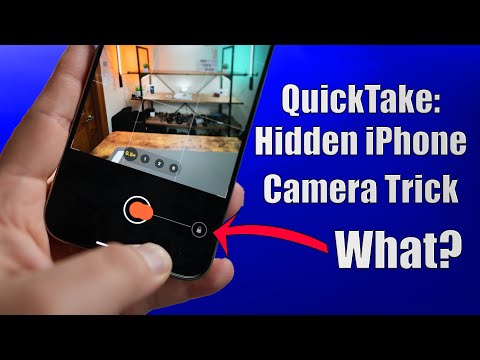
How does QuickTake work? I don't know but I do know that it will save the video if you stop recording.
When the screen is locked:
- Swipe to the right to open the camera
- Switch to video
- Press and hold the record button and slide it to the right
Now you're in QuickTake mode. If you lock the screen it will stop recording but the footage will be saved.

- Select a shortcut pair
- Create the IOS automation
- ????
- Pray you never get arrested.
If you get arrested/pulled over you'll tell Siri to active Do Not Disturb. The shortcut then activates by sending a message that you're interacting with the police at the location of your iPhone. Then it will ask you to start a recording. Once you turn off Do Not Disturb it will send out a message with your location. However, voice memos has to be manually shared.
This one works the same as voice memos but has a few key changes. 1) A voice recording can be stopped by either tapping the screen or pressing the lock button. There is no way for the iPhone to know if a recording ended prematurely but you could just run the shortcut again. 2) This shortcut will automatically send out the audio recording to a person of your choice.
This one is just a bare bones version of the other two. However, it will send the most recent video if Do Not Disturb is turned off.
I don't know why after the IOS 26 update voice memos now requires a prompt to start recording from the lockscreen. Even if I put the "lock iPhone" function at the very end, it still won't start recording with out a prompt. You should be able to tell Siri to confirm on screen prompt but DDG and Google say otherwise.
It would be nice to see more support for something like this in shortcuts. Apple already does Lock Down Mode on the iPhone so adjusting some of these functions wouldn't be that big of problem. However, it would be ever better if we could get a dedicated app.