This app allows the user to view information about different trains and their estimated arrival times.
Images of the train schedule and how users can add trains to the schedule.
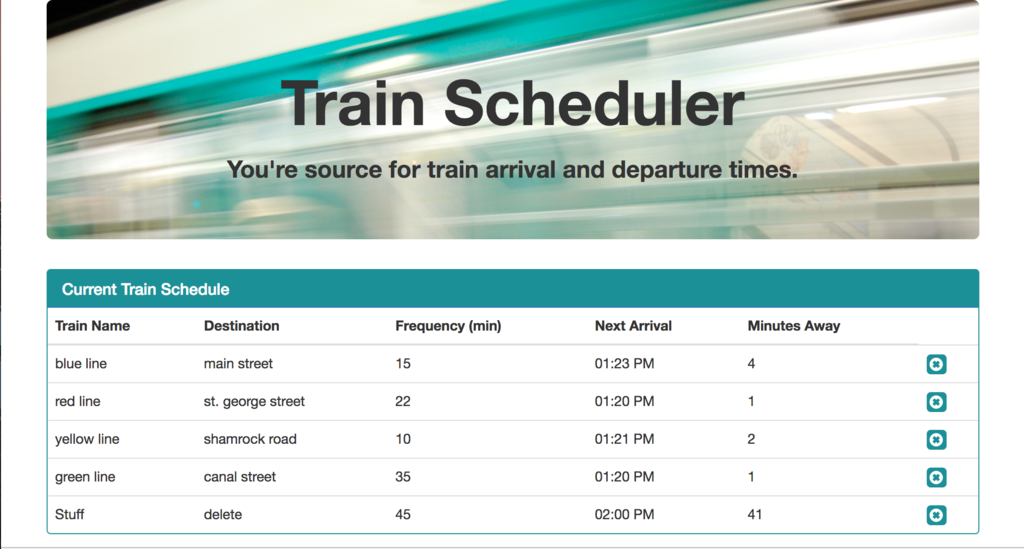
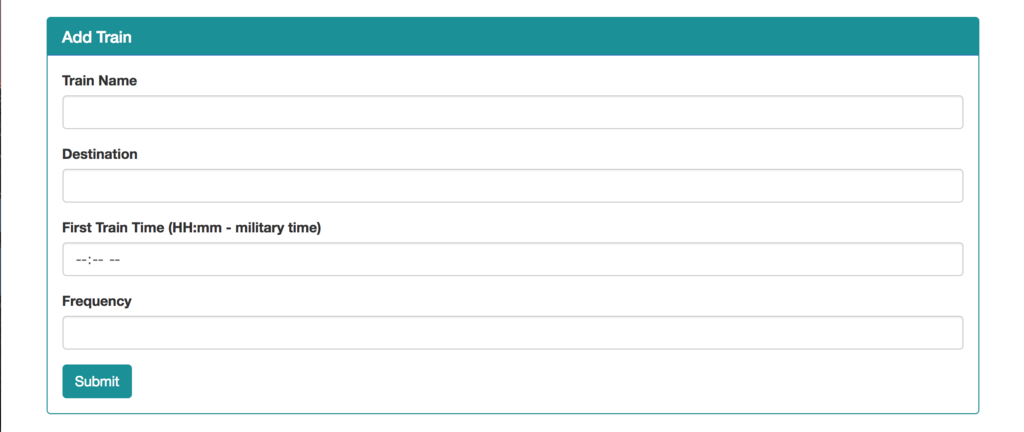
You can give a brief listing of the technologies you've learned and applied here
- moment.js
- firebase
- jQuery
- Bootstrap
Clone a copy of the repo and add a project in firebase. Add your firebase code. Watch your data post and update.
What to install and how for local development and testing purposes
- firebase: [click here](https://console.firebase.google.com), create an account and insert your API information into train.js
- Sublime Text
- Bootstrap
- jQuery
The click event that adds train information to firebase
$("#add-train").on("click", function(event){
	event.preventDefault();

	// users input from text boxes
	train = $("#train-input").val().trim();
	destination = $("#dest-input").val().trim();
	firstTime = moment($("#time-input").val().trim(), "HH:mm").subtract(10, "years").format("X");
	frequency = $("#freq-input").val().trim();

	// creates an object for storing data
	var newTrain = {
		train: train,
		destination: destination,
		firstTime: firstTime,
		frequency: frequency,
	};
	// uploads train data to the database
	database.ref().push(newTrain);
- Janet Walker - Initial work - Janet Walker
This project is licensed under the MIT License - see the LICENSE.md file for details
- Huge shout out to all of the open source documentation out there!