You've finished a feature and are ready to deploy it. But first you need to add it to the master branch of your repository. It turns out you have a lot of options, each with their own tradeoffs.
Let’s say master is in this state.
 And we have a new feature we’ve been working on.
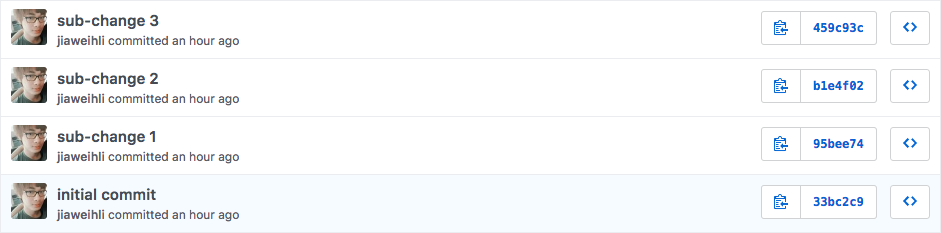
We could fold this into master via rebase + squash.
 Or, we could fold this into
 master via rebase + merge —no-ff.
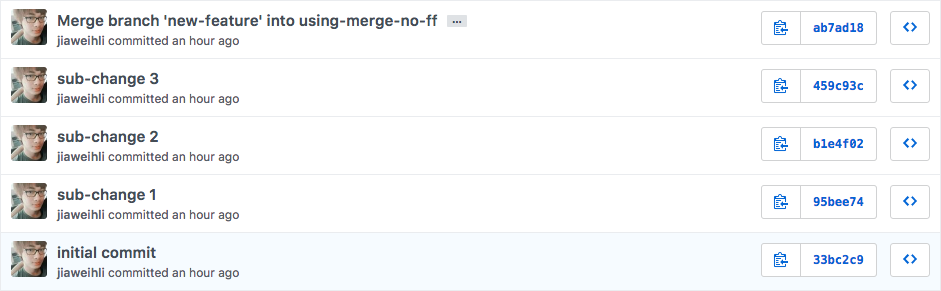
It's easy to misunderstand rebase + merge —no-ff as a linear history that makes it hard to see what a complete feature looks like. Kind of like a pure rebase workflow.
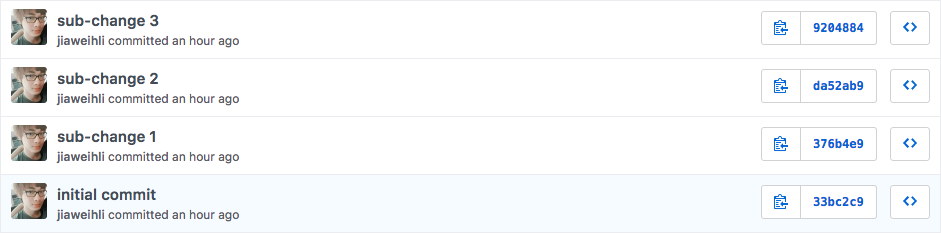
But this isn’t the case. Actually, if you look at the network graph:
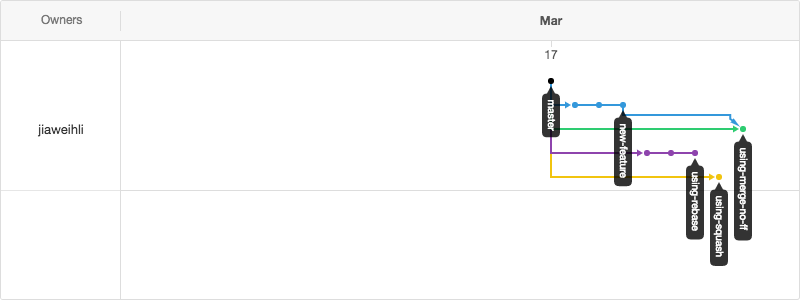
merge —no-ff and squash look very similar.
See how both both using-merge-no-ff and using-squash only have 1 commit in mainline?
We can examine the commit from using-merge-no-ff.
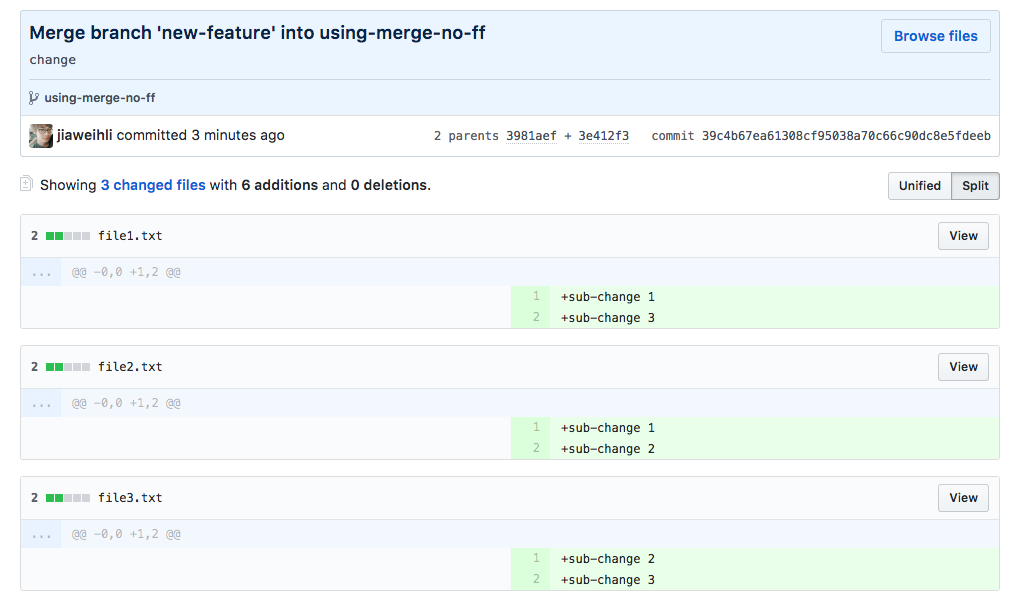 And, we can examine the commit from
 using-squash.
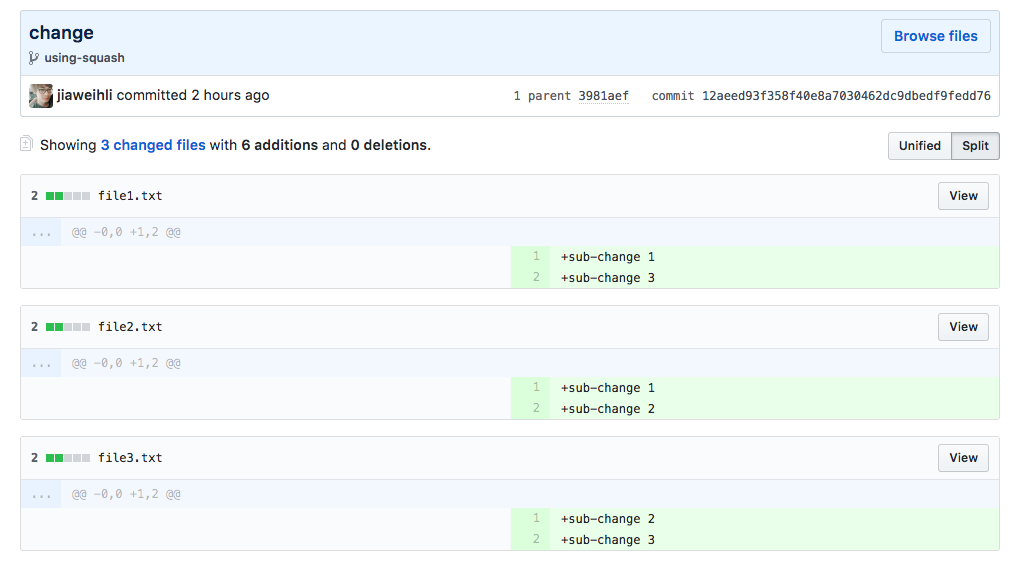
They’re actually the same! You can revert both of these commits to revert new-feature if you need to.
But using-merge-no-ff has the added benefit of extra (branch) metadata that’s stored in the repo.
This is useful - it becomes easier to do code review, do git blame, and run git bisect.
Even if the sub-commits in the branch aren’t split up perfectly, you’re still reducing the amount of code you need to read in each sub-commit.
And you can always view the full feature by looking at the mainline merge commit.
- [:star2:] easily revert a feature by reverting a single commit
- [:star2:] ensure git history is linear
- [:exclamation:] lose feature commit history
- [:star2:] preserve feature commit history
- [:star2:] ensure git history is linear
- [:exclamation:] unclear what commits together make up a single feature, need context to revert
- [:star2:] preserve feature commit history
- [:star2:] easily revert a feature by reverting a single commit
- [:exclamation:] git history isn't necessarily linear - feature branches can overlap on the mainline
- [:exclamation:] a merge commit might not be created (and reverting will be hard) if a fast-forward happens when merging against the
HEADof a branch
- [:star2:] preserve feature commit history
- [:star2:] easily revert a feature by reverting a single commit
- [:exclamation:] git history isn't necessarily linear - feature branches can overlap on the mainline
- [:star2:] preserve feature commit history
- [:star2:] easily revert a feature by reverting a single commit
- [:star2:] ensure git history is linear
If you're currently using squash:
The rebase && merge --no-ff workflow is completely optional, and can coexist with the squash workflow - if you'd rather squash, you can keep doing so. They’re equivalent on the mainline!
If you're currently using rebase:
rebase && merge --no-ff can give you the same clean, linear history, but with the added benefit of being able to revert a feature without much context.
If you're currently using merge:
merge --no-ff and rebase && merge --no-ff give you the same benefits without the drawbacks. There's very little switching cost!