Git Commit Visualizer is a web application built with Flask and D3.js that visualizes commit history from a Git repository.
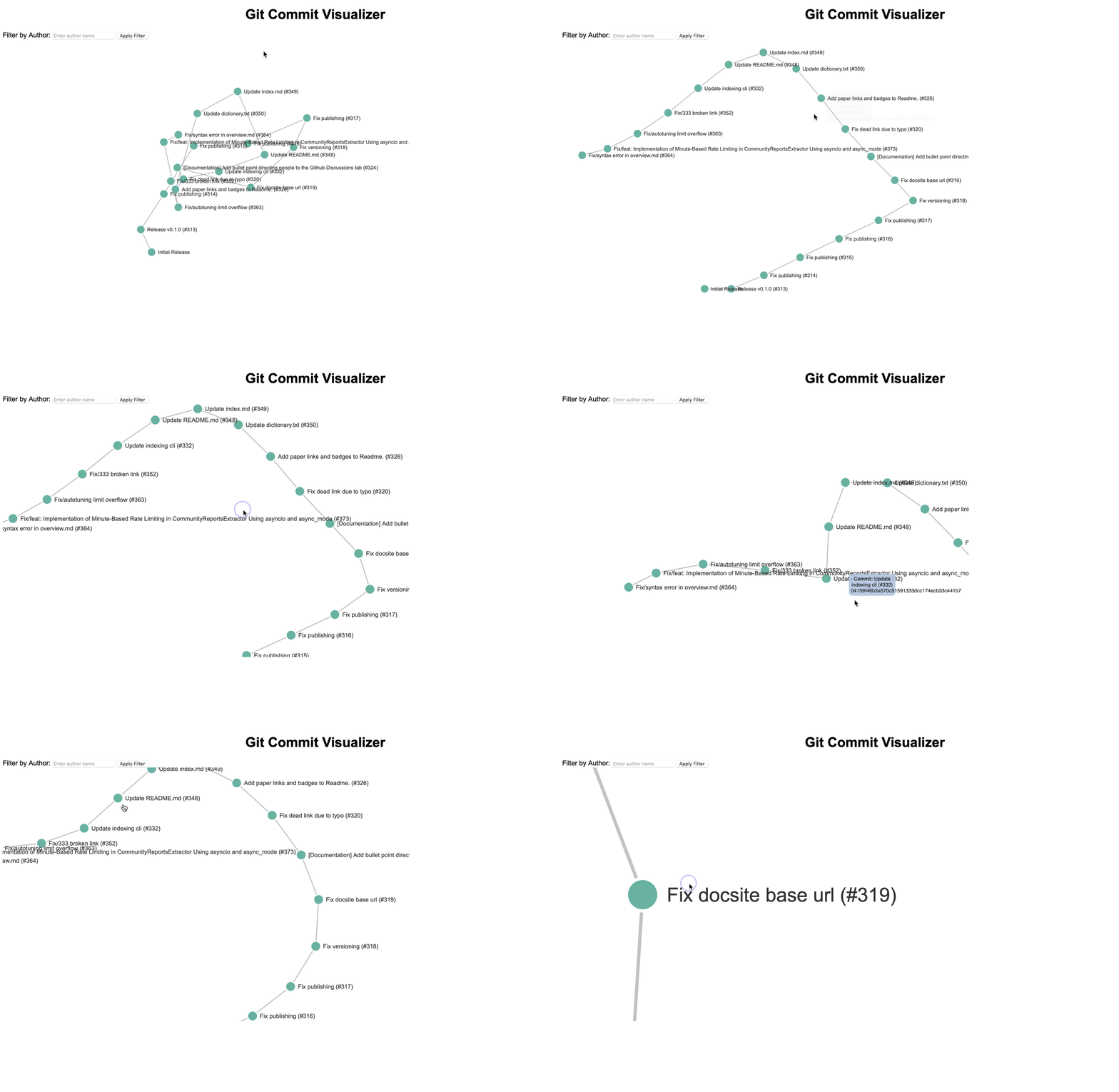
- Visualization of Commit History: Display commit messages and details in an interactive graph.
- Filtering: Filter commits by author.
- Dynamic Update: Automatically updates visualization when filters are applied.
- Python 3.x
- Git
- Clone the repository:
git clone https://github.com/kirkbowe/git-commit-visualizer.git
cd git-commit-visualizer- Create a virtual environment (optional but recommended):
python -m venv venv
source venv/bin/activate # On Windows use `venv\Scripts\activate`- Install dependencies:
pip install -r requirements.txt- Start the Flask server:
python -m visualizer.server /path/to/your/git/repoReplace /path/to/your/git/repo with the path to your Git repository.
-
Open a web browser and go to http://127.0.0.1:5000.
-
Use the interface to filter and visualize commit history.
Adjust visualizer/server.py to customize Flask settings or default repository path.
Pull requests are welcome. For major changes, please open an issue first to discuss what you would like to change.
This project is licensed under the MIT License - see the LICENSE file for details.
- Flask
- D3.js
Kirk Bowe - @kirkbowe