TruckSim-Telemetry provides telemetry data and events for Euro Truck Simulator 2 and American Truck Simulator via the scs-sdk-plugin.





Current supported version of scs-sdk-plugin
v1.12.1
Read the full documentation over at https://kniffen.dev/TruckSim-Telemetry
- Real-time data: Access telemetry data from ETS2/ATS.
- Event-driven: Emits events for various in-game occurrences (job, truck, navigation, etc.).
- Cross-platform: Works on Windows, Linux and macOS.
- Lightweight: Native C/C++ addon, zero dependencies.
- Download and install the scs-sdk-plugin by RenCloud.
- Install Node.js and the C++ build tools. The recommended way is to install the "Desktop development with C++" workload from the Visual Studio Build Tools.
- Install the package via NPM:
npm install trucksim-telemetry
- Download and install the scs-sdk-plugin fork by truckermudgeon. Note: You may have to build this from source.
- Install the necessary build tools for your platform (e.g.,
build-essentialon Debian/Ubuntu, Xcode Command Line Tools on macOS). - Install the package via NPM:
npm install trucksim-telemetry
For additional examples and explanations, see the full documentation over at https://kniffen.dev/TruckSim-Telemetry
import { truckSimTelemetry } from 'trucksim-telemetry';

const telemetry = truckSimTelemetry();

telemetry.on('connected', () => {
  console.log('SDK connected');
});

telemetry.on('job-started', (data) => {
  console.log('New job started', data);
});This seems to be a problem with the underlying SDK plugin. It appears to only trigger once per game session.
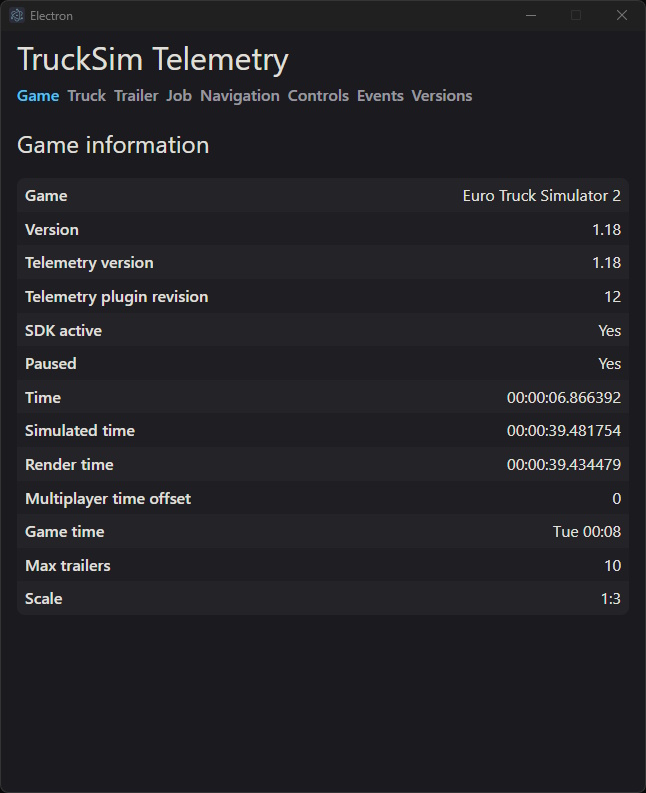
To help visualize the data, you can use this Demo app.
This project is provided under the MIT License - see the LICENSE file for details