feat: Modernized 2026 Edition — PowerShell 7.4 WPF Module (v1.3.0)#8
feat: Modernized 2026 Edition — PowerShell 7.4 WPF Module (v1.3.0)#8dutch2005 wants to merge 4 commits intolazywinadmin:masterfrom
Conversation


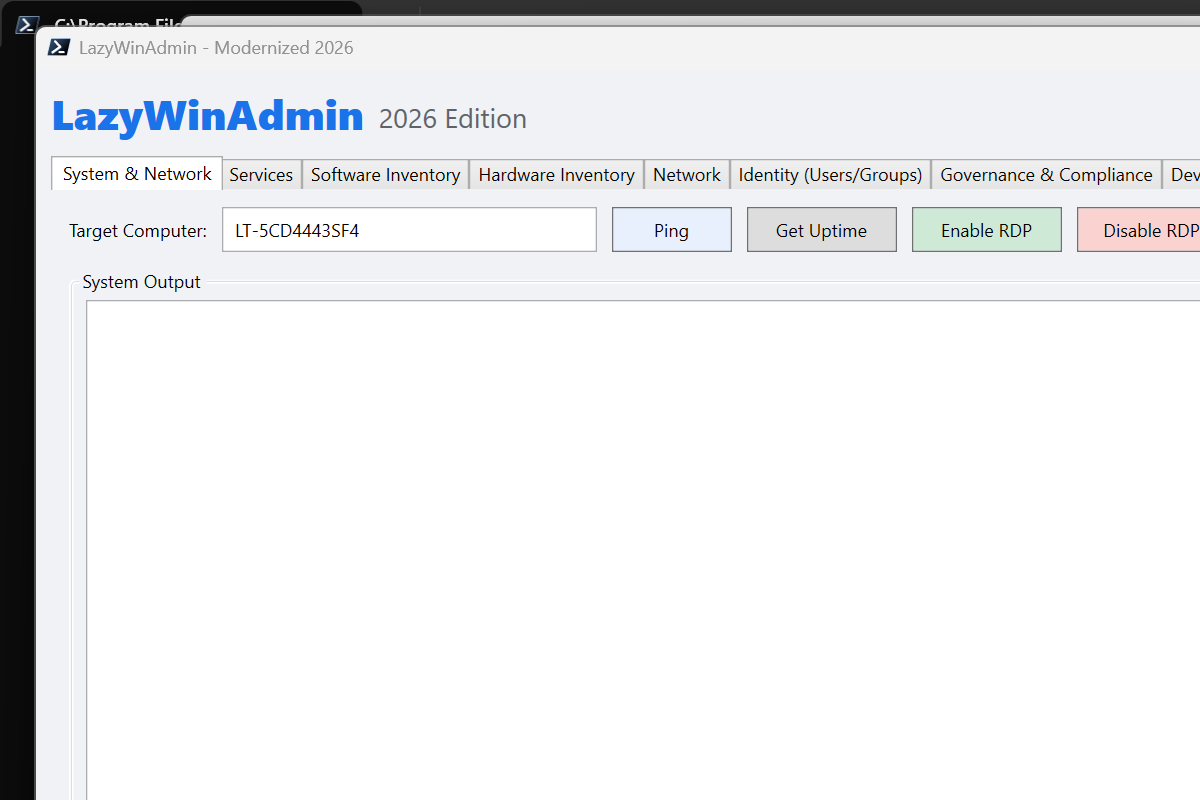
Complete rewrite of LazyWinAdmin as a native PowerShell 7.4+ WPF module.
Replaces the 2012 PowerShell 2.0 WinForms version with a full modern equivalent.

New LazyWinAdminModule includes:
- 11-tab WPF GUI: System, Services, Software, Hardware, Network, Identity,
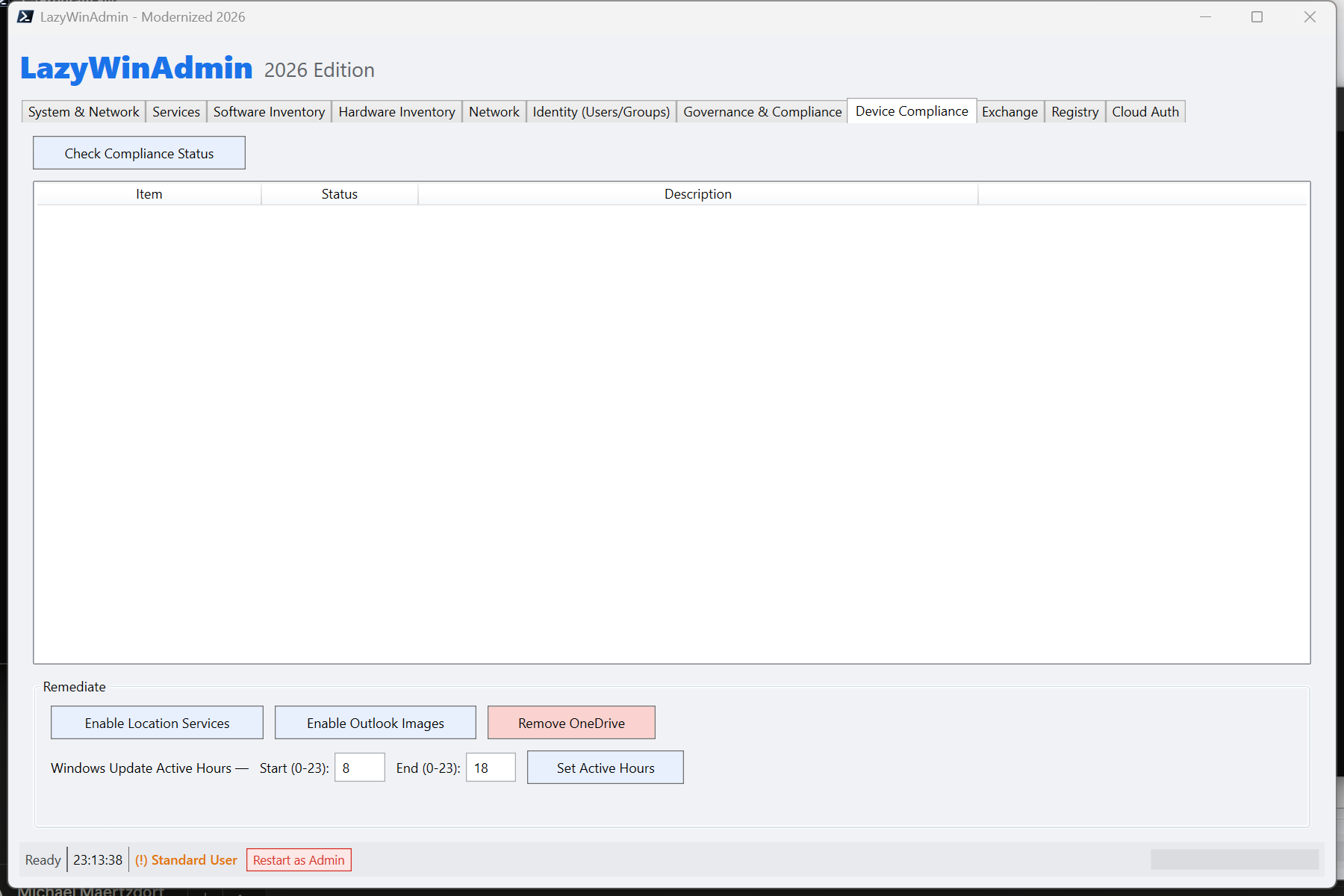
  Governance & Compliance, Device Compliance, Exchange, Registry, Cloud Auth
- Async architecture: Start-ThreadJob + ConcurrentQueue + DispatcherTimer
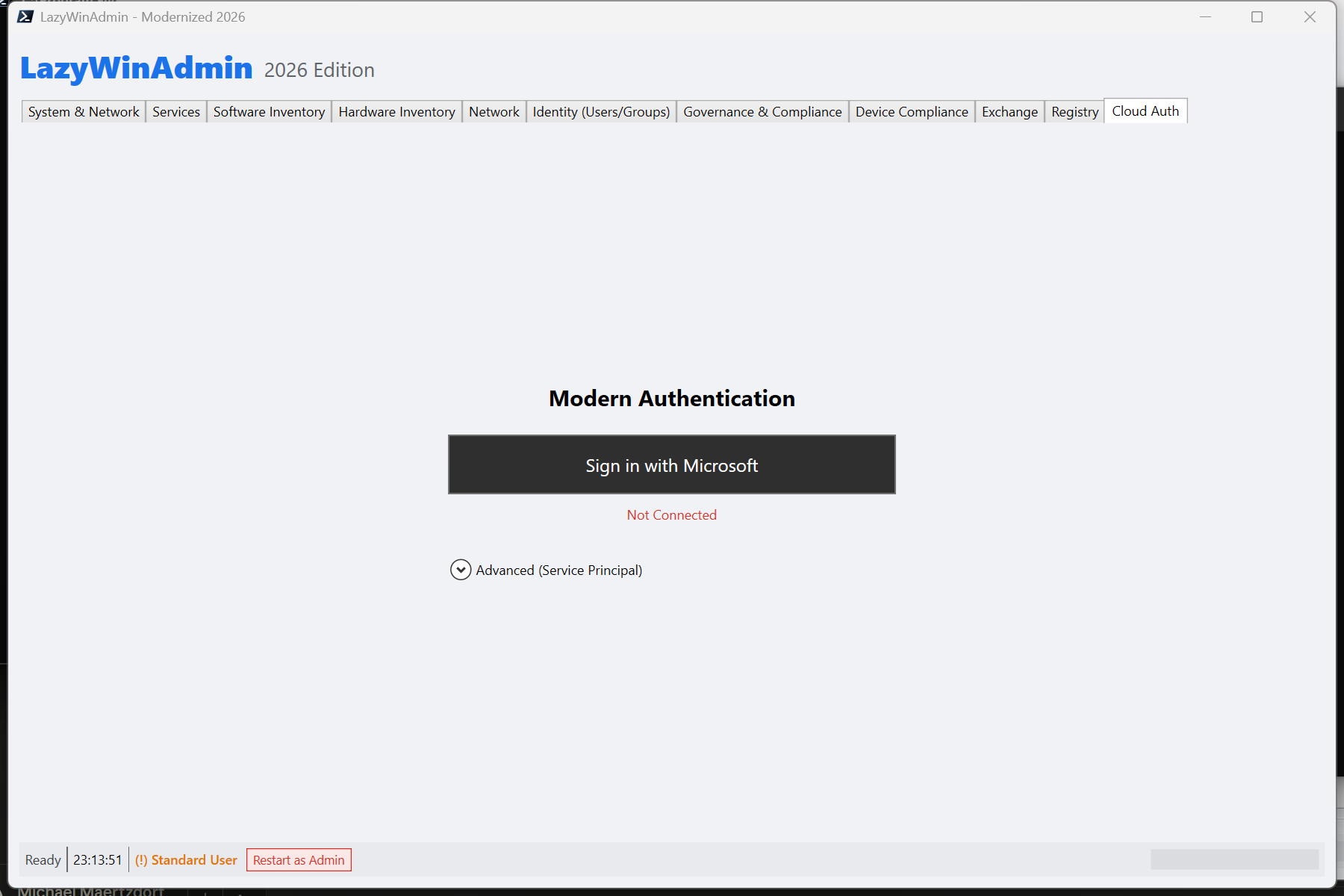
- Cloud integration: Entra ID, Intune, Azure Resource Graph, Exchange Online
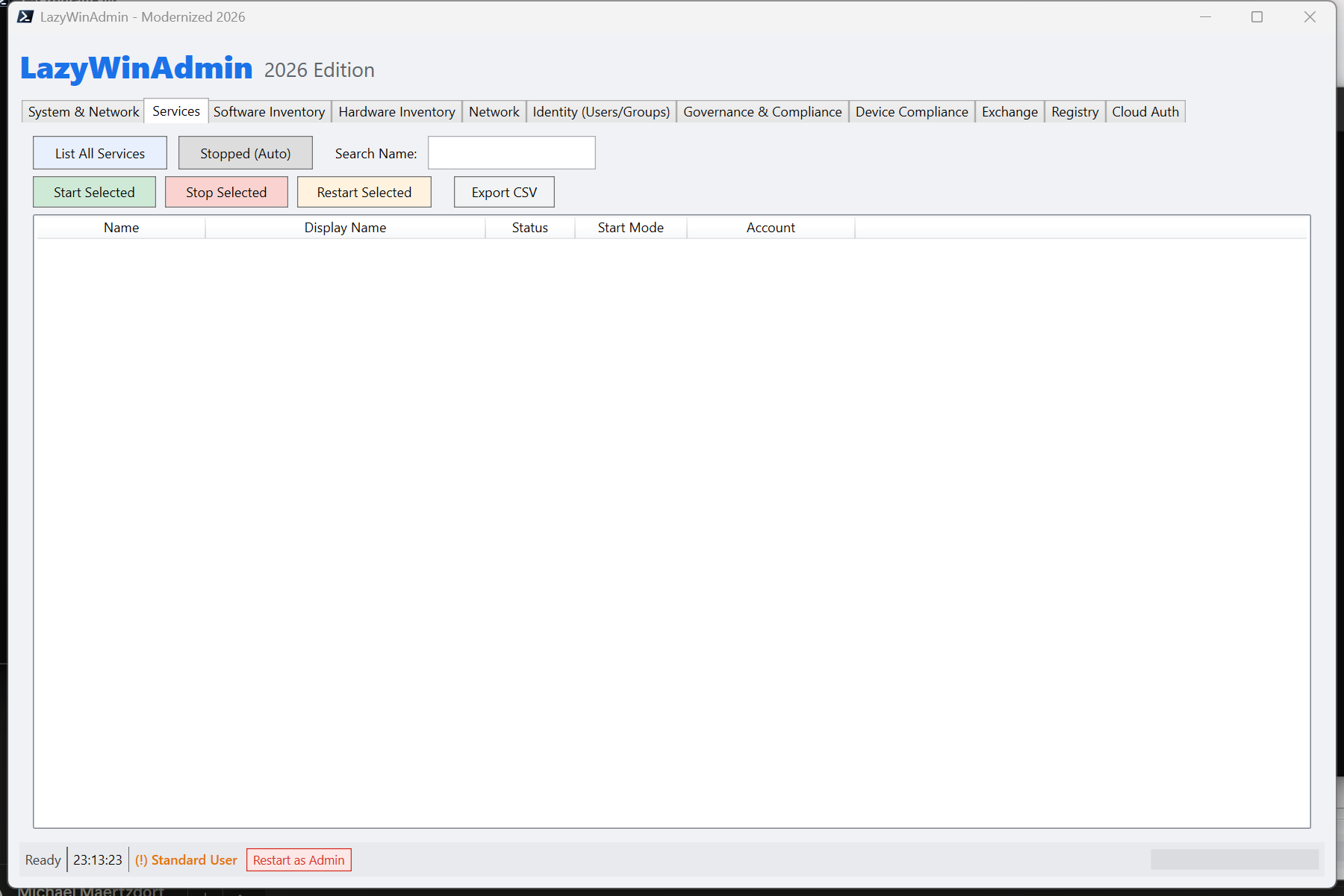
- Service control: Start/Stop/Restart from the Services tab
- Export to CSV on all major list views
- Admin elevation detection with Restart as Admin
- OData/LDAP injection protection
- 228 Pester v5 tests, 0 failures

See README.md for full feature list and quick start instructions.

Co-Authored-By: Claude Sonnet 4.6 <noreply@anthropic.com>
Launches the WPF application in a separate pwsh process, waits for the
window to appear, then iterates through all 11 tabs using simulated mouse
clicks and saves a PNG to Media\ for each one.

Uses P/Invoke (FindWindow, GetWindowRect, SetForegroundWindow,
System.Drawing.Bitmap.CopyFromScreen) and mouse_event for tab navigation.

Usage: pwsh -NoProfile -File .\Take-Screenshots.ps1

Co-Authored-By: Claude Sonnet 4.6 <noreply@anthropic.com>
12 PNG screenshots of the modernized 2026 WPF interface — one per tab:
main, System & Network, Services, Software Inventory, Hardware Inventory,
Network, Identity, Device Compliance, Exchange, Governance & Compliance,
Registry, Cloud Auth.

Take-Screenshots.ps1 uses UIAutomation (SelectionItemPattern) for
DPI-independent tab navigation and Get-Process.MainWindowHandle for
reliable WPF HWND discovery.

Co-Authored-By: Claude Sonnet 4.6 <noreply@anthropic.com>
Co-Authored-By: Claude Sonnet 4.6 <noreply@anthropic.com>
|
Hi @lazywinadmin 👋 Just wanted to give a quick update on this PR — a lot has been added since the initial submission that I think makes it much easier to review and evaluate. What's new since the initial PRScreenshots — the new WPF interface is now fully documented with screenshots of all 11 tabs, so you can see the modernized UI without needing to run the module:
Wiki — a full wiki has been written covering everything a maintainer or contributor would need to understand the rewrite:
Test suite — 228 Pester v5 tests, 0 failures. Every private function is covered including the new service control function added in v1.3.0. Happy to answer any questions or adjust anything to fit your preferred style for the repo. The original |
1 participant

Summary
A complete rewrite of LazyWinAdmin as a native PowerShell 7.4+ WPF module, preserving the original 2012 source files in
LazyWinAdmin/andSources/directories untouched.The new module (
LazyWinAdminModule/) provides the same on-premises capabilities as the original — services, software inventory, hardware, network, registry, RDP toggle, Active Directory — plus cloud integration (Entra ID, Intune, Exchange Online, Azure Resource Graph), a Device Compliance tab, and a full Pester v5 test suite.Why this rewrite?
Start-ThreadJob+ConcurrentQueue+DispatcherTimerGet-WmiObject,Win32_Product(triggers MSI repair)Get-CimInstance, StdRegProv registry enumerationFiles changed
The
LazyWinAdmin/andSources/legacy directories are not modified.Key architectural decisions
Async pattern
All button handlers dispatch to
Start-ThreadJob. When a job completes, aRegister-ObjectEventhandler enqueues the result into aSystem.Collections.Concurrent.ConcurrentQueue. ADispatcherTimer(50 ms tick) drains the queue on the WPF UI thread — noDispatcher.Invokeneeded in callbacks, no cross-thread issues possible.CIM local routing
Get-CimInstance -ComputerName localhostin PowerShell 7+ routes through WinRM (WSMan), which stalls for 30 s if WinRM is stopped and can fill theStart-ThreadJobpool (max 5 slots), freezing the UI. All 24 CIM-based functions detect a local target ($isLocalcheck) and omit-ComputerNameentirely.Security
$filterinjection: search terms have'→''before Graph API calls[^\w\s\*\@\.\-]patternWin32_Product(triggers MSI consistency repair across all installed applications)SamAccountNameexcluded from AD user results (PII)ClientSecretstored only asSecureString, never as plain textQuick start
Test plan
Manual verification:
SOFTWARE\Microsoft\Windows\CurrentVersionfrom HKLM🤖 Generated with Claude Code